
On this page
Start here
Quick answer
If a KitchenAid cooktop will not turn on, first identify whether it is electric, induction, or gas and whether the whole control panel is dead or only one burner fails. Check the selected control, Control Lock or Cooktop Lockout, the visible power connection and breaker, and—on a gas model—the knob position, burner cap, gas supply, and igniter click. KitchenAid recommends a one-minute power reset for applicable electric models, but a breaker that trips again, damaged wiring, sparks, a gas smell, or a hot surface that will not shut off is a stop condition. Do not remove the cooktop, probe live wiring, bypass a lock or safety device, or keep trying to ignite an unlit gas burner.
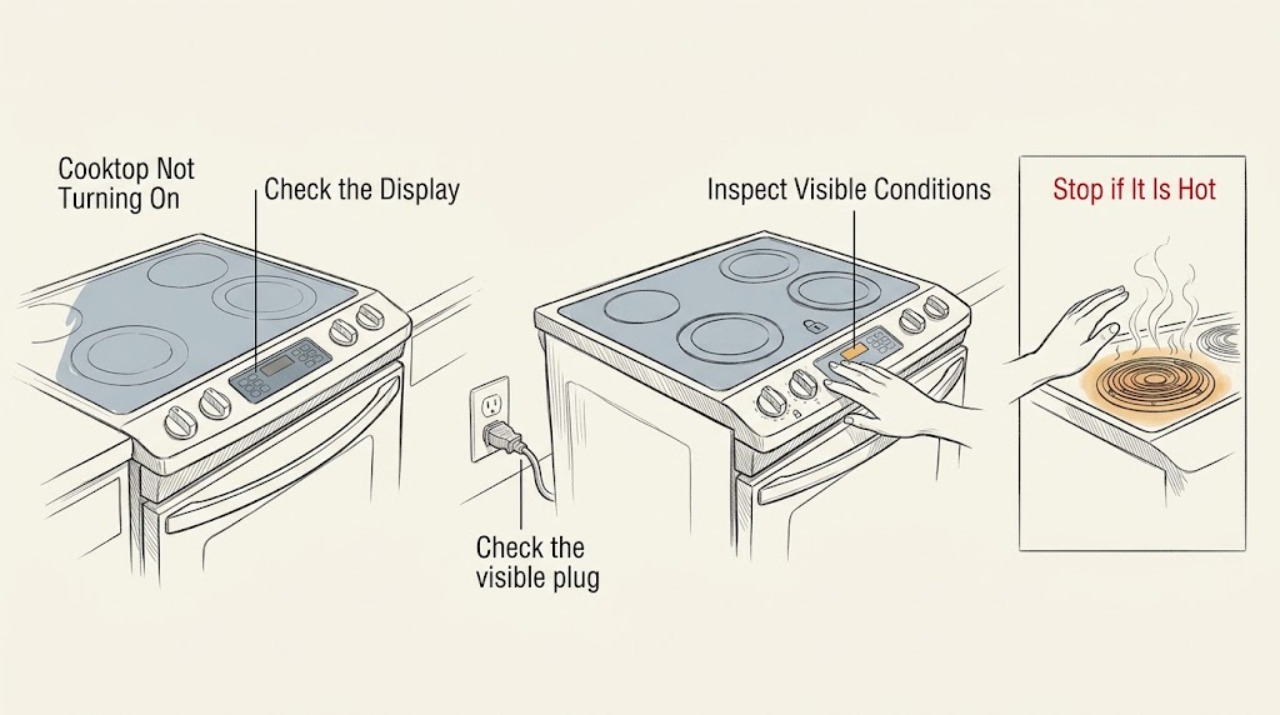
Work through in order
Diagnostic checks
Use only checks that match the exact appliance or system and its official guide.
-
Check 1
Identify the cooktop type and scope of the failure. With all burners or elements off and the surface cool, note whether the display is blank, a lock symbol is present, one zone is dead, all zones are dead, or a code is flashing.
Expected result: Only one burner or element fails, the whole panel is unresponsive, a lock indication is visible, a gas burner has no click or flame, or a code appears.
Next step: Follow the branch matching the observation and retrieve the exact manual by model. Do not assume an induction, electric, and gas procedure is interchangeable.
Why this matters
Why: A single-zone issue points toward that zone's control, element, burner, or ignition path; a dead panel points first toward lock or power. KitchenAid states that the exact control operation and code response are model-specific.
-
Check 2
For touch-control or electronic models, look for Control Lock or Cooktop Lockout and use only the model's documented unlock gesture. Then select a cooking zone and set a low level as the manual describes; do not hold a control continuously or use an improvised bypass.
Expected result: The lock indicator clears and the cooktop responds, the controls were already unlocked, or the panel stays dead after the documented unlock attempt.
Next step: Use the cooktop only if the control responds normally. If the lock cannot be cleared or the display remains dead, turn controls off and continue with the external power check or arrange service.
Why this matters
Why: KitchenAid says Control Lock prevents unintended use and can leave surface controls unavailable. A panel that remains unresponsive with the lock cleared needs a power or service check, not repeated tapping.
-
Check 3
Check the visible plug or connection, dedicated supply, and household breaker or fuse without opening the cooktop. If a breaker has tripped, reset it once only when there is no damage, smell, moisture, or unusual heat.
Expected result: The supply was interrupted, the breaker holds and the cooktop returns, the supply appears normal but the cooktop remains dead, or the breaker trips again.
Next step: If safe, restore the obvious external supply and verify operation once. If power is absent, the breaker trips again, or the cord or wiring is hot or damaged, stop and call a qualified electrician or appliance technician.
Why this matters
Why: KitchenAid lists a tripped breaker, blown fuse, or incorrect power connection as a reason an electric or induction cooktop may not operate. A repeated trip indicates an unresolved electrical fault and is not a reset loop.
-
Check 4
If the cooktop is electric with coil elements, check only while cool that the affected coil is fully seated in its receptacle and the drip bowl is positioned correctly. For a smooth or induction surface, keep the glass and control area dry and use the manual's zone-selection procedure.
Expected result: A coil was not fully inserted, the coil is seated but remains cold, the touch panel is wet or obstructed, or an induction zone displays a pan or cookware message.
Next step: Correct only the visible seating, moisture, or control-selection condition and test once. Do not lift the glass or probe the receptacle; arrange service for a persistent dead zone or control.
Why this matters
Why: KitchenAid says coil elements must be inserted properly, while touch-control and induction models use different selection and cookware detection rules. A properly seated element or dry, unlocked panel that still fails shifts the issue to service diagnosis.
-
Check 5
For a gas cooktop, ensure the burner cap is correctly seated and dry, push the knob in, and turn it to Ignite only while watching for a flame. If there is no igniter click, turn the burner off immediately; if there is a gas smell, stop and leave the area.
Expected result: The igniter clicks and the burner lights, the cap or burner area was wet or displaced, there is no click, all burners fail, or gas is present without ignition.
Next step: Allow a spill to dry and clean or seat the cap only as the manual permits, then try once. If there is no click, repeated failure, or any gas odor, turn the control off and arrange qualified gas or appliance service.
Why this matters
Why: KitchenAid explains that electronic ignition sparks when the knob is pushed and turned to Ignite, and that a wet or poorly seated burner can interfere with ignition. No click can indicate an electrical or ignition issue; unburned gas is a hazard.
-
Check 6
After the lock, control, external power, element or cookware, and gas checks, perform one supervised test using the exact manual. Observe whether the cooktop responds, whether a zone heats or a flame remains stable, and whether any code, unusual heat, smoke, or odor appears.
Expected result: The cooktop works normally, only one zone remains dead, a code returns, the surface overheats, or an electrical or gas hazard appears.
Next step: Stop testing and arrange qualified service for a persistent failure. For smoke, sparks, abnormal heat, damaged wiring, or gas odor, stop immediately and follow the emergency boundary.
Why this matters
Why: A successful response after correcting one external condition supports that condition as the immediate cause. A persistent dead zone or returning code can involve the element, burner valve, igniter, sensor, wiring, or control and cannot be confirmed safely from outside.
Use your observations
Decision map
Find the observation that best matches what you see, then follow the next safe action.
-
PATH 01Next step
What you see
The cooktop is touch-controlled and a Control Lock or Cooktop Lockout indication is active.
Do this next
Use the exact model unlock instruction, then select a zone and test once. Arrange service if the lock cannot be cleared or the panel remains unresponsive.
-
PATH 02Next step
What you see
The whole electric or induction cooktop is dead, or a breaker or fuse has interrupted power.
Do this next
Restore only an obvious external supply condition and perform the model-approved one-minute reset once. If the breaker trips again or the cooktop stays dead, call a qualified electrician or appliance technician.
-
PATH 03Next step
What you see
Only an electric coil element is cold and it is not fully seated.
Do this next
With the surface cool, reseat the element as the manual shows and test once. A seated element that remains dead needs service.
-
PATH 04Next step
What you see
An induction zone does not respond because the control is not selected correctly or the cookware is not detected.
Do this next
Use the model's zone-selection procedure and cookware guidance. If the control remains dead or a code returns, stop and arrange service.
-
PATH 05Next step
What you see
A gas burner has no click, does not light, or all burners fail after the cap is dry and seated.
Do this next
Turn the burner off and arrange qualified gas or appliance service. Do not leave gas flowing, bypass ignition, or disassemble the cooktop.
-
PATH 06Next step
What you see
Smoke, sparks, burning odor, abnormal heat, damaged wiring, repeated breaker trips, or a gas smell occurs.
Do this next
Stop immediately. Disconnect power only if safe; for gas odor do not operate switches or create a spark, leave the area, and contact emergency or gas service from a safe location. Do not run another test.
Helpful context
Understand the symptom
Start by separating a dead cooktop from a single-burner issue
A completely blank touch panel, a locked display, one cold electric element, and a gas burner with no spark are different failure paths. Record the model, cooktop type, which controls respond, and any displayed code before resetting power. Use the exact Owner's Manual for control gestures and burner or element operation.
Stay on the safe side of electricity and gas
Do not lift the cooktop, remove panels, test a live circuit, bypass Control Lock, or leave a gas knob open while diagnosing. If you smell gas, turn controls off if safe, do not operate switches or create a spark, leave the area, and contact the appropriate gas or emergency service from a safe location.
When checks do not resolve it
Need a professional?
Book service for a persistent no-power or no-heat zone, failed ignition, returning error code, control-lock problem that cannot be cleared, or any repair beyond the exact KitchenAid Owner's Manual.
Common questions
FAQ
Why will my KitchenAid cooktop not turn on at all?
Check whether Control Lock is active, then check the visible power connection and breaker or fuse. Use the model-approved power reset once; a persistent dead panel or repeat breaker trip needs qualified service.
Why does only one KitchenAid cooktop burner or element not work?
For a coil element, check that it is fully seated while cool. For a touch or induction zone, follow the exact zone-selection and cookware instructions. A persistent dead zone needs service rather than panel removal.
What should I do if my KitchenAid gas cooktop has no spark?
Turn the burner off, check only the visible dry and correctly seated cap and the model-approved Ignite position, and try once. If there is still no click or any gas odor, stop and arrange qualified gas or appliance service.
When should I stop using a KitchenAid cooktop that will not turn on?
Stop for smoke, sparks, burning odor, abnormal heat, damaged wiring, repeated breaker trips, or gas smell. Disconnect power only if safe; for gas odor, do not operate switches or create a spark, leave the area, and seek help from a safe location.
Read the exact guide
Official sources
- Not Powering On - Electric CooktopKitchenAid Product Help · Use for KitchenAid electric smooth-top control and power symptoms; coil models have additional element-seating guidance and exact behavior varies by model.
- Gas Burners are Clicking but Not LightingKitchenAid Product Help · Use for KitchenAid gas cooktop ignition symptoms; follow the exact model manual and gas-safety requirements.
- Clicking or Ticking - Gas CooktopKitchenAid Product Help · Use when a KitchenAid gas burner fails to click or ignite; turn off the burner and follow the model guidance.
- Nothing Will Operate - Induction CooktopKitchenAid Product Help · Use for KitchenAid induction models when no zone operates; exact controls and cookware behavior vary by model.
- TROUBLESHOOTINGKitchenAid · Representative KitchenAid cooktop manual; confirm the exact model manual before applying controls, codes, cookware, or safety instructions.
Community feedback
Share a repair observation
Share a plain-text repair observation. Accepted observations are published automatically; this page may take a moment to update.