
On this page
Start here
Quick answer
First determine whether the whole appliance is dark or whether the light and controls work but the freezer is not cooling. For a dark appliance, inspect the power cord, outlet, breaker, or GFCI only from a safe position; do not use an extension cord or open the cabinet. If the controls are lit, confirm cooling is enabled in the model's manual and listen during a normal cooling cycle for compressor or fan activity. Move vulnerable food to a suitable cold-storage option and keep the door closed. Stop and arrange service for a damaged cord, burning smell, water near electrical parts, a breaker that trips again, persistent silence after safe power checks, or any attempt to cool without normal control.
Before you begin
Safety first
- Start components, control electronics, fans, compressor, and sealed-system components require model-specific testing by a qualified technician.
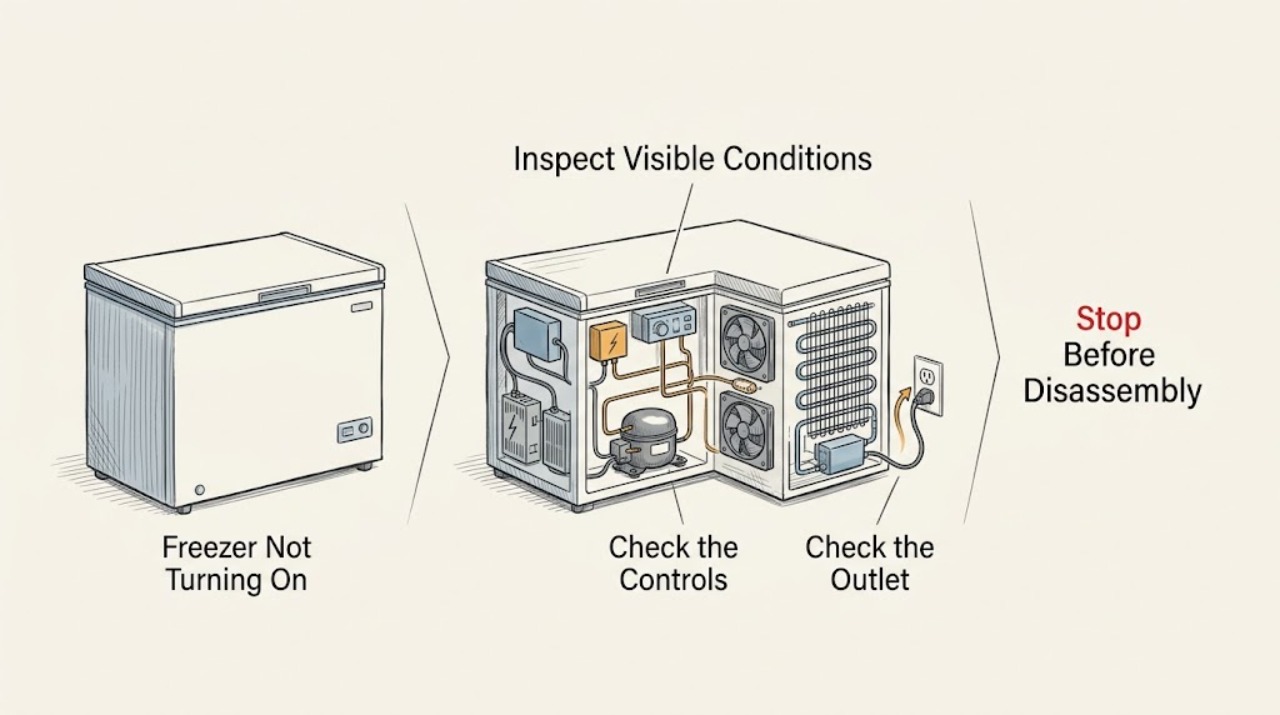
Work through in order
Diagnostic checks
Use only checks that match the exact appliance or system and its official guide.
-
Check 1
Screen for an immediate safety or food-loss risk before troubleshooting: look for a damaged or hot cord, burning odor, smoke, sparks, water at the electrical connection, a tripped circuit that will not hold, or food that is already softening.
Expected result: There is no electrical or water hazard, and the food can remain safely closed in the freezer while the checks are performed.
Next step: If there is smoke, odor, heat damage, water near electrical parts, or a repeated trip, stop using the appliance and arrange professional service. Transfer vulnerable food when practical; otherwise continue with the brief identity check.
Why this matters
Why: A no-hazard condition permits external checks. A hazard or rapidly warming food changes the priority to safe shutdown, food protection, and service.
-
Check 2
Open the freezer briefly and observe the interior light, display, control response, and any recent power-loss indicator. Note whether the refrigerator section is also dark and whether the problem affects the whole appliance or only the freezer compartment.
Expected result: Everything is dark and silent; the light works but the controls are dark; or the light and controls work while the freezer does not cool or make its usual operating sounds.
Next step: For a dark appliance, perform the external power check. For a powered appliance, verify the controls and then observe a normal cooling cycle without opening the cabinet.
Why this matters
Why: Whole-appliance darkness points to supply or shared control power. A working light with an unresponsive panel narrows the issue to controls or model-specific settings. A powered panel with no cooling requires a cooling-cycle and compressor check.
-
Check 3
From a safe position, confirm the power cord is undamaged and firmly seated in the intended grounded outlet. If outlet operation is uncertain, use a small household lamp or similar low-risk appliance at the outlet rather than disassembling the freezer.
Expected result: The cord is secure and the outlet powers the test appliance; the cord is loose or damaged; or the outlet has no power.
Next step: If the cord is damaged or the outlet is unsafe, stop and call a qualified electrician or appliance technician. Do not use an extension cord. If the outlet is working and the freezer remains dark, inspect the labeled breaker or GFCI once.
Why this matters
Why: A working outlet makes a house-supply interruption less likely. A loose or damaged cord, or a dead outlet, can explain a dark freezer but requires care around the electrical supply.
-
Check 4
Inspect the labeled freezer or refrigerator circuit breaker and any GFCI outlet from a dry, safe position. Restore a clearly tripped device once only when there is no odor, water, visible damage, or other hazard.
Expected result: The display returns and remains stable; the breaker or GFCI was already on; or it trips again, will not reset, or the display stays dark.
Next step: If the device trips again, remains unavailable, or the freezer stays dark, leave the circuit in the safe state and arrange professional service. Do not open the freezer or test live electrical values.
Why this matters
Why: A stable return of power suggests an interrupted household supply. A repeat trip or a circuit that will not hold indicates an electrical or appliance fault, not a reason for more resets.
-
Check 5
If the light or display works, use the model's control instructions to confirm the freezer control and cooling function are enabled. Check for a cooling-off, showroom, vacation, or similar displayed mode only when the owner's manual identifies that mode for the appliance.
Expected result: Cooling was disabled or a special mode is displayed; the controls accept the documented change; or the controls are lit but do not respond.
Next step: Restore cooling only through the documented control procedure and allow a normal cycle to begin. If the panel remains unresponsive or the mode cannot be cleared from the manual, stop and arrange service.
Why this matters
Why: A disabled cooling setting can make the freezer seem off without a supply failure. A lit but unresponsive panel points toward the user interface, shared control, or an internal fault.
-
Check 6
With cooling enabled, close the doors and listen during a normal cooling period for the compressor or fan to begin. Check the freezer temperature trend without repeatedly opening the door, and note clicking, buzzing, silence, or a brief start followed by stopping.
Expected result: The compressor or fan starts and the temperature begins to recover; the freezer stays silent; or a repeated click or short start occurs without cooling.
Next step: If cooling does not begin after the normal observation period, stop parts-level troubleshooting and arrange KitchenAid service. Do not bypass a start device, access the compressor, or continue cycling the power.
Why this matters
Why: A stable start supports a control or delay condition that has cleared. Persistent silence or repeated failed starts narrows the problem to a start circuit, control, fan, or sealed cooling component that requires professional diagnosis.
Use your observations
Decision map
Find the observation that best matches what you see, then follow the next safe action.
-
PATH 01Next step
What you see
Smoke, sparks, burning odor, water at electrical parts, damaged cord, or a circuit that trips again
Do this next
Stop using the freezer, keep clear of the hazard, protect food if practical, and arrange urgent qualified service. Do not reset the circuit again.
-
PATH 02Next step
What you see
The whole appliance is dark and silent
Do this next
Check the cord and outlet, then the labeled breaker or GFCI once from a safe position. If power does not return or the circuit will not hold, arrange service.
-
PATH 03Next step
What you see
The light or display works but cooling is disabled or a special mode is shown
Do this next
Use the model-specific manual to restore cooling. If the documented control procedure does not work, stop and arrange service.
-
PATH 04Next step
What you see
Cooling is enabled but there is no compressor or fan activity, or repeated clicking without cooling
Do this next
Keep the door closed, protect food, and arrange professional diagnosis of the start circuit and cooling system.
-
PATH 05Next step
What you see
The freezer starts and temperature begins to recover
Do this next
Avoid unnecessary door openings and monitor the trend. If the symptom returns, record the display, sounds, and temperature behavior for service rather than replacing a part by guesswork.
Helpful context
Understand the symptom
A KitchenAid freezer that will not turn on can be a no-power problem, a control setting, or a powered appliance whose cooling system is not starting. Open the door briefly and observe the interior light, display, and sounds before changing anything. A dark light and dark control panel point toward supply or control power; a lit panel with no cooling points toward settings, a delayed cycle, or a cooling-system fault.
Protect food while diagnosing. Keep the freezer door closed and move food to another freezer or a cooler with ice when practical. If the freezer has just been reconnected or a control was changed, allow its normal cooling cycle to begin rather than judging it from one silent moment. Use the owner's manual for the exact control layout because KitchenAid models differ.
The only user-level electrical checks here are external and visual. Check the cord, outlet, breaker, and any GFCI from a dry, safe position. Do not remove covers, probe live wiring, replace internal components, or repeatedly reset a circuit that trips. A freezer that remains completely unresponsive after the external checks needs a qualified service diagnosis.
If the display and light work but the compressor never starts during a normal cooling period, a start relay, start capacitor, defrost control, control board, fan, or another cooling component may be involved. These are diagnostic possibilities, not parts to order from a symptom alone. Record the model, display state, breaker behavior, temperature trend, and sounds for KitchenAid support.
Only after diagnosis
Potential parts
- compressor start relay or start capacitor
Consider this only when the appliance has stable external power but the compressor clicks, attempts to start, or remains dormant during a normal cooling period and service testing confirms the start circuit.
Confirm the exact KitchenAid model and manufacturer fit information before any part decision. - electronic control board or thermostat
Consider this only when power is present but the controls do not enable cooling or a technician isolates the command path as the cause.
Use model-specific documentation and diagnostic findings; do not infer board fit from appearance. - evaporator or condenser fan
Consider this only when the control starts a cooling cycle but airflow or fan operation is absent and service testing confirms a fan fault.
Confirm the affected fan location, model, and manufacturer fit information before replacement. - defrost control or sealed cooling component
Consider this only when the freezer is powered but remains warm after simpler power and control checks, and a qualified technician identifies a defrost or sealed-system cause.
These diagnoses and repairs are model-specific and should not be selected from a symptom alone.
When checks do not resolve it
Need a professional?
Call when a hazard is present or when the cord, outlet, breaker, controls, and normal cooling-cycle checks do not restore stable operation.
Safety scope: Start components, control electronics, fans, compressor, and sealed-system components require model-specific testing by a qualified technician.
Have this ready
- Provide the KitchenAid model from its rating label, whether the light and display work, outlet and breaker behavior, any displayed mode, temperature trend, compressor or fan sounds, and whether the symptom followed a power event or cleaning.
Common questions
FAQ
Why is my KitchenAid freezer completely dark?
A loose or damaged power connection, dead outlet, tripped breaker or GFCI, or an internal control fault can leave the appliance dark. Check only the cord, outlet, and labeled circuit from a safe position. If power does not return, arrange service.
The freezer light works but it is not cooling. What should I check?
Confirm cooling is enabled using the model's manual, then observe a normal cooling period for compressor or fan activity. Persistent silence, repeated clicking, or no temperature recovery needs professional diagnosis.
Can I reset the KitchenAid freezer by turning the breaker off and on?
A single safe restoration of a clearly tripped breaker can identify an interrupted household supply, but repeated trips are a stop condition. Do not keep cycling power or open the appliance.
Why does the freezer click but not start?
A repeated click or brief start can indicate a compressor start-circuit or another cooling fault, but it cannot identify a part by sound alone. Keep the door closed, protect the food, and arrange a professional diagnosis.
When should I call for KitchenAid freezer service?
Call immediately for smoke, sparks, burning odor, water near electrical parts, damaged wiring, or a repeated breaker trip. Call after safe checks for a dark appliance, an unresponsive control, or a powered freezer that does not start cooling.
Read the exact guide
Official sources
- No Operation - Will Not Turn On - RefrigeratorKitchenAid Product Help · Manufacturer support for power connection, outlet, breaker or GFCI, controls, and escalation to service
- Troubleshoot | KitchenAidKitchenAid · Manufacturer route to refrigeration troubleshooting, manuals, product help, and service support
- 9 Possible Freezer Troubleshooting Fixes & TipsKitchenAid · Manufacturer guidance for freezer power, controls, food protection, compressor sounds, and service boundaries
Community feedback
Share a repair observation
Share a plain-text repair observation. Accepted observations are published automatically; this page may take a moment to update.