
On this page
Start here
Quick answer
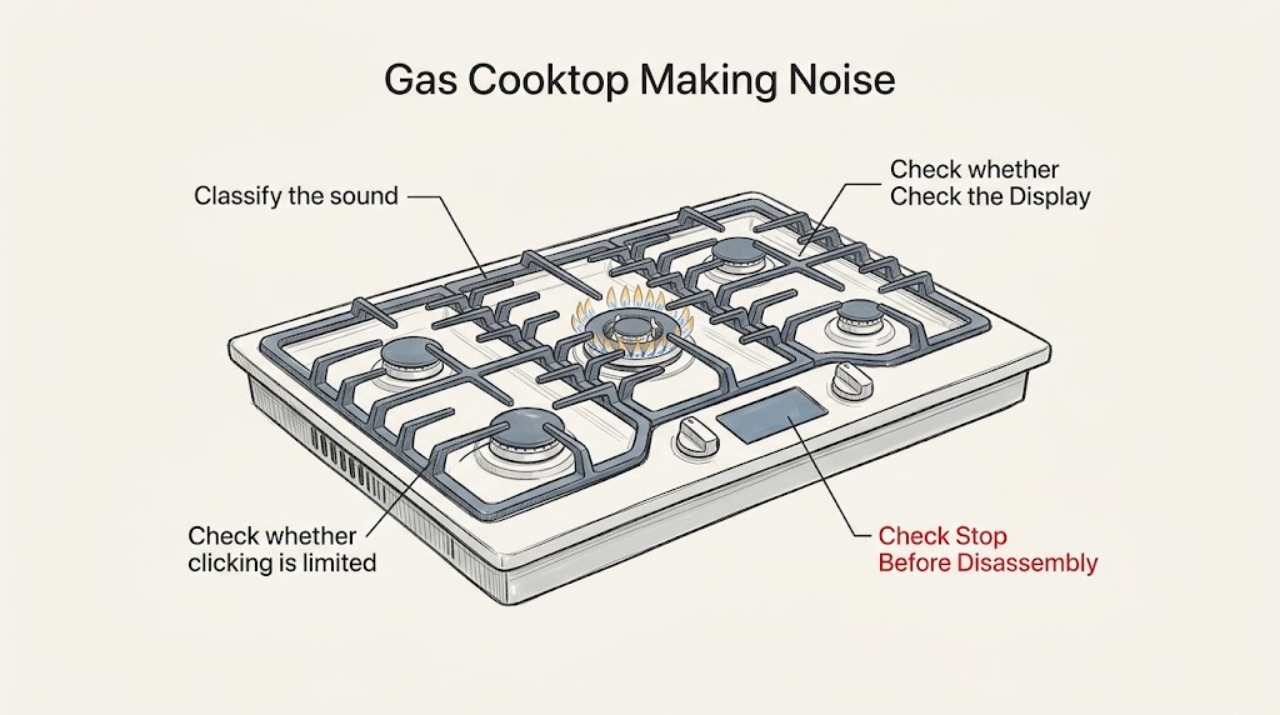
Identify the sound before treating it as a failure. Clicking while a knob is in IGNITE/FLAME can be normal; continued clicking after all knobs are off commonly points to moisture or a reignition response. A hum can be normal when a downdraft vent is operating. A popping sound often follows a wet burner or a cap that is not seated correctly, while noisy or yellow flames require checking the cap, clean ports, and gas-conversion/installation condition. Turn the burner off for any unlit gas, persistent abnormal flame, gas odor, smoke, or repeated ignition, and arrange qualified service. [Source: kitchenaid-clicking; kitchenaid-humming; kitchenaid-popping; kitchenaid-noisy-flames]
Work through in order
Diagnostic checks
Use only checks that match the exact appliance or system and its official guide.
-
Classify the sound with the flame state
With the area clear of loose items, note which knob is selected, whether a burner is lit, whether all knobs are off, and whether the sound is clicking, humming, popping, or a steady roar. Observe the flame without leaning over the cooktop or placing hands near it.
Expected result: Clicking occurs only during ignition, clicking continues with knobs off, a hum follows downdraft operation, a pop occurs after cleaning or spillover, or the flame is noisy, yellow, lifting, or unstable.
Next step: Follow the matching clicking, humming, popping, or flame branch. Turn the burner off if it does not ignite or the flame is unsafe-looking.
Why this matters
Why: Each pattern has a different path: ignition/re-ignition, ventilation, moisture/cap placement, or gas/airflow/port condition. A noisy or abnormal flame is more urgent than a normal ignition click.
-
Check whether clicking is limited to ignition
Turn one burner knob to the model’s ignition position and visually confirm that the intended burner lights. Return the knob to OFF after the test; do not allow gas to flow while waiting for an ignition that does not occur.
Expected result: The intended burner lights and clicking stops, the burner does not light, or clicking continues when every knob is OFF.
Next step: For a no-light condition, turn the burner off and arrange service or follow the exact manual. For post-spill clicking, let the burner and control area dry thoroughly; if clicking persists with knobs off, request service.
Why this matters
Why: Clicking during a successful ignition is expected. No ignition with gas flow is a stop condition. Clicking with all knobs off can come from moisture in the switches or a reignition feature responding to a draft or extinguished flame.
-
Dry the burner and control area after moisture
Turn the burner off and allow the visible burner cap, head, and surrounding control area to dry completely after cleaning or a spill. Use only cool air if the model guidance permits; do not pour cleaner into the burner or remove sealed components.
Expected result: Clicking or popping stops after the area dries, or the sound continues despite a dry surface.
Next step: Run one supervised ignition only after the area is dry. If clicking continues with knobs off, the flame will not remain lit, or the sound is accompanied by gas odor, stop and call qualified service.
Why this matters
Why: KitchenAid identifies damp burners or moisture in switches as a cause of clicking and popping. A persistent sound after drying is not explained by the original spill alone and can involve ignition or re-ignition components.
-
Check visible cap seating and burner cleanliness
When the cooktop is cool and all knobs are OFF, lift only the removable cap as described by the model manual. Refit it flush on the matching base with its alignment features seated, and clear visible food residue using the manual’s approved cleaning method without enlarging or distorting any burner opening.
Expected result: The cap rocks, is on the wrong burner, has residue underneath, or the flame becomes stable after correct seating and cleaning; or the noise remains.
Next step: Use one supervised burner test. If the flame stays noisy, yellow, lifts, or repeatedly goes out, turn it off and arrange qualified gas-appliance service.
Why this matters
Why: KitchenAid states that a cap must sit correctly for the burner to light and perform properly, and that clogged ports can cause poor ignition or uneven/noisy flames. A persistent abnormal flame after this check needs service or installation review.
-
Separate a vent hum from an ignition draft
If the cooktop has a downdraft vent, turn the vent off and observe whether the hum stops. With a burner lit only as instructed by the manual, note whether a strong room draft or vent airflow disturbs the flame and whether clicking starts when the flame is disturbed.
Expected result: The hum disappears with the downdraft off, or airflow disturbs the flame and causes repeated clicking/re-ignition.
Next step: Use the vent at a setting that does not destabilize the flame and follow the manual’s ventilation guidance. If the flame remains unstable with normal airflow, stop and request service or installation review.
Why this matters
Why: KitchenAid identifies downdraft operation as a normal source of humming. Its ignition guidance also notes that external airflow can extinguish a flame or cause a reignition system to click repeatedly.
-
Stop for abnormal flame or gas symptoms
Turn the affected burner and cooktop controls OFF if the flame is yellow, noisy, lifting, repeatedly goes out, or gas is sensed without reliable ignition. Leave the cooktop off and preserve the model, fuel type, recent cleaning/spill, and sound pattern for a qualified technician; do not adjust the regulator, jets, gas line, or ignition wiring.
Expected result: The abnormal flame or gas symptom disappears when the burner is off, or it remains present, affects several burners, or follows an installation or fuel-conversion change.
Next step: For gas odor, smoke, or uncontrolled flame, leave the area and use the appropriate emergency or gas utility channel. Otherwise request qualified KitchenAid appliance service and do not relight until assessed.
Why this matters
Why: A persistent or multi-burner flame problem can involve blocked ports, incorrect cap placement, fuel conversion, gas supply, or installation. It cannot be safely narrowed to a replaceable part by sound alone.
Use your observations
Decision map
Find the observation that best matches what you see, then follow the next safe action.
-
PATH 01Safety boundary
What you see
Clicking occurs only while one burner is being ignited and the burner lights normally.
Do this next
Treat the ignition click as normal; return the knob to OFF after lighting and monitor the flame.
Why this path and its safety boundary
Safety stop: Continue with moisture, re-ignition, and flame checks.
-
PATH 02Safety boundary
What you see
Clicking continues after every burner knob is OFF.
Do this next
Let the burner and control area dry thoroughly. If the sound persists, stop using the cooktop and request service.
Why this path and its safety boundary
Safety stop: Use the normal-ignition branch if clicking is limited to startup.
-
PATH 03Safety boundary
What you see
The cooktop has a downdraft and the sound is a low hum.
Do this next
Turn the vent off once to confirm the relationship; KitchenAid describes this hum as normal vent operation.
Why this path and its safety boundary
Safety stop: Continue with popping, clicking, and flame-quality checks.
-
PATH 04Safety boundary
What you see
A burner pops after a spill or cleaning, or the flame is uneven.
Do this next
Turn it off, let the area dry, and refit the cool burner cap flush on its matching base. Persistent noise or an abnormal flame requires service.
Why this path and its safety boundary
Safety stop: Continue with draft and fuel/installation observations.
-
PATH 05Safety boundary
What you see
There is gas odor, smoke, uncontrolled flame, repeated ignition without a stable flame, or a yellow/lifting flame.
Do this next
Stop immediately, leave the area if gas is suspected, and use the appropriate emergency or qualified gas-service channel. Do not relight or adjust the appliance.
Why this path and its safety boundary
Safety stop: Perform only one supervised test after the applicable drying, cap, or vent correction; persistent noise needs service.
Helpful context
Understand the symptom
Gas cooktops make different sounds at different stages. A short click while lighting is an ignition action; a low hum may be the downdraft vent; a pop or continuous click after a spill is a moisture or flame-reignition clue. The flame itself—stable or noisy, blue or yellow—matters more than volume alone.
These checks are limited to knobs, visible burner caps, cool/dry surfaces, accessible cleaning, and observation of the flame. Do not remove sealed gas parts, alter jets or conversion settings, defeat ignition safety, or work on electrical wiring.
KitchenAid models differ in whether they have flame re-ignition and downdraft ventilation. Use the exact model manual for burner layout, cap alignment, cleaning, and installation requirements.
Safety boundary
Stop conditions
- Stop immediately for gas odor, smoke, uncontrolled flame, repeated ignition without a stable flame, arcing, hot wiring, or a yellow/lifting flame.
- Do not keep a knob open while waiting for ignition, bypass ignition or flame-sensing safety, or alter jets, regulator, gas line, or wiring.
- Do not enlarge burner ports or continue using a burner that remains noisy or unstable after it is dry and its cap is correctly seated.
- Use the exact model manual for removable-part cleaning and call qualified service for persistent abnormal flame or ignition behavior.
When checks do not resolve it
Need a professional?
Request qualified KitchenAid appliance service when clicking continues with all knobs off after the area is dry, a burner will not light or stay lit, a cap and accessible cleaning check does not correct popping or uneven flames, a downdraft or room draft continues to destabilize ignition, or multiple burners are noisy. Use a qualified gas professional for supply, conversion, regulator, or installation concerns, and use the emergency gas channel for a gas odor.
Have this ready
- Exact KitchenAid model and serial
- Noise type, affected burner(s), and whether all knobs are OFF when it occurs
- Whether the burner lights, stays lit, or has a noisy/yellow/unstable flame
- Whether the cooktop has downdraft ventilation and whether the sound changes when it is off
- Recent spill or cleaning, cap seating check, and accessible cleaning performed
- Fuel type, installation or conversion history, and any gas odor, smoke, or repeated ignition
Common questions
FAQ
Is clicking from a KitchenAid gas cooktop normal?
Clicking while a burner knob is in the ignition position can be normal if that burner lights and the sound stops. Clicking with all knobs off, after a spill, or with an unstable flame needs drying and then service if it persists.
Why is my KitchenAid gas cooktop popping?
A wet burner or a cap that is not seated correctly can cause popping. Turn the burner off, let it dry, refit the cool cap correctly, and request service if the sound or abnormal flame returns.
Is a hum from a KitchenAid gas cooktop dangerous?
A low hum associated with a downdraft vent can be normal operation. If the sound is not tied to the vent, or the flame is noisy, yellow, unstable, or accompanied by gas odor, stop using the cooktop and arrange qualified service.
Read the exact guide
Official sources
- Humming - Gas CooktopKitchenAid · KitchenAid gas cooktops with possible downdraft ventilation; manufacturer humming-noise guidance
- Noisy or Yellow flames - Gas RangeKitchenAid · KitchenAid gas cooktops/ranges; manufacturer guidance for flame color, cap placement, ports, fuel, and service
- Clicking or Ticking - Gas CooktopKitchenAid · KitchenAid gas cooktops; manufacturer guidance for ignition clicking, moisture, and reignition
- Popping Noise - Gas CooktopKitchenAid · KitchenAid gas cooktops; manufacturer guidance for burner cap seating and wet burners
Community feedback
Share a repair observation
Share a plain-text repair observation. Accepted observations are published automatically; this page may take a moment to update.