
On this page
Start here
Quick answer
If a KitchenAid gas cooktop is not working, first determine whether every burner is affected and whether you hear ignition clicking. With all controls off, check for a tripped household breaker, confirm the main gas shutoff is open, and make sure any cooktop lock is cleared. If one burner is affected, let the cool burner dry, confirm its cap is seated on the matching base, and clean visible burner ports only as described in the owner's documentation. Stop immediately for a gas odor, a flame that behaves abnormally, continued clicking with the controls off, or a problem that remains after these low-risk checks; arrange qualified service.
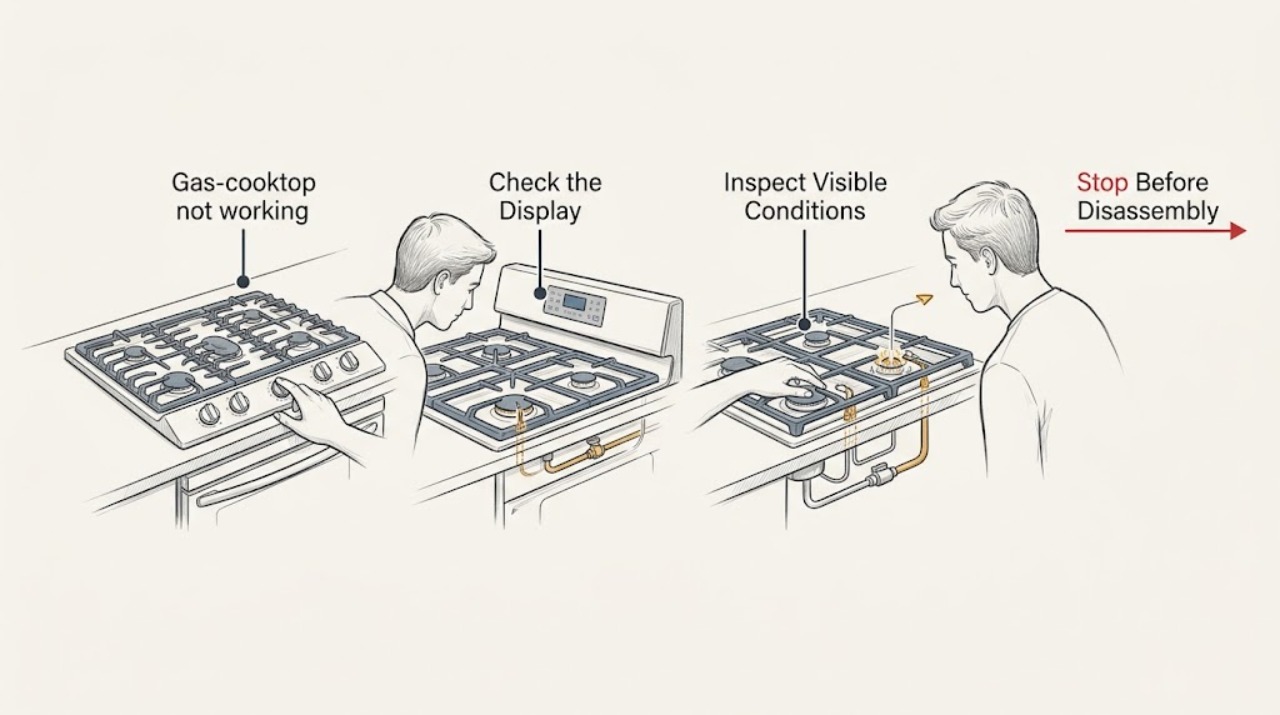
Work through in order
Diagnostic checks
Use only checks that match the exact appliance or system and its official guide.
-
Check 1
Turn every control to Off, then identify the scope of the failure: try to operate only one burner briefly in its normal ignition position while watching from a safe standing position. Note whether no burner responds, one burner responds, and whether you hear the normal ignition clicking.
Expected result: All burners fail together, only one burner fails, clicking is present, or there is no clicking.
Next step: For all-burner failure, continue to the shared power and gas checks. For one-burner failure, skip to the cool-down, cap, and port check. If gas odor is present, do not continue testing: turn controls off, leave the area, and contact the appropriate emergency or gas service from a safe location.
Why this matters
Why: A whole-cooktop failure points first to shared power, gas supply, or lockout. A single-burner failure points more toward that burner cap, port, moisture, or ignition path. No click makes an electrical supply or ignition-control issue more likely; clicking with no flame leaves gas flow, moisture, cap seating, or port condition to check.
-
Check 2
For an all-burner failure, look at the household electrical panel for a tripped breaker or blown fuse and check whether the cooktop's control or lock indicator is active. Restore a tripped breaker only once; use the model owner's instructions to clear a lockout rather than forcing a knob.
Expected result: The breaker or fuse is abnormal, the lock indicator clears and burners respond, or power and lock status appear normal.
Next step: If the breaker trips again, the fuse fails again, or the cooktop remains unresponsive, stop resetting it and arrange a qualified electrician or appliance technician. If power and lockout are normal, verify the gas supply next.
Why this matters
Why: The ignition system requires household power even though the cooking fuel is gas. A cleared lock or restored supply that brings back clicking identifies a shared supply or control state rather than a burner-port defect. A repeat trip or a normal panel with no ignition response requires professional electrical diagnosis.
-
Check 3
Without moving the appliance or opening any panel, verify that the accessible main gas shutoff for the cooktop is in the On position. If the appliance was just installed or reconnected, treat first-use air in the line as an installation issue and use a qualified gas technician if the supply connection is uncertain.
Expected result: The shutoff is closed, the cooktop was recently installed or reconnected, or the gas supply is on and established.
Next step: If the shutoff is closed, have the responsible adult or qualified installer correct the supply condition and then recheck normally. If supply status is uncertain or the problem persists with gas available, proceed to the individual burner inspection or service boundary.
Why this matters
Why: A closed shutoff or an incomplete installation can affect every burner at once. If the supply is established and no burner lights, the remaining possibilities include lockout, ignition, moisture, cap seating, or a component fault; do not open the gas system to investigate.
-
Check 4
For one affected burner, turn all controls off and wait until the cooktop is completely cool. Remove only the loose cap and base pieces described for the model, then look for moisture, food debris, or visibly obstructed ports; wipe and clean them using the KitchenAid method and the owner's manual.
Expected result: The burner is damp or dirty, the ports look obstructed, or the surfaces are clean and dry.
Next step: Let damp parts dry fully, and never enlarge a port or use a wooden toothpick. If cleaning does not restore ignition, stop disassembly and arrange service; do not adjust burner calibration or internal gas components.
Why this matters
Why: Cleaning or a spill can leave moisture around the igniter or ports and prevent ignition. Obstructed ports can disturb gas flow, while a clean, dry burner that still fails shifts suspicion toward ignition or gas-valve service rather than more cleaning.
-
Check 5
Before the next normal ignition attempt, confirm that the burner base and cap are the correct matching pieces, that alignment pins are seated, and that the cap sits flush with minimal side-to-side movement. If a downdraft vent is running, reduce its draft temporarily while observing the flame only if the burner lights normally.
Expected result: The cap is misaligned or loose, a different cap is on the base, or the cap is seated correctly but ignition or flame stability remains abnormal.
Next step: Correct only the loose-cap placement described by the manual and retest once. If the cap is correct but the burner still does not light, clicks continuously, or produces a yellow, lifting, noisy, or unstable flame, turn it off and call a trained appliance or gas technician.
Why this matters
Why: KitchenAid identifies cap fit and alignment as prerequisites for reliable lighting and an even flame. Strong downdraft airflow can disturb flame stability or cause reignition on models with flame sensing; it does not explain a gas odor or justify continued operation with an unsafe flame.
-
Check 6
After a single low-risk correction, observe the cooktop with the controls returned to Off. Check that ignition stops when the flame is established and that no burner clicks or attempts to reignite while all controls are off.
Expected result: The burner lights and remains stable, the problem returns, or clicking continues with every control off.
Next step: Use the cooktop only if the flame is stable and the controls behave normally. Otherwise turn every control off, keep the appliance out of use, and arrange qualified service. Provide the technician with the model number, whether all or one burner was affected, whether clicking was present, and what changed after cleaning or a power event.
Why this matters
Why: A stable flame after drying, cleaning, or reseating supports a local burner condition. A returning failure or clicking with controls off can indicate moisture in the switch area or an ignition-control fault and is not a reason to keep operating the cooktop.
Use your observations
Decision map
Find the observation that best matches what you see, then follow the next safe action.
-
PATH 01Safety boundary
What you see
All burners are affected and the cooktop has no normal ignition response.
Do this next
Check the household power indication, one-time breaker/fuse status, cooktop lockout, and accessible main gas shutoff. A repeat electrical trip or uncertain gas connection is a professional-service stop.
Why this path and its safety boundary
Safety stop: Treat the fault as localized and inspect the affected burner's dry condition, port openings, and cap/base match after the cooktop cools.
-
PATH 02Safety boundary
What you see
The knob is at the ignition position and the igniter clicks, but no flame appears.
Do this next
Verify the gas shutoff, allow moisture to dry, and check cap alignment and visible port condition. Do not keep trying if gas odor develops.
Why this path and its safety boundary
Safety stop: If there is no click, focus on shared power, lockout, and professional ignition-system diagnosis rather than repeatedly cycling the burner.
-
PATH 03Safety boundary
What you see
The cooktop was recently installed, reconnected, cleaned, or exposed to a spill.
Do this next
Installation air, a closed supply, moisture, or displaced caps become the leading low-risk explanations. Correct only the accessible condition supported by the owner's manual; use qualified gas service for an uncertain connection.
Why this path and its safety boundary
Safety stop: A sudden unexplained failure after normal use is more likely to need service once power, gas, lockout, and cap/port checks are exhausted.
-
PATH 04Safety boundary
What you see
There is a gas odor, an abnormal flame, repeated clicking with controls off, or a breaker that trips again.
Do this next
Stop using the cooktop, turn controls off if this can be done without delay or risk, leave the area for a safe location, and contact local emergency, gas, electrical, or appliance professionals as appropriate.
Why this path and its safety boundary
Safety stop: One controlled retest is reasonable after a low-risk correction; if the failure returns, schedule service instead of opening the appliance.
Helpful context
Understand the symptom
A gas cooktop still needs household power for electronic ignition, so a burner can have gas available yet fail to spark. The useful split is whether all burners fail, whether you hear clicking, and whether the problem began after cleaning, a spill, installation, or a power interruption. Use the checks below in that order and do not remove covers or work on gas or electrical components yourself.
KitchenAid notes that some models use a cooktop lockout after power is restored or interrupted. A lock can allow clicking or visible sparking while preventing ignition, so the display or lock indicator matters. Burner caps also have to sit flush on the correct bases; a damp or obstructed port can prevent the gas-air mixture from lighting evenly.
Only after diagnosis
Potential parts
- surface burner cap or base
Consider this only if the existing cap or base is visibly damaged or cannot seat correctly after the model-specific fit is confirmed.
Use the complete KitchenAid model number and the owner's parts information to confirm fit before ordering. - burner igniter or spark module
Consider this only after power, lockout, gas supply, moisture, port condition, and cap alignment checks show that ignition remains absent and a qualified technician diagnoses the ignition path.
Ignition parts vary by model and configuration; do not infer compatibility from appearance alone. - surface burner valve or switch component
Consider this only when a professional identifies a control or gas-valve fault after the safe external checks have passed.
Gas components require model-specific identification and qualified installation.
When checks do not resolve it
Need a professional?
Stop and arrange qualified service when a gas odor is present, a flame is yellow, lifting, noisy, unstable, or sooty, a burner clicks while all controls are off, a breaker trips again, the gas connection is uncertain, or the cooktop still does not work after the power, lockout, supply, drying, cleaning, and cap checks. Do not remove sealed panels, adjust gas pressure or burner calibration, or work on live electrical parts.
Have this ready
- KitchenAid model number and fuel type
- Whether all burners or one burner is affected
- Whether the igniter clicks and whether the issue followed cleaning, a spill, installation, or a power interruption
- What was observed after confirming the gas shutoff, lockout, cap fit, and visible port condition
Common questions
FAQ
Why does my KitchenAid gas cooktop click but not light?
Check that the gas supply is on, the cooktop lock is clear, the burner is dry, the cap is seated on the matching base, and visible ports are not obstructed. If it still fails, stop using that burner and arrange qualified service.
Why do all burners stop working at once?
A shared power problem, cooktop lockout, or gas-supply problem can affect all burners. Check the accessible breaker or fuse once, the lock indicator, and the main gas shutoff. A repeat breaker trip or uncertain gas connection needs professional help.
Can a wet burner stop a gas cooktop from lighting?
Yes. KitchenAid notes that cleaning or a spill can leave moisture near the igniter or burner ports. Keep the controls off, let the cool parts dry fully, and follow the model's cleaning instructions.
When should I stop troubleshooting a gas cooktop?
Stop for a gas odor, abnormal flame, continuous clicking with controls off, a repeated electrical trip, an uncertain gas connection, or a failure that remains after the safe external checks. Leave gas-system and internal electrical work to qualified professionals.
Read the exact guide
Official sources
- Gas Burners are Clicking but Not LightingKitchenAid Product Help · KitchenAid gas cooktop burner clicking, lockout, moisture, ignition, port, and downdraft guidance
- Cleaning Gas Cooktop Burners and PortsKitchenAid Product Help · KitchenAid gas cooktop burner and port cleaning, drying, and cap reassembly
- None of the Burners are LightingKitchenAid Product Help · KitchenAid gas cooktop or range cooktop burner lighting, port cleaning, cap alignment, and gas valve checks
- Nothing Will Work - Gas CooktopKitchenAid Product Help · KitchenAid gas cooktop operation, household power, gas supply, and cooktop lockout
Community feedback
Share a repair observation
Share a plain-text repair observation. Accepted observations are published automatically; this page may take a moment to update.