
On this page
Start here
Quick answer
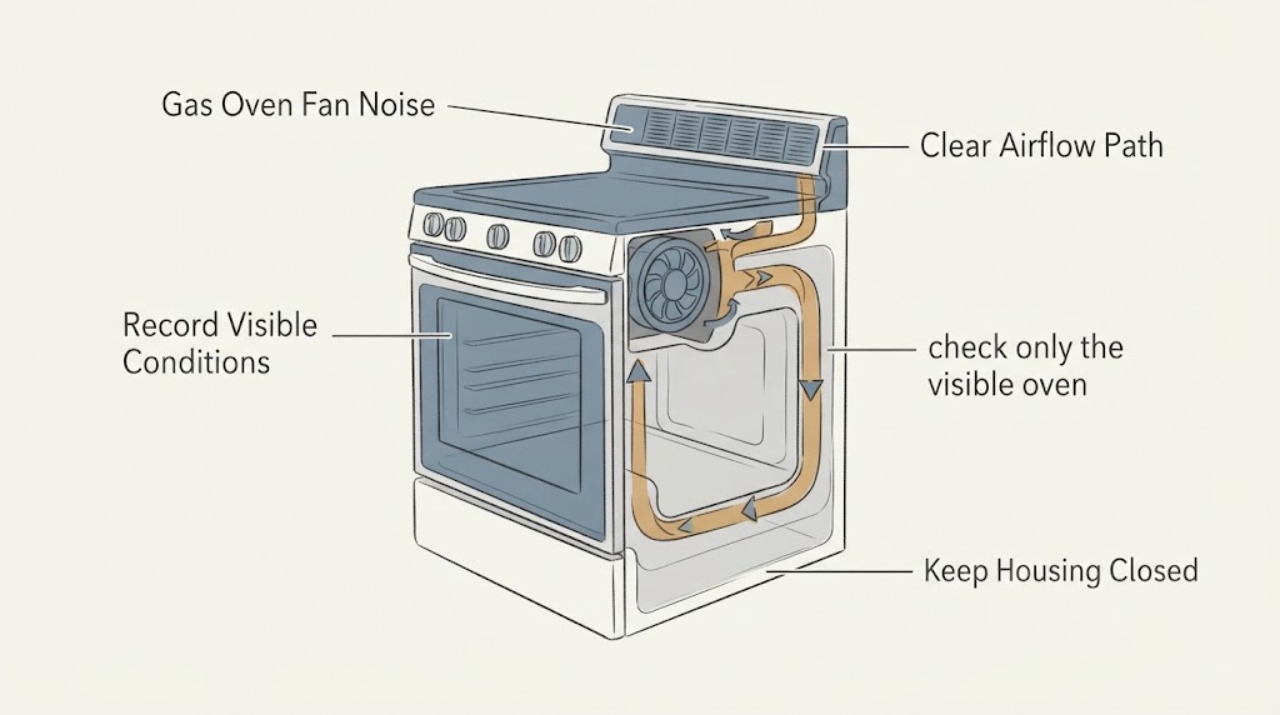
A KitchenAid gas oven can make a smooth humming or airflow sound while it is operating and for some time after a cycle because the automatic cooling fan protects the oven cavity and electronic controls. The useful first distinction is when the sound occurs and what it sounds like: a steady airflow sound during or after cooking can be normal, while scraping, rubbing, metal-on-metal noise, smoke, a burning smell, or a fan that runs while the oven is cold and idle needs service. Keep the oven vent clear, do not remove covers or reach into the fan path, and arrange qualified service for an abnormal or persistent noise.
Work through in order
Diagnostic checks
Use only checks that match the exact appliance or system and its official guide.
-
Check 1
From outside the oven, record when the noise begins and ends: during preheating or cooking, immediately after the controls are turned off, during a cleaning cycle, or while the oven is cold and idle. Do not open a hot oven to inspect the fan.
Expected result: The sound is present only during or after a hot cycle, begins with a cooking function, continues while the cavity cools, or starts with no recent oven use.
Next step: If the sound follows a hot cycle and is a smooth airflow or hum, let the oven complete its cooling. If it starts while cold and idle or does not settle as the oven cools, stop using the oven and arrange qualified service.
Stop if: Do not repeat hot cycles solely to reproduce the noise, and do not reach through the vent or remove an access panel.
Why this matters
Why: A fan that runs during use or after a cycle can be normal cooling operation. A noise that appears with the oven cold and idle is not explained by the normal cooling pattern and needs a model-specific assessment.
-
Check 2
Describe the sound from a safe position without touching the appliance: compare smooth air movement or a low hum with rattling, scraping, grinding, or metal-on-metal contact. Note whether airflow from the normal oven vent changes with the sound.
Expected result: The sound is a steady hum with air movement, or it is intermittent rattling, rubbing, scraping, grinding, or metal-on-metal contact.
Next step: Treat a steady operating or cooldown hum as a monitoring issue if no other symptom is present. For rubbing, grinding, metal contact, smoke, or a burning smell, turn the oven off, keep it out of service, and request qualified repair.
Stop if: Do not insert tools, lubricant, or fingers into the vent and do not try to straighten or remove a fan component.
Why this matters
Why: KitchenAid identifies airflow and humming from the automatic cooling fan as expected in the applicable operating conditions, but a rubbing or metal-on-metal noise is not normal. The sound alone does not identify a fan blade, motor, bearing, mount, or obstruction.
-
Check 3
After the oven is completely cool and disconnected from normal use, check only the visible oven vent area for cookware, foil, paper, or other items covering or crowding the vent. Do not move the range or remove panels.
Expected result: The vent is visibly covered or crowded, or the vent is clear while the fan noise remains abnormal.
Next step: Remove only an external obstruction after the oven is cool and only if it can be removed without moving the appliance. If the noise persists with a clear vent, leave the oven off and arrange service.
Stop if: Do not remove the oven back, fan guard, insulation, control panel, or any gas or electrical cover.
Why this matters
Why: KitchenAid states that the oven vent must remain open so hot air and moisture can escape; a covered vent can impair airflow and cooking or cleaning results. A clear vent does not rule out an internal fan or wiring fault.
-
Check 4
Note which oven function was selected when the noise appeared, including Bake, Broil, convection if equipped, or self-clean, and whether the oven still heats normally. Make only one brief observation from outside after the oven has cooled and no safety symptom is present.
Expected result: The sound occurs only with one function, occurs in every function, appears during self-cleaning, or is accompanied by loss of heat, an alert, a breaker trip, smoke, or a burning odor.
Next step: Do not run another cleaning cycle or keep testing a function that produces abnormal noise. Turn the oven off, keep it out of service, and give the full function and symptom pattern to qualified KitchenAid or appliance service.
Stop if: Stop immediately for smoke, a burning smell, sparks, a gas odor, an electrical trip, or uncontrolled heating; leave a gas hazard area and contact the appropriate emergency service from a safe location.
Why this matters
Why: Fan speed and airflow can vary with the function and heat load; KitchenAid documents higher fan activity and more noticeable noise during hotter cleaning conditions on applicable gas-range models. A noise paired with a fault alert, loss of heating, electrical trip, smoke, or burning odor is outside a normal sound explanation.
-
Check 5
Prepare the complete KitchenAid model and serial information and a short noise timeline for service. Include the function, approximate oven temperature or recent cycle, whether the fan continued after shutoff, whether the vent was clear, and any heat, odor, smoke, or control symptoms.
Expected result: The noise is repeatable under the same safe condition, has changed over time, or cannot be reproduced after the oven cools.
Next step: Use the model-specific KitchenAid service or manual route and keep the oven off if the noise was abnormal, persistent, or accompanied by another fault.
Stop if: Do not diagnose a motor, bearing, blade, relay, or control board from the sound and do not order an internal part without model-specific confirmation.
Why this matters
Why: A repeatable timing and sound pattern helps service distinguish expected cooling airflow from an abnormal fan or airflow problem. A noise that disappears does not prove that an internal rubbing or control problem is cleared.
Use your observations
Decision map
Find the observation that best matches what you see, then follow the next safe action.
-
PATH 01Next step
What you see
The fan produces a smooth airflow or low hum only while the oven is operating or while a hot cavity is cooling, and there is no smoke, burning odor, alert, or heating problem.
Do this next
Keep the vent clear and allow the oven to cool normally. Consult the exact model manual if the run pattern changes or another symptom appears.
Why this path and its safety boundary
Why it matters: This pattern is consistent with the automatic cooling-fan operation KitchenAid describes for oven use and post-cycle cooling.
-
PATH 02Next step
What you see
The noise is rubbing, scraping, grinding, or metal-on-metal, or it is accompanied by a rattling vibration, smoke, or a burning odor.
Do this next
Turn the oven off, keep it out of service, and arrange qualified appliance service. Do not remove the fan cover or attempt lubrication.
Why this path and its safety boundary
Why it matters: KitchenAid does not treat metal-on-metal fan noise as normal. The sound does not identify which internal component has failed, and continued operation can worsen the condition or create a safety hazard.
-
PATH 03Next step
What you see
The fan starts while the oven is cold and idle, runs unusually with no recent heat, or continues with an alert, repeated breaker trip, loss of heating, or control malfunction.
Do this next
Stop testing, record the display and timing, and request service. Reset a breaker only when the exact manual directs it and only when there is no smoke, burning odor, water, damage, or repeated trip.
Why this path and its safety boundary
Why it matters: Normal post-cycle cooling does not explain the complete pattern. A control, airflow, sensor, fan, or wiring issue may require model-specific diagnosis.
-
PATH 04Next step
What you see
The oven vent is covered or crowded, but the fan sound is otherwise a normal airflow sound and the oven is fully cool.
Do this next
Remove the accessible obstruction without moving the range, then monitor a normal cycle. Service the oven if noise or poor operation remains.
Why this path and its safety boundary
Why it matters: The obstruction can restrict the documented hot-air and moisture path, but removing it does not prove that an internal fan is healthy.
Helpful context
Understand the symptom
Start with timing and sound character
A fan that starts during baking or continues while a hot oven cools is serving a different purpose from a fan that scrapes while the oven is cold. KitchenAid describes automatic cooling-fan operation during and after oven use as normal, with run time affected by temperature and the surrounding conditions. Record the timing before trying to reproduce the sound.
Use the vent and the oven manual as the boundary
The oven vent releases hot air and moisture and must not be covered. A clear vent does not make an internal fan or motor safe to service, and the exact KitchenAid model manual controls any model-specific fan behavior. Do not remove the rear cover, fan guard, or control panel to look for the source.
A noise description is more useful than a guessed part
For service, note whether the sound is smooth airflow, a low hum, rattling, scraping, or metal-on-metal contact; whether it occurs during Bake, Broil, or cleaning; whether it continues after the controls are off; and whether the oven is still hot. That pattern helps service identify the correct fan and airflow system without asking you to test live wiring or replace a motor by guesswork.
When checks do not resolve it
Need a professional?
Call for qualified service when the fan noise is rubbing, grinding, or metal-on-metal; begins while the oven is cold and idle; persists after the oven cools; or comes with smoke, a burning odor, a gas odor, a breaker trip, a fault message, loss of heat, or control problems. Leave a gas hazard area and contact emergency help from a safe location for a suspected gas leak.
Common questions
FAQ
Is a fan running after my KitchenAid gas oven is turned off normal?
It can be normal. KitchenAid says the automatic cooling fan may continue after a cycle to cool the oven and electronic controls. A smooth airflow sound that follows a hot cycle is different from scraping, metal-on-metal noise, smoke, or a fan that starts with the oven cold and idle.
What does a humming noise from the oven mean?
A low hum may be the automatic cooling fan moving air during oven use or cooldown. Check when it occurs and whether the sound is smooth. The hum alone does not identify a replaceable motor or other part.
What kind of fan noise is not normal?
KitchenAid specifically distinguishes normal airflow from a rubbing or metal-on-metal noise. Treat grinding, scraping, rattling with vibration, smoke, or a burning smell as a stop condition and arrange qualified service.
Can I remove the oven cover to inspect or lubricate the fan?
No. Keep the oven assembled and do not reach into the fan path. Internal fan, motor, wiring, and gas-range work requires qualified service and the exact model instructions.
Can a blocked oven vent cause fan noise?
A covered vent can restrict the hot-air and moisture path and affect airflow, so check only for an accessible external obstruction after the oven is cool. A clear vent does not clear an internal fan fault, especially when the sound is rubbing or metal-on-metal.
Read the exact guide
Official sources
- Understanding Fan or Humming Noise in OvenKitchenAid · Opened official KitchenAid Product Help explanation for standard ovens and ranges. Apply the general cooling-fan explanation only where the exact model manual does not differ.
- KitchenAid Commercial-Style Gas Range Owner's ManualKitchenAid · Opened official KitchenAid gas-range owner manual. It is a gas-range platform reference rather than an exact unidentified model manual; the reader's exact model manual controls model-specific fan details.
- Fan Noise - Non-Convection - RangeKitchenAid · Opened official KitchenAid Product Help page for range fan or humming noise. It describes normal automatic cooling-fan operation during and after oven use and distinguishes abnormal rubbing or metal-on-metal noise where applicable.
Community feedback
Share a repair observation
Share a plain-text repair observation. Accepted observations are published automatically; this page may take a moment to update.