
On this page
Start here
Quick answer
A dehumidifier can stop normally when its timer ends, the target humidity is reached, or the bucket is full or mispositioned. Check those conditions before treating a stop as a failed compressor or control.
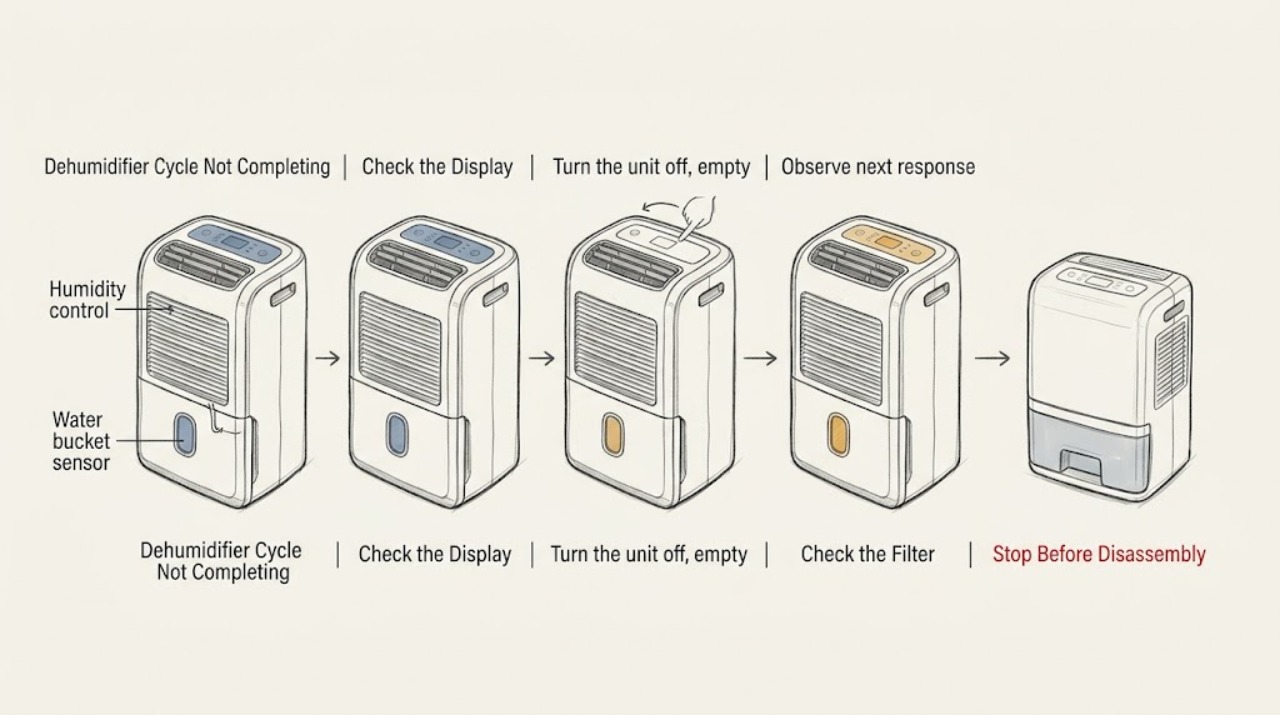
Work through in order
Diagnostic checks
Use only checks that match the exact appliance or system and its official guide.
-
Check 1
Read the timer and humidity indicators and note whether the unit stops at a repeated timer interval or after the room dries.
Expected result: A timer is selected or the target humidity is reached.
Next step: Change the timer or humidity setting only as the manual permits.
Stop if: Continue to the bucket check.
Why this matters
Why: A timed or humidity-controlled stop can be normal.
-
Check 2
Turn the unit off, empty the bucket, and reinstall it fully in the model's guides.
Expected result: The bucket-full light remains on or the bucket is not seated.
Next step: Seat the bucket correctly and retest; do not bypass its interlock.
Stop if: Continue to airflow and error checks.
Why this matters
Why: LG states that a full or improperly positioned bucket shuts off operation.
-
Check 3
Check the accessible filter and grille for blockage, clean only as directed, and note any error or unusual noise.
Expected result: Airflow is weak or an error returns.
Next step: Turn it off and use the exact manual or arrange service.
Stop if: If it still stops early, arrange service.
Why this matters
Why: Restricted airflow or a fault indication needs model-specific diagnosis.
Use your observations
Decision map
Find the observation that best matches what you see, then follow the next safe action.
-
PATH 01Next step
What you see
The unit stops at the timer interval or after reaching its target humidity
Do this next
Adjust the setting according to the manual if longer operation is needed.
-
PATH 02Next step
What you see
An empty correctly seated bucket is not recognized
Do this next
Stop repeated cycling and arrange LG or qualified service.
Helpful context
Understand the symptom
A stop can be normal
LG documentation describes timed operation and automatic stopping at the selected humidity, as well as a bucket interlock that stops the fan and compressor.
When checks do not resolve it
Need a professional?
Use model-specific LG support when bucket and control checks fail.
Common questions
FAQ
Why does my dehumidifier stop while the room is damp?
Check the timer and bucket-full indicator first. If neither explains the stop, use the exact model manual or arrange service.
Can I bypass the bucket sensor?
No. It is a safety interlock; arrange service if a correctly seated empty bucket is not recognized.
Read the exact guide
Official sources
- Operating InstructionsLG · LG dehumidifier timer, humidity, and bucket safety
Community feedback
Share a repair observation
Share a plain-text repair observation. Accepted observations are published automatically; this page may take a moment to update.