
On this page
Start here
Quick answer
An LG dehumidifier is not a room heater: its normal dehumidifying cycle sends dry air back into the room and can raise room temperature, but the outlet temperature is not a standalone heating test. If the air feels cool, first confirm that the fan runs, the humidity setting is below the room reading, and the room is within the unit's specified operating range. Allow the normal restart or auto-defrost delay to finish. If the unit does not collect water, a CH code returns, or it remains abnormal after these checks, stop troubleshooting and arrange model-specific service.
Before you begin
Safety first
- Turn the unit off and unplug it before cleaning the filter or bucket. Do not open the cabinet, handle refrigerant, bypass a safety control, or test sealed-system or electrical components.
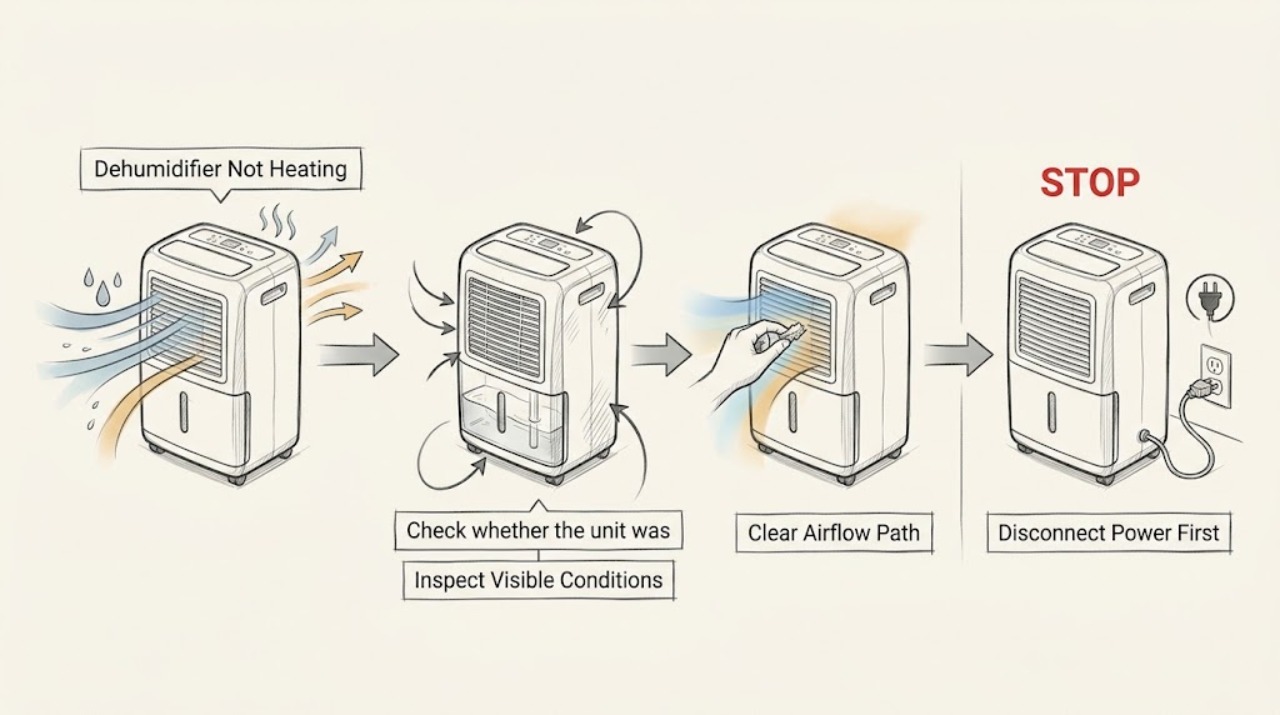
Work through in order
Diagnostic checks
Use only checks that match the exact appliance or system and its official guide.
-
Check 1
With the unit upright and unobstructed, turn it on, set the target humidity below the current room reading, select the available high fan setting, and observe the airflow and water collection rather than judging only by hand temperature.
Expected result: The fan runs and moisture collects or the humidity reading falls, or the fan runs without dehumidifying.
Next step: If the fan runs but moisture is not being removed after the initial operating period, record the room temperature, humidity reading, and display state and continue with the temperature and code checks; do not open the sealed system.
Why this matters
Why: Warmth at the outlet is not the primary success signal; airflow plus moisture removal indicates that the dehumidifying cycle is operating. No moisture with sustained operation points to a setting, temperature, airflow, or refrigeration-side problem.
-
Check 2
Check the room and the air path: keep the dehumidifier in LG's stated 41°F-to-90°F operating range, clean the accessible filter when its indicator calls for it, and remove objects that obstruct the intake or outlet.
Expected result: The room is outside the range, frost is visible, the filter is dirty, or the air path is blocked; otherwise the accessible path is clear.
Next step: Move the unit to a suitable room condition and restore only the accessible airflow path. Turn the unit off and unplug it before cleaning; if the symptom remains with a clear path, use the display and cycle checks instead of removing covers.
Why this matters
Why: Temperature outside the operating range can freeze the unit or cause overheating, while restricted airflow can impair the cycle and make the exhaust feel abnormal.
-
Check 3
Check whether the unit was just restarted or is showing its auto-defrost indication, then leave it powered off or running as LG describes for that state until the normal delay or defrost cycle ends.
Expected result: The compressor has a short restart delay or the auto-defrost function is active and later ends, or the condition does not clear.
Next step: Retest one normal dehumidifying cycle after the indication clears. If defrost repeats abnormally, frost does not clear, or the compressor never resumes, stop at external checks and request service.
Why this matters
Why: LG documents a delay of up to 3 minutes after an immediate restart and says the compressor stops during auto defrost; these states can temporarily remove the usual warm, dry exhaust.
-
Check 4
Read the complete display for a dehumidifier code and compare it with LG's code-specific guidance; note whether the code returns after the permitted reset and airflow checks.
Expected result: CH indicates a refrigerant leak; CH 24, CH 67, or CH 01/02/03 returns after the listed accessible step; or no code is shown.
Next step: Do not add refrigerant or open the cabinet. Keep the unit off and arrange qualified service for a CH code, a returning code, a fan-lock indication, or an electronic-abnormality code.
Why this matters
Why: A returning code changes this from an outlet-temperature question to a model-specific fault. LG directs service for a CH leak and for codes that recur after the documented filter, airflow, or reset steps.
Use your observations
Decision map
Find the observation that best matches what you see, then follow the next safe action.
-
PATH 01Next step
What you see
The fan runs, humidity falls or water collects, and only the exhaust warmth seems different
Do this next
Monitor humidity and normal cycling rather than trying to make the appliance heat the room.
-
PATH 02Next step
What you see
The fan runs but there is no water removal after the target humidity, room range, filter, and airflow checks are correct
Do this next
Stop at external checks and arrange service; do not diagnose or open the refrigeration circuit.
-
PATH 03Next step
What you see
The auto-defrost indication is active or the unit was restarted immediately
Do this next
Allow the stated cycle or restart delay to end once, then observe one normal cycle.
-
PATH 04Next step
What you see
A CH code returns, the fan remains locked, the compressor does not resume, or the unit overheats, leaks, or smells burnt
Do this next
Unplug the unit if safe, keep it out of service, and request qualified appliance service.
Helpful context
Understand the symptom
First separate warm-air expectations from a dehumidifying failure
The phrase “not heating” can mean either that the exhaust does not feel warm or that the unit is not removing moisture. LG's dehumidifier uses the refrigeration cycle to remove water and then discharges the processed air; it is not a selectable space-heating mode. Use moisture removal, fan operation, display behavior, and the timing of the cycle as the useful checks.
When checks do not resolve it
Need a professional?
Request service when the unit does not dehumidify after the setting, temperature, airflow, and documented timing checks; when a CH or other code returns; or when there is a leak, overheating, burning odor, damaged cord, or persistent frost.
Safety scope: Turn the unit off and unplug it before cleaning the filter or bucket. Do not open the cabinet, handle refrigerant, bypass a safety control, or test sealed-system or electrical components.
Have this ready
- Give the technician the complete model number, room temperature and humidity, whether the fan runs or water collects, the display code, and which timing and airflow checks were completed.
Common questions
FAQ
Should an LG dehumidifier blow hot air all the time?
No. LG describes warm exhaust as a characteristic of the dehumidification mechanism, but the outlet temperature can differ with room and operating conditions. Judge performance by airflow and moisture removal, not by warmth alone.
Why does the exhaust feel cool after I restart the dehumidifier?
LG documents a restart delay of up to 3 minutes to protect the compressor. Auto defrost can also stop the compressor temporarily; allow the indication or cycle to finish before judging operation.
Can I recharge the refrigerant if the dehumidifier is not heating?
No. A CH code indicates a refrigerant leak in LG's code guidance and requires repair service. Do not open the sealed system or add refrigerant yourself.
Read the exact guide
Official sources
- LG Dehumidifier - General UsageLG USA Support · LG dehumidifier operating range, humidity setting, restart delay, filter, bucket, and auto-defrost behavior
- Dehumidification product difference [air conditioner]LG USA Support · LG dehumidifier dehumidification mechanism and warm-air discharge
- LG Dehumidifier - Error Code ListLG USA Support · LG dehumidifier CH, CH 24, CH 67, and electronic-abnormality code actions and service boundary
Community feedback
Share a repair observation
Share a plain-text repair observation. Accepted observations are published automatically; this page may take a moment to update.