
On this page
Start here
Quick answer
LG defines CH 24 as a pressure-switch error and lists CH 67 separately for a fan-lock error. For the LD651EBL, start with the manufacturer-supported external checks: clean the air filter, remove visible airflow obstructions, unplug the dehumidifier for at least three minutes, then restore power. If the fan again becomes unstable or stops and CH 24 returns, stop repeated resets and arrange repair service. The code and symptom do not prove a failed fan motor, capacitor, or other part, so do not open the cabinet or order a part from the symptom alone.
Before you begin
Safety first
- Do not open the dehumidifier cabinet, reach into the fan, bypass a pressure switch, test a capacitor or motor with live power, add refrigerant, or order an internal part from the symptom alone. The opened LG CH 24 guidance ends at external checks and repair service.
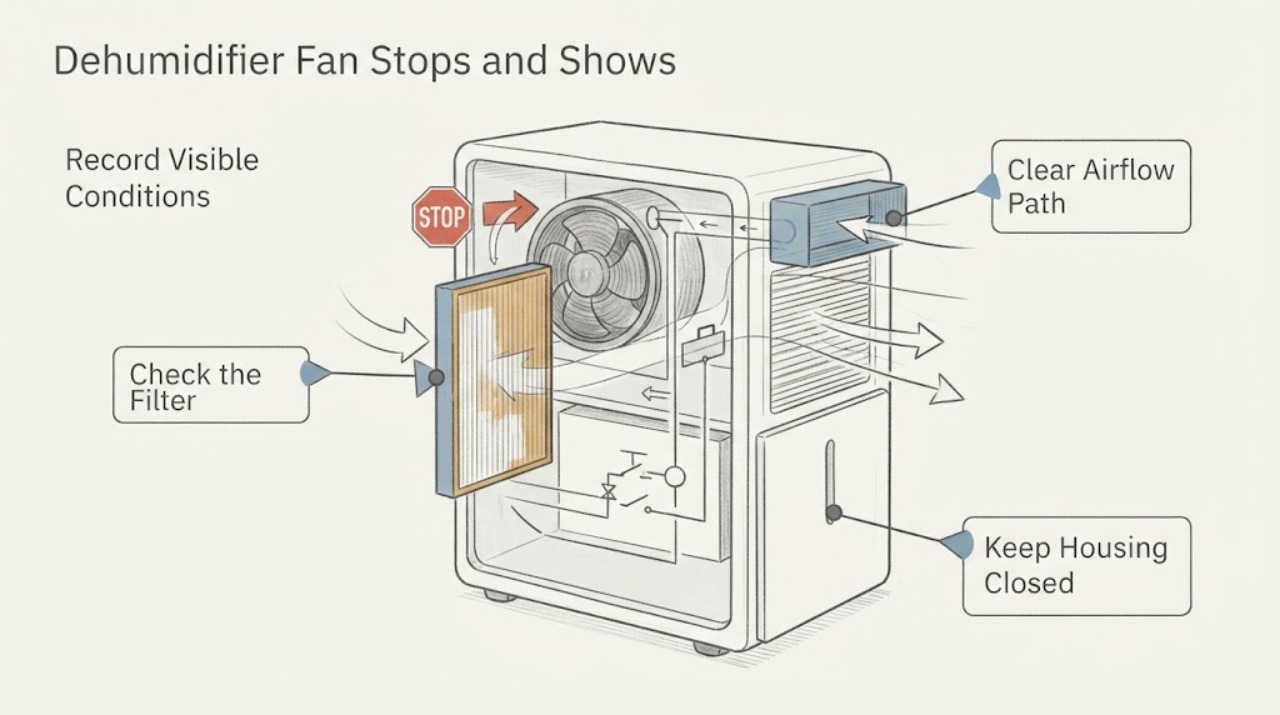
Work through in order
Diagnostic checks
Use only checks that match the exact appliance or system and its official guide.
-
Check 1
Before touching the filter, bucket or grille, switch the dehumidifier off and unplug it. Record the exact display, whether CH 24 is present, whether the fan starts normally, and when the speed becomes unstable or stops; keep hands and tools out of the fan opening.
Expected result: The fan is stopped with CH 24 showing, or the unit is in a normal-looking state such as a full-bucket/timer indication without CH 24.
Next step: Continue only with the external filter and airflow checks below. If there is burning odor, damaged cord, liquid at the electrical area or a protective device that trips, leave it unplugged and arrange qualified service.
Why this matters
Why: The code and timing distinguish the assigned pressure-switch symptom from an expected control state, but neither result identifies a failed internal part.
-
Check 2
With power disconnected, remove and inspect the accessible air filter according to the LD651EBL owner instructions linked from LG's support page. Clean the filter if it is visibly dirty and make sure the cover and filter are seated without forcing them.
Expected result: The filter is clogged or dirty, or it is already clean and correctly seated.
Next step: After the filter is dry and correctly installed, check for external airflow obstruction; do not remove cabinet panels or probe wiring.
Why this matters
Why: LG specifically lists a clean air filter as the first CH 24 check. A clean filter does not prove the pressure-switch circuit or fan is healthy.
-
Check 3
Inspect the visible inlet and outlet area and move nearby objects so the airflow path is not blocked; do not insert anything into the grille or attempt to straighten an internal fan.
Expected result: The unit was crowded or blocked, or the external airflow path was already clear.
Next step: Leave the unit with a clear external path and proceed to the single documented reset. If the path was already clear, do not keep changing fan settings to force a run.
Why this matters
Why: LG directs the reader to remove items or reposition the unit so airflow is not obstructed. Clearing the outside path is a supported check, not a diagnosis of the fan assembly.
-
Check 4
After the filter and external airflow check, unplug the unit for at least three minutes, then restore power once. Allow the documented restart delay to pass before judging the result; note whether the fan remains stable and whether CH 24 returns.
Expected result: The fan runs steadily and CH 24 stays away, or the fan again slows/stops and CH 24 reappears.
Next step: If the code returns or the fan again stops, stop repeated resets and arrange repair service with the exact LD651EBL model and the recorded timing. If it remains stable, monitor for recurrence without opening the cabinet.
Why this matters
Why: A one-time recovery after the documented reset does not prove a repair. A recurring CH 24 is the condition LG routes to repair service.
-
Check 5
Check only the user-visible operating indicators after the restart: bucket-full, timer, safety-standby or auto-defrost indications, and the selected fan-speed setting. Do not treat a normal compressor pause as proof that the fan motor is good or bad.
Expected result: A documented operating indication explains a temporary stop, or the fan remains stopped outside those states and the CH 24 symptom persists.
Next step: Follow the exact model instructions for an indicated full bucket or timer state. If no such state applies, leave the unit off and request qualified service rather than testing internal parts.
Why this matters
Why: LG describes these operating states and restart delay as normal context, while CH 24 recurrence remains a pressure-switch service condition. The public guidance does not support a capacitor, motor, board or refrigerant diagnosis from this observation.
Use your observations
Decision map
Find the observation that best matches what you see, then follow the next safe action.
-
PATH 01Next step
What you see
After the filter is clean, the external airflow path is clear and the three-minute reset is completed, the fan runs steadily and CH 24 does not return.
Do this next
Use the dehumidifier only while it remains stable, record any recurrence, and stop using it if CH 24 or the fan-stop pattern returns.
Why this path and its safety boundary
Why it matters: The supported external checks removed the immediate symptom, but they do not establish that an intermittent pressure-switch or fan problem is permanently resolved.
-
PATH 02Next step
What you see
The fan again slows or stops and CH 24 returns after the supported filter, airflow and reset checks.
Do this next
Leave the unit off and arrange qualified LG or appliance service. Give the technician model LD651EBL, the exact display, the elapsed time before the fan stops, and whether the external filter and airflow were checked.
Why this path and its safety boundary
Why it matters: LG defines CH 24 as a pressure-switch error and directs repair service when the issue recurs; the public page does not identify a user-replaceable capacitor or fan part.
-
PATH 03Next step
What you see
The unit only appears stopped while a full-bucket, timer, safety-standby or auto-defrost indication is active, and CH 24 is absent.
Do this next
Follow the exact model instructions for the indicated condition and allow the documented cycle or restart delay to finish. If the fan remains stopped after that condition clears, treat it as a service symptom.
Why this path and its safety boundary
Why it matters: LG documents these as operating conditions that can turn the product off or pause part of its operation; this does not establish a fan failure.
-
PATH 04Next step
What you see
The cord or electrical area is damaged, there is a burning smell or liquid near electrical parts, or a breaker/GFCI trips.
Do this next
Do not reconnect the dehumidifier or open its cabinet; leave it isolated if that can be done safely and arrange qualified appliance/electrical service.
Why this path and its safety boundary
Why it matters: This is an electrical or water-safety boundary rather than a routine CH 24 check.
Helpful context
Understand the symptom
What CH 24 does and does not identify
The opened LG error-code page defines CH 24 as a pressure-switch error. It lists a clean filter, unobstructed airflow and a three-minute unplug reset before service. LG lists CH 67 separately as a fan-lock error, so do not relabel CH 24 as a confirmed fan-motor fault. A fan that starts, slows or stops is a symptom to report with the code, not proof of a capacitor or motor failure.
Keep the model boundary exact
LG's product-support page identifies LD651EBL.ABKAHDP as a 65-pint dehumidifier and links its owner manual and specification sheet. The checks below stay at the external level supported by the LG CH 24 guidance and general operating guidance. They do not transfer a part number, internal test, or repair procedure from another LG model.
Separate a temporary operating state from recurrence
LG says an immediate restart can delay compressor operation for up to three minutes, and its general usage guidance also describes a full bucket, timer, safety standby and auto-defrost as operating states that can stop or pause parts of a cycle. These notes do not explain away a fan that repeatedly bogs down with CH 24. Record the display and timing, complete the supported filter/airflow/reset checks once, and use service if the code returns.
When checks do not resolve it
Need a professional?
Arrange qualified LG or appliance service if CH 24 returns after the filter, visible airflow and three-minute reset checks, if the fan repeatedly bogs down or stops, or if the unit has an electrical or water-safety concern. Provide the exact LD651EBL model and the observed display/timing.
Safety scope: Do not open the dehumidifier cabinet, reach into the fan, bypass a pressure switch, test a capacitor or motor with live power, add refrigerant, or order an internal part from the symptom alone. The opened LG CH 24 guidance ends at external checks and repair service.
Common questions
FAQ
Is CH 24 the same as LG's fan-lock code?
No. LG lists CH 24 as a pressure-switch error and CH 67 as a fan-lock error. A fan that stops while CH 24 is displayed should be reported as part of the symptom, but it should not be relabeled as CH 67 or used to prove a fan-motor failure.
Can I keep resetting the LD651EBL if the fan starts again?
LG supports one reset by unplugging for at least three minutes after checking the filter and visible airflow. If the issue occurs again, LG directs the user to repair service; repeated resets do not identify or repair an internal component.
Does a clean filter prove the fan or pressure switch is good?
No. A clean filter is one of LG's CH 24 checks, but the page does not say that cleaning proves the pressure-switch circuit, fan motor, capacitor or control board. If CH 24 returns, use the service boundary.
Could a bucket, timer or restart delay explain a temporary stop?
LG general usage guidance describes a full bucket, timer, safety standby, auto-defrost and a restart delay as operating conditions. Check the visible indication first, but a recurring fan stop with CH 24 remains a repair-service symptom.
Read the exact guide
Official sources
- LG Dehumidifier - General UsageLG Electronics · The opened LG general-usage article supplies family-level operating context only. It says the product operates from 41°F to 90°F, describes fan-speed selection, bucket-full/timer/safety-standby/auto-defrost states and the three-minute restart delay. It is not used to infer an LD651EBL-specific internal repair procedure or to explain away recurring CH 24.
- LG Dehumidifier - Error Code ListLG Electronics · The opened LG USA support article is an LG dehumidifier error-code page. It explicitly defines CH 24 as a pressure-switch error, directs a clean filter, unobstructed airflow and an unplugged reset of at least three minutes, and sends recurring cases to repair service. It separately labels CH 67 as a fan-lock error, so CH 24 is not treated as a confirmed fan-motor diagnosis.
- LD651EBL.ABKAHDP: Support, Manuals, Warranty & More | LG USA Product Support PageLG Electronics · The opened LG product-support page identifies LD651EBL.ABKAHDP as a 65-pint dehumidifier and lists its owner manual and specification downloads. It supports the assigned model identity and model-specific document route; it does not by itself establish an internal part failure or a model-specific capacitor procedure.
Community feedback
Share a repair observation
Share a plain-text repair observation. Accepted observations are published automatically; this page may take a moment to update.