
On this page
Start here
Quick answer
Check power, the water bucket, timer, filter, and airflow. After an immediate restart allow the compressor's protective delay. If the unit remains dead or a CH/CH24 code returns, stop and request service.
Before you begin
Safety first
- Do not bypass the bucket switch or open the sealed system.
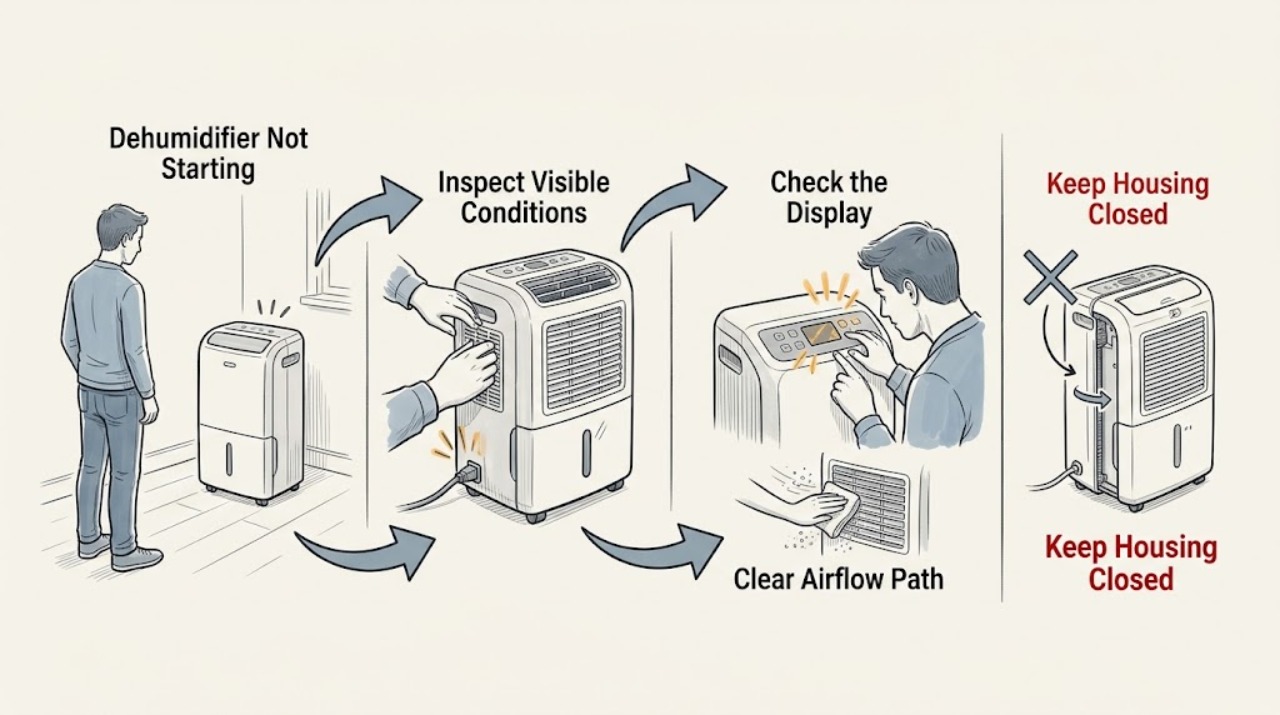
Work through in order
Diagnostic checks
Use only checks that match the exact appliance or system and its official guide.
-
Check 1
Verify the cord and outlet externally, press Power, and observe the display or indicators.
Expected result: The display is dark or controls respond but the compressor/fan does not start.
Next step: Check the breaker once if safe and never open the electrical enclosure.
Why this matters
Why: A dark display points to supply/control; a responsive display requires bucket, timer, and airflow checks.
-
Check 2
Empty and reseat the water bucket, confirm Bucket Full is off, and cancel any timer setting using the model controls.
Expected result: The bucket was full/misseated or a timer was active.
Next step: Correct the condition and press Power again.
Why this matters
Why: LG says a full bucket stops dehumidification and a timer can switch the unit off.
-
Check 3
Clean the accessible filter and clear airflow, then wait at least three minutes after unplugging before one reset attempt.
Expected result: The unit starts or a CH/CH24 code returns.
Next step: Stop if the code returns or no-start persists.
Why this matters
Why: LG lists airflow/reset checks; CH and CH24 indicate conditions needing service guidance.
Use your observations
Decision map
Find the observation that best matches what you see, then follow the next safe action.
-
PATH 01Next step
What you see
Bucket/timer correction restores operation
Do this next
Monitor bucket and timer settings.
Why this path and its safety boundary
Why it matters: An operating condition likely stopped the unit.
-
PATH 02Next step
What you see
Power is present but the unit remains dead or code returns
Do this next
Unplug if safe and request qualified service.
Why this path and its safety boundary
Why it matters: A control, electrical, pressure, or sealed-system fault remains possible.
When checks do not resolve it
Need a professional?
Arrange service for persistent no-start or codes.
Safety scope: Do not bypass the bucket switch or open the sealed system.
Common questions
FAQ
Why does it wait after restart?
LG says a compressor may have a three-minute protective delay after immediate restart.
Can a full bucket cause no-start?
Yes. Empty and reseat it, then confirm the Bucket Full indicator is off.
Read the exact guide
Official sources
- LG Dehumidifier - Error Code ListLG USA Support · LG dehumidifiers
- Operating your dehumidifierLG USA Support · LG dehumidifiers
Community feedback
Share a repair observation
Share a plain-text repair observation. Accepted observations are published automatically; this page may take a moment to update.