
On this page
Start here
Quick answer
Check the outlet, power control, timer, and bucket-full indicator before assuming an internal failure. LG dehumidifiers will not run when the bucket is full or improperly installed. If the outlet is sound and the unit remains unresponsive, arrange model-specific service.
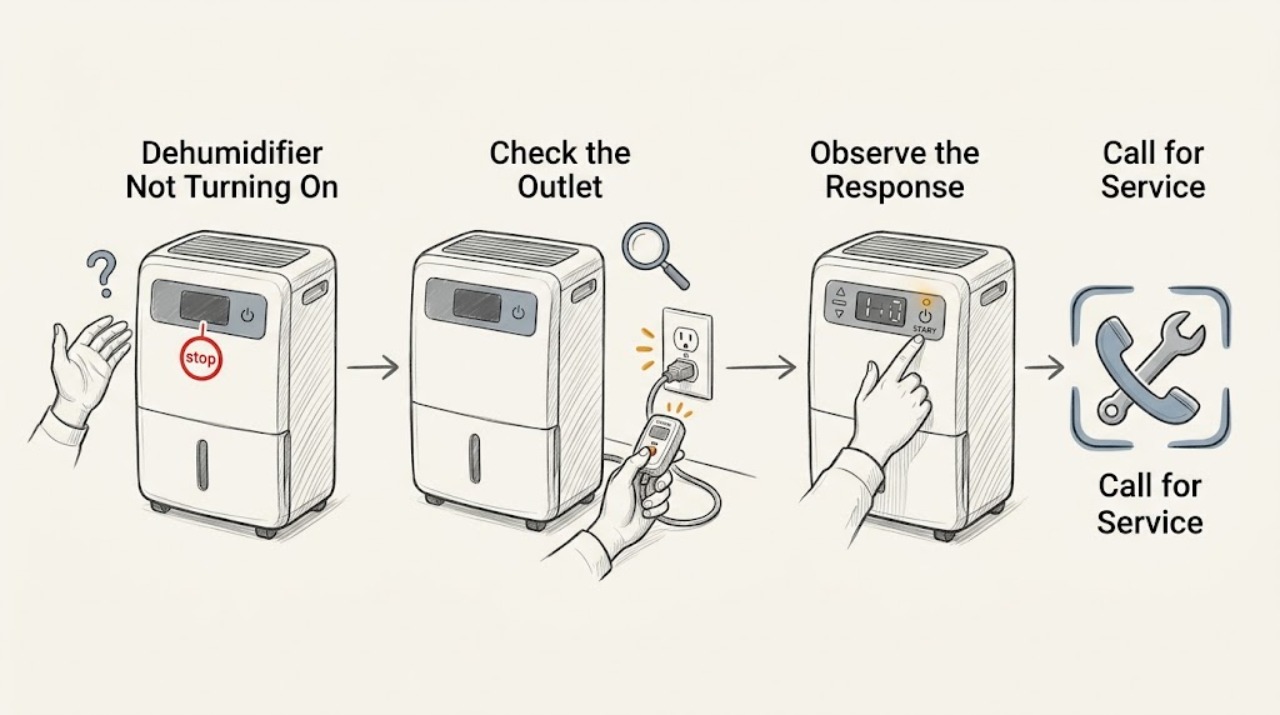
Work through in order
Diagnostic checks
Use only checks that match the exact appliance or system and its official guide.
-
Check 1
Test the wall outlet with a known-working appliance and inspect the dehumidifier plug and cord for looseness, heat, or damage.
Expected result: The outlet is dead, or the cord/plug is hot or damaged.
Next step: Stop and arrange qualified electrical or appliance service.
Stop if: Continue to the bucket check.
Why this matters
Why: The supply cannot be treated as a simple control problem.
-
Check 2
Empty the bucket, reinstall it fully, and check whether the bucket-full indicator turns off before pressing POWER.
Expected result: The indicator remains lit or the unit runs only when the bucket is repositioned.
Next step: Reseat or replace a damaged bucket using the manual; never bypass the interlock.
Stop if: Continue to timer and humidity settings.
Why this matters
Why: LG states that a full or improperly positioned bucket turns off the fan and compressor.
-
Check 3
Check that a timer is not set to an off interval and that the humidity control is in its operating range, then use only the model's documented reset.
Expected result: A timer is active, the target humidity is reached, or the unit stays blank after safe checks.
Next step: Change settings only with the exact manual; arrange service for persistent no response.
Stop if: Keep it off and arrange service.
Why this matters
Why: A normal timer/humidity stop is possible; persistent no response suggests a control or internal power fault.
Use your observations
Decision map
Find the observation that best matches what you see, then follow the next safe action.
-
PATH 01Next step
What you see
The outlet fails or the cord is hot/damaged
Do this next
Keep the unit off and arrange qualified electrical service.
-
PATH 02Next step
What you see
The outlet works but the bucket indicator stays on
Do this next
Empty and reseat the bucket; arrange service if the indicator persists.
-
PATH 03Next step
What you see
Power and bucket are sound but controls remain unresponsive
Do this next
Do not open the cabinet; arrange model-specific service.
Helpful context
Understand the symptom
Power versus interlock
A dehumidifier may have power but remain off because of the bucket sensor, timer, or humidity setting. Separate those conditions from a supply or control fault.
When checks do not resolve it
Need a professional?
Use LG model-specific support or qualified appliance service when safe checks fail.
Common questions
FAQ
Why does my dehumidifier have power but not run?
Check the bucket-full indicator and seating, timer, and humidity target. LG says the unit will not run with a full or improperly positioned bucket.
Can I bypass the bucket sensor?
No. It is a safety interlock; arrange service if a correctly seated empty bucket is not recognized.
Read the exact guide
Official sources
- Operating InstructionsLG · LG dehumidifier power, timer, humidity, and bucket interlock guidance
Community feedback
Share a repair observation
Share a plain-text repair observation. Accepted observations are published automatically; this page may take a moment to update.