
On this page
Start here
Quick answer
Start by confirming the LG dehumidifier has power, an unobstructed air path, and a correctly seated bucket or drain hose. If a CH code returns after the model-specific reset, stop troubleshooting and arrange service because the code may indicate a sensor, fan, pressure, or electronic fault.
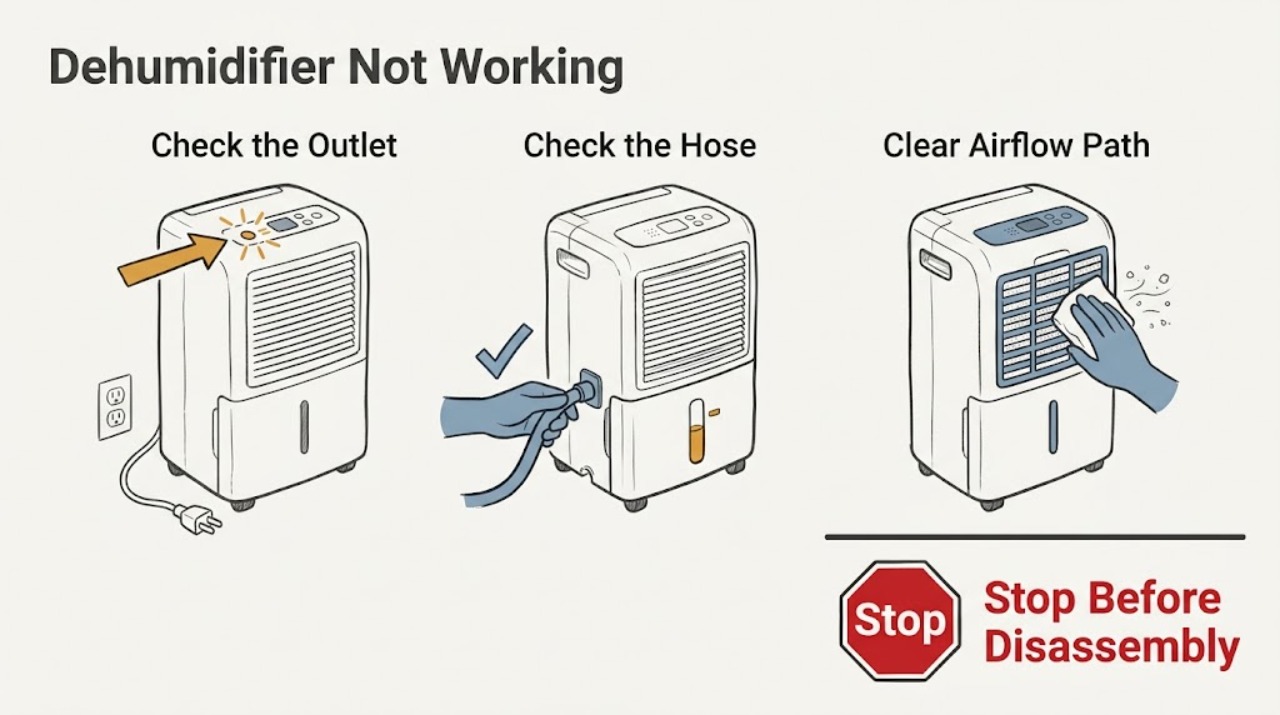
Work through in order
Diagnostic checks
Use only checks that match the exact appliance or system and its official guide.
-
Check 1
Check the outlet, power cord, and household breaker, then press Power once.
Expected result: the display stays blank or the unit starts
Next step: If the breaker trips again or the display remains blank with a known-good outlet, stop and request service.
Why this matters
Why: A blank display keeps power delivery or the control system in question; a normal display moves the check to operation and airflow.
-
Check 2
Inspect the water bucket, float area, and any continuous-drain hose; reseat the bucket and straighten a kinked hose.
Expected result: the bucket-full indicator clears or the unit still refuses to run
Next step: Retest only after the bucket is fully seated and the hose follows the model manual; do not bypass a float or safety switch.
Why this matters
Why: A mis-seated bucket or restricted drain can prevent normal operation on models that use that safety condition.
-
Check 3
Clean the accessible air filter and remove objects blocking the intake or discharge.
Expected result: airflow improves or remains weak
Next step: Run the unit in the specified temperature range in the manual; if airflow remains abnormal, arrange service.
Why this matters
Why: Improved airflow makes restriction a likely contributor; weak airflow after cleaning can indicate a fan or internal fault.
-
Check 4
Record every display code exactly, unplug the unit for the reset period stated by LG for that code, and restore power once.
Expected result: the code clears or returns
Next step: Do not open the sealed refrigeration circuit or electrical enclosure; provide the code and model number to a technician.
Why this matters
Why: A code that returns after the prescribed reset is evidence for a persistent fault rather than a simple temporary lockup.
Use your observations
Decision map
Find the observation that best matches what you see, then follow the next safe action.
-
PATH 01Next step
What you see
The unit is completely blank after the outlet and breaker check
Do this next
Stop after the safe outlet check and request service.
-
PATH 02Next step
What you see
The unit runs but shows CH, CH 24, CH 67, or another code again after reset
Do this next
Leave the unit off if it is overheating or making an abnormal noise and arrange service.
Helpful context
Understand the symptom
What the first symptoms tell you
A blank display points first to power or controls. A running fan with little moisture removal points to room conditions, airflow, or a code. Check the model manual before using any button combination because controls vary by model.
Only after diagnosis
Potential parts
- air filter
Only consider it if the installed filter is damaged after the airflow check.
Confirm the complete model number and LG fit information before ordering.
When checks do not resolve it
Need a professional?
Stop if the breaker repeatedly trips, the unit overheats, wiring is damaged, refrigerant work would be required, or a diagnostic code returns after LG's stated reset. Contact a qualified appliance technician.
Common questions
FAQ
Why does an LG dehumidifier run but not collect water?
Check the operating conditions, filter, airflow, bucket, and any code first. If the code returns or the unit cannot maintain operation, use service rather than opening sealed components.
Should I keep resetting a dehumidifier code?
No. Use the reset only as LG describes for the displayed code. A recurring code needs the exact model and code recorded for service.
Read the exact guide
Official sources
- Operating your dehumidifierLG USA Support · LG dehumidifier controls and normal operation
- LG Dehumidifier - Error Code ListLG USA Support · LG dehumidifier operating errors and diagnostic codes
Community feedback
Share a repair observation
Share a plain-text repair observation. Accepted observations are published automatically; this page may take a moment to update.