
On this page
Start here
Quick answer
For an LG DLE4801W that powers on but only clicks when Start is pressed, do not identify a relay or motor from the sound alone. LG's exact support page identifies DLE4801W.ABWEEUS, and the model specification identifies it as a 7.1 cu. ft. electric dryer with rear electronic controls, Child Lock, a drum light, and a 240 V/30 A supply. With the dryer cool and dry, confirm a cycle is selected, press the center of Start and hold it for one second as LG's button guidance describes for applicable touch controls, and check for Child Lock, a door obstruction, a filter that is not seated, or a visible power problem. Check the outlet and breaker only from a safe, external position; never remove the terminal cover or test energized wiring. If the panel responds, the door closes normally, the correct cycle and Start action produce only a click, and the drum never turns, stop repeated attempts and arrange qualified service rather than guessing a motor, relay, belt, or thermal part.
Before you begin
Safety first
- Do not remove the terminal cover or cabinet, access energized wiring, make live measurements, bypass the door or motor circuit, hold an interlock closed, or continue cycling the dryer to reproduce a click. Stop for smoke, burning odor, sparks, arcing, abnormal heat, a hot or damaged receptacle/cord, wet electrical areas, or repeated breaker trips.
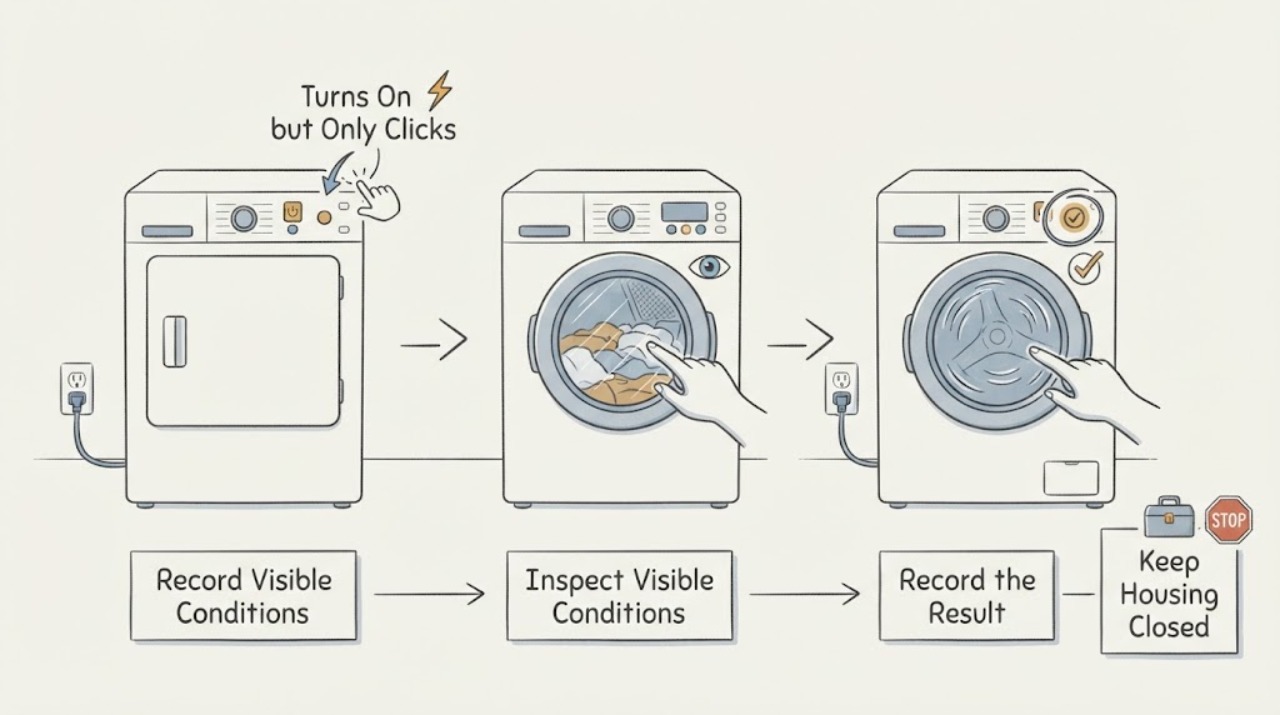
Work through in order
Diagnostic checks
Use only checks that match the exact appliance or system and its official guide.
-
Check 1
Turn the dryer off and let the drum stop. From a safe, dry position, record whether the display is lit, whether the drum light comes on when the door opens, whether pressing Power changes the display, and whether Start produces only a click, a beep, a flashing status window, a countdown, or an error. Do not keep pressing Start to reproduce the sound.
Expected result: The display and drum light are both off, the drum light is on but the panel will not power up, the display works but the drum stays still, or an error/lock indicator appears.
Next step: Follow the matching branch below and preserve the exact display and timing. Stop immediately for smoke, burning odor, sparks, arcing, abnormal heat, a wet electrical area, a hot/discolored connection, or a repeated breaker trip.
Stop if: Do not approach a hot or damaged cord/receptacle, touch wet electrical equipment, or restore power after a safety event.
Why this matters
Why: LG separates a no-power condition from a powered dryer that will not run. A drum light with a dead panel points toward service, while a powered panel with no rotation belongs to the Child Lock, cycle, door, supply, or service branches rather than a sound-based part diagnosis.
-
Check 2
Confirm the rating-plate model is DLE4801W and that the installation is the electric version. Without moving the dryer or opening any cover, inspect the visible plug, receptacle, and surrounding floor for looseness, moisture, scorching, or heat damage, and look at the household breaker once. Do not remove the terminal cover or access hidden wiring.
Expected result: The model is DLE4801W, the outlet or breaker appears normal, the drum light stays off, power returns after one safe breaker restoration, or the breaker trips again.
Next step: If the outlet, plug, or breaker is questionable, leave the dryer off and use qualified electrical or appliance service. If one safe restoration returns normal power, continue to the control and door checks; do not repeatedly reset a trip.
Stop if: Stop for a hot, wet, loose, melted, or discolored connection, a second trip, smoke, sparks, arcing, or any need to probe the terminal block.
Why this matters
Why: LG's DLE4801W specification lists a 240 V/30 A electric supply, and LG notes that electric dryers may use two circuit-protection devices. A partial or interrupted supply can leave confusing control symptoms; a repeated trip is an electrical fault boundary, not evidence of a bad relay or motor.
-
Check 3
With dry hands, turn the selector to a documented drying cycle and press the center of Start, holding it for one second. Observe the display and status indicators without reaching into the drum. If the controls are touch-sensitive on the installed panel, do not use the outer edge or a brief tap as the test.
Expected result: The cycle starts and the drum turns, the display changes but the drum remains still, only a click occurs, the processing window flashes with a countdown, or nothing changes.
Next step: If the drum turns, record any remaining heat or drying symptom. If it remains still after the correct input, make no repeated start attempts and continue only with the Child Lock, door/filter, and one documented reset checks.
Stop if: Do not reach into the drum, bypass a door switch, continue with scraping or burning noises, or operate after smoke, sparks, overheating, or a burning smell.
Why this matters
Why: LG's button guidance says applicable touch Start controls require a one-second press at the center and may not respond to wet hands or the button edge. A correct input that produces only a click still does not identify a relay or motor; the drum result and any flashing process window determine whether to stop and request service.
-
Check 4
Look for CL or a lock symbol and use only the exact DLE4801W manual's Child Lock control or button combination; LG says lock controls vary by model. Open the door with the dryer off and remove only clothing visibly caught in the opening. Confirm the lint filter is fully seated and the door closes squarely; do not force or bypass the latch.
Expected result: Child Lock is shown, the selector was not on a drying cycle, a garment or filter blocks proper closure, the door closes normally with no lock indicator, or the lock/door condition remains after the model-specific user step.
Next step: Clear only the visible obstruction, seat the filter, select a cycle, and make one correct Start attempt. If CL or a door condition remains, or the frame/latch is damaged, leave the dryer off and arrange service.
Stop if: Do not pry the door, hold a switch closed, operate with a damaged frame or seal, or continue after electrical or fire symptoms.
Why this matters
Why: LG says Child Lock prevents starting and that its release sequence varies by dryer; the DLE4801W specification confirms Child Lock is a feature on this model. A door or filter obstruction can prevent a valid start, but a normal closure with a powered panel shifts the case away from a simple user-setting issue.
-
Check 5
If the dryer has power, no Child Lock or visible door/filter obstruction, and Start still gives only a click, perform LG's hard reset once only: disconnect the dryer from power, hold Power/Start for five seconds and Play/Pause for five seconds while it remains disconnected, then restore power and make one start attempt. Do not perform this if the processing window flashes with a countdown or if power cannot be isolated safely.
Expected result: The dryer starts and the drum turns after the reset, the same click/no-rotation returns, the processing window had flashed with a countdown, or the unit will not power back on.
Next step: If the symptom returns, keep the dryer off and request qualified appliance service. Provide the exact model, power state, Child Lock/door findings, selected cycle, Start timing, click description, and whether the drum ever turned.
Stop if: Do not open the cabinet, remove the terminal cover, bypass the door or motor circuit, make live measurements, or keep resetting to force a start.
Why this matters
Why: LG directs the hard reset for a powered dryer that will not run when its processing window is not flashing with a countdown; a returning no-rotation symptom or lost power requires service. Resetting cannot distinguish a motor, belt, relay, door circuit, or other internal condition.
Use your observations
Decision map
Find the observation that best matches what you see, then follow the next safe action.
-
PATH 01Next step
What you see
The DLE4801W display and drum light are off, or the drum light is on while the control panel will not power up.
Do this next
Check the visible connection and breaker once without touching damaged parts. If power does not return or trips again, leave the dryer off and arrange qualified electrical or appliance service.
Why this path and its safety boundary
Why it matters: LG treats the light/panel combination as a power or service distinction. On this electric 240 V model, a visible outlet or breaker check is appropriate, but internal supply work is not a user step.
-
PATH 02Next step
What you see
The panel is lit, CL or a lock symbol is present, the selector is not on a drying cycle, or the Start input was only a brief/edge press.
Do this next
Use the DLE4801W-specific user instructions to clear Child Lock, select a drying cycle, dry the control panel, and make one correct Start attempt. Service the unit if the lock remains or the panel stays unresponsive.
Why this path and its safety boundary
Why it matters: This pattern supports a control-input or user-setting branch before an internal diagnosis. LG says Child Lock prevents operation and that applicable touch Start controls require a one-second center press; the exact lock sequence varies by model.
-
PATH 03Next step
What you see
The display is normal, no lock or visible door/filter obstruction is found, the correct cycle is selected, and a one-second Start press produces only a click while the drum never turns.
Do this next
Do not guess or order a motor, relay, belt, or thermal part. If the one documented reset is appropriate, perform it once; otherwise keep the dryer off and arrange qualified appliance service.
Why this path and its safety boundary
Why it matters: The external control and start-input checks have not restored rotation. A click alone cannot distinguish the drive motor, belt, door circuit, switching, or another internal condition.
-
PATH 04Next step
What you see
The drum starts after the correct Start input or one permitted reset, but the dryer later stops, shows a code, or has a separate heat/airflow symptom.
Do this next
Record the new code, cycle, load, timing, heat, and FlowSense/filter indications and use the exact DLE4801W support material for that symptom. Stop if overheating, burning odor, smoke, sparks, or a trip occurs.
Why this path and its safety boundary
Why it matters: The initial click/no-start branch is no longer the active symptom. LG's support guidance separates drum rotation from heating, drying, airflow, and error-code diagnosis.
-
PATH 05Next step
What you see
A cord or receptacle is hot or damaged, the floor or controls are wet, there is smoke, burning odor, sparking/arcing, abnormal heat, or the breaker trips again.
Do this next
Stop using the dryer and keep clear. Disconnect power only from a dry, safe location if doing so does not approach the hazard, then obtain qualified appliance/electrical service; do not restart it to confirm the click.
Why this path and its safety boundary
Why it matters: This is an electrical or fire-safety event, not a Start-button troubleshooting branch. Continued operation or repeated reset attempts can increase risk.
Helpful context
Understand the symptom
What the click does and does not tell you
The exact LG support page identifies DLE4801W.ABWEEUS, and LG's specification sheet describes the DLE4801W as an electric 7.1 cu. ft. dryer with rear electronic controls, Child Lock, a drum light, and a 240 V/30 A requirement. A click after Start therefore means that some control or switching response may be occurring, but it does not prove a relay, motor, belt, or thermal component is defective. First separate a missed Start input, Child Lock or door condition, and an external supply issue from a powered dryer that still will not turn the drum.
Use one controlled start attempt, then preserve the evidence
LG's powered-but-won't-run guidance says to check Child Lock, watch whether the drum turns, and use the documented hard reset only when its reset conditions apply. LG also says a filter reminder should clear when Start/Pause is pressed and that a dryer that still will not start needs service. This makes the useful distinction the control response and drum result: a working display with a correct cycle and a one-second Start press but no drum movement is a service branch, not permission to open the cabinet or keep clicking the button.
When checks do not resolve it
Need a professional?
Arrange qualified appliance service when the DLE4801W powers on but the drum remains still after the correct cycle, Child Lock, door/filter, visible supply, and one appropriate LG reset check, or when the panel and drum-light behavior indicates an internal power problem. Use qualified electrical service for a damaged outlet, cord, breaker, or household supply.
Safety scope: Do not remove the terminal cover or cabinet, access energized wiring, make live measurements, bypass the door or motor circuit, hold an interlock closed, or continue cycling the dryer to reproduce a click. Stop for smoke, burning odor, sparks, arcing, abnormal heat, a hot or damaged receptacle/cord, wet electrical areas, or repeated breaker trips.
Have this ready
- Provide the complete DLE4801W model and serial information, electric installation details, whether the display and drum light work, the selected cycle, whether CL or a door indication appears, exactly how Start was pressed, whether the result is a click/beep/flash/countdown, whether the drum ever turns, and any heat, odor, noise, moisture, or breaker symptom.
Common questions
FAQ
Does a click mean the DLE4801W motor or relay is bad?
No. A click is not enough to identify an internal part. First confirm the exact electric model, visible power, Child Lock, selected cycle, door/filter seating, and the correct one-second Start input. If the panel is normal but the drum never turns, stop guessing and arrange service.
How long should I hold Start on this LG dryer?
LG's applicable touch-button guidance says to press the center of Start for one second after selecting a drying cycle, with dry hands. The DLE4801W specification lists electronic soft-touch controls, but the exact installed panel instructions control; do not repeatedly press the edge or use a wet panel as a test.
Could Child Lock stop the dryer even though it powers on?
Yes. LG says Child Lock prevents the controls from responding and remains active until it is disabled; the release sequence varies by model. Look for CL or a lock symbol and use only the DLE4801W instructions. Do not bypass the door or lock circuit.
Is it safe to remove the back cover and check the belt or terminal block?
No. This is a 240 V electric dryer, and a click-only no-start symptom does not justify opening the cabinet or terminal area. Keep checks external and let a qualified technician assess the start, door, drive, and supply circuits.
Read the exact guide
Official sources
- Power On, Wont Run - Laundry DryerLG USA Support · Opened LG dryer support guidance used for external power, Child Lock, drum observation, hard-reset conditions, and service escalation; it states that general images/content can differ by product.
- [LG Dryer Button] The power/operation button is difficult to pressLG USA Support · Opened general LG dryer button guidance used only for the applicable touch-button input check; the page warns that images/content can differ by model, so the exact DLE4801W manual remains controlling.
- LG Dryer - Check Filter Blinking LightLG USA Support · Opened LG dryer support guidance used for the user-level filter seating check and its no-start service boundary, not for selecting an internal part.
- LG Washer & Dryer - How to Use the Child Lock Feature (CL Error Code)LG USA Support · Opened LG washer/dryer Child Lock guidance used to explain why a lock can persist across power-off and why the exact dryer control sequence must be verified by model.
- LG DLE4801W: Support, Manuals, Warranty & MoreLG Electronics USA · Opened exact-model LG support page used to verify the model identity, regional suffix, manual availability, and service route.
- LG Dryer DLE4801 / DLG4802 Specification SheetLG Electronics USA · Opened LG manufacturer specification sheet that names DLE4801W and the paired DLG4802W; used for the electric configuration, control, Child Lock, drum light, and supply facts, not for an internal fault diagnosis.
Community feedback
Share a repair observation
Share a plain-text repair observation. Accepted observations are published automatically; this page may take a moment to update.