
On this page
Start here
Quick answer
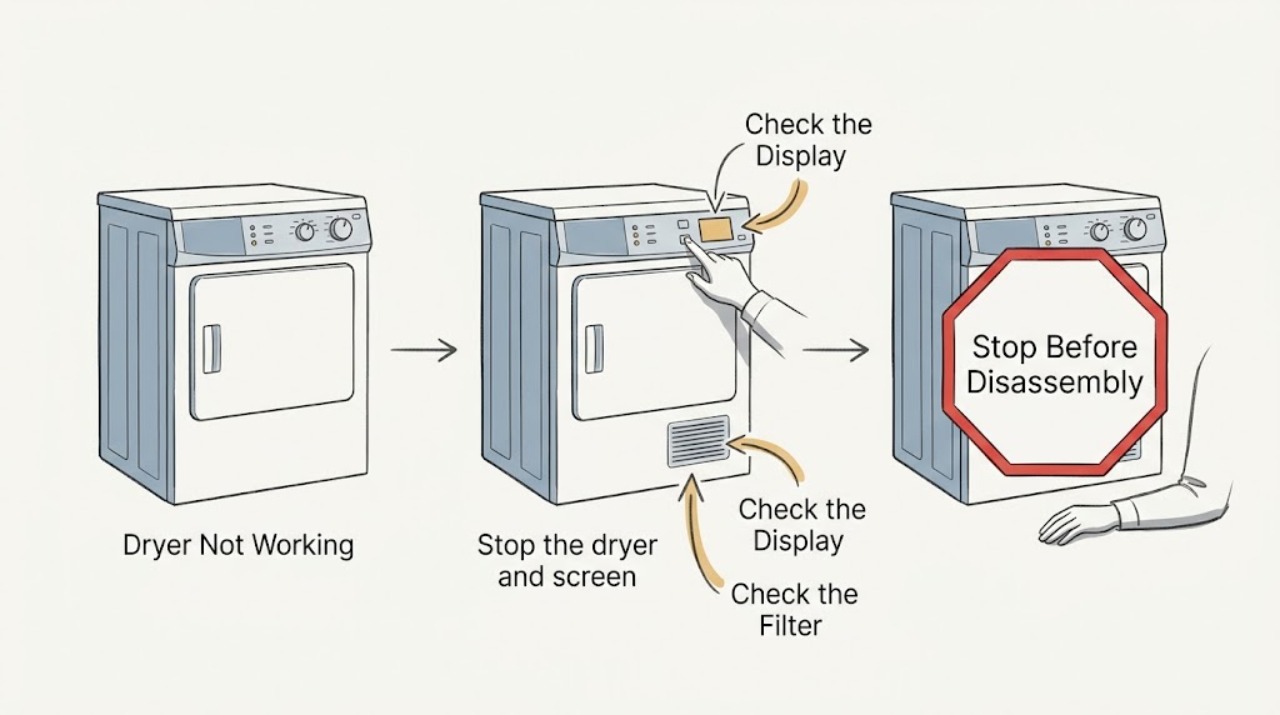
First separate a completely dead LG dryer from one that powers on but will not start, tumbles without heat, or stops early. If there is smoke, a burning or gas odor, sparking, unusual heat, a damaged cord, water near electrical parts, or a breaker that trips again, stop using it and do not keep resetting it. If the area is dry and safe, check the outlet and breaker, confirm the door and lint filter are clear, turn off Control Lock, note any exact display code, and inspect the lint filter and exhaust for airflow restriction. Persistent no-power, no-start, no-heat, or repeated shutoff symptoms need qualified service.
Work through in order
Diagnostic checks
Use only checks that match the exact appliance or system and its official guide.
-
Check 1
Stop the dryer and screen for an immediate electrical, fire, gas, or water hazard.
Expected result: From a safe position, look for smoke, flame, sparks, a burning or gas odor, an unusually hot cabinet, a damaged cord or outlet, a leak, or a breaker that trips again after a reset.
Next step: Stop using the dryer. If the floor is dry and there is no smoke, flame, or gas odor, isolate power using the normal accessible switch or breaker; do not touch wet electrical areas. For gas odor, leave the area and use the applicable emergency or utility safety procedure. Arrange qualified service for the appliance.
Why this matters
Why: These signs can indicate fire, shock, gas, or flood risk. Repeated restarts can worsen a fault and should not be used to diagnose it.
-
Check 2
Determine whether the dryer has power by checking the drum light and control response.
Expected result: With the door opened normally, note whether the drum light comes on and whether the display responds to Power. Check that the outlet is not controlled by a wall switch and that the plug is fully seated without touching internal wiring.
Next step: If safe, verify the home's dryer breaker has not tripped and reset it once according to the panel instructions. Do not repeatedly reset a breaker that trips again. If the dryer remains dead, stop troubleshooting and arrange service or an electrician for the household supply.
Why this matters
Why: No light and no display point toward an outage, outlet, breaker, cord, or appliance power fault. A light or display with no operation points to a control, door, lock, or internal service path instead.
-
Check 3
For a powered dryer that will not start, check the door, lint filter, and Control Lock without forcing anything.
Expected result: Remove any clothing caught at the door opening, make sure the lint filter is seated, and close the door normally. Look for CL, a lock icon, or a Control Lock label; use the exact model instructions to hold the labeled lock button or buttons for the specified time.
Next step: After clearing the obstruction or turning off Control Lock, select a normal cycle and press Start once. If the door will not latch, the panel remains unresponsive, or the dryer still refuses to run, record the display and arrange service rather than bypassing the interlock.
Why this matters
Why: An incompletely closed door or a filter obstructed by clothing can prevent a cycle. Control Lock intentionally disables controls and prevents starting; the button combination varies by model.
-
Check 4
Record the exact display message or light pattern before trying to interpret the fault.
Expected result: Write down every letter, number, decimal, and indicator bar, plus whether it appeared at power-on, when Start was pressed, or during a cycle. Do not replace a code with a guess such as 'no power' or 'bad motor'.
Next step: Search the exact code in the LG support page or the owner's manual for the model. If it is not listed, or returns after the safe listed check, stop and give the technician the code, timing, and model information.
Why this matters
Why: LG uses different paths for door errors, Control Lock, airflow indicators, and power or heating codes. The same broad symptom can require a different next step depending on the exact code and model.
-
Check 5
If the drum turns but clothes stay cold or damp, check the selected cycle and the external airflow path.
Expected result: Confirm the cycle is not Air Dry or an Energy Saver setting that intentionally reduces heat on the model. With the dryer cool and off, clean the lint filter; inspect the accessible exhaust hose for crushing, kinks, compression, holes, or loose connections. From outside, observe whether the exhaust outlet opens and moves air during a safe normal cycle.
Next step: Correct only accessible lint or hose problems allowed by the model instructions. Do not dismantle the wall duct or gas path. If airflow remains restricted, arrange professional vent cleaning; if airflow is adequate but the dryer remains cold, arrange appliance service.
Why this matters
Why: A no-heat complaint can be a cycle choice, restricted airflow, power or gas supply, or a heating-system fault. A Flow Sense or d80/d90/d95 indication points toward restricted exhaust; do not infer a failed heater from damp clothes alone.
-
Check 6
If the dryer stops early or shuts off, compare the shutdown pattern with the load and the installation-test result.
Expected result: Note whether power returns by itself, whether the drum stops with a small load, whether the control display goes blank, and whether the event follows a long or hot cycle. Only when the dryer is cool, stable, and free of hazards, use the exact model's installation-test procedure and record the displayed result.
Next step: Clean accessible sensor bars only as the manual directs and use an appropriate cycle for the load. If the unit shuts off again, shows a code, becomes unusually hot, or loses power, stop using it and provide the pattern and test result to qualified service.
Why this matters
Why: An interrupted supply, a small load that does not contact moisture sensors, sensor residue, restricted venting, an error code, or a heating fault can produce different early-stop patterns. A test result showing no temperature rise or a venting restriction changes the escalation path.
Use your observations
Decision map
Find the observation that best matches what you see, then follow the next safe action.
-
PATH 01Safety boundary
What you see
The drum light and display are both off.
Do this next
Check for a household outage, a tripped dryer breaker, a switched outlet, and a securely seated plug from the outside.
Why this path and its safety boundary
Safety stop: If the dryer remains dead, stop and arrange qualified service rather than opening the cabinet.
-
PATH 02Safety boundary
What you see
The display or drum light works, but pressing Start does nothing.
Do this next
Check that the door closes normally, the lint filter is seated, and Control Lock is not active.
Why this path and its safety boundary
Safety stop: If the latch or controls remain unresponsive, do not bypass the door switch; arrange service.
-
PATH 03Safety boundary
What you see
The drum tumbles but does not heat or drying takes much longer than usual.
Do this next
Verify the cycle, clean the lint filter, and check the accessible exhaust hose and outside outlet for restriction.
Why this path and its safety boundary
Safety stop: If airflow is adequate and the dryer remains cold, arrange appliance service for the heating or supply system.
-
PATH 04Safety boundary
What you see
The dryer shows CL, a lock icon, dE, nP, PS, or another exact code.
Do this next
Record the exact code and consult the model-specific LG support path or owner's manual.
Why this path and its safety boundary
Safety stop: Do not guess what an unlisted code means; save a photo or transcription for service.
-
PATH 05Safety boundary
What you see
The dryer stops early, powers off during a cycle, or repeatedly needs a reset.
Do this next
Note the load size, cycle, heat, display state, and whether the unit can power on again without intervention.
Why this path and its safety boundary
Safety stop: If the dryer completes a safe supervised cycle after the documented low-risk check, monitor it and keep the result for future diagnosis.
-
PATH 06Safety boundary
What you see
There is smoke, flame, gas odor, burning odor, sparking, water near electrical parts, a damaged cord, or a breaker that trips again.
Do this next
Stop immediately and do not run another cycle or repeatedly restore power.
Why this path and its safety boundary
Safety stop: Continue only with the low-risk external checks and the model-specific instructions above.
Helpful context
Understand the symptom
Not working can describe several different symptoms: no lights at all, a lit display that ignores Start, a drum that turns but stays cold, or a cycle that ends unexpectedly. Identify the symptom before choosing a fix. LG's own troubleshooting separates these paths, and the exact model manual controls button combinations and test procedures.
Keep every check external and low risk. Do not remove the rear panel or terminal cover, test live voltage, bypass the door or thermal safety, work on gas connections, or reach into a moving drum. A dryer that smells hot, burns, sparks, repeatedly trips the breaker, or shows physical damage is a stop-and-service situation.
Safety boundary
Stop conditions
- Stop immediately for smoke, flame, sparks, a gas odor, a burning or electrical odor, an unusually hot cabinet, water near electrical parts, a damaged cord or outlet, or a breaker that trips again.
- Do not reach into a moving drum, bypass the door or thermal safety, repeatedly reset a tripping breaker, or continue running the dryer to reproduce a hazardous symptom.
- Do not remove the rear panel or terminal cover, test live voltage, repair wiring, open the gas path, or replace a safety device without qualified service.
- Do not dismantle a wall vent or work at an unsafe exhaust location; arrange professional vent inspection when the accessible filter, hose, and outlet checks do not resolve restriction.
Only after diagnosis
Potential parts
- door latch or door-switch assembly
Consider only when the door closes correctly but a persistent door error or no-start condition is confirmed by service.
Verify the exact LG model and revision before any part selection; do not bypass the interlock. - heating-system component or thermal safety component
Consider only when safe airflow and cycle checks are complete and a technician confirms a heating or safety-component fault.
The correct component depends on the exact electric or gas model; do not substitute or defeat a safety device. - control or motor-related assembly
Consider only when power, door, lock, load, and airflow checks do not explain a persistent no-start or no-tumble symptom.
Have qualified service identify the failed assembly and confirm fit before ordering.
When checks do not resolve it
Need a professional?
Call qualified appliance service when the dryer stays dead after a safe external power check, powers on but will not start, has a persistent door or control fault, or continues to shut off., Call appliance service when airflow is adequate but the drum remains cold, an installation test identifies a heating or supply fault, or an exact code returns after its documented low-risk check., Use a licensed electrician for suspected household supply, outlet, breaker, or wiring problems, and a professional vent cleaner for restrictions beyond the accessible filter, hose, and exterior outlet.
Have this ready
- The full LG model and serial information, if safely visible
- Whether the dryer is electric or gas, and whether the drum light or display works
- The exact code or indicator pattern, cycle, load, and point at which it stops
- Breaker, outlet, door, Control Lock, lint filter, airflow, heat, odor, smoke, spark, and leak observations
Common questions
FAQ
Why is my LG dryer completely dead?
Check the drum light, household outage, accessible breaker, wall switch, and plug from a dry safe location. If the light and display remain off, or the breaker trips again, stop and arrange qualified service or an electrician; do not open the dryer.
Why does my LG dryer turn on but not start?
Check for clothing at the door, a correctly seated lint filter, a normal door latch, and CL or a lock icon. Use the exact model instructions to turn off Control Lock. If the latch or controls remain unresponsive, do not bypass the interlock.
Why does my LG dryer run but not heat?
Confirm that the cycle is not Air Dry or an Energy Saver setting, then clean the filter and check the accessible exhaust hose and outside outlet. Persistent no-heat with adequate airflow needs qualified appliance service.
What should I do if my LG dryer shows d80 or d90?
Those indicators point to restricted exhaust airflow. Clean the lint filter and inspect the accessible hose for crushing or kinks. If the restriction remains beyond the accessible path, stop relying on repeated cycles and arrange professional vent inspection.
When should I stop using an LG dryer?
Stop for smoke, flame, sparks, gas or burning odor, unusual heat, water near electrical parts, a damaged cord, or a breaker that trips again. Do not keep restarting the dryer; use the appropriate emergency, electrician, or qualified-service path.
Read the exact guide
Official sources
- LG Dryer - Error Code ListLG USA Support · LG dryer display-code, door, airflow, power, and heating-code interpretation
- Installation Check - Laundry DryerLG USA Support · LG dryer installation-test result interpretation for heating and exhaust restriction
- LG Dryer – Why is My Dryer Not Heating, Not Drying or Taking a Long Time Drying?LG USA Support · LG dryer cycle, lint, exhaust-airflow, heating, and installation-test troubleshooting
- LG Washer & Dryer - How to Use the Child Lock Feature (CL Error Code)LG USA Support · LG dryer Control Lock and CL display behavior, including model-dependent button controls
- Power Issues - Laundry DryerLG USA Support · LG dryer no-power, powered-but-will-not-run, child-lock, drum, heat, and abnormal-shutdown troubleshooting
Community feedback
Share a repair observation
Share a plain-text repair observation. Accepted observations are published automatically; this page may take a moment to update.