
On this page
Start here
Quick answer
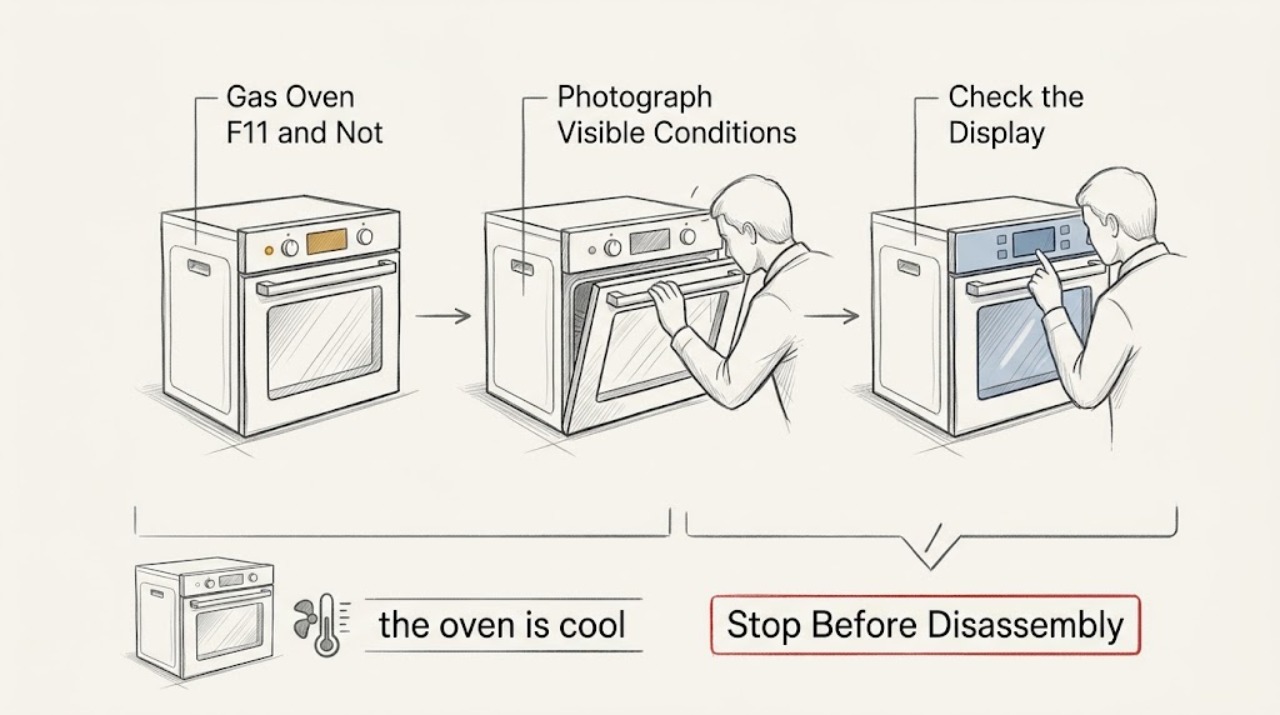
On the opened LG USA range error-code list, F11 means a communication error, and LG directs the owner to press CLEAR/OFF and try the original function once, then turn the appliance breaker off for 30 seconds if F11 returns; persistent F11 requires service. That mapping is not proven for every LG gas oven, because no model, market, range/wall-oven identity, or cavity was supplied. Photograph the complete display and recover the rating-label model before treating F11 as a model-specific diagnosis. Because this is a gas oven that is not heating, stop immediately for any gas odor, delayed ignition, abnormal or yellow flame, smoke, sparking, burning electrical odor, uncontrolled heat, or repeat breaker trip; do not relight, open gas or ignition parts, or keep testing. If there is no hazard, verify the selected cycle was confirmed with START and make only the one documented CLEAR/OFF and breaker-reset attempt. A returning F11 or continued no-heat condition needs qualified LG appliance service, not an assumed sensor, igniter, valve, or control-board replacement.
Work through in order
Diagnostic checks
Use only checks that match the exact appliance or system and its official guide.
-
Check 1
From a cool, safe position, photograph the complete display before clearing it. Record every character, whether it is F11 or a similar-looking message, the affected upper or lower cavity, range or wall-oven form, gas type if shown on the label, current cycle, and the full model and serial information from the rating label.
Expected result: The display clearly shows F11 and a complete model is available, or the display/model/market/cavity remains uncertain.
Next step: Use the exact model's LG manual and support page when available. If the identity remains unknown, preserve the photo and request LG or qualified appliance assistance without opening the oven or borrowing another model's code procedure.
Stop if: Do not clear the display before recording it, infer F11 from a partial character, or keep operating to obtain a clearer code.
Why this matters
Why: The opened LG USA list maps F11 to a communication error, but LG codes and procedures are model- and product-context dependent. An incomplete display or unknown model cannot safely support a universal mapping or part choice.
-
Check 2
Stop the cooking attempt and look only from a safe position for gas odor, delayed ignition, an abnormal or yellow flame, flame rollout, smoke, sparking, burning electrical odor, uncontrolled heat, damaged glass or wiring, a hot cord, or a breaker that has tripped again. Do not open the lower drawer, remove a cover, or attempt to relight anything.
Expected result: No immediate gas, fire, burn, or electrical hazard is present, or one of those symptoms is present.
Next step: For gas odor, leave the area and contact the appropriate emergency or gas professional from a safe location. For smoke, sparks, burning odor, uncontrolled heat, or damaged wiring, leave the oven off and arrange qualified appliance/electrical help. If no hazard is present, continue only after the oven is cool.
Stop if: Do not relight after a gas odor, deliberately create a delayed-ignition test, reset a tripped breaker repeatedly, or touch a wet or energized electrical area.
Why this matters
Why: A gas or electrical hazard overrides code resetting and no-heat troubleshooting. Continued operation can increase fire, explosion, burn, carbon-monoxide, or shock risk; a cool no-heat oven without a hazard can proceed only to the limited documented code step.
-
Check 3
If F11 is clearly recorded, the oven is cool, and there is no safety symptom, press CLEAR/OFF and try the original oven function once, exactly as LG's opened F11 guidance states. Confirm the intended temperature and cycle with START; do not substitute a different cycle, Broil, Self-Clean, or a repeated ignition attempt as a test.
Expected result: The code clears and the original function completes, F11 returns immediately, or the oven still does not heat even though the display accepts the setting.
Next step: If F11 returns or the oven remains cold, stop the cycle and use the one breaker-reset step below only if the exact manual and safe power isolation allow it. Do not keep clearing F11 to continue cooking or identify a part.
Stop if: Do not press Start repeatedly, bypass a lock, open an energized control area, or continue cooking after the code returns.
Why this matters
Why: A one-time clear with normal operation supports a transient display event but does not prove the oven is fully healthy. A returning F11 is consistent with the communication-error path listed by LG; continued no heat with no code still requires separation of settings, supply, and gas/ignition service conditions.
-
Check 4
Only when there is no hazard, the oven is off and cool, and the breaker is safely accessible, turn the appliance circuit breaker off for 30 seconds and back on once. Do not remove the power cord, terminal cover, rear panel, control panel, gas line, pressure regulator, or igniter cover.
Expected result: The display returns normally and F11 does not return, or F11 returns, the display remains abnormal, the breaker trips, or the oven remains unable to heat.
Next step: Leave the oven out of service and arrange qualified LG appliance service for a returning F11 or unresolved no-heat condition. Provide the model, market, photo, code timing, reset result, and any gas/heat observations.
Stop if: Do not cycle the breaker repeatedly, measure live voltage, or restore power if the outlet, cord, wiring, or surrounding area is damaged or wet.
Why this matters
Why: LG's US F11 procedure uses one 30-second breaker cycle after CLEAR/OFF if the code reappears. A returning code, abnormal display, breaker trip, or persistent no heat means the reset did not resolve the condition and does not identify which internal system is at fault.
-
Check 5
Prepare a service record without opening the appliance: note whether the display powers on, whether the cooktop or surface burners work normally only if that was already observed without creating a new gas test, whether the oven setting was confirmed with START, whether F11 appeared before or after a no-heat attempt, the breaker result, gas odor/flame history, and the complete model label.
Expected result: F11 recurs, the model or market cannot be confirmed, the oven remains cold, or the code is accompanied by any abnormal gas, heat, flame, lock, display, or power behavior.
Next step: Keep the oven out of service and contact LG or a qualified appliance technician. State that F11 was shown on an unidentified LG gas oven, include the exact photo and reset result, and request model-specific diagnosis.
Stop if: Do not order or install an igniter, gas valve, temperature sensor, control board, fan, or wiring harness from F11 alone; do not disassemble gas or ignition components.
Why this matters
Why: LG's public guidance spans communication, settings, power, gas supply, ignition, and control possibilities. These observations help the technician select the correct model-specific path, but none establishes a user-replaceable part.
Use your observations
Decision map
Find the observation that best matches what you see, then follow the next safe action.
-
PATH 01Next step
What you see
F11 is clearly shown, no gas or electrical hazard is present, CLEAR/OFF clears it, and one original oven attempt completes without the code returning.
Do this next
Record the result, obtain the exact model-specific LG documentation, and stop use if F11, no heat, abnormal flame, or another warning returns.
Why this path and its safety boundary
Why it matters: This matches LG USA's listed first response for F11 and may have been a transient communication event, but the unknown model and market prevent treating it as universally resolved.
-
PATH 02Next step
What you see
F11 returns after CLEAR/OFF or after the one safe 30-second breaker reset, or the display remains abnormal and the oven does not heat.
Do this next
Leave the oven off and arrange qualified LG appliance service with the code photo, complete model, cavity, market, cycle, and reset result.
Why this path and its safety boundary
Why it matters: LG USA treats persistence as requiring service. The code does not identify a particular communication wire, control, sensor, or heating part for an unidentified gas oven.
-
PATH 03Next step
What you see
The oven has gas odor, delayed ignition, abnormal/yellow flame, flame rollout, smoke, sparking, burning electrical odor, uncontrolled heat, damaged glass/wiring, or a repeat breaker trip.
Do this next
Turn controls off from a safe position, leave the area for gas or fire danger, and seek qualified appliance, gas, electrical, or emergency help as appropriate. Do not relight or reopen the appliance.
Why this path and its safety boundary
Why it matters: This is an immediate stop-use condition and takes priority over the F11 reset path.
-
PATH 04Next step
What you see
The display is only partly readable, the appliance is not confirmed as an LG gas range or oven, or the model/market/cavity cannot be recovered.
Do this next
Preserve the display photo and rating-label evidence, then request model-specific LG or qualified appliance assistance without importing another model's F11 instructions.
Why this path and its safety boundary
Why it matters: The F11 mapping and exact safety procedure are unresolved; a similar-looking code from another LG platform could direct the wrong repair.
Helpful context
Understand the symptom
What F11 can and cannot establish without the model
The opened LG USA range list labels F11 as a communication error. That is the only directly verified F11 mapping here. The appliance has no supplied model, market, cavity, or confirmed range-versus-wall-oven identity, so the US list must be treated as a scoped reference rather than a universal LG code table. Record the exact characters and rating-label model before using another manual or ordering any component. A no-heat symptom does not turn F11 into proof of a failed igniter, gas valve, sensor, wiring harness, or control board.
Gas safety takes priority over the reset
Do not use a gas oven as a test bench. If there is a gas smell, delayed ignition, unusual flame, smoke, sparking, burning electrical odor, uncontrolled heating, damaged glass or wiring, or a breaker that trips again, turn controls off from a safe position, leave the area for a gas or fire danger, and seek qualified appliance or emergency help as appropriate. Do not relight the oven, keep pressing Start, repeatedly reset the breaker, or remove a burner, igniter, valve, rear panel, or control cover.
Separate a communication code from a normal setting or supply problem
LG's gas-range support distinguishes the error-code path from ordinary no-heat checks. A gas oven must have the intended temperature and cycle confirmed with START, adequate electrical supply, and an open gas supply; LG also notes that a hot-surface ignitor must function for the bake burner to ignite. Those are observations for a technician's record, not an invitation to disassemble the gas or ignition system. If F11 returns after the one documented reset, leave the oven out of service.
When checks do not resolve it
Need a professional?
Arrange qualified LG appliance service when F11 returns after the documented CLEAR/OFF step and one 30-second breaker reset, the display remains abnormal, the oven still does not heat, the model or market is unknown, or any internal diagnosis would be required. Stop immediately and seek appropriate qualified or emergency help for gas odor, delayed ignition, abnormal or yellow flame, flame rollout, smoke, sparking, burning electrical odor, uncontrolled heat, damaged glass or wiring, or repeated breaker trips. Do not open gas or ignition components, bypass a lock, perform live tests, or choose a part from F11 alone.
Common questions
FAQ
What does F11 mean on an LG gas oven?
The opened LG USA range error-code list says F11 indicates a Communication Error. Because no model, market, cavity, or range/wall-oven identity was supplied, treat that as a scoped LG USA reference, not a universal mapping for every LG gas oven.
Can I keep using the oven if CLEAR/OFF removes F11?
Only a single, cool, hazard-free original-function attempt is supported by the opened LG guidance. If F11 returns, the oven remains cold, or any gas odor, delayed ignition, abnormal flame, smoke, sparking, burning odor, uncontrolled heat, or breaker trip occurs, stop using it and arrange qualified help.
Does F11 prove the igniter or gas valve is bad?
No. LG's opened list labels F11 as a communication error, while its gas no-heat guidance separately discusses settings, electrical supply, gas supply, and ignitor operation. An unidentified model and one code cannot select a user-replaceable component.
Read the exact guide
Official sources
- LG Range - Error Codes ListLG USA Support · Opened LG USA page; model, market, cavity, and exact gas-oven applicability for this topic were not supplied.
- LG Electric Range / Gas Range: Power IssuesLG USA Support · Opened LG USA gas-range section; exact topic model and market remain unknown.
- Oven Not Heating - Gas RangesLG USA Support · Opened LG USA gas-range guidance; exact model and market remain unknown.
Community feedback
Share a repair observation
Share a plain-text repair observation. Accepted observations are published automatically; this page may take a moment to update.