
On this page
Start here
Quick answer
On the exact LG LRFXS2503S, do not diagnose a compressor or sensor from a changing display or a single warm spot. LG says the control-panel number is the target temperature, not the current internal temperature, and that actual temperature varies with load and surrounding conditions. Measure the refrigerator and freezer compartments separately with a suitable appliance thermometer, recording the setpoints, time, door openings, recent loading, and room conditions. Then check the selected temperatures, clear blocked vents, keep the refrigerator no more than about 70% full, and make sure both doors close completely. If measured temperatures stay out of range after those accessible checks, or food is becoming unsafe, arrange qualified LG service rather than replacing a part by guesswork.
Work through in order
Diagnostic checks
Use only checks that match the exact appliance or system and its official guide.
-
Check 1
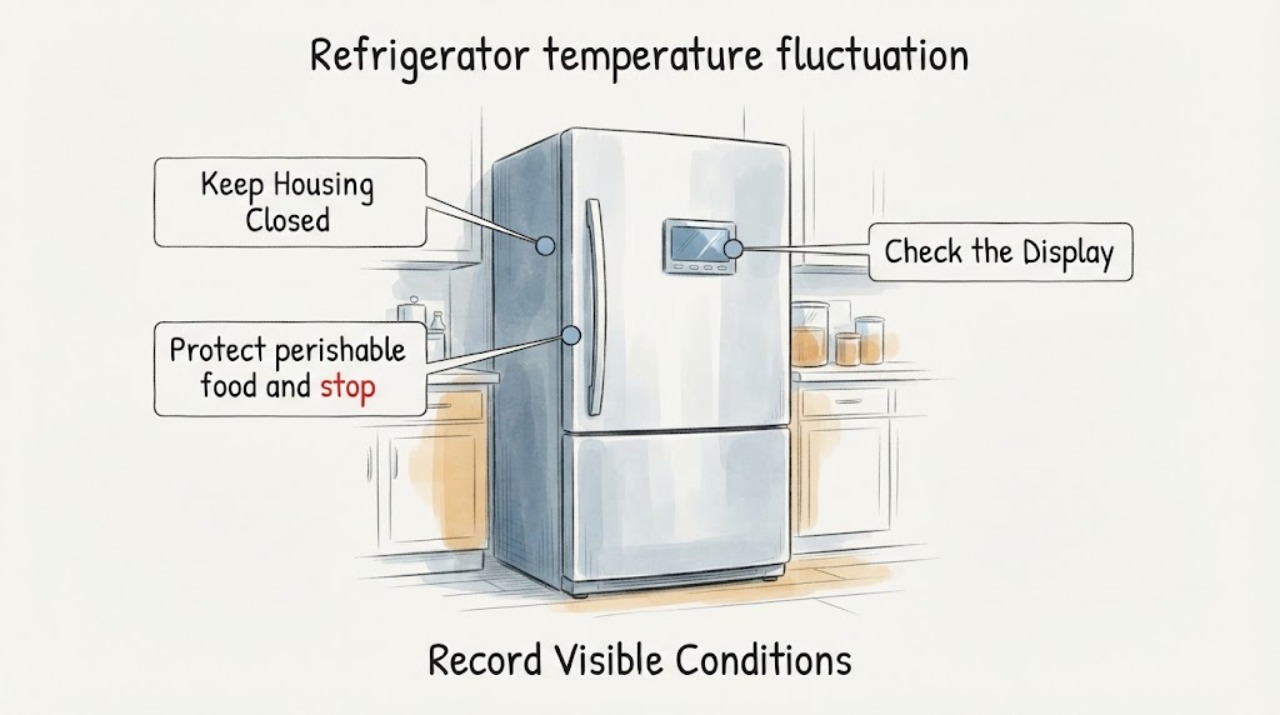
Protect perishable food and stop the refrigerator if there is smoke, a burning or electrical odor, sparking, a damaged cord, water near electrical parts, an unusually hot cabinet, or a repeated breaker trip. Otherwise, identify the appliance from its rating label as LG LRFXS2503S (including the full suffix if present) and note whether the fluctuation is in the refrigerator, freezer, or both. Do not remove covers or touch wiring.
Expected result: The model label is an exact LRFXS2503S match and one or both compartments are fluctuating, or the model/symptom is uncertain or a hazard is present.
Next step: For a hazard, keep the unit off and arrange prompt qualified appliance or electrical help. For a confirmed model without a hazard, continue with separate compartment measurements and keep the model suffix for the service record.
Stop if: Do not keep powering a smoking, sparking, wet, or overheated appliance, and do not open the cabinet, evaporator cover, or control area.
Why this matters
Why: An exact identity allows the LRFXS2503S support documents to be used; a hazard or uncertain identity is outside ordinary temperature checks and should not be mapped to a part. Food that may not have stayed safely cold should be handled according to local food-safety guidance.
-
Check 2
Measure the refrigerator and freezer separately with a suitable appliance thermometer if available. Put each thermometer in a repeatable, representative location away from the door and a direct vent, then record the reading, the control-panel target, the time, and whether the door was recently opened or a large amount of food was added. Take more than one reading under comparable conditions instead of treating one warm spot as proof of a failed component.
Expected result: The physical readings are stable while the display changes, one compartment is out of range, both compartments are out of range, or the readings change mainly after door openings or loading.
Next step: Keep the measurement log and continue to the setting, airflow, and door checks. If readings remain unsafe or repeatedly out of the exact manual's range, protect food and arrange service without selecting a part from the symptom alone.
Stop if: Do not place a thermometer against wiring, remove an air duct, reach into a fan, or run a forced diagnostic or live electrical test.
Why this matters
Why: The display is a target rather than a live internal reading. A repeatable compartment reading is more useful for deciding whether the fluctuation is a normal recovery/load effect or a persistent cooling problem; the measurement does not by itself identify a sensor, fan, compressor, or control failure.
-
Check 3
Unlock the controls only if needed by holding the Lock button for at least three seconds, then compare the refrigerator and freezer settings with LG's published adjustment ranges: refrigerator 1 to 7 C (34 to 45 F) and freezer -15 to -23 C (5 to -9 F). For a refrigerator that is actually too warm, LG's separate guide recommends 1 to 3 C (34 to 37 F); use the exact LRFXS2503S manual if its menu or instructions differ.
Expected result: A setting is outside the desired range, the panel was locked or changed unintentionally, or the settings are appropriate but the physical readings remain unstable.
Next step: Correct only the setting using the exact model instructions, lock the panel again if desired, and remeasure under comparable conditions. Escalate persistent out-of-range readings rather than repeatedly changing the target.
Stop if: Do not enter service mode, clear faults, or remove the display/control panel to change a setting.
Why this matters
Why: An incorrect target can mimic temperature fluctuation, while an appropriate target with persistently abnormal physical readings points beyond a simple setting change. LG warns that its temperature guide covers multiple models, so a displayed option is not permission to borrow a procedure from another platform.
-
Check 4
From inside the compartments, move only loose food packages away from the accessible rear supply and return vents and avoid packing food tightly against the rear wall. Keep the refrigerator no more than about 70% full, then check that shelves, drawers, door bins, and bottles do not prevent either French door or the freezer drawer from closing completely. Inspect the visible gasket for dirt, a gap, or damage without pulling it out.
Expected result: A package blocks a vent, the compartment is densely packed, a shelf or bottle holds a door open, or the gasket has a visible gap or damage; alternatively, all accessible airflow and closure checks are normal.
Next step: Remove only the obstruction and clean the visible gasket as the manual allows, then repeat the same measurements. If the gasket cannot seal, or readings remain abnormal with clear vents and closed doors, arrange model-specific service.
Stop if: Do not pull the gasket from its channel, adjust hinges, chip ice, remove vents or panels, touch a fan, or apply direct heat.
Why this matters
Why: LG identifies blocked circulation and warm air entering through a door that does not close fully as causes of poor cooling. A clear airflow path and continuous visible seal make a recurring measured fluctuation less likely to be solved by rearranging food alone.
-
Check 5
Record the context of each change: recent installation or repair, power interruption, heavy grocery load, frequent door opening, unusually warm room, visible condensation, or a long period with the door open. After a simple correction, close the doors and monitor the same measurement locations without repeatedly cycling power; if the unit was recently installed or repaired, allow the manufacturer-described recovery window before judging a stable result.
Expected result: The fluctuation follows a one-time load, door, power, or installation event and settles, or it recurs after comparable conditions with no obvious external trigger.
Next step: Keep the log, protect food, and request qualified LG service for repeated abnormal measurements, a failed visible seal, persistent one-compartment warming, or both compartments warming together. Give the technician the model, settings, readings, times, and context.
Stop if: Do not force a defrost, remove an internal cover, add chemicals, or continue monitoring if a safety hazard or unsafe food condition is present.
Why this matters
Why: LG says actual temperature depends on load and surrounding environment and that a recently installed or repaired unit may take two to three days to reach normal operating temperature. A repeatable recurrence after that context is removed is stronger evidence for service than a single post-restart reading.
Use your observations
Decision map
Find the observation that best matches what you see, then follow the next safe action.
-
PATH 01Next step
What you see
The control-panel number changes, but repeatable physical thermometer readings in the refrigerator and freezer remain stable and the doors, vents, and load are normal.
Do this next
Stop changing settings to chase the display; retain the measurement log and monitor under comparable conditions. Request service only if physical readings become persistently abnormal or another symptom appears.
Why this path and its safety boundary
Why it matters: LG explicitly describes the display as a target temperature rather than the current internal temperature, so a changing display alone does not establish internal temperature fluctuation or a failed sensor.
-
PATH 02Next step
What you see
Both compartments read warm after a large load, prolonged door opening, power restoration, or recent installation/repair, while the vents are clear and the doors close.
Do this next
Keep the doors closed, avoid adding hot or uncovered food, maintain vent clearance, protect perishables, and remeasure after the manufacturer-described recovery window. Escalate if the abnormal readings persist.
Why this path and its safety boundary
Why it matters: Load, ambient conditions, or normal recovery is more plausible than a component diagnosis from that single event. LG says a recently installed or repaired unit can take two to three days to reach normal operating temperature.
-
PATH 03Next step
What you see
The refrigerator compartment is repeatedly warm while the freezer remains stable, after settings are appropriate and no package, vent, door, or visible gasket issue explains the pattern.
Do this next
Keep food protected and request qualified LG service with both compartment readings and the time pattern. Do not order a sensor, fan, or control by appearance or by a different LG model's parts list.
Why this path and its safety boundary
Why it matters: A compartment-specific cooling or airflow problem remains possible, but the symptom does not distinguish a sensor, damper, fan, control, or other part on the LRFXS2503S.
-
PATH 04Next step
What you see
The freezer and refrigerator both remain repeatedly out of range after correct settings, clear accessible vents, closed doors, and comparable measurements, or the fluctuation returns without a load or door explanation.
Do this next
Arrange qualified LG appliance service and provide the exact full model, settings, separate readings, timing, room conditions, and safe checks already completed. Ask the technician to identify the failed path from tests rather than starting with a guessed part.
Why this path and its safety boundary
Why it matters: The problem has crossed the accessible setting and loading checks. The LRFXS2503S system specifications show multiple cooling and sensing elements, but do not support naming one from the readings alone.
-
PATH 05Next step
What you see
Temperature fluctuation is accompanied by smoke, sparking, burning or electrical odor, damaged wiring or cord, water near electrical components, an unusually hot cabinet, repeated breaker trips, or food that may be unsafe.
Do this next
Stop using the appliance; disconnect power only from a safe, dry position, protect food, and seek prompt qualified appliance or electrical help. Follow local food-safety authority guidance for questionable perishables.
Why this path and its safety boundary
Why it matters: This is a safety escalation, not an ordinary temperature-adjustment problem. Continuing to cycle or test the refrigerator could increase electrical, water, or food-safety risk.
Helpful context
Understand the symptom
The LRFXS2503S is a specific LG French-door refrigerator, not a generic LG appliance. Its official specification lists Multi-Air Flow, one evaporator, eight temperature sensors, and electronic/digital controls. Those features explain why refrigerator and freezer readings should be documented separately, but they do not justify naming a compressor, sensor, fan, or control as the failed part from a fluctuation alone.
Start with a measurement record rather than the display alone. LG says the number on the control panel is a target, not the current internal temperature, and that the actual temperature changes with the fill level and surrounding environment. A refrigerator-side reading that is stable while the displayed target changes is a different decision from both compartments repeatedly reading warm after the doors, vents, and settings are checked.
LG's accessible checks focus on the selected temperatures, circulation, and door closure: blocked rear vents, an overfilled compartment, a shelf or package preventing a door from closing, or warm air entering can reduce cooling. LG also says a recently installed or repaired unit can need two to three days to reach normal operating temperature. Use the exact model manual for any control or defrost instruction, because LG notes that the guide applies to multiple models and menus may differ.
When checks do not resolve it
Need a professional?
Request qualified LG service when repeatable refrigerator or freezer measurements remain abnormal after the correct settings, clear accessible vents, closed doors, and comparable monitoring, when one compartment repeatedly warms without an external explanation, or when a visible gasket cannot seal. Give the technician the exact LRFXS2503S suffix, both compartment readings, target settings, timestamps, door/load/room context, and photos. Stop using the refrigerator and seek prompt appliance or electrical help for smoke, sparking, burning odor, damaged wiring, water near electrical parts, an unusually hot cabinet, repeated breaker trips, or food that may be unsafe. Do not remove panels, enter service mode, perform live tests, force a defrost, or replace a sensor, fan, compressor, or control based only on fluctuation.
Common questions
FAQ
Why does the LG LRFXS2503S display change while the refrigerator temperature seems stable?
LG says the number on the control panel is the target temperature, not the current internal temperature, and that actual temperature varies with load and surrounding conditions. Use a suitable appliance thermometer and compare repeatable refrigerator and freezer readings instead of diagnosing from the display alone.
What temperature should I set on an LG LRFXS2503S?
LG's current adjustment guide lists 1 to 7 C (34 to 45 F) for the refrigerator and -15 to -23 C (5 to -9 F) for the freezer. Its separate not-cold-enough guide recommends 1 to 3 C (34 to 37 F) for the refrigerator. Because LG notes that these guides cover multiple models, confirm the exact LRFXS2503S manual before relying on a model-specific menu or procedure.
Can an overfilled LG refrigerator cause temperature fluctuation?
Yes, restricted circulation or a package preventing a door from closing can affect cooling. LG recommends keeping the refrigerator no more than 70% full, clearing rear vents, and ensuring shelves, bins, and bottles do not hold the doors open. Recheck physical temperatures after correcting only those visible conditions.
Should I replace a sensor or compressor when the LRFXS2503S temperature fluctuates?
Not from the fluctuation alone. LG lists eight temperature sensors, one evaporator, Multi-Air Flow, and electronic controls for this model, but those specifications do not isolate a failed part. Record separate compartment measurements and have qualified service test the relevant path before authorizing a part.
Read the exact guide
Official sources
- LG LRFXS2503S: 25 cu.ft. French Door Refrigerator | LG USALG USA Business · Exact LRFXS2503S model hardware and cooling specifications; used for scope, not for a component-failure diagnosis.
- If Your LG Refrigerator Is Not Cold Enough | LG USA SupportLG USA Support · Official LG support guidance for settings, circulation, door closure, and post-installation recovery; menus may vary by model.
- [LG Refrigerator Temperature] How do I adjust the refrigerator and freezer temperature? | LG USA SupportLG USA Support · Official multi-model LG refrigerator guide; exact LRFXS2503S manual remains controlling where menus or instructions differ.
- 25 cu. ft. French Door Refrigerator - LRFXS2503S | LG USALG USA · Exact US product identity and French-door refrigerator product line.
- LG LRFXS2503S: Support, Manuals, Warranty & More | LG USA Product Support PageLG USA · Exact LRFXS2503S product-support identity and matching owner manual/user guide location; USA support scope.
Community feedback
Share a repair observation
Share a plain-text repair observation. Accepted observations are published automatically; this page may take a moment to update.