
On this page
Start here
Quick answer
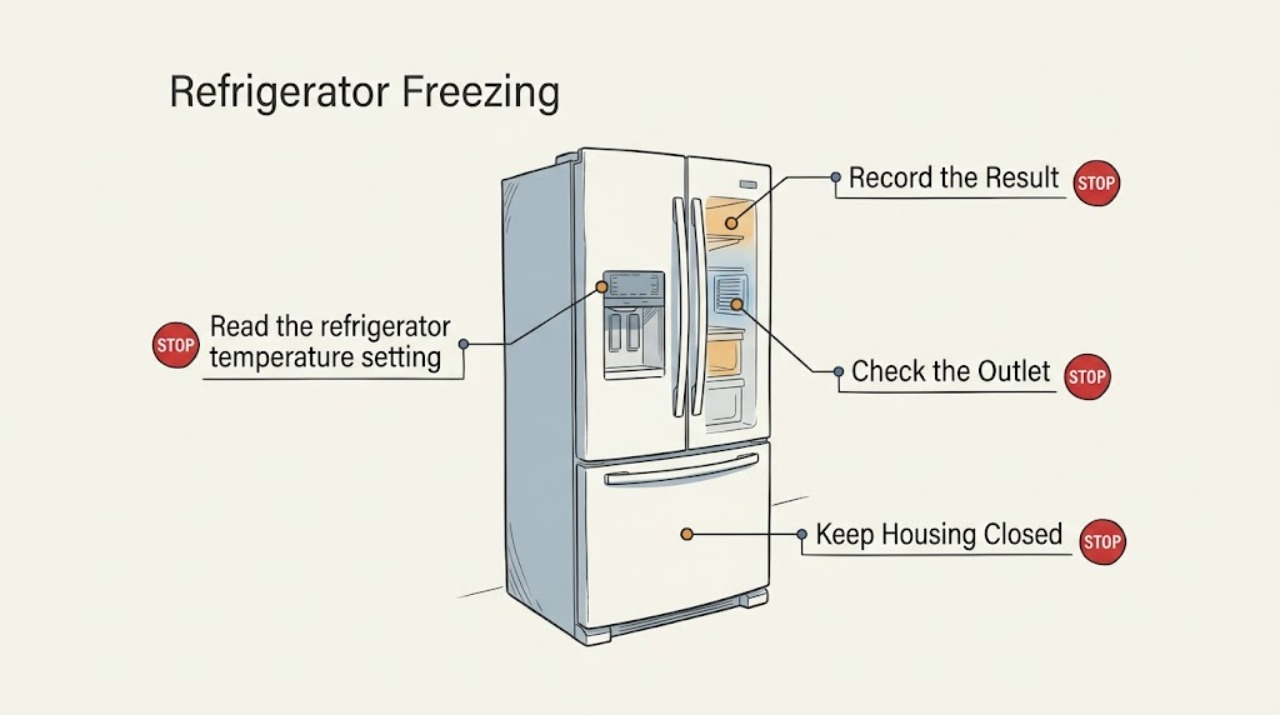
First identify whether food is freezing in the refrigerator compartment or only in a special drawer. Raise an overly cold refrigerator setting within the model's allowed range, move moisture-rich food away from the cold-air outlet, and clear the upper sensor area so airflow and temperature sensing are not blocked. Persistent freezing with a correct setup needs model-specific service.
Before you begin
Safety first
- Do not remove panels or replace temperature-control parts without model-specific diagnosis.
Work through in order
Diagnostic checks
Use only checks that match the exact appliance or system and its official guide.
-
Check 1
Map the frozen items: note whether they are on the upper rear shelf, near a cold-air outlet, in the crisper, in a custom drawer, or throughout the refrigerator compartment.
Expected result: Only food near the outlet is frozen, a special drawer is set to a colder mode, or many areas are freezing.
Next step: Move moisture-rich food to a lower shelf or crisper and record the drawer setting before changing multiple controls.
Why this matters
Why: A localized pattern supports direct cold-air exposure; a drawer mode or broad pattern points to settings, sensor blockage, ambient conditions, or service.
-
Check 2
Read the refrigerator temperature setting and raise it by one or two levels only within the range and method specified for the model; allow the cabinet to stabilize before judging the result.
Expected result: The setting is at the coldest end, or it is already moderate while fresh food continues to freeze.
Next step: Use the model display/manual for the exact control sequence and avoid repeatedly changing settings during the same observation period.
Why this matters
Why: LG recommends a higher refrigerator setting for food freezing; a moderate setting with continued freezing makes a location or sensing issue more likely.
-
Check 3
Rearrange food so it does not cover the cold-air outlet or the upper temperature-sensor area, and check that air can circulate instead of packing the compartment to the top.
Expected result: Food was touching the outlet/sensor area, or the compartment is arranged with clear vents and sensor space.
Next step: Keep easily frozen produce away from the outlet and leave sensor/vent clearance as the model requires.
Why this matters
Why: LG says food near the outlet can freeze and food blocking the sensor can make the refrigerator produce excess cold air.
-
Check 4
Check whether the refrigerator is installed in an unusually cold location such as an unheated room or balcony, and whether the symptom began after moving or a control reset.
Expected result: The ambient location is outside the recommended range, or the refrigerator is indoors with a stable environment.
Next step: Move the appliance only if safe and permitted by installation requirements. If the environment is suitable but freezing persists, arrange service.
Why this matters
Why: LG notes food may freeze regardless of the setting when the installation environment is too cold; an indoor stable location narrows the remaining causes.
Use your observations
Decision map
Find the observation that best matches what you see, then follow the next safe action.
-
PATH 01Next step
What you see
Only food beside the cold-air outlet freezes and the problem falls after rearrangement
Do this next
Store moisture-rich food farther from the outlet and keep the vent clear.
Why this path and its safety boundary
Why it matters: Direct cold-air exposure is the supported explanation.
-
PATH 02Next step
What you see
Freezing improves after raising the refrigerator setting and unblocking the sensor
Do this next
Keep the stable model-approved setting and avoid packing food against the sensor.
Why this path and its safety boundary
Why it matters: A control or airflow/sensing condition caused overcooling.
-
PATH 03Next step
What you see
The whole compartment freezes despite a suitable setting, clear airflow, and suitable room temperature
Do this next
Request qualified appliance service rather than replacing a sensor or control board by guesswork.
Why this path and its safety boundary
Why it matters: External placement and arrangement do not explain the symptom.
Helpful context
Understand the symptom
Location of the frozen food is the first clue
Food beside the refrigerator's cold-air outlet can freeze even when other shelves do not. A whole-compartment pattern or freezing after a setting change needs a different check from one item stored against the vent.
When checks do not resolve it
Need a professional?
Arrange service when the compartment remains too cold despite a suitable setting and clear airflow.
Safety scope: Do not remove panels or replace temperature-control parts without model-specific diagnosis.
Have this ready
- Provide the model, frozen-food locations, refrigerator/drawer settings, vent and sensor clearance, ambient location, and time pattern.
Common questions
FAQ
Why does an LG refrigerator freeze vegetables but not everything else?
Vegetables near a cold-air outlet or in a colder drawer setting can freeze while other food does not. Move them away from the outlet and verify the drawer and refrigerator settings in the model instructions.
Should I set every LG refrigerator to the same temperature?
No. Controls and ranges vary by model. Use the owner's instructions; LG's general guidance is to raise an overly cold refrigerator setting within the permitted range and observe the result.
Read the exact guide
Official sources
- LG Refrigerator - Troubleshooting Frozen Food in the Refrigerator CompartmentLG USA Support · LG refrigerator fresh-food freezing settings, vent, sensor, and location checks
Community feedback
Share a repair observation
Share a plain-text repair observation. Accepted observations are published automatically; this page may take a moment to update.