
On this page
Start here
Quick answer
When a Liebherr refrigerator stops making ice, start with the IceMaker switch, a fully closed drawer, and the water source that belongs to the model. Liebherr says a first ice batch can take up to 24 hours and identifies an empty or incorrectly seated water tank as separate causes. If the IceMaker indicator flashes with a full tank, or the appliance shows a fault, stop at these checks and contact service.
Before you begin
Safety first
- Do not remove the IceMaker housing or work on water or electrical connections. Do not force a frozen drawer.
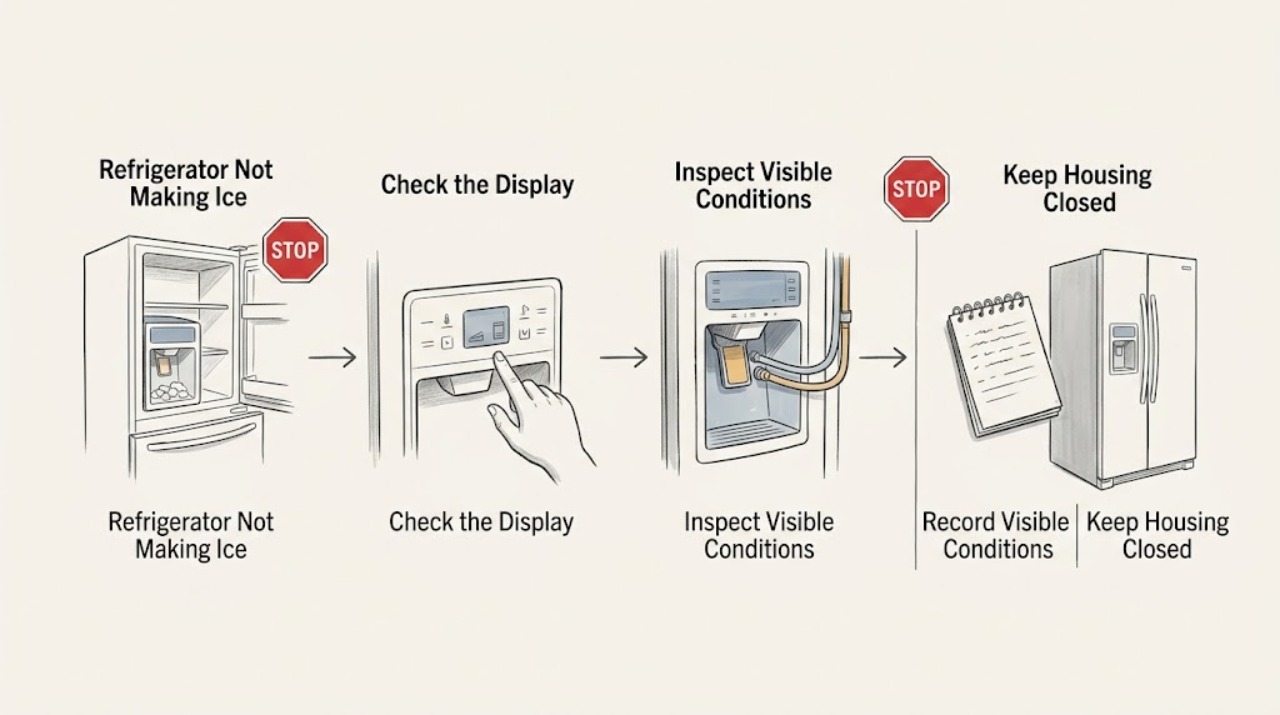
Work through in order
Diagnostic checks
Use only checks that match the exact appliance or system and its official guide.
-
Check 1
Open only the IceMaker drawer and check that the IceMaker control is on, the drawer is fully pushed in, and no ice is packed high enough to obstruct it.
Expected result: The control is off, the drawer is not fully closed, or the drawer is clear and correctly closed.
Next step: Switch it on and close the drawer as the manual shows; do not force a jammed drawer.
Why this matters
Why: Liebherr states that the IceMaker works only when switched on and, on the documented model, when the drawer is completely closed.
-
Check 2
Check the water tank if the refrigerator uses one, or observe the accessible water supply condition on a plumbed model, without removing a pressurized line.
Expected result: The tank is empty or misseated, or the accessible water supply is present and dry.
Next step: Fill and reseat a user-removable tank according to the model instructions; use an installer for supply-line work.
Why this matters
Why: An empty or incorrectly inserted tank can prevent filling; a sound supply path moves the check toward IceMaker timing or a fault indicator.
-
Check 3
Record whether this is the first activation or a restart after cleaning, and allow the model's documented production interval before judging the result.
Expected result: The IceMaker was newly switched on or cleaned, or it previously produced ice and then stopped.
Next step: Wait through the stated first-start interval with the drawer closed; for a later failure, continue to the indicator check.
Why this matters
Why: Liebherr says first production may take up to 24 hours; a later stop is not explained by first-start waiting alone.
-
Check 4
Look at the IceMaker indicator after the tank and drawer checks, noting whether it is steady, off, or flashing while the tank is full.
Expected result: The indicator is steady, off, or flashing with sufficient water.
Next step: Arrange customer service for the flashing-full-tank pattern; do not open the IceMaker housing.
Why this matters
Why: A steady light after activation supports an enabled maker; a flashing indicator with a full tank is identified by Liebherr as a defective IceMaker condition.
Use your observations
Decision map
Find the observation that best matches what you see, then follow the next safe action.
-
PATH 01Next step
What you see
The IceMaker was off, the drawer was open, or the tank was empty and production returns after correction
Do this next
Keep the control on, drawer closed, and water source correctly seated.
Why this path and its safety boundary
Why it matters: A user-accessible production condition interrupted ice making.
-
PATH 02Next step
What you see
The maker was newly activated and no fault indicator appears
Do this next
Allow the stated interval before changing settings or ordering parts.
Why this path and its safety boundary
Why it matters: The documented first-production delay remains a plausible explanation.
-
PATH 03Next step
What you see
The drawer and water source are correct but the indicator flashes with a full tank
Do this next
Contact qualified customer service and provide the appliance identification.
Why this path and its safety boundary
Why it matters: Liebherr identifies this combination as a defective IceMaker requiring service.
Helpful context
Understand the symptom
Check production conditions before parts
No ice does not immediately identify a failed maker. An IceMaker can be off, unable to sense a closed drawer, waiting after first activation, or short of water. The model's tank and indicator design determine which of these checks applies.
Only after diagnosis
Potential parts
- IceMaker assembly
Consider only after the correct switch, drawer, water, timing, and indicator checks support a maker fault.
Confirm the exact appliance designation and service number before ordering.
When checks do not resolve it
Need a professional?
Arrange qualified Liebherr service when the IceMaker fails the documented switch, drawer, water, and timing checks.
Safety scope: Do not remove the IceMaker housing or work on water or electrical connections. Do not force a frozen drawer.
Have this ready
- Provide the appliance designation, service and serial numbers, indicator state, tank or supply type, activation time, and drawer condition.
Common questions
FAQ
How long can a new Liebherr IceMaker take to make ice?
The Liebherr manual says first ice production may take up to 24 hours, depending on the model and conditions.
What does a flashing IceMaker light mean?
If the tank is full and the indicator still flashes, Liebherr identifies the IceMaker as defective and directs you to after-sales service.
Read the exact guide
Official sources
- MalfunctionLiebherr-Hausgeräte · Liebherr refrigerator IceMaker activation, drawer, tank, timing, indicator, and service guidance
Community feedback
Share a repair observation
Share a plain-text repair observation. Accepted observations are published automatically; this page may take a moment to update.