
On this page
Start here
Quick answer
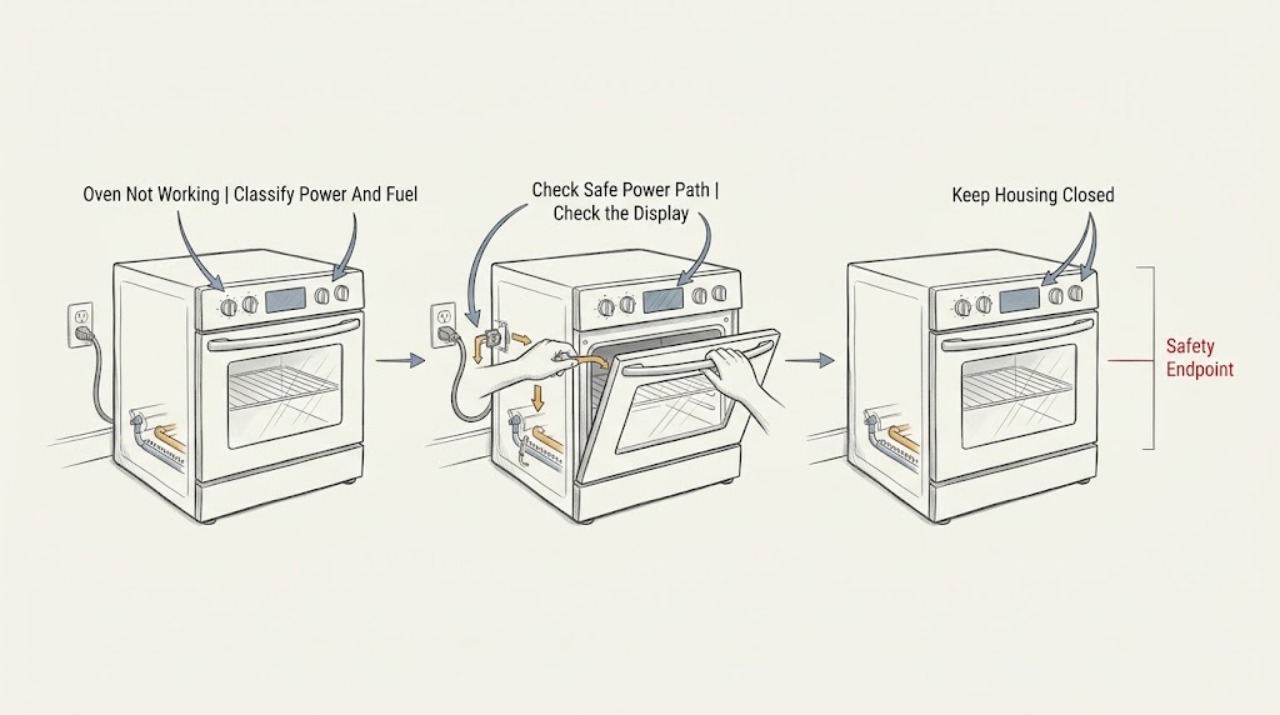
First identify whether the Magic Chef oven has no power, has power but will not start, or starts but does not heat. Read the rating label or the exact Magic Chef manual to distinguish gas, dual-fuel, and electric construction without moving the range. If you smell unburned gas, hear escaping gas, see an abnormal flame or smoke, or a carbon-monoxide alarm sounds or anyone feels ill, leave immediately and do not operate switches, controls, or other electrical equipment in the affected area; follow local emergency and gas-safety procedures from a safe location. With no hazard, inspect the plug, outlet, breaker, clock or mode setting, door or lid closure, and displayed code using the model manual. A single safe reset may clear a temporary control state, but a dead outlet, repeated trip, failed latch, no-heat condition, abnormal ignition, or persistent fault needs qualified service.
Before you begin
Safety first
- This article covers fuel identification and safe front-access observation only. Do not move the range, open panels, alter gas or electrical connections, bypass an interlock, relight, or perform live electrical or gas work.
Work through in order
Diagnostic checks
Use only checks that match the exact appliance or system and its official guide.
-
Check 1
From a dry, stable position with the oven off, press Power or the model's normal control once and record whether the display is dark, lit but idle, showing a lock or code, starting then stopping, or heating without a visible result; read the rating label or exact Magic Chef manual for gas, dual-fuel, or electric identity.
Expected result: There is no display or sound, the controls light but Start does nothing, the door or lid will not latch, a code is shown, the oven starts but stays cold, or gas, smoke, sparks, heat, or illness is present.
Next step: Use the no-power, powered-no-start, or no-heat branch below. If a gas-like odor, smoke, abnormal flame, CO alarm, illness, sparks, or hot wiring is present, leave immediately and use the emergency branch.
Stop if: Do not move the range, relight anything, operate controls in a gas-filled area, or keep pressing controls after a hazardous symptom.
Why this matters
Why: The panel state separates supply from controls and heating. Fuel identity determines whether ignition and gas-safety checks apply, while gas, smoke, electrical, and CO symptoms override routine checks.
-
Check 2
For a dark panel and no immediate hazard, inspect the plug and cord from outside the appliance, confirm the plug is seated in the correct wall outlet, and check the labeled breaker or GFCI once; test a reachable outlet with a small known-working lamp only when the area is dry and the outlet is not hot or damaged.
Expected result: The outlet is dead, the breaker or GFCI is tripped, the plug or cord is loose or damaged, the test lamp works but the oven remains dark, or power returns and then drops again.
Next step: If the outlet or breaker will not hold, stop and arrange qualified electrical help. If the outlet works but the Magic Chef oven stays dark, keep it off and request appliance service. Do not use an extension cord or bypass protection.
Stop if: Do not touch a hot, wet, scorched, loose, or sparking connection, repeatedly reset a breaker, remove wiring covers, or move the range to reach a rear connection.
Why this matters
Why: A dead outlet or tripped protection points to the household supply. If the outlet works but the oven remains dark, the input, controls, fuse, or internal power path needs service. A repeated trip is not a successful reset.
-
Check 3
For a lit panel that will not start, confirm the clock or timer state, selected bake or other mode, Start command, control lock, and fully closed door or lid using the exact Magic Chef manual; remove only a plainly visible obstruction at the seal.
Expected result: The clock or timer is unset, a control lock or delayed function is active, the mode is not selected, the door or lid does not latch, Start is not accepted, or a code remains.
Next step: Set the clock, cancel a delay, release the lock, select the intended mode, close the door or lid, and press Start only as the exact manual describes. If the latch or code remains, stop and request service.
Stop if: Do not force or bypass the door or lid interlock, insert tools into the latch, guess a code meaning, or open the control panel.
Why this matters
Why: A powered oven can appear not to work when it is waiting for a required setting or interlock. A failed latch or persistent code points to a model-specific control or safety condition.
-
Check 4
If the oven starts but does not heat, note the selected function, whether the cavity light or display remains active, and—only when the exact manual permits ordinary observation and there is no gas or smoke warning—whether an electric element glows or a gas burner ignites normally without reaching into the cavity.
Expected result: The wrong mode is selected, the element does not heat, a gas burner does not ignite, ignition is delayed, the flame is unstable or abnormal, the display shows a code, or the controls run normally but the cavity remains cold.
Next step: Use the exact Magic Chef manual for the mode and code, then request qualified appliance service for persistent no-heat or ignition symptoms. Do not remove covers, adjust gas components, or repeat ignition attempts.
Stop if: Stop for gas odor, delayed ignition, popping, an abnormal flame, smoke, sparks, scorching, or a hot control or cord; do not relight or service the gas path yourself.
Why this matters
Why: A mode setting can explain a normal cold result, but no heat after a correct selection can involve an element, igniter, burner, sensor, valve, control, or supply. Delayed ignition, abnormal flame, and smoke are safety faults.
-
Check 5
Without moving the oven, inspect only visible installation conditions: a reachable power cord, a closed door or lid, a clear front vent or cooling opening where the manual identifies one, stable placement, and no water, grease, packaging, or object blocking ordinary controls or the door.
Expected result: A door is blocked, a vent or opening is covered, the appliance has been wet or displaced, the cord is pinched or damaged, or all visible conditions match the manual but the oven remains inoperative.
Next step: Remove only a safe, plainly visible obstruction and compare the exact manual. Keep the oven off if it was wet, displaced, damaged, or still fails after the visible correction; arrange qualified service.
Stop if: Do not move the appliance, open the rear, disconnect gas or electrical connections, operate it after water exposure, or cover a required vent.
Why this matters
Why: An obstruction or installation condition can prevent a start or cause a protection response, while a clean visible installation with continued failure points to an internal or model-specific fault.
-
Check 6
If there is no gas, smoke, heat, water, or electrical hazard, perform one reset only as stated in the exact Magic Chef manual or by switching the appliance off at its normal control and restoring power safely; then try the intended function once.
Expected result: The oven returns to normal operation, remains dark, powers on but will not start, starts but still does not heat, shows the same code, or trips protection again.
Next step: Keep the oven off and request qualified Magic Chef appliance service; use an electrician for a defective outlet or circuit. Provide the model, fuel type, panel state, mode, code, and reset result.
Stop if: Do not repeat resets, bypass a safety device, open panels, perform live electrical tests, adjust gas pressure, or restart after smoke, sparks, gas odor, or overheating.
Why this matters
Why: A successful single reset can clear a temporary control state. No change, a returning code, no heat, or a repeated trip needs diagnosis and is not evidence that a part should be replaced at random.
Use your observations
Decision map
Find the observation that best matches what you see, then follow the next safe action.
-
PATH 01Safety boundary
What you see
Unburned gas odor, an escaping-gas sound, abnormal combustion, a CO alarm, smoke, or illness is present.
Do this next
Leave immediately, do not operate lights, switches, controls, or other electrical equipment in the affected area, and follow local emergency, gas-supplier, fire, and medical procedures from a safe location. Do not reuse the oven until cleared.
Why this path and its safety boundary
Why it matters: This is a gas, combustion, fire, or carbon-monoxide safety event, not a no-start repair path.
Safety stop: Do not relight, move the range, test for a leak, or re-enter to inspect the burner or connector.
-
PATH 02Next step
What you see
The display is completely dark and there is no smell, smoke, heat, water, or damaged electrical connection.
Do this next
Check the reachable power path once from a dry position. Use qualified electrical service for a dead or repeatedly tripping circuit and Magic Chef appliance service when the outlet works but the oven remains dark.
Why this path and its safety boundary
Why it matters: The outlet, breaker or GFCI, plug, cord, or appliance input path is more likely than a timer or heating setting.
-
PATH 03Next step
What you see
The display is active but the oven will not begin a cycle.
Do this next
Use the exact Magic Chef manual to check the required settings, lock, latch, and code. Request service if the door or lid will not secure or the code returns.
Why this path and its safety boundary
Why it matters: Clock, timer, mode, control lock, door or lid interlock, Start command, or an error condition may be blocking operation.
-
PATH 04Next step
What you see
The oven starts and controls respond, but the cavity does not heat as expected.
Do this next
Confirm the mode using the exact manual and request qualified service for persistent no-heat. Stop for delayed ignition, abnormal flame, smoke, gas odor, sparks, scorching, or a trip.
Why this path and its safety boundary
Why it matters: The selected function, element, igniter, burner, sensor, valve, control, or supply may need model-specific diagnosis.
-
PATH 05Next step
What you see
The oven has no hazard and either recovers after one manual-supported reset or remains inoperative.
Do this next
Use it only if it completes a normal operation without warnings. Otherwise keep it off and arrange qualified Magic Chef appliance or electrical service.
Why this path and its safety boundary
Why it matters: Recovery supports a temporary control state; continued failure points to supply, lock, control, heating, or fuel-system service.
-
PATH 06Safety boundary
What you see
The oven, plug, outlet, or controls were wet, displaced, physically damaged, hot, scorched, sparking, or exposed to a breaker trip.
Do this next
Keep the oven out of use and obtain qualified appliance or electrical inspection. Do not restore power until the condition is cleared.
Why this path and its safety boundary
Why it matters: Water, fire, electrical, or mechanical damage can make a restart unsafe even if the panel later lights.
Safety stop: Do not touch wet connections, dry internal parts while energized, move the range, or test it by repeated cycling.
Helpful context
Understand the symptom
No power, no start, and no heat are separate paths
A completely dark panel points first to the outlet, breaker, plug, cord, or appliance input. A lit panel that will not begin may be waiting for a clock, mode, door or lid closure, control lock, timer, or Start command. A cycle that begins but stays cold moves the diagnosis toward the selected function, heating element, igniter, burner, sensor, or control. Magic Chef's support pages direct users to the exact product support and manual path because the controls and fuel system differ by model.
Fuel and safety symptoms override troubleshooting
A gas or dual-fuel oven needs a different stop boundary from a pure electric model, but smoke, sparks, a hot cord, a damaged outlet, or a breaker trip is hazardous for either type. CPSC says to leave immediately when a gas leak is suspected and to avoid lights, switches, and ignition sources. Carbon monoxide cannot be identified by smell, so an alarm or illness requires fresh air and urgent help even when the oven seems merely not to work.
Use the model manual for every control and code
Magic Chef product support and manual downloads are the reliable route for the assigned model's clock, mode, door or lid interlock, ignition sequence, error display, and reset method. Do not apply a code table from another Magic Chef model, remove a burner cover, adjust gas pressure, or open a control panel to turn a no-start symptom into a parts experiment.
Safety boundary
Stop conditions
- Leave immediately for unburned gas, escaping-gas sound, a CO alarm, illness, active smoke, or fire; do not operate lights, switches, controls, or other electrical equipment in the affected area.
- Stop for delayed ignition, abnormal or unstable flame, popping, smoke, sparks, scorching, a hot or damaged cord or outlet, water near electricity, or a breaker trip.
- Do not relight, move the range, test for gas leaks, adjust gas pressure, alter an orifice, or inspect a connector closely.
- Do not force or bypass a door or lid interlock, open panels, perform live electrical tests, or repeat a reset after a hazardous symptom.
- Use only safe front-access and exact Magic Chef manual checks; persistent no-power, no-start, no-heat, or code conditions need qualified service.
Only after diagnosis
Potential parts
- oven heating element or sensor
Consider this category only when qualified diagnosis confirms that the selected electric heating function remains cold and the exact model identifies the element or sensor as failed.
Confirm the exact Magic Chef model and technician diagnosis before ordering; do not access energized or hot parts as an owner test. - oven igniter or burner assembly
Consider this category only when qualified gas-appliance diagnosis traces a persistent no-heat or delayed-ignition symptom to the model's ignition or burner system.
Confirm exact model and gas type through qualified service; never relight, adjust, or replace a gas component as a home leak test. - oven door or lid lock assembly
Consider this category only when the exact-model diagnosis confirms that the door or lid closes but the interlock does not report a safe closure.
Confirm exact Magic Chef model and lock design; do not force or bypass the interlock.
When checks do not resolve it
Need a professional?
Request qualified Magic Chef appliance service when the outlet works but the oven remains dark, when the display is active but it will not start after the exact mode, clock, lock, door, code, and single-reset checks, or when it starts but does not heat. Use qualified electrical service for a dead or repeatedly tripping circuit. Stop immediately and use local emergency, gas-safety, fire, or medical procedures for unburned gas, suspected carbon monoxide, smoke, fire, abnormal flame, sparks, hot wiring, water near electricity, or a breaker trip.
Safety scope: This article covers fuel identification and safe front-access observation only. Do not move the range, open panels, alter gas or electrical connections, bypass an interlock, relight, or perform live electrical or gas work.
Common questions
FAQ
Why is my Magic Chef oven completely dark?
From a dry position, check the plug, reachable cord, wall outlet, and labeled breaker or GFCI once when there is no heat, smoke, water, or electrical damage. If the outlet works but the oven stays dark, keep it off and request qualified Magic Chef appliance service.
Why does my Magic Chef oven have power but not start?
Check the exact model's clock or timer, selected mode, Start command, control lock, door or lid closure, and displayed code. A door or lid that will not latch or a code that returns needs service. Do not force or bypass the interlock.
What should I check when a Magic Chef oven turns on but does not heat?
Confirm the selected function in the exact manual and note whether an electric element or gas burner behaves normally only from a safe position. Persistent no-heat needs qualified diagnosis of the element, igniter, burner, sensor, valve, control, or supply. Stop for delayed ignition, abnormal flame, smoke, gas odor, sparks, or scorching.
What do I do if I smell gas from a Magic Chef oven?
Leave immediately for an unburned-gas or sulfur-like odor, do not operate lights, switches, controls, or other electrical equipment in the affected area, and follow local emergency or gas-supplier procedures from a safe location. Do not relight, move the range, or test for a leak.
Can I reset my Magic Chef oven if it will not work?
A single reset performed exactly as the model manual states can clear a temporary control state when there is no hazard. If the oven remains dark, will not start, does not heat, shows the same code, or trips protection again, keep it off and request qualified service.
Can carbon monoxide be detected by smell from an oven?
No. CPSC explains that carbon monoxide is odorless and colorless. A CO alarm or symptoms such as headache, dizziness, nausea, shortness of breath, confusion, or unusual fatigue require fresh air and urgent help even when no odor is present.
Read the exact guide
Official sources
- Protect Your Family from Carbon Monoxide PoisoningU.S. Consumer Product Safety Commission · Federal consumer-safety guidance for homes with fuel-burning appliances and CO exposure concerns.
- Manual DownloadsMagic Chef · Official Magic Chef manual-download page; exact oven controls, fuel system, and procedures vary by model and region.
- Certain Older Gas Connectors May Be DangerousU.S. Consumer Product Safety Commission · Federal consumer-safety guidance for suspected gas leaks near household gas appliances, including a warning not to move an appliance to inspect a connector.
- Product SupportMagic Chef · Official Magic Chef product-support page; the available steps and manuals depend on the selected cooking-appliance model.
- The Magic Chef Help CenterMagic Chef · Official Magic Chef help center; available controls and troubleshooting depend on the exact appliance model.
Community feedback
Share a repair observation
Share a plain-text repair observation. Accepted observations are published automatically; this page may take a moment to update.