
On this page
Start here
Quick answer
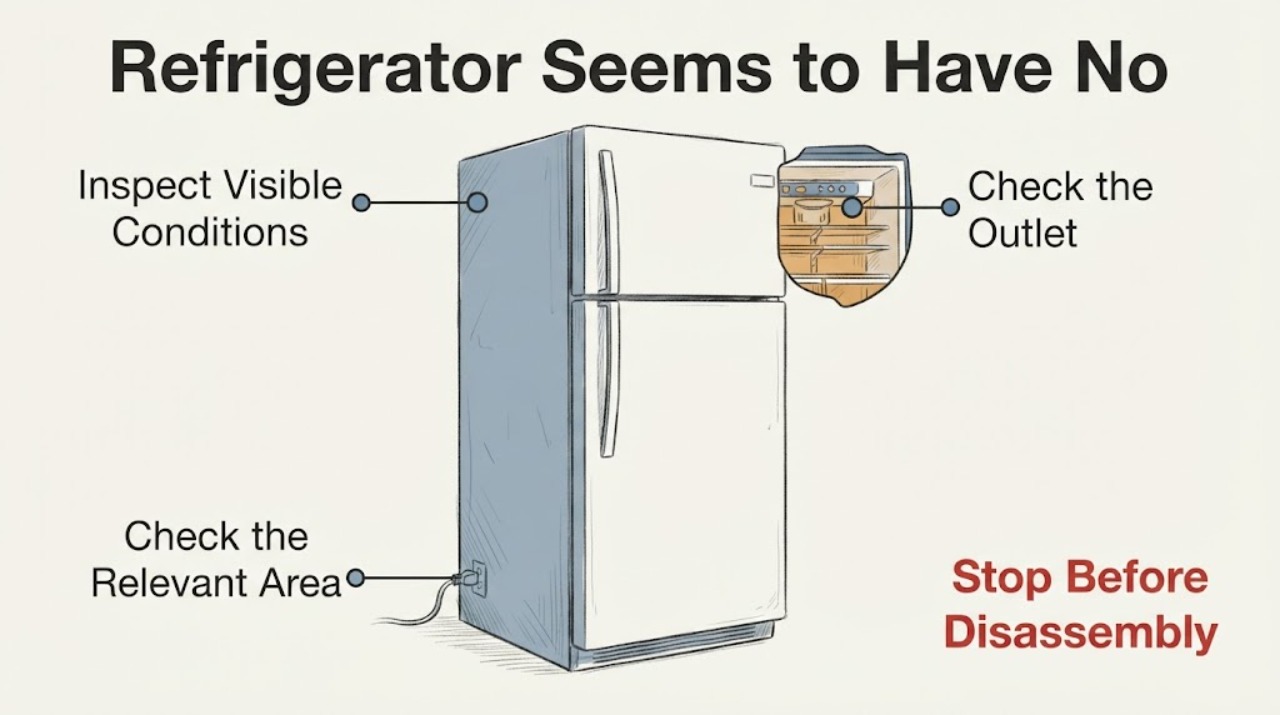
For a Magic Chef refrigerator that seems to have no electricity, start with the safe external power path: note whether the interior light, display, or compressor sound is actually absent, inspect the accessible plug and cord, and check the outlet or breaker only when there is no heat, water, scorching, looseness, or other hazard. A damaged or hot connection, repeated breaker trip, shock, smoke, or burning odor is a stop condition. If the household outlet is safe and working but the refrigerator remains completely dead, find the refrigerator model number through Magic Chef's support path and arrange model-specific service; do not remove covers or guess at an internal electrical part.
Work through in order
Diagnostic checks
Use only checks that match the exact appliance or system and its official guide.
-
Check 1
Without opening the refrigerator, identify what is actually inactive: open the door once to see whether the interior light responds, look for a display or indicator if the model has one, and listen briefly for normal operating sound. Check that a visible control is not set to Off only if the control can be read normally; do not keep opening the door or repeatedly cycle the power.
Expected result: The light and display are both absent; the light works but there is no cooling sound; a display or indicator is present; or a visible control is set to an inactive position.
Next step: Continue with the accessible plug, cord, outlet, and breaker checks only if there is no electrical or water hazard. If a visible control is clearly Off, use the exact model instructions before treating the unit as electrically dead; do not remove panels.
Why this matters
Why: A completely dark unit points first to the external supply path or a model-specific electrical fault, while a working light or display means the refrigerator is receiving at least some power and is not the same symptom. The observation does not prove which internal component is involved.
-
Check 2
With the refrigerator stationary and the area dry, look at the accessible plug and cord and the outlet face without touching damaged areas or moving the cabinet through water. Check for fraying, cracking, scorching, melting, looseness, unusual warmth, shock, smoke, or a burning odor.
Expected result: The cord and plug are visibly intact and cool; the outlet is cool and dry; or there is damage, heat, moisture, shock, smoke, sparking, or burning odor.
Next step: If any hazard is present, stop using the outlet and refrigerator, isolate power only if it can be done without contact with a hazard, and use qualified electrical or appliance service. Do not tape a damaged cord or continue testing.
Why this matters
Why: An intact, cool connection keeps the household supply check in scope but does not clear the refrigerator. Damage, heat, moisture, shock, smoke, sparking, or odor is an electrical safety condition rather than a routine refrigerator reset.
-
Check 3
If the outlet and connection look dry, cool, and undamaged, verify the outlet with a small known-good device or an appropriate outlet tester, without using an extension cord or power strip as a substitute for the refrigerator connection. Do not perform live tests if the outlet is loose, wet, hot, or damaged.
Expected result: The known-good device also fails; it works intermittently; or it works normally while the Magic Chef refrigerator remains dark.
Next step: For an outlet problem, stop using that outlet and have a qualified electrician check it. For a safe working outlet with a dead refrigerator, continue only with the one-time breaker/GFCI check and model identification; do not open the refrigerator.
Why this matters
Why: Failure of the other device or intermittent power points toward a household outlet, GFCI, wiring, or breaker issue. A working outlet with a dead refrigerator shifts the problem to model-specific appliance service, but it does not identify an internal part.
-
Check 4
If the home circuit is accessible and there is no sign of heat, water, smoke, or damage, look for a tripped breaker or reset GFCI that supplies the refrigerator. Restore protection once only; do not repeatedly reset it or substitute a larger fuse or breaker.
Expected result: The protection device is normal; it resets and stays on but the refrigerator remains dead; or it trips again immediately or during operation.
Next step: If it trips again, leave the refrigerator disconnected and arrange qualified electrical or appliance service. If power is stable but the refrigerator is still completely dead, record the model and use Magic Chef's refrigerator support path.
Why this matters
Why: A stable reset can restore a household supply interruption but does not diagnose the refrigerator. A repeated trip indicates an electrical fault or unsafe load and must not be treated as a successful reset.
-
Check 5
Read the refrigerator's model and serial label from an accessible location without removing a cover, then use Magic Chef's Refrigerator Product Support page to select or enter the exact model. Keep the symptom record: which lights or display were absent, outlet result, breaker result, and whether any heat, odor, or trip occurred.
Expected result: The exact model is available and the safe external supply checks passed; the model cannot be read; or the refrigerator remains dead after a confirmed working outlet.
Next step: Use the exact model resources or request qualified service with the recorded observations. Do not remove electrical covers, bypass controls, replace an internal fuse, or work on the compressor or sealed system from this symptom alone.
Why this matters
Why: Magic Chef's support flow is model-based and links to manuals, service, parts, and contact routes. Missing model information limits the instructions that can be safely applied; it does not justify guessing a replacement board, relay, compressor, or fuse.
Use your observations
Decision map
Find the observation that best matches what you see, then follow the next safe action.
-
PATH 01Next step
What you see
The plug, cord, or outlet is hot, damaged, wet, loose, scorched, sparking, or associated with a shock, smoke, or burning odor.
Do this next
Stop using the refrigerator and outlet. Isolate power only when it is safe to reach the control without touching a hazard, then contact a qualified electrician or appliance service; do not continue testing or tape/repair the cord.
Why this path and its safety boundary
Why it matters: This is an electrical safety hazard, not a routine refrigerator power reset.
-
PATH 02Next step
What you see
A known-good device also fails at the outlet, the outlet is intermittent, or the breaker/GFCI trips again after one safe reset.
Do this next
Leave the refrigerator disconnected and have the outlet, GFCI, breaker, and wiring checked by a qualified electrician. Do not use an extension cord or repeatedly reset protection to keep the refrigerator running.
Why this path and its safety boundary
Why it matters: The household circuit or outlet remains the leading decision path; repeated protection trips can indicate an electrical fault.
-
PATH 03Next step
What you see
The outlet is safe and powers another device, the breaker/GFCI stays on, and the Magic Chef refrigerator has no light, display, or other response.
Do this next
Keep the refrigerator disconnected if it is unsafe to operate, record the model and serial information, and use Magic Chef's Refrigerator Product Support or qualified service. Do not remove panels or order an internal part from the symptom alone.
Why this path and its safety boundary
Why it matters: The refrigerator needs model-specific appliance diagnosis. The external result does not distinguish a control, wiring, compressor-start, or other internal cause.
-
PATH 04Next step
What you see
The interior light or display works, but the refrigerator is not cooling or is silent.
Do this next
Use the exact Magic Chef model support path for the cooling symptom and arrange service if it persists. Do not infer a compressor or thermostat failure or open the sealed system.
Why this path and its safety boundary
Why it matters: The unit is receiving at least some power, so this is not confirmed as a total no-electricity condition. A cooling or operating fault remains unscoped without the exact model and its manual.
Helpful context
Understand the symptom
“No electricity” can describe several different observations. A refrigerator may have no interior light or display, may be silent but still powered, or may have a local outlet or breaker problem. Record exactly what is absent before moving the appliance or changing a control. These checks stay outside the cabinet because the symptom alone cannot identify a relay, control board, compressor, or sealed-system fault.
Magic Chef's refrigerator support page asks for the model number and provides links for manuals, service requests, parts, and contact. Use the complete model and serial information when the external power path is safe but the refrigerator remains dead; instructions and service boundaries can differ across the refrigerator family.
When checks do not resolve it
Need a professional?
Arrange qualified Magic Chef appliance or electrical service when the outlet is confirmed safe but the refrigerator remains completely dead, when a breaker or GFCI trips again, or when any internal electrical diagnosis would be required. Provide the full model and serial information and the observed light/display, outlet, breaker, cord, heat, odor, and trip results.
Common questions
FAQ
What should I check first when my Magic Chef refrigerator has no power?
First identify whether the interior light and any display are actually absent. If the area and connection are dry and safe, inspect the accessible cord and plug, verify the outlet with a known-good device, and check the supplying breaker or GFCI once. Stop for heat, damage, moisture, shock, smoke, odor, or a repeated trip.
What if the outlet works but the Magic Chef refrigerator is still completely dead?
Record the exact model and serial information and use Magic Chef's Refrigerator Product Support page for the model's manual and service path. A working outlet does not identify the internal failed part, so do not remove panels, bypass a control, or order a relay, board, fuse, or compressor from the symptom alone.
Should I keep resetting the breaker if the refrigerator turns off again?
No. The CPSC advises unplugging an appliance that repeatedly trips a fuse or circuit breaker and having it repaired or replaced. Leave the refrigerator disconnected and have the household circuit or appliance assessed by qualified service.
Read the exact guide
Official sources
- Customer ServiceMC Appliance · MC Appliance/Magic Chef customer-service, technical-information, parts, and service-network routing.
- CPSC and NESF Urge Consumers to "Plug Into Electrical Safety"U.S. Consumer Product Safety Commission · General household electrical safety: damaged cords, repeated appliance breaker trips, and unusually warm or hot outlets.
- RefrigeratorMC Appliance / Magic Chef · Magic Chef refrigerator model lookup and model-specific support routing.
- The Magic Chef Help CenterMC Appliance / Magic Chef · Magic Chef customer support portal and product support categories, including Refrigerator support.
Community feedback
Share a repair observation
Share a plain-text repair observation. Accepted observations are published automatically; this page may take a moment to update.