
On this page
Start here
Quick answer
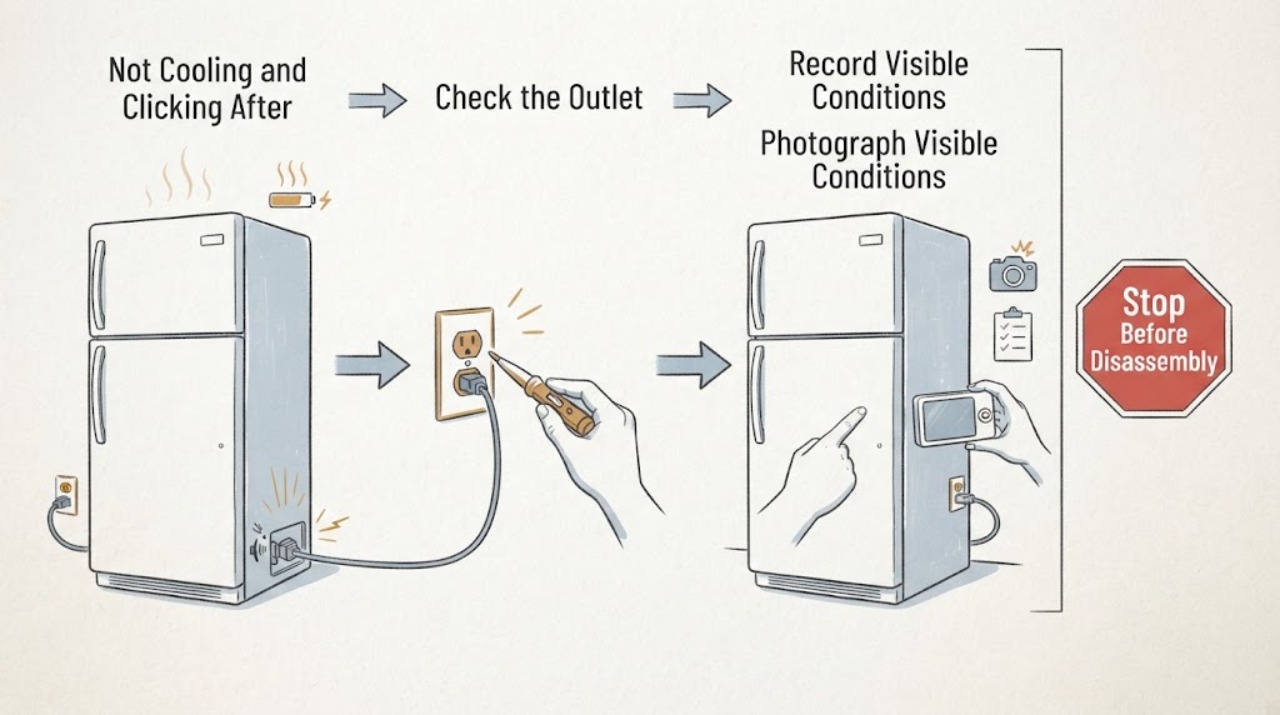
Treat a Maytag MFI2569YEM0 that began clicking and stopped cooling after a storm surge as an electrical-and-food-safety event first, not as proof that the compressor or start device needs replacement. From a dry, safe position, stop using the refrigerator if there is a burnt smell, scorching, a damaged cord or outlet, moisture near electrics, or a breaker that trips again; do not bypass protection, make live measurements, or keep resetting it. Keep the doors closed, check the refrigerator and freezer temperatures with appliance thermometers, and move perishable food to safe cold storage when needed. If the display and lights work but both compartments remain warm and the click repeats, record the timing and request qualified appliance service and, when the house circuit or outlet is suspect, an electrician. A single click is not enough to identify a compressor, relay, capacitor, control, or sealed-system fault.
Work through in order
Diagnostic checks
Use only checks that match the exact appliance or system and its official guide.
-
Check 1
From a dry, safe position, stop using the refrigerator if the storm was followed by a burnt or electrical smell, smoke, scorching, a damaged cord or outlet, moisture near the plug, or a breaker that trips again. If the circuit is already off, leave it off; do not bypass a breaker, use an extension cord, open an electrical cover, or take a live voltage measurement.
Expected result: There is visible electrical damage, a burning smell, a wet electrical area, repeated breaker operation, or none of those signs and the refrigerator is still powered normally.
Next step: For any electrical warning, keep the refrigerator isolated and arrange qualified appliance service; involve a licensed electrician when the outlet, breaker, house wiring, or surge protection is implicated. Otherwise continue with food-temperature protection without opening the cabinet.
Stop if: Do not re-energize a circuit that trips, substitute a larger fuse or breaker, bypass grounding or surge protection, or touch wet or scorched electrical parts.
Why this matters
Why: The first pattern requires electrical safety assessment before appliance troubleshooting. The absence of visible damage does not prove that a surge left the control or compressor circuit unharmed, but it permits only low-risk external observations.
-
Check 2
Keep the refrigerator and freezer doors closed and check the temperatures with appliance thermometers placed in the compartments, without moving food against vents. Record the current readings, the last known time the unit cooled normally, the storm or outage duration, and whether frozen food still has ice crystals.
Expected result: The refrigerator is at or below 40°F, the freezer is at or below 0°F, one section is warm, both sections are warm, or frozen food has thawed and perishable refrigerator food has been warm for an unsafe duration.
Next step: Move food to a known-safe refrigerator or cooler when temperatures or the outage timeline are unsafe. If both compartments are warm, keep doors closed and arrange service; do not wait for a click to decide whether food is safe.
Stop if: Do not open the rear cover, use dry ice without following its safety precautions, or rely on smell or appearance alone to clear questionable food.
Why this matters
Why: Temperature separates an audible event from a cooling failure and protects food independently of the suspected component. FoodSafety.gov says an unopened refrigerator generally holds food for about four hours during a power outage and a full freezer for approximately 48 hours, or 24 hours if half full; do not taste food to test it.
-
Check 3
Without touching the rear machinery or changing wiring, photograph the display and note whether interior lights, the control panel, and any power-outage indicator respond. From outside the cabinet, record the click pattern: one event, a repeating click-and-stop cycle, a click only during ice or water activity, or clicking with no apparent cooling attempt.
Expected result: The panel is dark, lights work but both sections are warm, a power-outage or cooling-off indication is present, the click repeats at a short interval, or the click is occasional while temperatures remain safe.
Next step: Use the complete MFI2569YEM0 identity and the recorded pattern when contacting service. Restore a cooling setting only if the exact Owner's Manual documents it and there is no electrical hazard; do not keep toggling settings or power to chase the sound.
Stop if: Do not remove the control panel, bridge a relay, unplug and reconnect internal parts, or deliberately repeat a suspected failed start.
Why this matters
Why: Lights with warm compartments can reflect a cooling-off state, a power/control event, or an internal cooling fault; repeated clicking after a surge makes an electrical or restart path worth documenting but does not prove which part failed. An occasional sound with safe temperatures is not evidence by itself of compressor damage.
-
Check 4
Make only safe external cooling checks: confirm the doors close and seal, no package blocks an interior air vent, the cabinet is not pressed against a heat source, and the display is not showing Cooling Off or Showroom/Demo. Do not remove an evaporator cover or rear panel to look for frost, fans, wiring, or the compressor.
Expected result: A door gap, blocked vent, unusual heat around the cabinet, Cooling Off/Showroom state, or no visible external cause is found while temperatures remain abnormal.
Next step: Correct only a plainly visible obstruction or a model-documented cooling setting from the front panel, then monitor measured temperatures without repeated restarts. If the click and warm temperatures remain, request qualified service.
Stop if: Do not scrape hidden ice, use a heat gun or hair dryer, move the refrigerator to expose the rear, or continue if the cabinet, cord, or outlet becomes hot.
Why this matters
Why: Maytag says these accessible conditions can affect cooling, and that some models need cooling turned back on after a power outage or surge. If both sections remain warm after the external checks, the click must be treated as an unresolved service symptom rather than a part diagnosis.
-
Check 5
Prepare a service timeline rather than a parts list: exact MFI2569YEM0 model and market, storm and power-recovery times, whether the breaker tripped, click interval and duration, display state, both temperature readings, food transfer, and any prior repair or surge-protection work. Ask the provider to document whether the issue is in the supply, controls, start circuit, compressor, fans, or sealed system before proposing a replacement.
Expected result: The refrigerator cools normally again with no recurrence, the click returns while both sections are warm, or the electrical symptom persists independently of temperature.
Next step: Keep the temperature and sound record and arrange qualified appliance service; use an electrician for outlet, breaker, wiring, or surge-protection concerns. Do not authorize a compressor or start-device replacement solely from the sound or storm history.
Stop if: Stop all user testing for smoke, sparking, repeated breaker trips, a hot outlet, damaged insulation, or a refrigerator that cannot keep food at safe temperatures.
Why this matters
Why: A temporary recovery does not establish that a component is healthy, while recurrence with measured warm temperatures is stronger evidence of an unresolved cooling or electrical problem. A persistent house-circuit symptom may be outside the appliance itself.
Use your observations
Decision map
Find the observation that best matches what you see, then follow the next safe action.
-
PATH 01Next step
What you see
The storm was followed by a burnt smell, scorching, a hot or damaged outlet, a wet electrical area, or a breaker that trips again.
Do this next
Leave the appliance and affected circuit off and arrange qualified appliance/electrical assessment. Transfer food according to the measured temperature and outage timeline.
Why this path and its safety boundary
Why it matters: This is an electrical stop-use branch. Repeated clicking may be a symptom of a damaged supply or appliance circuit, but it is not safe evidence for a component swap.
-
PATH 02Next step
What you see
The panel and lights work, both compartments are measurably warm, and the click repeats at a regular interval after the storm.
Do this next
Keep doors closed, protect food, avoid further resets or live testing, and give a qualified technician the exact model, temperature readings, breaker history, and click timeline.
Why this path and its safety boundary
Why it matters: This combination is consistent with an unresolved power/control/start or cooling-system event, but the opened sources do not make the sound specific to a compressor, relay, capacitor, or control board.
-
PATH 03Next step
What you see
The freezer remains cold while the fresh-food section is warm, and no electrical warning is present.
Do this next
Check only accessible vent and door-seal conditions, then monitor both temperatures. Escalate if the section stays warm, frost is hidden, or the click becomes persistent or abnormal.
Why this path and its safety boundary
Why it matters: Maytag describes airflow and blocked vents as a possible reason for a warm refrigerator section; this pattern does not justify diagnosing or replacing the compressor from a click.
-
PATH 04Next step
What you see
Temperatures remain safe and the click is occasional, with no repeated breaker trip, odor, or visible electrical damage.
Do this next
Record the sound timing and continue temperature monitoring without opening the cabinet. Request service if cooling changes, the click repeats frequently, or any safety symptom appears.
Why this path and its safety boundary
Why it matters: The event is not enough to establish a cooling failure or a failed part. Maytag material notes that refrigerators can make unfamiliar operating sounds, but the exact source and model-specific behavior still matter.
-
PATH 05Next step
What you see
Perishable food has exceeded the FoodSafety.gov outage or temperature limits, or freezer food has thawed without remaining ice crystals.
Do this next
Discard food according to FoodSafety.gov guidance, keep doors closed, and arrange service for the refrigerator rather than using questionable food as a test.
Why this path and its safety boundary
Why it matters: Food safety is now independent of whether the refrigerator later restarts. Appearance, odor, or tasting cannot reliably establish that the food is safe.
Helpful context
Understand the symptom
Why a storm changes the first check
The MFI2569YEM0 is explicitly listed in Maytag's refrigeration service bulletin, so keep that complete model number with the service record. A storm or power-recovery event adds a separate electrical question before ordinary warm-refrigerator checks: ESFI explains that a surge can damage refrigerators and other appliances. That does not prove the surge damaged this refrigerator, and it does not identify the clicking component. It does mean that a repeated breaker trip, scorching, a hot or damaged outlet, a burning smell, or water near electrical parts is a stop-use condition rather than an invitation to try a different start component.
Protect food while the diagnosis is still open
Do not use the refrigerator's sound as a food-safety test. Keep the doors closed as much as possible and use thermometers or a documented outage timeline. FoodSafety.gov gives about four hours for an unopened refrigerator during a power outage and approximately 48 hours for a full freezer, or 24 hours when half full; its chart also says not to taste food to decide whether it is safe. A refrigerator that has power but remains warm after the storm still needs the same temperature-focused response, even if the interior light works.
What clicking can and cannot establish
Maytag cooling guidance separates normal external checks from a cooling-system diagnosis. A click may be associated with a control attempt, a valve or ice-maker operation, a restart attempt, or another operating event; without an applicable electrical test and the exact service documentation, the sound cannot prove a compressor, relay, capacitor, board, or sealed-system failure. Record when the click occurs, whether it repeats at a regular interval, whether the interior fans or lights respond, and what both compartment thermometers show. Leave component selection to qualified service.
When checks do not resolve it
Need a professional?
Keep the refrigerator out of service and obtain qualified help for a repeated click with warm compartments, any recurring breaker trip, damaged cord or outlet, burnt smell, smoke, sparking, water near electrical parts, or temperatures that cannot be kept safe. Do not bypass electrical protection, make live measurements, open panels, or replace a compressor or start component based only on sound or storm timing.
Common questions
FAQ
Does clicking after a storm prove the Maytag compressor is bad?
No. A repeating click with measured warm compartments is important service evidence, but the sound alone cannot distinguish a supply, control, start, fan, compressor, or sealed-system problem. Do not order a compressor or start part without a qualified diagnosis.
What should I do with the food while the refrigerator is clicking?
Keep the doors closed and check appliance thermometers. FoodSafety.gov says an unopened refrigerator generally keeps food safe for about four hours during a power outage and a full freezer for approximately 48 hours, or 24 hours if half full; do not taste questionable food to test it.
Can I keep resetting the refrigerator until it starts cooling?
Do not repeatedly reset it after a storm, especially if a breaker trips, the outlet is hot, or there is a smell or visible damage. Maytag says some models may need cooling turned back on after an outage or surge, but any model-specific control step should come from the exact Owner's Manual and only after the electrical condition is safe.
Should I remove the rear panel to find the clicking part?
No. Keep the refrigerator powered off when electrical symptoms are present and do not open covers or make live measurements. Give the technician the model, temperature readings, breaker history, and sound timeline instead.
Read the exact guide
Official sources
- Surge Protective DevicesElectrical Safety Foundation International · Opened ESFI home electrical-safety guidance for the storm-surge boundary; it does not provide a refrigerator component diagnosis or live-test procedure.
- Food Safety During Power OutageFoodSafety.gov · Opened U.S. government food-safety guidance for the storm/outage context; it does not diagnose the refrigerator.
- Service Manual - 16025629Maytag · Opened Maytag service manual as a general refrigeration-family reference for service boundaries and operating-sound context; it is not used to assign a part to MFI2569YEM0.
- Not Cooling - Freezer Section - Refrigerator - Product HelpMaytag · Opened Maytag product-help guidance for the refrigerator family; it provides general external checks and explicitly says model-specific manuals control the exact setting sequence.
- Instruction Sheet - 67006294 - Rev A - Special HandlingMaytag · Opened Maytag's official refrigeration service bulletin; it explicitly lists MFI2569YEM0 but concerns a keyboard/display service-kit compatibility issue, not a diagnosis of clicking or no cooling.
Community feedback
Share a repair observation
Share a plain-text repair observation. Accepted observations are published automatically; this page may take a moment to update.