
On this page
Start here
Quick answer
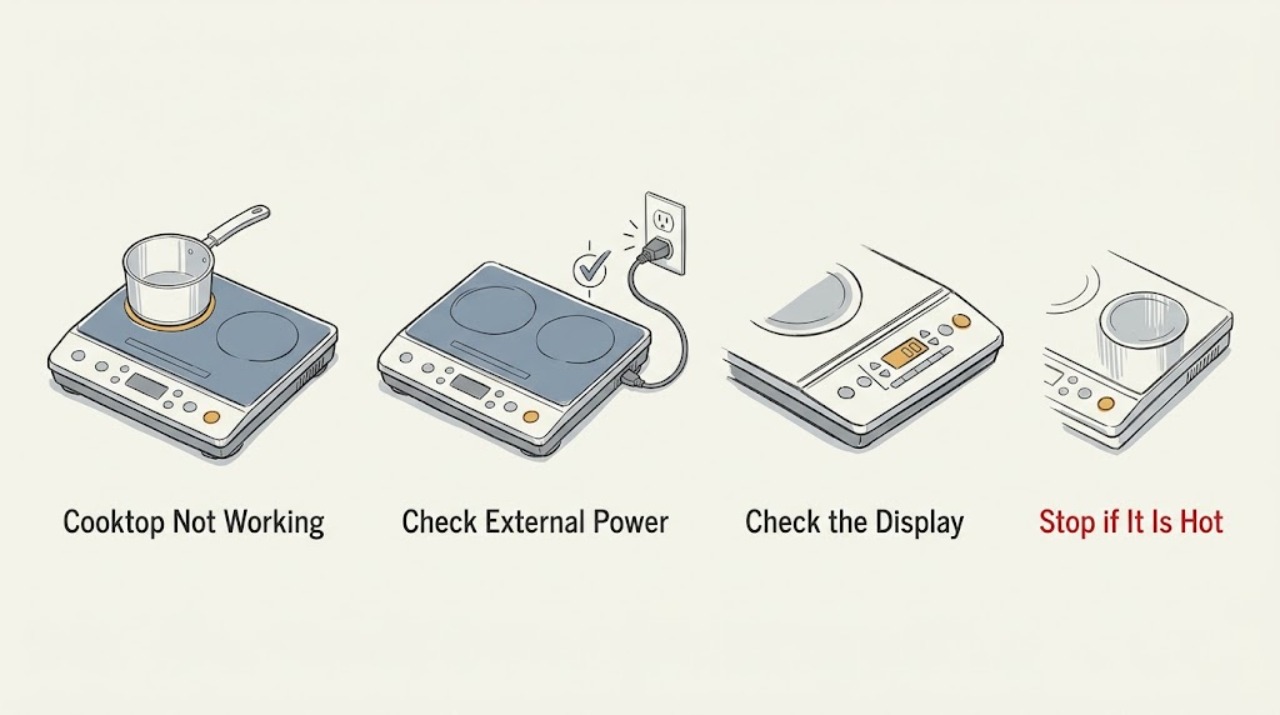
When a Miele cooktop will not work, first determine whether the whole surface is dead, the controls are unresponsive, or a zone turns on but does not heat. Check the relevant breaker or residual-current device, remove cookware and spills from the control area, and deactivate a system lock or safety lock only as described in the operating instructions. For induction models, confirm that the pan is suitable and detected; Miele says demo mode can allow controls to work without heating. If overheating protection has operated, let the cooktop cool. One model-appropriate power reset may clear a technical fault, but repeated failure, a persistent fault display, damaged glass, burning odor, or any need to access wiring requires a qualified electrician or Miele Service.
Work through in order
Diagnostic checks
Use only checks that match the exact appliance or system and its official guide.
-
Check 1
From a safe position, try the normal On/Off control once and observe whether the display is completely blank, the display responds but no zone starts, one zone fails, or an error symbol appears.
Expected result: Record the affected zones, visible indicators or code, touch or knob response, and whether the cooktop has recently been hot, wet, or exposed to a spill.
Next step: Use the corresponding power, control, cookware, and overheating checks below instead of repeating the same start command.
Stop if: Stop immediately for cracked glass, smoke, sparks, burning odor, exposed wiring, water entering the controls, or a zone that heats without being selected.
Why this matters
Why: A blank whole-cooktop display points first toward power; a responsive display with no heating points toward lock, cookware, demo mode, overheating protection, or a technical fault. A single-zone failure narrows the issue to that zone or its controls.
-
Check 2
If the whole cooktop is blank or will not switch on, check whether the relevant breaker, fuse, or residual-current device has tripped, using only the home's normal external electrical controls.
Expected result: Record whether the protective device is tripped, stays on, trips again, or appears normal while the cooktop remains dead.
Next step: If the device remains on and the cooktop is still dead, or if it trips again, leave the appliance off and contact a qualified electrician or Miele Service.
Stop if: Do not remove covers, change protection ratings, repeatedly reset a tripping device, or touch wiring behind the cooktop.
Why this matters
Why: A tripped protective device can explain a dead cooktop, but a device that trips again indicates an electrical fault or installation issue. A normal protective device with no display leaves a supply or appliance fault unresolved.
-
Check 3
When the display has power but touch controls do not respond, remove cookware from the control area, wipe away food deposits and moisture with the approved method, free both hands from cookware, and check the operating instructions for system lock, safety lock, or wipe protection.
Expected result: After the control area is clear and dry, note whether the lock indication clears, the sensors respond, or the same fault remains.
Next step: Follow the exact model's documented unlock or wipe-protection procedure once; contact Miele Service if the controls remain unresponsive.
Stop if: Do not place hot cookware on the electronic control area, pour cleaner into gaps, scrape the glass, or bypass a lock.
Why this matters
Why: Miele identifies covered or dirty sensors, a lock, wipe protection, and touching the display while holding cookware as possible reasons for an unresponsive control. Persistence after the documented checks suggests a technical fault.
-
Check 4
If an induction zone turns on but does not heat, remove and reposition the pan centrally, then confirm from the Miele instructions that its base is suitable for induction; if appropriate, use the manufacturer's simple magnet check on the cool pan base.
Expected result: Record whether the pan is detected, a missing or unsuitable cookware symbol appears, the pan is too large or misplaced, or another known suitable pan heats normally.
Next step: Use suitable cookware and the correct zone selection from the manual; if detection or heating remains abnormal with a known suitable pan, arrange service.
Stop if: Do not test with damaged cookware, place objects on the controls, or continue if the glass is cracked or heating is uncontrolled.
Why this matters
Why: Miele says unsuitable cookware, an incorrectly sized pan, an unactivated extended or PowerFlex area, or demo mode can make an induction zone appear not to work. If a known suitable pan is detected but the zone remains cold, the fault is less likely to be the pan.
-
Check 5
If the controls work and the display behaves normally but no heat is produced, check the exact model's operating instructions for demo mode and any displayed lock or fault state before changing settings.
Expected result: Record whether demo mode is active, a lock or fault remains, the controls accept the documented mode change, and a suitable pan is detected after the change.
Next step: Deactivate demo mode only with the model's documented procedure, then perform one supervised zone test; do not use an undocumented reset sequence.
Stop if: Stop if the display is erratic, a fault code persists, or a zone heats without a deliberate selection.
Why this matters
Why: Miele explains that demo mode can demonstrate cooktop functions without heating. A mode change that restores heating supports a settings explanation; an unchanged display or persistent fault needs service.
-
Check 6
If the cooktop has been heavily used or displays behavior consistent with overheating protection, turn the controls to their normal off position, remove cookware only when safe, and allow the cooking zones to cool before trying again.
Expected result: Record whether the zone works again after cooling and whether overheating protection returns frequently during ordinary use.
Next step: If the protection repeats or the zone does not recover after cooling, leave the cooktop off and arrange service.
Stop if: Do not touch hot glass or cookware, cover a hot cooktop with objects, or continue using it if smoke, odor, cracking, or uncontrolled heat appears.
Why this matters
Why: Miele says cooking zones can be used again once they have cooled to a safe level, but frequent activation of overheating protection is a reason to contact Miele Service.
-
Check 7
Only when the cooktop is cool, dry, free of damage or odor, and external controls are safe to operate, use the Miele guidance for one power disconnect and restoration of the relevant breaker, fuse, or residual-current device.
Expected result: After power is restored, record whether the display and zones return, the fault reappears immediately, a protective device trips, or the controls remain unresponsive.
Next step: Do not keep cycling power. If the cooktop still fails, a fault returns, or protection trips, leave it off and contact a qualified electrician or Miele Service.
Stop if: Do not reset a hot, wet, smoking, sparking, cracked, or actively malfunctioning cooktop, and never disconnect internal wiring.
Why this matters
Why: Miele presents a roughly one-minute power disconnect as a possible response to a technical fault. A successful restart can clear a transient state but does not prove the underlying fault is repaired; recurrence points to service.
Use your observations
Decision map
Find the observation that best matches what you see, then follow the next safe action.
-
PATH 01Safety boundary
What you see
The whole cooktop is blank and the breaker, fuse, or residual-current device has tripped or will not stay on.
Do this next
Leave the cooktop off and contact a qualified electrician or Miele Service.
Why this path and its safety boundary
Why it matters: The fault may be in the supply, installation, or appliance and is not a cookware or touch-setting issue.
Safety stop: Do not change protection ratings, open the appliance, or repeatedly reset a tripping device.
-
PATH 02Safety boundary
What you see
The display is on but the controls do not respond, a lock is shown, or cookware, moisture, or residue covers the sensor area.
Do this next
Clear and dry the controls and follow the exact manual's unlock or wipe-protection procedure once.
Why this path and its safety boundary
Why it matters: Miele identifies lock, wipe protection, covered sensors, dirty controls, and holding cookware while touching the display as possible causes.
Safety stop: Request service if the controls remain unresponsive or a fault remains after the documented procedure.
-
PATH 03Safety boundary
What you see
An induction zone responds but does not heat and the pan is not detected or is unsuitable.
Do this next
Use a known suitable pan, position it as the manual shows, and check the documented zone or demo setting.
Why this path and its safety boundary
Why it matters: The cookware, pan position, zone selection, or demo mode may explain the no-heat symptom.
Safety stop: Arrange service if a suitable pan is detected but the zone remains cold or the display shows a fault.
-
PATH 04Safety boundary
What you see
The cooktop stops after heavy use and works again after cooling, or overheating protection activates repeatedly.
Do this next
Allow safe cooling and monitor one ordinary use; contact Miele Service if protection returns frequently.
Why this path and its safety boundary
Why it matters: A single recovery after cooling can match protective operation; frequent activation indicates a condition requiring service.
Safety stop: Stop for smoke, odor, cracked glass, or uncontrolled heating.
-
PATH 05Safety boundary
What you see
The cooktop remains unusable after the external power check, clear controls, suitable cookware check, safe cooling, and one permitted reset.
Do this next
Leave the cooktop off and arrange a qualified electrician or Miele Service visit with the model, display state, affected zones, and checks already performed.
Why this path and its safety boundary
Why it matters: The remaining issue may involve appliance electronics, heating hardware, sensing, or installation and cannot be safely isolated from the surface.
Safety stop: Do not open the cooktop or attempt live electrical testing.
Helpful context
Understand the symptom
Identify which kind of failure you have
A cooktop that has no display or indicator has a different first check from one whose display responds but whose cooking zones stay cold. Miele's support guidance covers no power, an active lock, dirty or covered touch controls, overheating protection, unsuitable induction cookware, demo mode, and technical faults. Record whether the whole appliance is affected or only one zone, and whether any code or symbol appears.
Use the exact operating instructions for controls
Miele cooktops differ by model and technology. System lock, safety lock, wipe protection, demo mode, touch-control behavior, and zone selection must be checked in the operating instructions for the installed cooktop. Do not copy a button sequence from another model or treat a locked control as a failed circuit.
Keep electrical and heat faults within the service boundary
A breaker or residual-current device reset is an external user check, not permission to open the cooktop. Miele directs owners to a qualified electrician or Miele Service when the appliance still will not switch on, and says recurring overheating protection or persistent sensor faults require service. Leave the cooktop off for a burning odor, cracked glass, smoke, sparks, water near controls, or any sign of uncontrolled heating.
Safety boundary
Stop conditions
- Stop using the cooktop for cracked glass, smoke, sparks, burning odor, water near controls, exposed wiring, or a zone that heats without being selected.
- Do not open the appliance, test live wiring, change protection ratings, bypass a lock, or repeatedly reset a breaker or residual-current device.
- Arrange qualified electrician or Miele Service support when the cooktop remains dead, a fault recurs, overheating protection activates frequently, or a suitable induction pan still will not heat.
When checks do not resolve it
Need a professional?
Contact a qualified electrician or Miele Service when a protective device trips again, the cooktop stays dead after the external check, controls remain unresponsive after the manual's procedure, a fault returns, or any heat, glass, odor, smoke, or wiring safety symptom appears.
Have this ready
- Give the professional the exact model, cooktop type, affected zone, display or fault message, breaker behavior, cookware result, and whether cooling or one permitted reset changed the symptom.
Common questions
FAQ
Why is my Miele cooktop completely blank?
Check the relevant external breaker, fuse, or residual-current device. If it is normal but the cooktop remains blank, or if it trips again, leave the cooktop off and contact a qualified electrician or Miele Service.
Why does my Miele induction cooktop turn on but not heat?
Confirm that the pan is suitable for induction, correctly positioned, and detected; also check that demo mode is not active. If a known suitable pan is detected but the zone remains cold, arrange service.
What should I do if Miele cooktop touch controls do not respond?
Remove cookware from the control area, clean and dry the sensors, and check the manual for the system lock, safety lock, or wipe protection. If the controls remain unresponsive after the documented procedure, contact Miele Service.
Read the exact guide
Official sources
- Cooking zones will not switch onMiele USA · Miele cooktop power, overheating protection, and technical-fault troubleshooting
- Food in the pan is barely heating up or is not heating up at allMiele USA · Miele induction cookware detection, pan size, zone selection, and demo mode
- Troubleshooting for FAQ problem with Miele CooktopMiele USA · Miele cooktop model manual and service-support routing
- Induction cooktop not respondingMiele USA · Miele induction control response, locks, touch display, and power troubleshooting
- Cooktop does not get hot when it is switched onMiele USA · Miele cooktop no-heat, overheating protection, power, and technical-fault guidance
- Sensor controls oversensitive or unresponsiveMiele USA · Miele touch-control cleanliness, obstructions, lighting, reset, and service boundary
Community feedback
Share a repair observation
Share a plain-text repair observation. Accepted observations are published automatically; this page may take a moment to update.