
On this page
Start here
Quick answer
First identify whether your KitchenAid cooktop is gas, radiant electric, or induction. For any type, clear the control area, check the house breaker, and look for a control lock. On a gas model, also verify the shutoff valve, correctly seated caps, and clear ports with the cooktop cool. On an electric or induction model, reset the breaker for one minute; if the display returns an error, controls remain dead, or a gas appliance smells of gas, stop and arrange qualified service.
Before you begin
Safety first
- Do not remove covers, work on gas connections, bypass a lock or flame-safety device, or test live electrical parts.
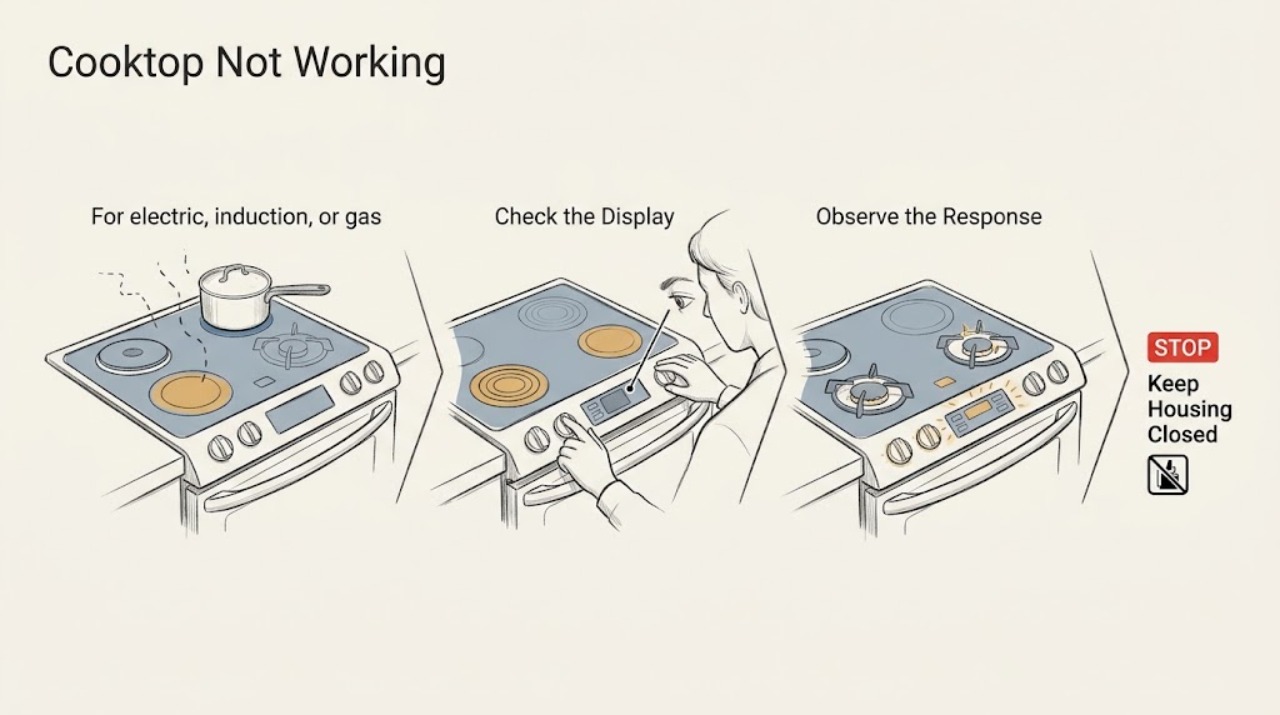
Work through in order
Diagnostic checks
Use only checks that match the exact appliance or system and its official guide.
-
Check 1
Classify the failure before testing: note whether the display is completely blank, whether touch keys or knobs respond, whether a gas burner clicks, whether it produces a flame, and whether the cooktop is induction or another electric type.
Expected result: A blank display suggests a supply or control-power issue; a lit display with no heat suggests a lock, control setting, pan-detection, or element issue; clicking without a gas flame means the ignition and gas path need separate checks.
Next step: Continue to the power and lock check for an electric or induction model. For a gas model, also continue to the gas-supply and burner checks.
Why this matters
Why: The symptom separates a whole-appliance power problem from one burner or one heating-zone problem, so it prevents replacing a burner part when the control is simply locked or unpowered.
-
Check 2
For electric, induction, or gas models with electronic ignition, check whether the appliance has household power: inspect the dedicated breaker or fuse, and confirm the plug or connection is secure without opening the appliance.
Expected result: If the breaker is tripped or a fuse has opened, restore it once and see whether the display, controls, or igniter return. If it trips again, the display stays dead, or the power connection is not accessible, stop instead of repeatedly resetting it.
Next step: For a touch-control cooktop, remove objects and moisture from the control area and check the lock. If power is still absent or unstable, arrange an electrician or authorized appliance service.
Why this matters
Why: A single reset can identify an interrupted supply, but repeated trips or a dead control after power is restored can indicate wiring, a control, or another electrical fault that is not an ordinary-user repair.
-
Check 3
Check the control lock and the selected control position. On a touch model, clear pans, utensils, water, and residue from the control panel; use the exact unlock procedure in the owner manual. On a gas model, confirm the knob is at the ignition position and that a cooktop-lock feature is not active.
Expected result: If the controls respond after the lock is cleared or the surface is dried and cleaned, the cooktop was being inhibited rather than failing to heat. If the display shows a lock, a flashing indicator, or an error that returns, record it before turning the appliance off.
Next step: Test one heating zone or burner according to the model manual. Do not bypass the lock or disassemble the touch panel.
Why this matters
Why: A lock, held key, or contamination can make a working control appear dead. A recurring code or unresponsive control after the safe reset points to service rather than a burner adjustment.
-
Check 4
If the KitchenAid cooktop is gas, turn all controls off and wait until the surface is cool. Verify that the main gas shutoff is open, then inspect the affected burner cap and base for correct matching, a flush fit, moisture, or blocked ports; clean only as the owner manual permits.
Expected result: No gas at any burner points toward the supply, shutoff, installation, or a lock/power issue. Gas with clicking but no flame points toward cap seating, moisture, blocked ports, or ignition alignment. One failed burner with the others working narrows the problem to that burner assembly or igniter.
Next step: Reassemble the dry cap and base correctly and make one normal test. If it still does not light, turn the control off and arrange authorized service; if gas is smelled, stop immediately and follow local emergency guidance.
Why this matters
Why: KitchenAid specifies power, gas supply, cap placement, and clear ports as separate causes. Do not enlarge a port, use flammable cleaner, or attempt to adjust a valve as a home fix.
-
Check 5
If the cooktop is induction or electric, test one zone with the control sequence and pan specified by the owner manual. Center a suitable pan on an induction zone, remove objects from the controls, and note any flashing symbol or error; do not touch the glass while a hot-surface indicator remains.
Expected result: An induction zone that responds only with a suitable centered pan points to pan detection or placement. A flashing display can mean a held key, an unsuitable pan, excessive heat, or another control condition; a code that returns after a power reset should be recorded.
Next step: Turn the zone off and arrange qualified service for a persistent error, dead controls, damaged glass, or a zone that still will not heat after the safe checks. Do not open the cooktop or test live terminals.
Why this matters
Why: A non-heating induction zone is not automatically a failed element: the control may be waiting for pan detection or cooling. A blank display, persistent code, or one zone that remains dead with a known suitable pan requires service diagnosis.
Use your observations
Decision map
Find the observation that best matches what you see, then follow the next safe action.
-
PATH 01Next step
What you see
The display is blank or no control responds.
Do this next
Check the breaker or fuse and perform one model-approved power reset. If the supply is present but the display remains dead, or the breaker trips again, stop and call an electrician or authorized appliance service.
-
PATH 02Next step
What you see
The display works but touch keys do not respond.
Do this next
Remove objects and moisture, clear the control lock using the owner manual, and try once more. A persistent lock indication, error, or unresponsive panel needs service.
-
PATH 03Next step
What you see
A gas burner clicks but does not produce a flame.
Do this next
Turn it off, confirm gas supply and cap seating only when cool, and clean permitted ports. If it still fails, or if gas is smelled, stop and use qualified service or local emergency guidance.
-
PATH 04Next step
What you see
A gas burner has a flame briefly and then goes out.
Do this next
Turn the control off and do not defeat any flame-safety device. Record whether the issue affects one burner or all burners and arrange qualified service if correct cap seating and a normal retry do not resolve it.
-
PATH 05Next step
What you see
An induction zone shows a pan-detection symbol or flashes.
Do this next
Center a suitable pan, remove objects from the controls, and allow an overheated surface to cool. If the indication or an error returns with a suitable pan, arrange service.
-
PATH 06Next step
What you see
There is gas odor, smoke, arcing, damaged glass, or repeated breaker tripping.
Do this next
Stop using the cooktop. If safe, turn controls off, leave the area for gas odor, and follow local gas or emergency instructions; otherwise arrange qualified electrical or appliance service.
Helpful context
Understand the symptom
Start with the symptom, not a replacement part
“Not working” can mean a blank display, locked touch controls, a gas burner with no spark, a burner that sparks but does not light, or an induction zone that does not detect the pan. These symptoms point to different checks. Do not remove the cooktop or test live wiring; use the model-specific owner manual for controls and leave electrical, gas-valve, and internal repairs to a qualified professional.
Stop for gas, smoke, or electrical danger
If you smell unburned gas, see a flame where it should not be, see smoke or arcing, or the breaker trips again, turn the controls off if safe, leave the area, and follow local gas or emergency guidance. Do not keep trying to ignite the appliance. If water has entered the controls, keep the cooktop off until it is dry and inspected.
Safety boundary
Stop conditions
- Stop immediately for an unburned-gas smell, smoke, arcing, an exposed wire, damaged glass, or a flame outside the normal burner area.
- Do not repeatedly reset a tripping breaker, bypass a cooktop lock, remove the cooktop, adjust a gas valve, or test live wiring.
- Arrange qualified service when the safe checks do not restore operation, an error returns, or a burner or heating zone remains dead.
Only after diagnosis
Potential parts
- cooktop control or touch interface
Only consider this class after the correct household supply, lock state, and safe power reset have been checked and the controls remain dead or show a recurring fault.
Confirm the exact model number and manufacturer fit information before ordering; do not infer compatibility from appearance. - gas spark igniter or electrode
Only consider this class when the gas supply is available, the cap and ports are correct, and a specific burner has no usable spark or still fails to ignite.
Use the exact model documentation and qualified installation support; an igniter is not a substitute for diagnosing gas-supply or safety faults. - electric heating element or induction power module
Only consider this class when controls and power are stable, the pan or control conditions are correct, and one zone remains nonfunctional after safe checks.
Confirm model-specific fitment and have electrical diagnosis performed by a qualified technician.
When checks do not resolve it
Need a professional?
Call an authorized KitchenAid appliance technician or a qualified electrician when power is present but controls remain dead, a breaker trips again, a gas burner still will not light after the cool-surface checks, a flame will not stay lit, an error returns, or the glass or wiring is damaged. Report the full model number, fuel type, symptom pattern, and any displayed code.
Safety scope: Do not remove covers, work on gas connections, bypass a lock or flame-safety device, or test live electrical parts.
Common questions
FAQ
Why does my KitchenAid cooktop have power but still not work?
A control lock, wet or obstructed touch panel, incorrect control sequence, unsuitable induction pan, gas shutoff, cap, or burner-port issue can all leave a powered cooktop unable to heat. Identify the symptom and follow the matching safe branch before considering parts.
Why is my KitchenAid gas cooktop clicking but not lighting?
Confirm the knob is at the ignition position and the gas supply is available, then check the cool, dry burner cap, base, and permitted ports. Turn the control off if it does not light; persistent failure or any gas odor needs qualified service.
Should I keep resetting the breaker if the cooktop stops working?
No. A single model-approved reset can clear an interrupted supply, but repeated tripping indicates a fault or unsafe electrical condition. Leave the appliance off and arrange qualified diagnosis.
Read the exact guide
Official sources
- Nothing Will Work - Gas CooktopKitchenAid Product Help · Gas KitchenAid cooktops with electronic ignition
- GAS BUILT-IN COOKTOP OWNER’S MANUALKitchenAid · KitchenAid gas built-in cooktops covered by the owner manual
- Lock - Electric and Induction CooktopKitchenAid Product Help · KitchenAid electric and induction cooktops with a control-lock function
- Indicator or Display Flashing - Electric and Induction CooktopKitchenAid Product Help · KitchenAid electric and induction cooktops with flashing indicators or display codes
- None of the Burners are LightingKitchenAid Product Help · KitchenAid gas cooktop surface burners
- Gas Burners are Clicking but Not Lighting - Product Help | KitchenAidKitchenAid Product Help · KitchenAid gas cooktop burners with electronic ignition
- Not Powering On - Electric CooktopKitchenAid Product Help · KitchenAid electric smoothtop cooktops and related electric ranges
Community feedback
Share a repair observation
Share a plain-text repair observation. Accepted observations are published automatically; this page may take a moment to update.