
On this page
Start here
Quick answer
A Monogram oven can feel very hot at the vent, door, or control area while operating normally, and its cooling fan may run during a cycle or after the oven is turned off. Treat it as overheating when food or the cavity is far hotter than the selected setting, heating continues after canceling, a fault such as F2 or F20 appears, the control area becomes abnormally hot, or smoke, burning odor, or damage occurs. First stop the cooking cycle, record the exact model, mode, selected temperature, display message, and whether the fan runs, then check only visible vents, door closure, and the model's owner instructions. Do not open the control area, defeat a thermostat or door interlock, or keep testing a runaway oven. Calibration is a model-specific correction for a repeatable temperature offset, not a fix for a sensor, relay, fan, wiring, or control fault; persistent or hazardous behavior needs qualified Monogram/GE appliance service.
Before you begin
Safety first
- This article supports recording symptoms and ordinary-access inspection of a cool oven only. Internal sensor, relay, control, fan, wiring, gas, and door-lock work belongs to qualified service.
Work through in order
Diagnostic checks
Use only checks that match the exact appliance or system and its official guide.
-
Check 1
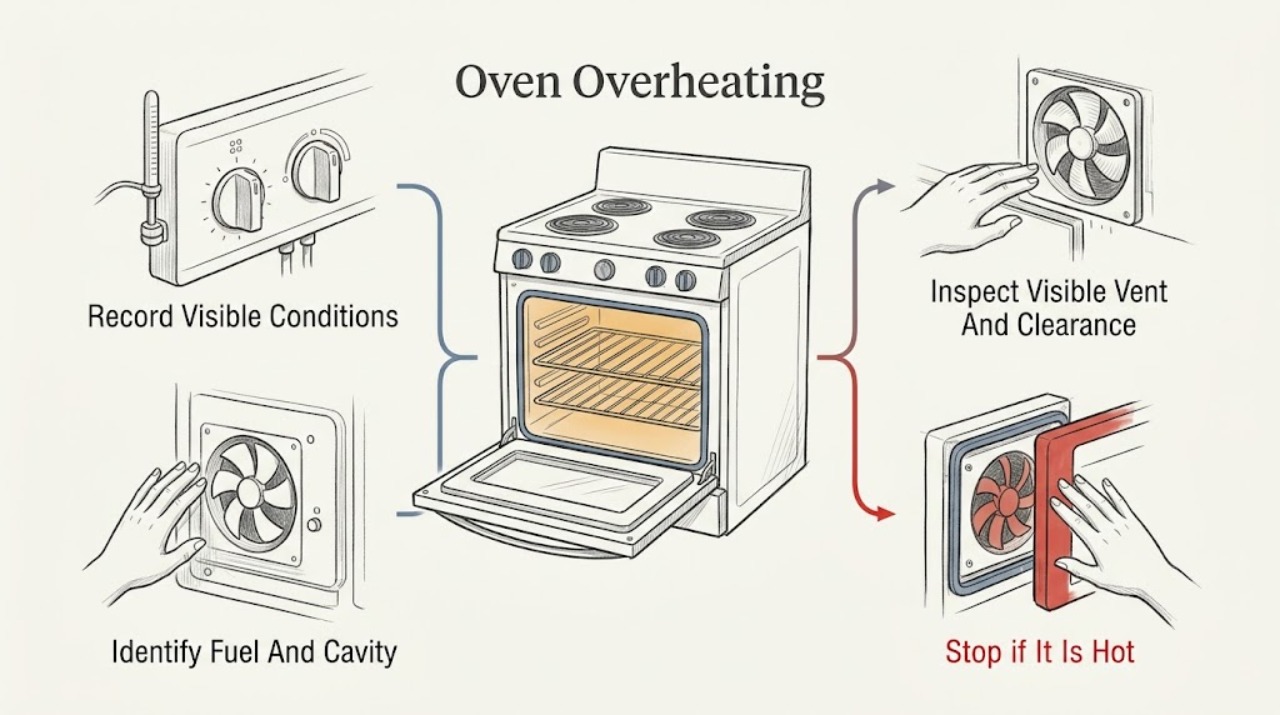
Stop the cooking cycle with the normal Cancel or Off control, keep clear of hot surfaces, and record the exact Monogram model, cavity, mode, selected temperature, elapsed behavior, display message, and whether heating appears to continue.
Expected result: Record normal cooling with no fault, a repeatable temperature overshoot, heat that remains after Cancel, a fault such as F2 or F20, an F350 message, smoke or odor, abnormal flame, arcing, or a tripped protective device.
Next step: Use the matching branch below and give the technician the model, mode, display, and shutdown behavior; keep the oven off when a fault or hazard is present.
Stop if: Stop immediately for smoke, burning odor, arcing, abnormal flame, a hot outlet, a tripped breaker, or heating that continues after Cancel.
Why this matters
Why: Normal fan operation is not by itself an overheating failure. Continued heating, a high-temperature fault, or a hazard points toward sensor, control, relay, cooling, wiring, or fuel-system service rather than calibration. F2 or F20 and F350 meanings are model-family guidance and must still be checked against the exact manual.
-
Check 2
From a cool, safe position, read the appliance identity and owner-support information, and note whether the Monogram unit is a wall oven, range oven, single cavity, or double cavity and which fuel configuration the exact model specifies.
Expected result: Record the model, affected cavity, fuel configuration, control type, and whether the same symptom occurs in another cavity or cooking mode.
Next step: Use only the exact model instructions and preserve the model information for service; do not apply a gas-oven instruction to an electric or dual-fuel configuration without confirmation.
Stop if: Do not remove an access panel, disturb gas connections, touch wiring, or continue operation when the model identity or fuel path is unclear and the oven is unsafe.
Why this matters
Why: The model and cavity determine which fan, sensor, heating system, calibration path, and fault-code guidance apply. One cavity or one mode suggests a localized component path; several cavities or the whole control area suggest shared control, supply, or cooling concerns.
-
Check 3
Only after the oven is fully cool, inspect the visible vent outlet, nearby clearance, control-panel area, and any owner-manual instruction about keeping the vent unobstructed; do not remove trim or reach into the vent.
Expected result: Record a clear outlet and expected warm airflow, a blocked or covered outlet, unusual heat concentrated at the controls, weak or absent expected airflow, or visible damage or debris.
Next step: Remove only an obvious loose item from ordinary safe access when the manual permits it; otherwise photograph the condition and arrange service without another heat cycle.
Stop if: Do not insert tools, spray cleaner, remove panels, touch hot metal, or operate the oven to test an obstructed or damaged vent.
Why this matters
Why: A clear vent with a normal cooling pattern supports intended operation. A blocked outlet, abnormal control heat, or missing expected fan behavior can contribute to overheating or indicate a cooling-fan or control fault, but the internal cause cannot be established by an external inspection.
-
Check 4
When the oven is cool, inspect the visible door gasket, hinge-side alignment, latch or lock state, and whether the door closes squarely without forcing it; do not remove the gasket or adjust hinges.
Expected result: Record an even seal and normal closure, a torn or displaced gasket, a corner gap, a door that will not latch or unlock, or glass or hinge damage.
Next step: Keep the oven off if closure, lock, glass, or hinge behavior is abnormal and provide photographs and the exact model to qualified service; do not compensate with a higher or lower setting.
Stop if: Do not force a locked door, handle a damaged pane, remove hinges, or use the oven with a door that cannot close and latch as designed.
Why this matters
Why: A door that does not close correctly can change heat retention and may create a separate safety or control condition. A damaged gasket or glass is not proof of a failed temperature sensor, and a locked or damaged door requires model-specific service.
-
Check 5
If there is no smoke, odor, fault, uncontrolled heating, or visible damage and the exact owner instructions permit it, make one controlled comparison at a normal setting using an appropriate oven-temperature method; do not reach into a hot cavity or repeat a suspect cycle.
Expected result: Record whether the temperature is close to the selected setting, consistently offset, unstable, rapidly climbing, or still rising after the control cancels; record which mode and cavity were used.
Next step: Consult the exact model manual before any permitted calibration; otherwise stop and arrange service with the comparison details.
Stop if: Stop the test for smoke, odor, scorching, abnormal flame, arcing, excessive heat, an error message, or any sign the oven does not respond to Cancel.
Why this matters
Why: A stable, repeatable offset may fit a model-approved calibration path. An unstable or rapidly rising result, heat after Cancel, or a result that differs sharply by mode points toward sensor, control, heating, or cooling service rather than calibration.
-
Check 6
Only when the exact model manual provides a user calibration feature and the comparison shows a safe, repeatable offset, review the current adjustment and affected cavity or mode without changing it blindly.
Expected result: Record whether calibration is available, whether a prior offset is already stored, whether the issue is limited to Bake or also affects Broil or self-clean, and whether the manual says the control applies separately to upper and lower cavities.
Next step: If the manual permits a small correction, follow it once and document the before-and-after result; if not, or if the oven is unsafe, leave settings unchanged and call service.
Stop if: Do not use calibration to compensate for runaway heating, a sensor or control fault, cooling failure, gas problem, or a door or vent defect.
Why this matters
Why: A stored offset or a mode-specific result can explain an apparent temperature difference. Calibration range and affected modes vary by control; an existing fault code, stuck heating, fan issue, or unsafe heat is outside this adjustment path.
-
Check 7
For any hazard or uncontrolled heating, turn the oven off, keep people away, and isolate power only from a dry safe position when the model and household setup make that safe; do not open the appliance or repeat the cycle.
Expected result: Record whether the oven stops responding to controls, whether a breaker trips again, whether smoke or odor persists after shutdown, whether a gas odor or abnormal flame is present, and whether the door remains locked.
Next step: Contact Monogram/GE support or a qualified appliance technician and provide the model, fuel configuration, mode, exact display, visible vent and door findings, and shutdown sequence.
Stop if: Do not reset a breaker repeatedly, relight a suspect gas burner, work on live wiring, bypass a lock or thermostat, or test again to reproduce the symptom.
Why this matters
Why: Persistent heat, repeated protective shutdown, smoke, fuel odor, abnormal flame, or a locked door requires qualified appliance or emergency service. A normal cool-down does not prove the underlying cause is fixed.
-
Check 8
After a qualified person or the exact manual has addressed a non-hazardous setting issue, perform at most one brief ordinary-use observation while remaining outside the hot cavity and ready to cancel normally.
Expected result: Record normal cycling, expected cooling-fan behavior, stable temperature, or any return of overshoot, fault message, abnormal heat, odor, smoke, flame, or control response.
Next step: Stop and report the exact recurrence rather than extending the cycle or changing another setting; keep the oven out of service until the cause is resolved.
Stop if: Stop immediately for smoke, burning odor, abnormal flame, arcing, uncontrolled heat, a hot outlet, a tripped breaker, or any display fault.
Why this matters
Why: A normal brief cycle supports the documented correction but does not validate an internal repair. Any recurrence returns the oven to the service branch, especially if heating continues after Cancel or a fault returns.
Use your observations
Decision map
Find the observation that best matches what you see, then follow the next safe action.
-
PATH 01Safety boundary
What you see
The vent is clear, the oven responds to Cancel, food is not scorching, and the fan runs during or after cooking without a fault.
Do this next
Confirm the exact model manual's fan guidance and monitor ordinary operation; call service if heat becomes abnormal or the fan behavior changes.
Why this path and its safety boundary
Why it matters: Warm vent air, a warm door, and post-cycle fan operation may be normal protective cooling on this model.
Safety stop: Stop for smoke, burning odor, scorching, abnormal control heat, a fault message, or heating that continues after Cancel.
-
PATH 02Safety boundary
What you see
The oven cycles normally without hazards, but a safe comparison shows a consistent temperature offset in one model-supported mode.
Do this next
Follow only the exact model manual's calibration procedure and record the setting and result; call service if the offset is unstable or remains after the permitted adjustment.
Why this path and its safety boundary
Why it matters: A stored adjustment or model-approved calibration path may be relevant, but calibration is not a component repair.
Safety stop: Do not calibrate over a fault code, runaway heating, fan failure, smoke, odor, or a door or vent defect.
-
PATH 03Safety boundary
What you see
Heating continues after Cancel or Off, the temperature keeps climbing, or a high-temperature fault returns.
Do this next
Keep the oven off, isolate power only when safe, record the display and mode, and arrange qualified Monogram/GE appliance service.
Why this path and its safety boundary
Why it matters: This is consistent with a control, sensor, relay, or related service condition rather than normal fan heat or a simple calibration offset.
Safety stop: Do not run another cycle, repeatedly reset power, open the control area, or bypass any safety device.
-
PATH 04Safety boundary
What you see
The model expects cooling but airflow is absent or weak, the visible outlet is obstructed, the control area is unusually hot, or F350 returns.
Do this next
Remove only an obvious loose item when the manual allows it, otherwise leave the oven off and arrange service with the model and display information.
Why this path and its safety boundary
Why it matters: A cooling path, fan circuit, obstruction, or control condition requires service; the internal cause cannot be identified safely from outside.
Safety stop: Do not reach into the vent, remove panels, spin a fan by hand, or operate the oven to force the fan on.
-
PATH 05Safety boundary
What you see
The door does not close squarely, the gasket is torn or displaced, the lock is abnormal, or glass is cracked or loose.
Do this next
Keep the oven off and arrange qualified appliance or glazing service with photos and the exact model.
Why this path and its safety boundary
Why it matters: Door, gasket, lock, or glazing service is needed; changing a temperature setting will not make damaged hardware safe.
Safety stop: Do not force the door, remove hinges or glass, or operate with damaged or unsafe closure hardware.
-
PATH 06Safety boundary
What you see
A gas odor, delayed ignition, abnormal flame, soot, smoke, or combustion symptom is present on a gas-capable model.
Do this next
Do not operate switches or relight the appliance if fuel is suspected; leave the area as appropriate and contact the local gas emergency service or qualified appliance technician from a safe location.
Why this path and its safety boundary
Why it matters: This is an immediate fuel and combustion safety issue, not an oven-calibration problem.
Safety stop: Do not continue ignition tests, search for a leak, adjust gas parts, or use the oven until cleared by qualified service.
-
PATH 07Safety boundary
What you see
Smoke, burning plastic or wiring odor, arcing, a hot outlet, repeated breaker trips, or water near electrical equipment is present.
Do this next
Keep clear, isolate power only from a dry safe position when possible, and contact emergency or qualified electrical/appliance service.
Why this path and its safety boundary
Why it matters: The oven must remain out of service while an electrical or fire hazard is assessed.
Safety stop: Do not touch wet equipment, reset a breaker repeatedly, remove panels, or make another heating test.
-
PATH 08Safety boundary
What you see
A permitted model-specific adjustment was made, but overshoot, an error, abnormal fan behavior, or unsafe heat returns.
Do this next
Leave the oven off and give service the original and adjusted settings, mode, temperature observations, display, and recurrence timing.
Why this path and its safety boundary
Why it matters: The setting was not the complete cause, or another component is failing; further adjustment can hide the fault.
Safety stop: Do not keep changing calibration values or extend the cycle to gather more evidence.
Helpful context
Understand the symptom
Decide whether the heat is normal or uncontrolled
Warm air at the rear vent, a warm door, or a cooling fan that continues after a bake can be part of the oven design. GE support says the electronic-control cooling fan is thermostat-controlled and may run through a bake cycle and after shutoff. That is different from a cavity that keeps heating after Cancel, food that burns at a known setting, a control area that becomes abnormally hot, or a fault message. Start by stopping the cycle and preserving the exact display and operating details rather than trying another long bake.
Record the model and the condition before changing settings
Monogram ovens vary by model, cavity arrangement, control panel, and fuel configuration. Read the model label and the owner-support page for that exact appliance, then record whether the problem occurs in Bake, Broil, Convection, warming, or self-clean, whether one or both cavities are affected, and whether the temperature rises after Cancel. Do not assume a code, calibration menu, fan behavior, or fuel path from a different Monogram model.
Use visible airflow and door checks only
After the oven is fully cool, inspect the visible vent outlet, surrounding clearance, door gasket, and door closure without removing panels or trim. A blocked outlet, damaged gasket, or door that does not close squarely can change heat behavior, but a hot control area or a fan that never starts when the model expects one points toward service. Never place hands into a hot cavity, cover a vent, or use a blocked vent as a test.
Treat calibration as a narrow, manual-approved correction
If the oven heats and cycles but a safe, repeatable temperature comparison shows a consistent offset, check the exact Monogram or GE owner instructions for an allowed temperature-adjustment feature. GE describes calibration controls for some models, and the available range and affected modes depend on the control panel. Calibration cannot correct heating that remains on, a fault code, a failed sensor, an abnormal fan, damaged wiring, or a door that will not close.
Know when an overheating oven must stay off
Smoke, a burning or plastic odor, scorching, an abnormal flame, arcing, a hot outlet, a tripped breaker, a door that will not release, or heat that continues after the controls are canceled changes this from an adjustment question to a safety and service issue. Turn the oven off and, only from a dry safe position, isolate its power if that is part of the model's safe shutdown instructions. Do not repeatedly reset a breaker, relight a suspect gas appliance, or run another cycle to see whether the fault returns.
Safety boundary
Stop conditions
- Keep the oven off for smoke, burning or plastic odor, scorching, abnormal flame, gas odor, arcing, a hot outlet, repeated breaker trips, or heating that continues after Cancel.
- Do not remove panels, reach into vents, touch wiring, bypass a thermostat or door lock, defeat an interlock, relight a suspect gas appliance, or search for a fuel leak.
- Do not repeatedly reset a breaker or run another long cycle to reproduce overheating; isolate power only from a dry safe position when that is safe for the installation.
- Do not force a locked or damaged door, use an oven with cracked or loose glass, or treat a damaged gasket or displaced frame as a calibration problem.
- Do not block vents or apply a calibration offset unless the exact Monogram model instructions permit it and the oven has no fault or hazardous symptom.
- Escalate water near electrical equipment, a carbon-monoxide alarm, or any fire or fuel emergency from a safe location to the appropriate emergency service.
Only after diagnosis
Potential parts
- oven temperature sensor
Consider this category only when the exact model documentation and service diagnosis support a sensor fault or high-temperature code.
Match the full Monogram model and cavity; do not substitute a sensor based only on a generic code or a temperature symptom. - oven cooling fan assembly
Consider this category only when the exact model expects the fan, visible airflow is abnormal, or service identifies a fan or fan-circuit problem.
Confirm the exact cavity, fan arrangement, electrical specification, and model documentation through qualified service; do not access the fan through a panel as a home check. - oven door gasket
Consider this category only when the exact model gasket is torn, displaced, or no longer seals and the door frame and glass are sound.
Match the exact model, cavity, gasket profile, and installation method; a gasket cannot correct a locked, warped, or damaged door. - oven electronic control
Consider this category only after qualified diagnosis links continued heating, a fault, or control behavior to the electronic control or its switching path.
Confirm the exact model, control revision, cavity, and programming requirements; never order or install a control from a code alone.
When checks do not resolve it
Need a professional?
Arrange qualified Monogram/GE appliance service when heating continues after Cancel, F2/F20 or F350 returns, the cooling fan or vent behavior is abnormal, the oven temperature is unstable, the door or gasket is damaged, the control area becomes unusually hot, or a permitted calibration does not correct a repeatable offset. Use emergency or qualified fuel service for gas odor, delayed ignition, abnormal flame, soot, or combustion symptoms, and qualified electrical service for arcing, smoke, a hot outlet, repeated breaker trips, or water near electrical equipment.
Safety scope: This article supports recording symptoms and ordinary-access inspection of a cool oven only. Internal sensor, relay, control, fan, wiring, gas, and door-lock work belongs to qualified service.
Common questions
FAQ
Is a hot Monogram oven vent always a sign of overheating?
No. Warm vent air and a cooling fan that runs during or after a cycle can be normal. Treat it as a fault when the oven keeps heating after Cancel, a high-temperature code returns, food scorches unexpectedly, the control area becomes abnormally hot, or smoke, odor, or damage appears.
What do F2 or F20 mean on a GE-family oven?
GE's common-code guidance says F2 or F20 means the oven temperature exceeded a preset threshold. The exact Monogram model manual and a trained technician still control the diagnosis; do not assume a sensor or control part from the code alone.
What does F350 mean on a Monogram oven?
GE lists F350 as usually indicating an upper cooling-fan circuit issue or an obstruction. Keep the oven off if the code returns, do not remove panels or reach into the vent, and provide the exact model and code to service.
Can calibration fix an oven that overheats?
Calibration may address a safe, repeatable temperature offset on a model that supports it. It is not a fix for continued heating after Cancel, a fault code, unstable temperature, a cooling-fan problem, damaged door, gas symptom, or electrical hazard.
Why does the oven fan keep running after it is turned off?
GE says a thermostat-controlled cooling fan may continue after shutoff to protect electronic controls. Confirm the behavior in the exact Monogram manual, and arrange service if airflow is abnormal, controls become unusually hot, a fault appears, or the oven is still heating.
When should I stop using a Monogram oven that is too hot?
Stop for smoke, burning or plastic odor, abnormal flame, gas odor, arcing, a hot outlet, repeated breaker trips, a locked or damaged door, a fault that returns, or heat that continues after Cancel. Use the appropriate emergency or qualified appliance, fuel, or electrical service path.
Read the exact guide
Official sources
- Range and Wall Oven - Oven Cooling Fan is Running Too LongGE Appliances · General GE support guidance for models with electronic-control cooling fans; exact Monogram model behavior is controlled by its owner manual.
- Range & Wall Oven - Oven Error, Fault or Function CodesGE Appliances · GE's common-code summary; it does not list every past or present model code, so the exact Monogram manual and service diagnosis control.
- Range & Wall Oven - Calibrating Oven with LCD Touch Screen ControlGE Appliances · Only models with the described control and a corresponding manual feature; it is not a universal repair for overheating.
- Support & Service | Monogram AppliancesMonogram Appliances · Official Monogram support portal; model-specific manuals and local service instructions control a particular oven.
- Troubleshooting for ZET958SFSSGE Appliances / Monogram Owner Center · An official GE Monogram owner-center example for model ZET958SFSS; it demonstrates model-specific support and must not be treated as instructions for every Monogram oven.
Community feedback
Share a repair observation
Share a plain-text repair observation. Accepted observations are published automatically; this page may take a moment to update.