
On this page
Start here
Quick answer
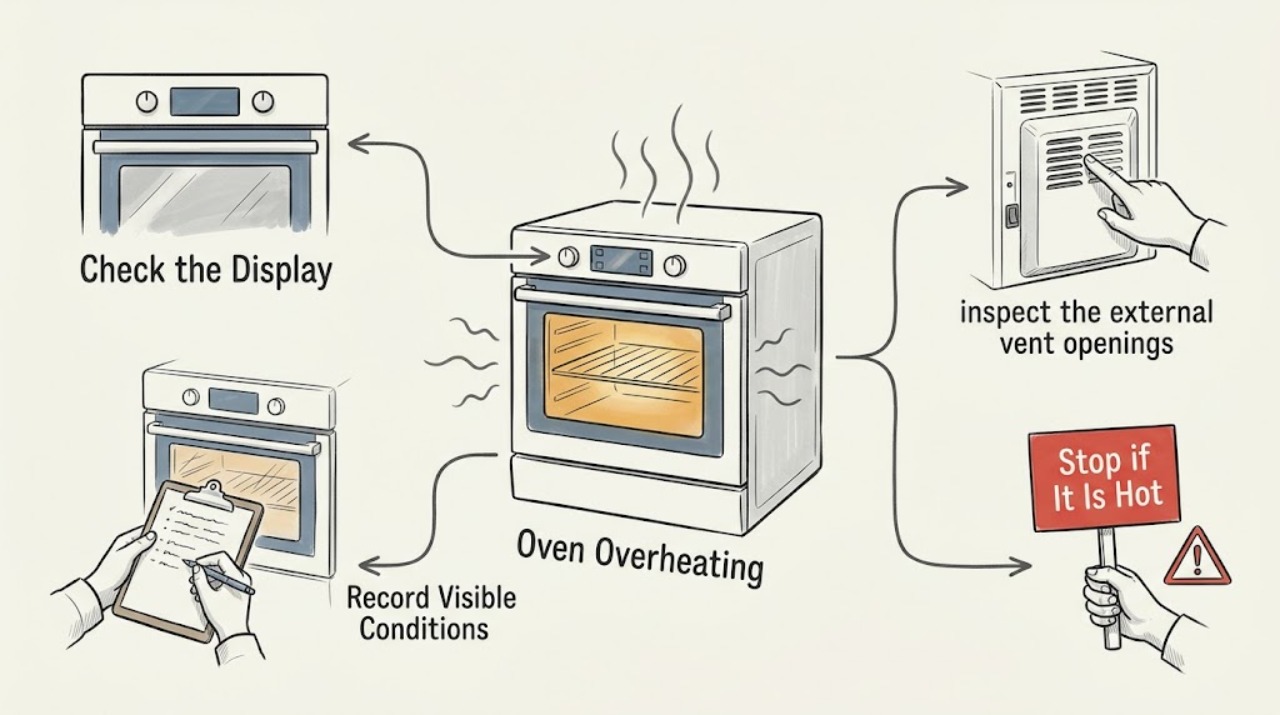
If your Bosch oven is hotter than the selected temperature, turn it off and let it cool before inspecting anything. Check that the oven is in the intended mode, that any documented temperature conversion or offset is understood, and that vents are clear and the shelves are not covered with foil. Record any E-number before resetting or cycling power. If there is smoke, a burning smell, visible damage, a flame, or an overheated control panel, stop using the oven; do not open electrical covers or try to repair a heating element. Arrange Bosch-authorized service if the temperature remains excessive after the accessible checks or an error returns.
Work through in order
Diagnostic checks
Use only checks that match the exact appliance or system and its official guide.
-
Check 1
Stop the cooking programme and allow the oven and control area to cool. Look only from a safe position for smoke, a flame, a strong burning smell, melted controls, or damaged wiring; do not open the cabinet or pour anything into the oven.
Expected result: There is an immediate smoke, flame, burning-insulation smell, visible damage, or an unusually hot control panel, or none of those warning signs is present.
Next step: For any warning sign, stop using the oven, disconnect power only if this can be done safely, and arrange authorized service. If no warning sign is present and the oven is cool, continue with the setting and airflow checks.
Why this matters
Why: A safety warning takes priority over temperature diagnosis and can indicate an electrical, control, or heating fault. Without those signs, the problem may still be a mode, temperature, airflow, or regulation issue that can be narrowed with external checks.
-
Check 2
Record the selected temperature and cooking mode, then compare the symptom across modes only after the oven has cooled and there was no safety warning. Check the model manual for convection temperature conversion, calibration, or an offset setting instead of guessing a button sequence.
Expected result: The oven overheats only in one mode or with one setting, or it runs too hot across modes even when the displayed setting is correct.
Next step: Correct only a documented setting and run one closely attended test if the oven is otherwise safe. If the temperature remains excessive across modes, stop testing and request service; do not compensate indefinitely by changing recipes or removing safety parts.
Why this matters
Why: A mode-specific symptom can be related to a conversion, calibration, or mode-control setting. Excess heat across several modes is more consistent with temperature sensing or regulation that needs service, especially if the selected setting is not being honored.
-
Check 3
With the oven off and cool, inspect the external vent openings and the visible shelf arrangement. Remove only loose items that block a vent, and remove any foil covering an entire shelf; keep the clearances and rack positions specified in the model manual.
Expected result: A vent is blocked, a shelf is fully covered with foil, or the visible airflow path is clear.
Next step: Restore the documented rack and vent arrangement, let the oven cool fully, and perform one attended test without foil. If the symptom returns with clear vents, leave the oven off and arrange service.
Why this matters
Why: Blocked ventilation or foil that prevents circulation can make heat distribution abnormal and can make an oven appear to overheat in one area. A clear external path makes an internal fan, sensor, element, or control issue more likely.
-
Check 4
Read and record any E-number or other fault message before switching the oven off. Use the exact model's Bosch error-code guidance rather than substituting a code from another appliance; if your model reports E302, follow its documented cool-down and reset instructions only after the panel is safe to touch.
Expected result: No code appears, a code clears once and stays away, or the same code returns after the documented reset.
Next step: Write down the exact code and model number. If it returns, stop using the oven and give both details to authorized service; do not repeatedly cycle power or open the control panel.
Why this matters
Why: Bosch uses E followed by a number to identify a malfunction. A returning code, including a model-specific control-overheat code, indicates that the underlying fault has not been resolved by a reset.
-
Check 5
After the oven is cool and the vents and settings are correct, observe one short, attended preheat or low-risk test without opening the cabinet. Note whether heating stops or changes as expected, whether the display behaves normally, and whether the exterior control area becomes unusually hot again.
Expected result: The oven behaves normally after the accessible corrections, or it continues heating, overshoots severely, or makes the control area hot again.
Next step: If the abnormal behavior returns, turn the oven off, disconnect it only from a safe position, and arrange service. Never test by leaving the oven unattended or by defeating a safety device.
Why this matters
Why: A normal attended test after correcting airflow or settings reduces the likelihood of a simple setup issue. Continued uncontrolled heating or renewed control-area heat points to a sensor, relay, element, cooling, or control fault beyond safe owner checks.
Use your observations
Decision map
Find the observation that best matches what you see, then follow the next safe action.
-
PATH 01Next step
What you see
There is smoke, a flame, a strong burning smell, visible electrical damage, or a control panel that is becoming abnormally hot.
Do this next
Stop using the oven. If it is safe without touching damaged or hot parts, disconnect power; otherwise move away and obtain qualified help. Do not reuse it until authorized service has inspected it.
-
PATH 02Next step
What you see
The oven is too hot only in a convection or other particular mode, with no smoke or electrical warning.
Do this next
Check the model manual for automatic conversion, calibration, or offset behavior and correct only a documented setting. If the mode still overheats, stop using it and request service.
-
PATH 03Next step
What you see
A vent is blocked or a full shelf is covered with foil.
Do this next
Clear only accessible obstructions and remove full-shelf foil, restore the manual's rack arrangement, then run one attended test after cooling. A repeated symptom needs service.
-
PATH 04Next step
What you see
An E-number appears or returns after the documented reset.
Do this next
Record the exact code and model number and arrange Bosch-authorized service. Do not repeatedly reset the appliance or remove its control cover.
-
PATH 05Next step
What you see
The oven remains too hot across modes after the accessible setting and vent checks.
Do this next
Leave the oven off and request authorized service for temperature-sensor, relay, heating-element, cooling, or control diagnosis. Do not attempt an internal repair.
Helpful context
Understand the symptom
Overheating can mean food burns while the display shows a normal setting, the oven continues heating after it should stop, or the control area becomes unusually hot. Those symptoms do not all point to the same cause. Let the oven cool, identify whether the problem is limited to one cooking mode, and keep the model number available before deciding whether a settings check is enough.
Do not keep testing an oven that is smoking, smells of burning insulation, shows visible electrical damage, or has a flame or severely overheated control panel. Do not remove the back cover, bypass a control or door safety, or touch a heating element. If you can disconnect power without reaching through heat, smoke, water, or damaged wiring, do so; otherwise leave the area and get qualified help.
Only after diagnosis
Potential parts
- oven temperature sensor
Consider this only if authorized diagnosis confirms that the sensor is reporting an incorrect temperature or has failed; overheating symptoms alone do not establish compatibility or failure.
Confirm the complete Bosch model and the manufacturer's fit information before ordering any component. - oven heating element or control component
Consider an element, relay, or control component only after service testing identifies which part is allowing uncontrolled or abnormal heating.
Do not infer fit from appearance or a similar model; use the full model identification and authorized parts information. - oven cooling fan or ventilation component
Consider this only when service confirms inadequate cooling or airflow after the external vents and rack arrangement are correct.
Confirm the exact Bosch model and documented part compatibility before any replacement.
When checks do not resolve it
Need a professional?
Request Bosch-authorized service when the oven remains too hot after the model-specific setting, vent, and rack checks, when an error code returns, or whenever a safety warning occurs.
Have this ready
- Provide the full model number, selected mode and temperature, whether the issue occurs in one or several modes, any E-number, what the display did, whether vents or foil were involved, and whether there was smoke, burning odor, visible damage, or unusual control-panel heat.
Common questions
FAQ
Why is my Bosch oven hotter than the temperature I selected?
Check the cooking mode and the model manual's temperature conversion or offset guidance, then check vents, rack placement, and full-shelf foil. If it remains hot across modes, stop using it and arrange service.
Can blocked vents make a Bosch oven overheat?
Blocked vents or foil covering an entire shelf can interfere with heat circulation. Clear only accessible obstructions after the oven is cool and follow the exact manual's clearance instructions.
What should I do if my Bosch oven shows an E-number?
Record the exact code and model number, then follow the model-specific Bosch guidance. If the code returns after the documented reset, leave the oven off and request authorized service.
Can I replace a Bosch oven heating element myself?
No. Bosch warns that ovens use high-voltage electricity and directs heating-element repairs to experts. Do not remove electrical covers or bypass safety devices.
Read the exact guide
Official sources
- Bosch Freestanding Range Error CodesBosch · Bosch freestanding ranges; use only when the oven's model and code match this family
- OvensBosch · Bosch household ovens
- Oven Temperature Is InaccurateBosch · Bosch household ovens; consult the exact model manual for controls and calibration
- Bosch Oven & Microwave Error CodesBosch · Bosch ovens and microwaves; code meanings and reset steps depend on model
- Oven Troubleshooting: Broken heating elementBosch · Bosch household ovens
Community feedback
Share a repair observation
Share a plain-text repair observation. Accepted observations are published automatically; this page may take a moment to update.