
On this page
Start here
Quick answer
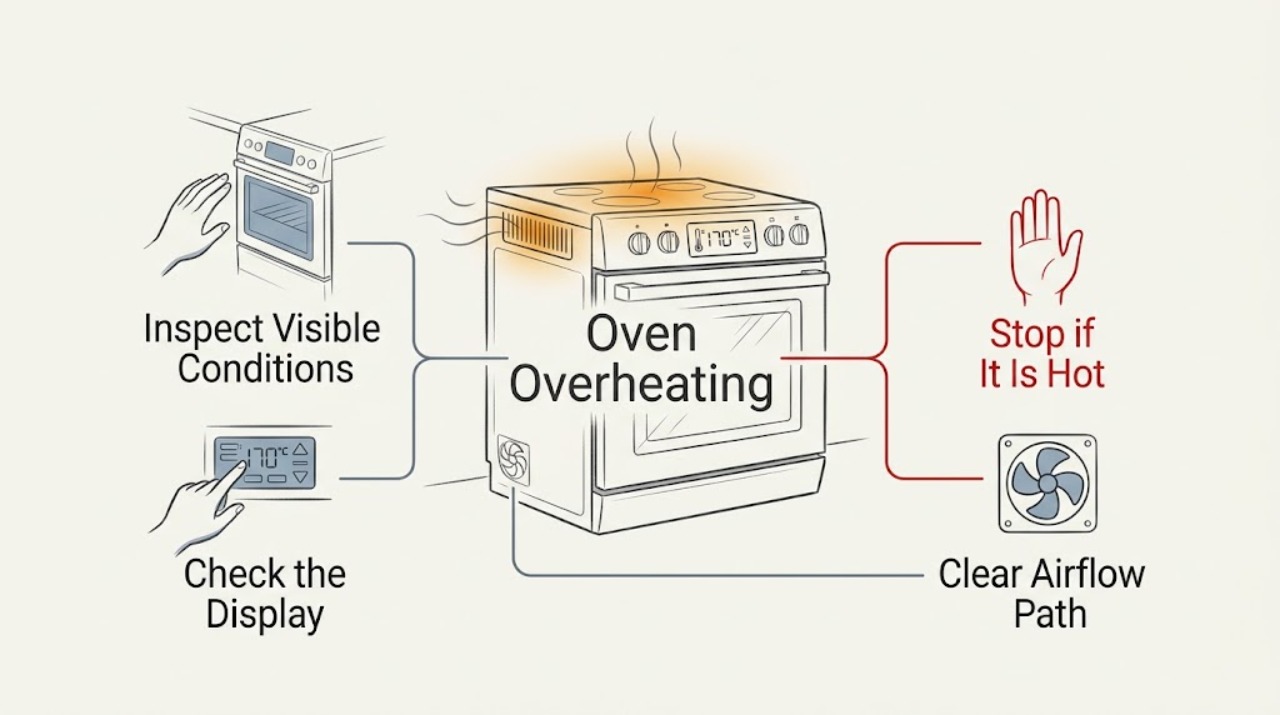
First decide whether the KitchenAid oven is cooking hotter than expected or is actually heating without control. Turn the controls off and stop using it for smoke, an electrical or gas smell, arcing, a surface that becomes dangerously hot, or heating that continues after cancellation. For a non-hazardous temperature complaint, confirm the selected Bake or other cooking mode, rack and pan placement, airflow around the pan, and whether the oven has a calibration offset. KitchenAid says not to judge cycling elements with a thermometer; use the model's bake-performance method and adjust calibration only through the Owner's Manual. If the oven keeps heating, cannot be turned off, or remains wrong after a model-appropriate calibration check, arrange qualified service.
Work through in order
Diagnostic checks
Use only checks that match the exact appliance or system and its official guide.
-
Check 1
With the oven empty and no hazard present, identify the selected mode, set temperature, preheat indicator, and whether the heating element or burner cycles off after the oven reaches the set point. Test the Off or Cancel control once and observe whether heating stops normally.
Expected result: The oven cycles normally and cooks too fast, or it keeps heating after cancellation, ignores the control, shows an error, or produces smoke, odor, arcing, or abnormal heat.
Next step: For any safety symptom or heating that continues after Off or Cancel, stop using the oven and follow the stop and service guidance. Otherwise continue with the control and bake-setup checks.
Why this matters
Why: Normal cycling with a cooking-browning complaint points toward mode, rack, pan, airflow, or calibration checks. Continuous heating or a safety symptom can indicate a control, relay, sensor, wiring, or fuel problem and must not be handled as calibration.
-
Check 2
Confirm that the intended cooking mode is selected, the desired temperature was entered, and a self-clean, proof, warm, broil, or other special mode is not active. Use the model's Owner's Manual to interpret the controls rather than assuming two KitchenAid panels use the same sequence.
Expected result: The wrong mode or setting was selected, or the intended mode and temperature are confirmed but food still cooks too quickly.
Next step: Correct the mode and supervise one normal bake. If the oven still overheats without a hazard, perform the model-appropriate bake-performance check before changing calibration.
Why this matters
Why: A mode mismatch can legitimately produce a different heating pattern or target. If the intended mode is confirmed, continue to rack, pan, airflow, and calibration evaluation instead of repeatedly changing settings.
-
Check 3
Inspect the setup while the oven is cool: use the rack position recommended for the recipe and model, keep pans from touching the oven walls or one another, leave the manufacturer's stated clearance for airflow, and remove foil or a mat covering an entire rack or the oven bottom.
Expected result: A crowded rack, touching pan, blocked rack or floor, unusual bakeware, or an incorrect rack position is present; or the setup already follows the instructions.
Next step: Correct only the low-risk setup issue and supervise one bake. Do not line the oven floor or a whole rack with foil or another material to manage heat.
Why this matters
Why: Restricted airflow and pan placement can create hot spots and faster cooking around the food without proving that the temperature controller has failed. A compliant setup that still produces the same result supports a calibration or service branch.
-
Check 4
Check the door closes fully and that the gasket, frame, and visible vents are not obstructed or damaged. Avoid holding the door open to regulate heat; record whether the door is difficult to close or whether heat escapes abnormally during a normal cycle.
Expected result: The door closes and seals normally, or it is obstructed, damaged, or left open during cooking; the oven may also show a vent or cooling behavior that differs from the manual.
Next step: Remove only a visible obstruction when the oven is cool. Do not dismantle the door or vent assembly; arrange qualified service for damage, abnormal heat escape, or repeated temperature problems.
Why this matters
Why: An open or poorly closed door changes heat cycling and cooking results, but a door or vent problem is not proof that the controller is overheating. A damaged seal, abnormal venting, or heat at the controls warrants service if the manual does not provide a user adjustment.
-
Check 5
Use KitchenAid's model-appropriate bake-performance procedure to judge calibration: follow the Owner's Manual, use the specified food and pan setup if that procedure applies, allow the oven to preheat normally, and compare the result with the package range instead of placing a thermometer in the cavity.
Expected result: The test result is within the expected range, consistently cooks too quickly or too slowly, or cannot be completed because the oven does not control heat or shows a fault.
Next step: If calibration is supported by the exact manual, make only the manual's permitted adjustment and repeat the same test. If the result is unsafe, uncontrolled, or unchanged, stop and arrange service.
Why this matters
Why: A repeatable cooking offset without a hazard may justify a small model-supported calibration adjustment. KitchenAid's support guidance says the exact calibration method is model-specific and that a thermometer is not a reliable test while elements or burners cycle.
-
Check 6
After one safe, model-supported check, supervise a normal bake and note whether the oven reaches the intended result, cycles normally, and responds to Off or Cancel. Save the model number, mode, set temperature, test result, and any message for the service technician.
Expected result: The oven behaves normally after correcting setup or calibration, or it remains too hot, keeps heating, displays a recurring fault, trips power, or develops a gas or electrical symptom.
Next step: Keep the oven out of service for a repeat fault or any safety symptom. Do not perform live electrical checks or attempt an internal component replacement.
Why this matters
Why: A normal result supports a setup or calibration explanation. A repeat fault after a correct setup or calibration check points to the sensor, control, relay, element, burner, wiring, or another internal condition that requires qualified diagnosis.
Use your observations
Decision map
Find the observation that best matches what you see, then follow the next safe action.
-
PATH 01Next step
What you see
Food browns too quickly, but the oven cycles and responds to controls
Do this next
Verify mode, rack, pan clearance, airflow, door closure, and recipe setup, then use the exact model's bake-performance procedure before considering calibration.
-
PATH 02Next step
What you see
The oven keeps heating after Off or Cancel, or the control is unresponsive
Do this next
Stop using it, isolate power only through a safe household method if needed, do not force controls or open the cabinet, and arrange qualified service.
-
PATH 03Next step
What you see
A calibration test shows a repeatable but non-hazardous offset
Do this next
Use only the exact Owner's Manual calibration method and permitted increment, then repeat the same bake-performance check. Do not use a thermometer as the deciding test.
-
PATH 04Next step
What you see
The door, gasket, vent, rack, pan, or foil setup is abnormal
Do this next
Correct only a visible, cool, user-safe setup issue. Arrange service for damage, abnormal venting, or a problem that returns with a compliant setup.
-
PATH 05Next step
What you see
Smoke, gas odor, electrical odor, arcing, fire, abnormal surface heat, damaged wiring, or repeated power trips occurs
Do this next
Stop using the oven, keep clear of heat and electrical or fuel hazards, leave the area and contact the appropriate emergency or utility service when required, then arrange qualified appliance service. Do not restart it.
-
PATH 06Next step
What you see
One supervised bake completes normally after the safe setup check
Do this next
Return to the correct mode and setup while monitoring the next use. Arrange service if the overheating symptom returns.
Helpful context
Understand the symptom
Overheating has two different meanings
Food browning too quickly or baking unevenly is not the same as an oven that continues heating after the control is turned off. Elements or burners cycle to maintain temperature, and the display may still show the selected setting. Treat continuous heating, smoke, arcing, gas odor, or abnormal surface heat as a safety event rather than a calibration project.
Identify the exact model before adjusting anything
KitchenAid calibration controls vary by model and by range or wall oven. Record the model number, fuel type, selected mode, set temperature, whether preheat completed, and the behavior after Cancel or Off. Do not open the cabinet, probe live wiring, or defeat a door, thermal, or control safety device.
Safety boundary
Stop conditions
- Do not use a thermometer as the temperature-control test while heating elements or burners cycle.
- Do not open the cabinet, probe live wiring, bypass a thermal or door safety device, or replace an internal component.
- Do not cover the oven floor or an entire rack with foil, a mat, or another material.
- Do not restart the oven after smoke, fire, gas or electrical odor, arcing, abnormal surface heat, or repeated power trips.
Only after diagnosis
Potential parts
- temperature sensor
Consider only when the oven has a repeatable temperature fault after setup and calibration checks and service confirms a sensor problem.
Confirm the complete model number and manufacturer fit information; do not assume one sensor fits all KitchenAid ovens. - electronic oven control
Consider only when qualified diagnosis confirms an unresponsive control or uncontrolled heating condition.
Control assemblies are model- and configuration-specific and require qualified installation. - bake or broil heating element
Consider only for an electric model when service identifies an element fault; a cooking offset alone does not justify this part.
Verify fuel type, oven configuration, and exact model fit before ordering.
When checks do not resolve it
Need a professional?
Use qualified service for uncontrolled heating, repeated overheating after a model-supported calibration check, control or sensor faults, damaged door or vent components, or any electrical or fuel symptom.
Have this ready
- full model number
- fuel type
- selected mode and set temperature
- whether preheat completed
- whether heating stopped after Off or Cancel
- bake-performance result and any display message
Common questions
FAQ
How can I tell whether my KitchenAid oven is really overheating?
First check whether it cycles and responds to Off or Cancel. A cooking-browning difference can come from mode, rack, pan, airflow, or calibration. Continuous heating after cancellation, smoke, arcing, gas or electrical odor, or abnormal surface heat is an unsafe fault, not a calibration issue.
Should I put a thermometer in a KitchenAid oven to check the temperature?
KitchenAid advises against using a thermometer as the deciding test because elements or burners cycle and many thermometers react too slowly. Use the exact model's bake-performance procedure and Owner's Manual instead.
Can foil or a pan position make a KitchenAid oven seem too hot?
Yes. A covered rack or oven bottom, touching pans, poor clearance, or an unsuitable rack position can restrict airflow and create hot spots. Correct the setup only when the oven is cool, and arrange service if the problem returns with compliant placement.
Read the exact guide
Official sources
- Oven Temperature Incorrect (Too Hot or Too Cold)KitchenAid Product Help · KitchenAid range and oven temperature behavior, cycling, rack and pan airflow, and model-specific calibration guidance.
- Oven Too Hot - Calibrated - Wall OvenKitchenAid Product Help · KitchenAid wall-oven checks for cooking cycle selection, airflow obstruction, calibration evaluation, and model-specific Owner's Manual guidance.
- How to Evaluate if Temperature Calibration is NeededKitchenAid Product Help · KitchenAid bake-performance evaluation and model-specific calibration decision guidance for ranges and ovens.
Community feedback
Share a repair observation
Share a plain-text repair observation. Accepted observations are published automatically; this page may take a moment to update.