
On this page
Start here
Quick answer
Start with the exact Monogram manual: confirm the ice maker is enabled, the water supply and filter are correctly installed, and the freezer is cold enough for the model's cycle. Look for a full bin or stuck cubes without forcing the tray. If the water tank or fill path does not respond, an error appears, or the ice maker remains inactive after the documented checks, stop and arrange Monogram service.
Before you begin
Safety first
- Do not use sharp tools to chip ice, bypass an interlock, open sealed panels, or probe live wiring.
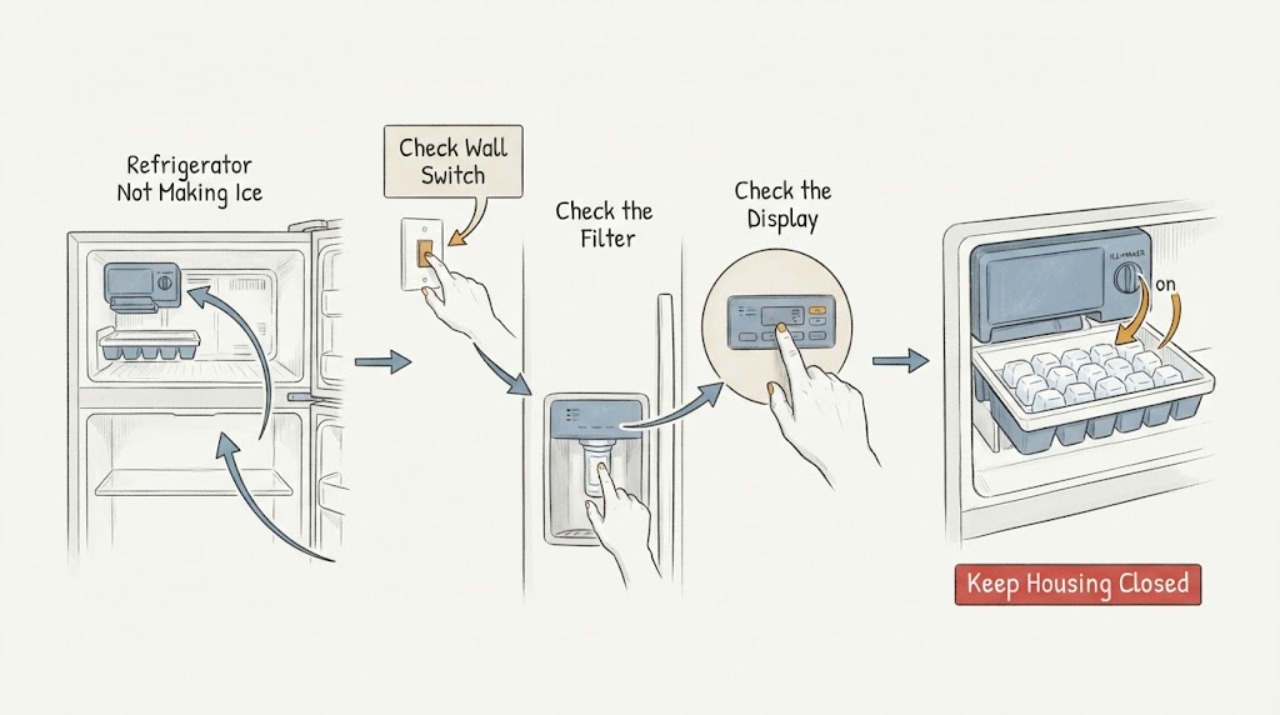
Work through in order
Diagnostic checks
Use only checks that match the exact appliance or system and its official guide.
-
Check 1
Check the exact Monogram control panel or ice-maker switch and confirm the ice-making function is enabled; close the freezer door fully.
Expected result: The ice function is off, the bin is full, an indicator shows a warning, or the control state is normal.
Next step: Enable the function only as the model manual shows, distribute or remove accessible ice if the bin is full, and continue if the state is normal.
Why this matters
Why: An off/full state can stop production; a warning or normal state with no ice shifts attention to temperature, water, or service.
-
Check 2
Inspect the accessible water supply, filter, and fill area without forcing tubing or opening the rear cabinet.
Expected result: The household supply is off, the filter is not seated, the filter is clogged, the fill tube is visibly blocked, or water reaches the maker.
Next step: Restore only the documented supply/filter setup and clean accessible spillover; do not pierce ice or dismantle the valve.
Why this matters
Why: A closed supply or restricted filter/fill path can prevent the ice mold from receiving water; water at the maker shifts attention to cycle or temperature.
-
Check 3
Check the freezer display and food loading, then allow the appliance to complete the model-documented cooling/ice cycle rather than repeatedly opening the door.
Expected result: The freezer is warm, the refrigerator was recently powered on, the compartment is overloaded, or temperature and loading are normal.
Next step: Correct only settings and loading covered by the manual; do not add an unsupported temperature target or diagnose sealed-system parts yourself.
Why this matters
Why: Ice production waits for sufficient cold and can slow after startup, warm loading, or blocked circulation; normal conditions make a control or water-path fault more likely.
-
Check 4
Look for an accessible stuck cube or ice buildup in the bin/tray and stop if the tray, ejector, or wiring resists movement.
Expected result: A cube blocks the mechanism, ice is fused in the bin, or there is no accessible obstruction.
Next step: Remove only loose accessible ice as directed; arrange Monogram service for a seized mechanism, error code, or continued no-production.
Why this matters
Why: A stuck cube can stop an ejector cycle, while fused ice or no obstruction requires model-specific diagnosis.
Use your observations
Decision map
Find the observation that best matches what you see, then follow the next safe action.
-
PATH 01Next step
What you see
The ice function was disabled, the bin was full, or an accessible cube blocked the mechanism
Do this next
Correct that condition using the exact manual and observe one normal cycle.
-
PATH 02Next step
What you see
The maker is enabled but the filter/supply path is restricted or the freezer is not cold enough
Do this next
Restore the documented filter/supply and loading conditions; do not replace a valve or board without model-specific diagnosis.
-
PATH 03Next step
What you see
The maker is enabled, cold, supplied, unobstructed, and still does not cycle or shows an error
Do this next
Stop forcing the tray and arrange Monogram service with the model number and indicator behavior.
Helpful context
Understand the symptom
Separate no ice from an ice-dispenser problem
If the ice bin contains cubes but the dispenser does not deliver them, the ice-maker cycle may be working and the obstruction is downstream. If the bin stays empty, check the maker, water path, and freezer conditions first.
When checks do not resolve it
Need a professional?
Arrange service when an error appears, the maker does not cycle after documented enable, temperature, and water checks, the fill path is inaccessible, or the tray/ejector is stuck.
Safety scope: Do not use sharp tools to chip ice, bypass an interlock, open sealed panels, or probe live wiring.
Have this ready
- Provide the Monogram model number, ice-maker enable state, freezer display, filter/supply status, bin condition, and any error indicator.
Common questions
FAQ
How long should I wait after turning on a Monogram refrigerator before judging the ice maker?
Use the startup and cycle guidance in the exact owner manual. A recently powered-on or warm refrigerator may need to cool before the first cycle; repeated door opening and loading can delay production.
What if there are ice cubes but the dispenser gives none?
That is a dispensing-path symptom, not proof that the ice maker is inactive. Check the bin and accessible chute for fused or blocking ice, then use the model manual or service guidance.
Read the exact guide
Official sources
- Refrigerator - Icemaker Not Producing IceGE Appliances · Refrigerator icemakers; use the Monogram manual for model-specific controls
- Monogram Site MapMonogram · Monogram appliances; exact support path is model-specific
- Monogram Refrigerator Product PageMonogram · Monogram refrigerators; exact ice-maker architecture varies by model
- Panasonic Refrigerator Operating InstructionsPanasonic · Panasonic models listed in the manual; use as general ice-system guidance for other brands
Community feedback
Share a repair observation
Share a plain-text repair observation. Accepted observations are published automatically; this page may take a moment to update.