
On this page
Start here
Quick answer
A Samsung oven that takes a long time to heat should be judged by the preheat procedure for its exact model and market, not by a portable thermometer. With the oven cool and empty, keep the door closed and use the applicable Samsung test: the US support procedure uses one rack at 350°F and expects a beep within 20 minutes, while the UK and Canada built-in-oven guidance uses a 200°C convection or Fast Preheat check with a 15-minute result when that procedure applies. Do not mix those thresholds. If the timed test exceeds the matching limit, or the door, seal, fan, heating element, power supply, or gas ignition shows a problem, stop repeated cycles and arrange qualified service.
Before you begin
Safety first
- Do not remove oven panels, probe live wiring, adjust gas pressure, bypass a door interlock, or work on hot or gas-connected components. Do not keep testing after smoke, arcing, gas odor, abnormal flame, or a repeated breaker trip.
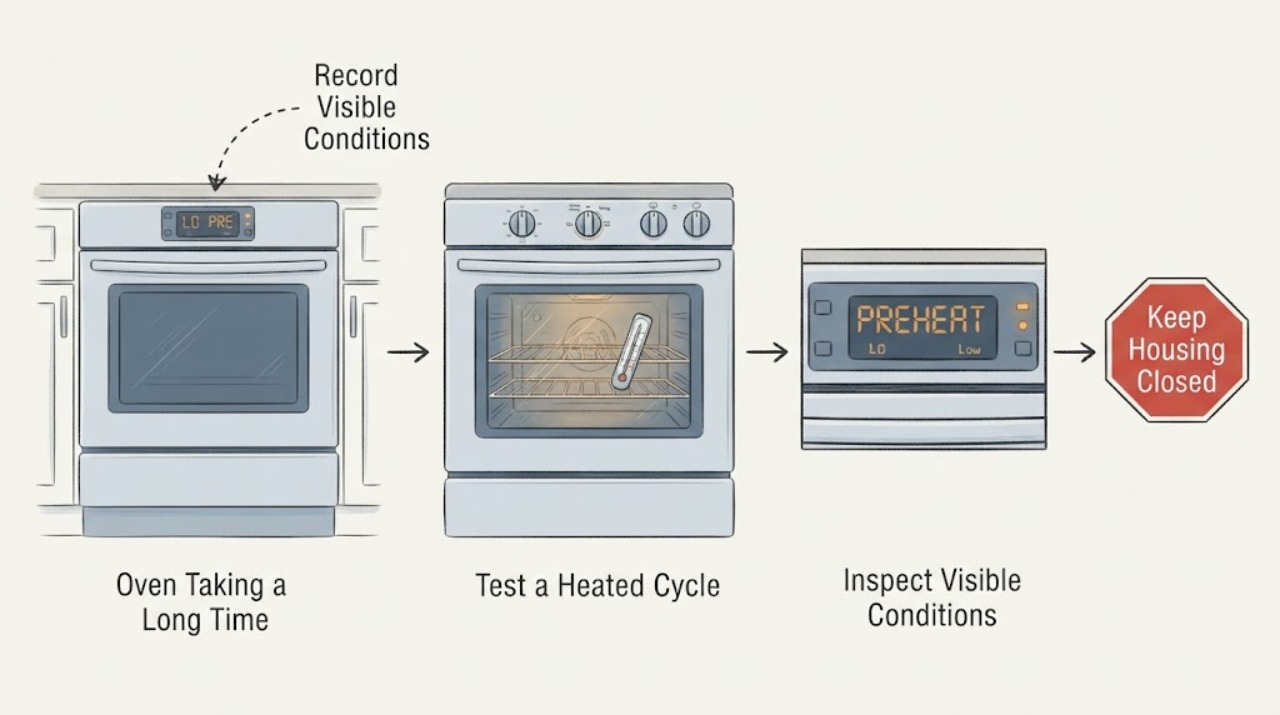
Work through in order
Diagnostic checks
Use only checks that match the exact appliance or system and its official guide.
-
Check 1
Record the complete Samsung model, market, and fuel type before timing a preheat. Note whether the appliance is a built-in oven or a range, the selected cooking mode, the set temperature, and any display indicator.
Expected result: You can identify the full model and whether the oven is electric or gas; the display shows the selected mode and temperature without a warning state.
Next step: Use the exact model manual and the matching regional guidance for the timed test below. Do not combine the US and UK/Canada thresholds.
Stop if: Stop if the model label, plug, cord, outlet, gas connection, or control area is hot, wet, damaged, sparking, or associated with a gas odor.
Why this matters
Why: Samsung's procedures and time limits are platform- and market-specific. A slow electric or built-in-oven preheat is not diagnosed the same way as a gas-range ignition sequence.
-
Check 2
With the oven cool and empty, place one rack as the model guide directs, close the door, and run the applicable preheat test without opening the door repeatedly or inserting a portable thermometer. Samsung US guidance uses 350°F and the time to the oven beep; Samsung UK and Canada built-in-oven guidance uses the exact model's 200°C convection or Fast Preheat procedure when that procedure applies.
Expected result: Record the time to the ready beep and whether the oven reaches the requested setting. The US support page uses a 20-minute check at 350°F; the UK and Canada built-in guidance uses a 15-minute check at 200°C for the described self-test.
Next step: Keep the recorded time, mode, temperature, and market with the service information. If the result is over the matching limit, continue only with the external setup checks below and do not repeat endless preheat cycles.
Stop if: Stop immediately for smoke, burning odor, arcing, a gas odor, abnormal flame, a repeated breaker trip, or an oven that heats continuously without normal control.
Why this matters
Why: Finishing within the threshold that applies to this model and market supports normal preheat behavior. Exceeding the applicable threshold or never reaching the ready signal moves the problem into the slow-heating branch; the thresholds are not universal values.
-
Check 3
Check the external setup once: close the door normally, look for a torn or visibly displaced door gasket, confirm the selected mode and rack or tray arrangement, and use Fast Preheat only if the exact model provides it. Do not hold the door open while timing the oven.
Expected result: The door closes evenly and seals, the cooking mode and shelf are appropriate, and the oven either has or does not have a documented Fast Preheat option. A damaged seal, door gap, wrong mode, or unchanged setup may be visible.
Next step: Correct only a safe visible setup issue, then perform one matching timed test. If the door or gasket is damaged, or the corrected test still exceeds the applicable limit, book service rather than forcing the door or ordering a part.
Stop if: Do not run the oven with a door gap, force hinges or latches, remove the gasket, or operate with cracked glass or a damaged frame.
Why this matters
Why: A door that cannot seal or an unsuitable mode can lengthen heat-up without proving that a heating part has failed. Samsung also notes that a faulty heating element can cause uneven cooking or longer preheat, so a clean setup check narrows the next branch.
-
Check 4
After the oven is cool, observe only accessible external signs of the heating and airflow system: for a mode that normally uses convection, note whether the fan runs normally, and look for an obviously damaged visible heating element without removing any cover or panel.
Expected result: The fan is absent or unusually noisy, the oven has uneven heating, a visible element is damaged, or there is no obvious external sign despite a repeatable over-threshold preheat.
Next step: Leave the oven unused and request qualified Samsung service with the model, market, test mode, elapsed time, fan behavior, and visible findings. Do not remove panels or test live wiring.
Stop if: Stop for a burnt smell, smoke, arcing, exposed wiring, a hot connection, or any need to reach a live, hot, or internal component.
Why this matters
Why: Samsung's built-in-oven guidance associates a loose or disconnected fan with longer preheat, uneven heating, or unusual noise, and separately notes that a faulty heating element can lengthen preheat. These observations do not identify which internal component is safe to replace.
-
Check 5
For a Samsung gas range only, and only when there is no gas odor or other hazard, use the ordinary controls to observe whether an existing cooktop burner lights normally; do not repeatedly attempt oven ignition and do not loosen a fitting or adjust pressure.
Expected result: The cooktop burners also fail, the cooktop works but the oven does not ignite, or the oven ignites but cannot sustain normal heating.
Next step: If the cooktop supply also fails, stop ignition attempts and contact the gas provider or qualified professional through the safe local path. If the cooktop works but the oven remains slow or will not ignite, request qualified appliance service.
Stop if: For gas odor, delayed ignition, a boom, soot, an unstable flame, or smoke, do not light appliances or operate electrical switches; leave by the safest route and follow local emergency or gas-provider guidance from a safe location.
Why this matters
Why: Samsung uses the cooktop comparison to separate a possible household gas-supply problem from an oven-only ignition or heating fault. The comparison cannot identify a valve, igniter, burner, sensor, or pressure value.
-
Check 6
Prepare a service record with the full model and market, gas or electric type, cooking mode, set temperature, exact preheat time, ready-beep result, door or seal condition, fan or noise observations, and any display message.
Expected result: The oven passes the applicable timed test, or it repeatedly exceeds that test after the safe setup checks; a warning, breaker trip, gas symptom, or damaged door may also be present.
Next step: Use the record to request qualified Samsung appliance service or the appropriate gas or electrical professional. Keep the oven unused when the slow-preheat fault is persistent or accompanied by a safety symptom.
Stop if: Do not bypass a door interlock, run repeated self-tests, measure internal voltage, adjust gas pressure, or continue operating after smoke, arcing, gas odor, or repeated breaker trips.
Why this matters
Why: A repeatable timed result gives a technician a symptom boundary without assuming a part. A warning or safety symptom can make the oven unsafe to keep testing even when no error code is shown.
Use your observations
Decision map
Find the observation that best matches what you see, then follow the next safe action.
-
PATH 01Next step
What you see
The oven completes the timed preheat within the threshold documented for the exact model and market, with a closed door and no safety symptom.
Do this next
Use the exact manual for the selected mode and rack arrangement, and stop diagnosing by portable thermometer. Arrange service if the delay returns or the oven later fails the same applicable test.
Why this path and its safety boundary
Why it matters: The delayed-heating complaint is not reproduced by Samsung's applicable check; normal heater cycling or a model-specific operating mode is more likely than an immediately proven failed part.
-
PATH 02Next step
What you see
The oven exceeds the matching preheat limit, and a door gap, damaged gasket, wrong setting, or unavailable Fast Preheat selection explains the setup.
Do this next
Correct only the safe visible setup issue and run one matching test. Request service for a damaged door or seal, or if the corrected test is still slow.
Why this path and its safety boundary
Why it matters: Heat retention or the selected operating setup may be contributing, so a part conclusion is premature.
-
PATH 03Next step
What you see
The door and settings are normal, but the timed test repeatedly exceeds the applicable limit, especially with missing or noisy convection airflow, uneven heating, or a visible element problem.
Do this next
Leave the oven unused and book qualified Samsung service with the timed-test record; do not remove panels or test live circuits.
Why this path and its safety boundary
Why it matters: An oven heating or airflow fault is more likely, but the symptom does not identify a safe replacement part or prove that the element, fan, sensor, or control is the cause.
-
PATH 04Next step
What you see
On a gas range, the cooktop also fails during the single safe comparison, or the cooktop works while the oven will not ignite or sustain heat.
Do this next
Use the gas provider or qualified professional for a supply concern, and qualified Samsung appliance service for an oven-only fault. Treat any gas odor, boom, soot, or abnormal flame as an immediate stop.
Why this path and its safety boundary
Why it matters: The first pattern makes a household gas-supply interruption more plausible; the second makes an oven-specific ignition or control fault more plausible. Neither pattern authorizes a pressure or gas-path adjustment.
-
PATH 05Next step
What you see
The oven has smoke, arcing, a burning smell, a gas odor, damaged glass or wiring, continuous uncontrolled heating, or repeated breaker trips.
Do this next
Stop using the oven. From a safe location follow local emergency, gas-provider, or qualified electrical-service guidance; do not continue timing or reset the circuit repeatedly.
Why this path and its safety boundary
Why it matters: The symptom has crossed from a slow-preheat diagnosis into an immediate electrical, gas, fire, or injury hazard.
Helpful context
Understand the symptom
Why the timed test matters
An oven can cycle its heaters on and off after reaching temperature, so an occasional change in heating sound is not by itself a fault. The useful symptom here is delayed preheat: the oven stays in preheat too long or never gives the expected ready signal. Samsung publishes different procedures for different support regions and oven platforms, which is why the model label and market should be recorded before treating a time as abnormal.
Use the result to choose the next safe branch
A normal timed result points toward operating conditions or a model-specific setting rather than an immediate heater replacement. A repeatable over-threshold result after the door and setting checks is more useful service information than guessing an element, sensor, or igniter. Internal electrical, high-temperature, and gas work belongs with qualified service.
When checks do not resolve it
Need a professional?
Book qualified Samsung appliance service for a repeatable over-threshold preheat, a damaged door or seal, missing or noisy fan, suspected heating fault, or an oven-only gas ignition problem. Stop immediately for smoke, arcing, gas odor, abnormal flame, burning smell, exposed wiring, or repeated breaker trips.
Safety scope: Do not remove oven panels, probe live wiring, adjust gas pressure, bypass a door interlock, or work on hot or gas-connected components. Do not keep testing after smoke, arcing, gas odor, abnormal flame, or a repeated breaker trip.
Have this ready
- Provide the complete model and market, gas or electric type, built-in or range configuration, cooking mode, set temperature, applicable timed-test procedure, elapsed time, ready-beep result, door and gasket condition, fan or noise observations, and any display message.
Common questions
FAQ
How long should a Samsung oven take to preheat?
There is no single safe threshold for every Samsung oven. Samsung US guidance describes an empty-oven 350°F check that should beep within 20 minutes, while Samsung UK and Canada built-in-oven guidance describes a 200°C test with a 15-minute result when that model and procedure apply. Use the exact model and market guidance rather than importing a time from another Samsung platform.
Should I put a thermometer in the oven to check whether it is heating?
No. Samsung's slow-heating guidance uses the time to the oven's ready signal and warns against relying on a portable thermometer for this check. Keep the door closed during the applicable empty-oven test and record the mode, temperature, and elapsed time instead.
What changes if my Samsung oven is part of a gas range?
Only perform the ordinary cooktop-burner comparison when there is no gas odor or other hazard. If the cooktop burners also fail, a household gas-supply issue is plausible; if the cooktop works but the oven will not ignite or sustain heat, request qualified appliance service. Do not adjust gas pressure or open the gas path.
Read the exact guide
Official sources
- Samsung Oven FAQsSamsung Canada · Official Samsung Canada FAQ; the 200°C and 15-minute check and Fast Preheat guidance are conditional on the exact model and applicable built-in-oven procedure.
- Troubleshooting guide for Samsung built-in ovenSamsung UK · Official Samsung UK built-in-oven guidance; instructions and thresholds are model- and market-scoped, with a 200°C and 15-minute self-test described for the applicable procedure.
- Samsung oven temperature issuesSamsung · Official Samsung US support guidance; the empty-oven 350°F and 20-minute check is scoped to this support procedure and should not be generalized to every model or market.
Community feedback
Share a repair observation
Share a plain-text repair observation. Accepted observations are published automatically; this page may take a moment to update.