
On this page
Start here
Quick answer
If a Samsung refrigerator will not turn on, first determine whether both the interior light and display are dark. Check the accessible plug, outlet, and breaker once when safe; do not repeatedly reset protection. A live outlet with a dark refrigerator, recurring trip, hot plug, smoke, or damaged wiring needs qualified service.
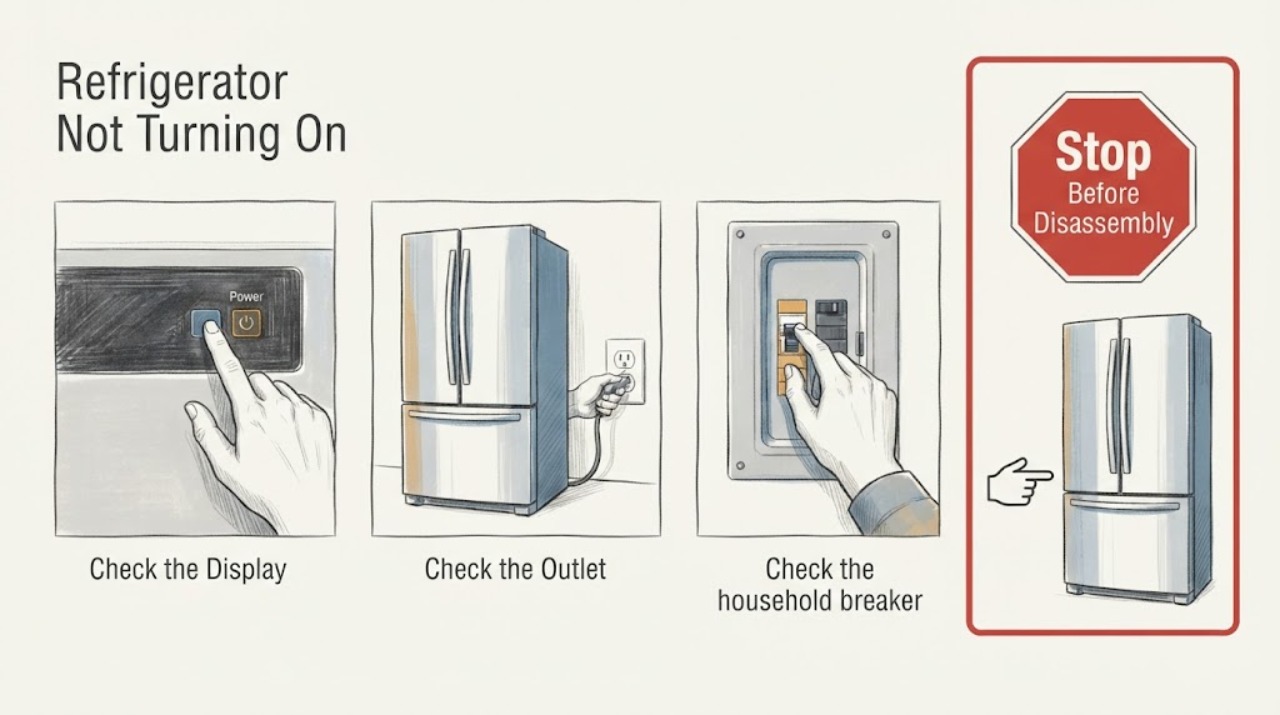
Work through in order
Diagnostic checks
Use only checks that match the exact appliance or system and its official guide.
-
Check 1
Check whether the interior light, display, and any sound are absent, and do not open electrical covers.
Expected result: Observe the result of this check and compare it with the symptom described.
Next step: Record which signs are absent before touching the supply.
Why this matters
Why: Samsung’s no-power issue is distinct from a refrigerator that is powered but not cooling.
-
Check 2
Confirm the plug is fully seated in the accessible outlet and inspect only for looseness, scorching, heat, or damage.
Expected result: Observe the result of this check and compare it with the symptom described.
Next step: Do not use a damaged outlet or cord; arrange qualified electrical help.
Why this matters
Why: A damaged or hot connection is an electrical safety concern, not a reset opportunity.
-
Check 3
Check the household breaker or fuse once when safe and note whether it trips again immediately.
Expected result: Observe the result of this check and compare it with the symptom described.
Next step: Do not repeatedly reset protection.
Why this matters
Why: An open breaker can explain no power; recurrence indicates a fault or supply problem requiring diagnosis.
-
Check 4
If safe, try the appliance’s accessible outlet with another suitable device rather than moving the refrigerator or using an extension cord.
Expected result: Observe the result of this check and compare it with the symptom described.
Next step: Do not use an extension cord as a permanent workaround.
Why this matters
Why: A dead outlet points to household supply; a live outlet with no refrigerator signs points toward appliance power diagnosis.
-
Check 5
After one safe power correction, observe whether the display and light return; do not keep cycling the supply.
Expected result: Observe the result of this check and compare it with the symptom described.
Next step: Protect perishable food and arrange qualified Samsung appliance service if it remains off.
Why this matters
Why: A stable return suggests an interrupted supply, while immediate loss or recurrence needs service.
-
Check 6
Record model/serial information, light/display state, outlet and breaker result, timing of any trip, and visible connection condition.
Expected result: Observe the result of this check and compare it with the symptom described.
Next step: Keep the refrigerator off and obtain qualified help for recurring trips, heat, smoke, or damaged wiring.
Why this matters
Why: This distinguishes household supply from appliance-side power loss without opening the unit.
Use your observations
Decision map
Find the observation that best matches what you see, then follow the next safe action.
-
PATH 01Next step
What you see
The breaker was open, resets once, and the refrigerator display and light return normally.
Do this next
Avoid repeated cycling and arrange service if it goes dead again.
Why this path and its safety boundary
Why it matters: A temporary supply interruption is plausible, but the appliance should be monitored for recurrence.
-
PATH 02Next step
What you see
The outlet is live but the refrigerator remains completely dark.
Do this next
Keep it off and arrange qualified Samsung service.
Why this path and its safety boundary
Why it matters: The appliance has a persistent power-path problem that cannot be diagnosed safely from the outside.
-
PATH 03Next step
What you see
The breaker trips again or the outlet/plug is hot, loose, scorched, or damaged.
Do this next
Stop resetting, isolate only if safe, and arrange qualified electrical/appliance help.
Why this path and its safety boundary
Why it matters: This is an immediate electrical safety boundary.
-
PATH 04Next step
What you see
The refrigerator has lights/display but is not cooling.
Do this next
Use the Samsung cooling troubleshooting path and keep doors closed while assessing.
Why this path and its safety boundary
Why it matters: This is a cooling symptom rather than “not turning on.”
Helpful context
Understand the symptom
The no-power decision is to separate a household supply interruption from appliance-side power loss by checking light/display together, outlet and breaker state, and recurrence after one safe correction.
When checks do not resolve it
Need a professional?
Provide the full model and serial information, the exact display or symptom, what changed after each safe check, and any visible hazard to a qualified technician.
Common questions
FAQ
What should I check first when a Samsung refrigerator is completely dark?
Check the accessible plug, outlet, and breaker once when safe, while noting whether the light and display are both absent. Persistent no power needs service.
Should I keep resetting the refrigerator breaker?
No. One safe reset is enough. A recurring trip or damaged connection requires qualified help.
What if the Samsung refrigerator has lights but does not cool?
That is a cooling issue rather than total power loss. Use door, airflow, and cooling checks for the powered appliance.
What information helps Samsung service?
Provide model/serial information, display and light state, outlet/breaker result, trip timing, and any heat or damage at the connection.
Read the exact guide
Official sources
- Samsung refrigerator has no powerSamsung · Samsung refrigerator not turning on: breaker, outlet, power and service checks.
Community feedback
Share a repair observation
Share a plain-text repair observation. Accepted observations are published automatically; this page may take a moment to update.