
On this page
Start here
Quick answer
Visible sparking from a Samsung refrigerator, its plug, cord, or outlet is a stop-use symptom. From a safe position, cut power at the circuit breaker if you can do so without touching a smoking, wet, hot, or actively arcing appliance; otherwise leave it alone and get qualified help. Do not repeatedly reset the breaker, move the refrigerator to another outlet, open electrical covers, or touch a damaged cord. Samsung says to stop using an appliance that malfunctions or produces a burning smell or smoke, unplug it only if that can be done safely, and contact a service center.
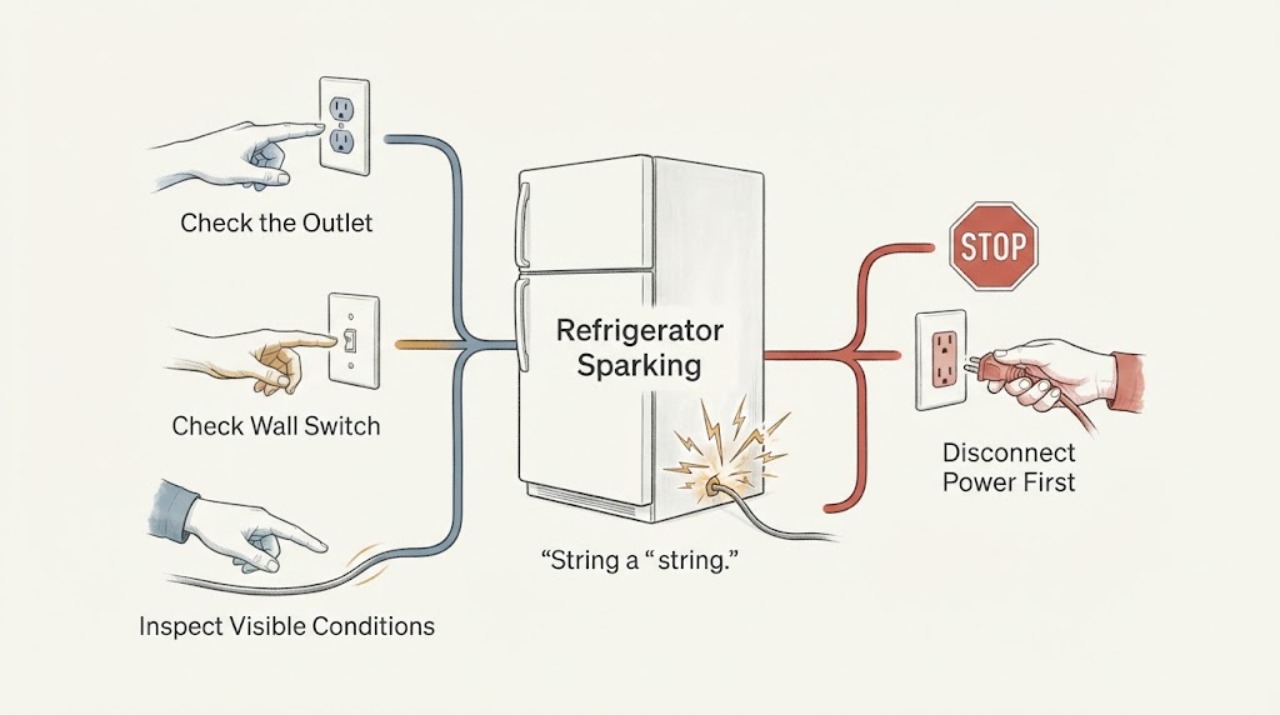
Work through in order
Diagnostic checks
Use only checks that match the exact appliance or system and its official guide.
-
Check 1
From a safe distance, identify whether the flash came from the wall outlet, the plug or cord, behind the refrigerator, or inside the cabinet. Check only visually for smoke, flame, a burning smell, melted plastic, or water; do not reach behind the unit or remove a cover.
Expected result: The spark has a clear external source, appears behind or inside the refrigerator, or is accompanied by smoke, burning odor, heat, water, or a gas odor.
Next step: If there is smoke, flame, gas odor, or active arcing, stop and leave the area as appropriate. Otherwise continue only with safe power isolation; never open the electrical compartment to locate the spark.
Why this matters
Why: An outlet, plug, or cord symptom implicates the power connection; a spark behind or inside the refrigerator implicates the appliance or wiring. Smoke, heat, water, burning odor, or gas odor raises the immediate fire or shock risk.
-
Check 2
If there is no gas odor and you can reach the electrical panel without approaching a smoking, wet, hot, or actively arcing appliance, switch off the refrigerator circuit. If the panel or appliance cannot be approached safely, do not touch the plug or cord.
Expected result: Power is isolated without another flash, or the breaker trips immediately or will not stay on.
Next step: Leave the breaker off and arrange a qualified appliance technician or electrician. Do not keep resetting it to test the refrigerator.
Why this matters
Why: A breaker that trips again indicates an unresolved electrical fault; a safe isolation only stops the immediate energizing of the suspected circuit and does not prove the refrigerator is safe to use.
-
Check 3
Only after power is isolated and the area is dry and cool, look at the plug, cord, and wall outlet without pulling the refrigerator forward. Check for cracks, abrasions, looseness, blackening, melted plastic, or a plug that does not fit firmly.
Expected result: The cord or plug is damaged, the outlet is loose or scorched, or the visible connection looks intact.
Next step: Do not plug the refrigerator back in when the cord, plug, or outlet is damaged or loose. Have the outlet assessed by an electrician and the refrigerator assessed by qualified appliance service.
Why this matters
Why: Samsung identifies a damaged cord or loose outlet as unsafe conditions; an intact-looking connection does not rule out a fault inside the refrigerator or behind it.
-
Check 4
With the refrigerator still disconnected, note any display code, blinking pattern, or recent power event from the front panel without opening panels or reconnecting the unit just to reproduce the spark.
Expected result: A voltage or power code appears after a power event, another code returns, or there is no display information.
Next step: Give the code and the spark location to Samsung service. If a code returns, leave the refrigerator out of service rather than repeatedly cycling power.
Why this matters
Why: Samsung associates certain refrigerator codes with a power surge or other electrical anomaly, but a code does not identify or repair a sparking component.
-
Check 5
Check from outside the refrigerator for visible water or another foreign substance near the plug, cord route, base, or control area, without touching wet surfaces or inserting anything into openings.
Expected result: Water or a foreign substance has entered or reached the appliance, or the area is dry and clear.
Next step: Keep power disconnected and contact Samsung service when water or a foreign substance entered the appliance. Do not dry an energized refrigerator with a tool or attempt an internal repair.
Why this matters
Why: Moisture or a foreign substance can make an electrical symptom more hazardous; a dry exterior does not exclude an internal electrical failure.
Use your observations
Decision map
Find the observation that best matches what you see, then follow the next safe action.
-
PATH 01Next step
What you see
The flash came from the wall outlet, plug, or cord, or the breaker trips again when the circuit is energized.
Do this next
Leave the circuit and refrigerator disconnected. Have an electrician inspect the outlet or circuit and have the refrigerator cord and appliance checked before reconnecting it.
Why this path and its safety boundary
Why it matters: The supply connection or branch circuit is at least as likely as the refrigerator itself, and repeated resets can keep a fault energized.
-
PATH 02Next step
What you see
The outlet and cord look intact, but the flash came from behind the refrigerator or from inside the cabinet.
Do this next
Keep power isolated, do not move the refrigerator or remove covers, and request qualified Samsung appliance service.
Why this path and its safety boundary
Why it matters: An internal appliance or wiring fault remains possible even when no external damage is visible; the user cannot safely confirm the component by opening panels.
-
PATH 03Next step
What you see
The refrigerator has smoke, a burning smell, a hot or melted plug, water near electrical parts, or visible flame.
Do this next
From a safe location, follow emergency guidance as needed and contact qualified service. Do not touch the appliance or cord until the hazard has been made safe.
Why this path and its safety boundary
Why it matters: This is an immediate stop-use condition with a potential fire or shock hazard, not a symptom to troubleshoot by cycling power.
-
PATH 04Next step
What you see
A gas odor is present near the refrigerator or another gas appliance when the sparking is noticed.
Do this next
Do not touch an electrical switch, the refrigerator, or its power cord. Leave the area, ventilate only as the gas provider directs, and contact the gas supplier or emergency services from a safe location.
Why this path and its safety boundary
Why it matters: A spark can ignite gas, so electrical troubleshooting at the appliance could create an additional hazard.
-
PATH 05Next step
What you see
There is no visible damage and the panel later shows a voltage or power error after a known outage or surge, but no spark is currently present.
Do this next
Provide the code and timing to Samsung service and keep the appliance disconnected until the sparking source has been assessed.
Why this path and its safety boundary
Why it matters: Samsung describes some such codes as possible power anomalies, but the code does not clear the prior sparking concern or establish that the refrigerator is safe.
Helpful context
Understand the symptom
Treat the location of the spark as the first diagnosis
A flash at the wall outlet or plug points to the supply connection; a flash behind the cabinet or inside the refrigerator points to the appliance or its wiring. You do not need to expose the source to decide the next step. Keep people away, avoid water and metal tools, and record where the flash occurred from a safe distance. Samsung warns that a high-voltage current enters the product chassis and that damage can cause electric shock or fire.
When the symptom is an emergency
If there is smoke, a strong burning smell, flame, a hot or melted plug, or a gas odor, stop investigating. Do not touch the appliance, plug, cord, or an electrical switch when gas may be present. Leave the area and contact the appropriate emergency, gas, electrical, or appliance service provider from a safe location.
When checks do not resolve it
Need a professional?
Arrange qualified appliance service for any visible refrigerator sparking, a spark behind or inside the cabinet, repeated breaker trips, a damaged cord or plug, smoke, burning odor, water near electrical parts, or a returning voltage or power error. Arrange an electrician for a loose, scorched, or sparking wall outlet or a circuit that will not hold.
Common questions
FAQ
Is a Samsung refrigerator spark from the plug or outlet safe to ignore?
No. Stop using the refrigerator and leave it disconnected. A loose or damaged outlet, plug, or cord needs electrical or appliance assessment before power is restored.
Should I keep resetting the breaker to see whether the sparking stops?
No. If the breaker trips again, leave it off and arrange qualified help. Repeated resets can re-energize an unresolved fault.
What if I see smoke or smell something burning from the refrigerator?
Stop using it immediately. Disconnect power only if you can do so safely; otherwise stay clear and get qualified help from a safe location. Samsung directs users to contact a service center for malfunction, burning smell, or smoke.
What if there is also a gas smell?
Do not touch the refrigerator, its cord, or an electrical switch. Leave the area and contact the gas supplier or emergency services from a safe location, following the gas provider's instructions.
Can a voltage error explain the spark?
Samsung says selected voltage and power errors can follow a power surge or other electrical anomaly. Note the code and give it to service; it does not make a sparking refrigerator safe to use.
Read the exact guide
Official sources
- Samsung refrigerator has no powerSamsung · Samsung refrigerator circuit trips, outlet checks, and damaged power cord handling
- Samsung refrigerator error codesSamsung · Samsung refrigerator power surge or electrical anomaly codes and service escalation
- Home Appliance Terms and ConditionsSamsung · Samsung refrigerator malfunction, damaged cord or outlet, smoke, burning smell, foreign substance, and gas odor precautions
Community feedback
Share a repair observation
Share a plain-text repair observation. Accepted observations are published automatically; this page may take a moment to update.