
On this page
Start here
Quick answer
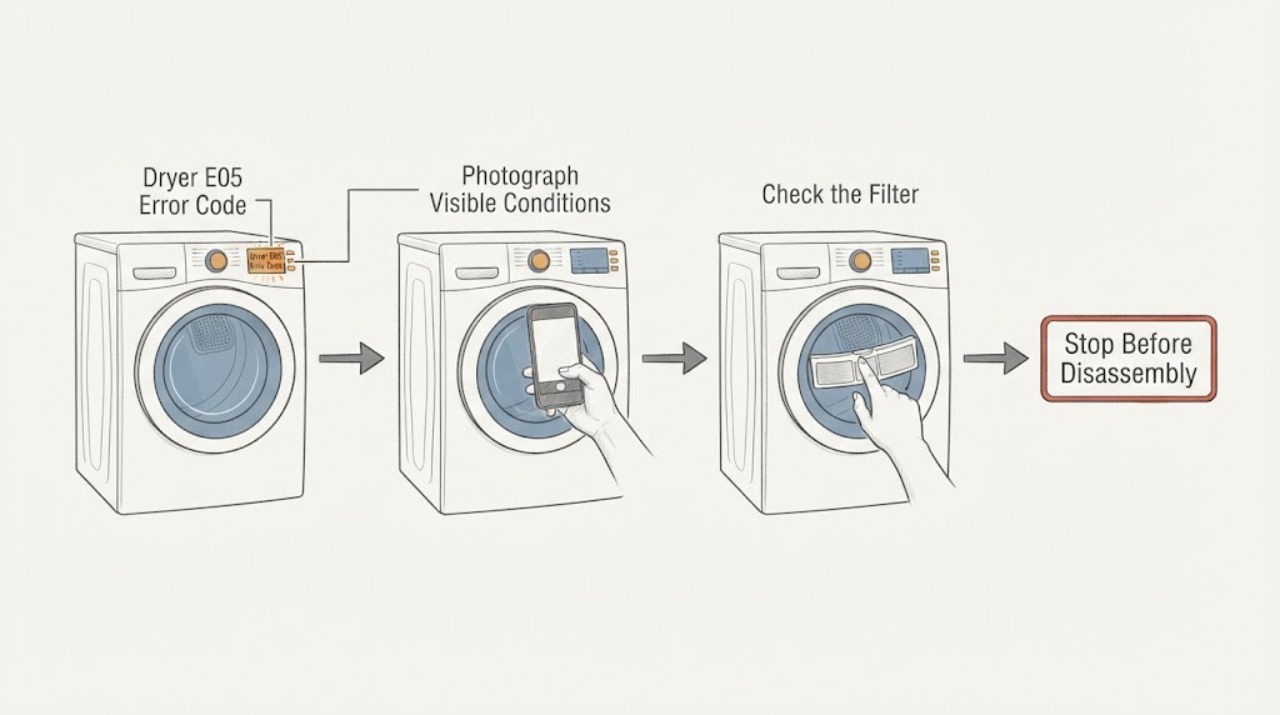
Treat E05 on a Sharp dryer as a model-specific service indication until the complete model and manual confirm otherwise. Photograph the display, record the full model and serial information, and note whether E05 appears at startup or during a programme. In the opened Sharp KD-NCB7S7PW9-CZ condenser-dryer manual, E05 is listed with the instruction to contact the nearest authorised service agent; that manual does not provide a user repair or reset for E05. Do not substitute another Sharp model's code table, open the cabinet, bypass a protector, or choose a part from E05 alone. Stop immediately for smoke, burning smell, sparks, abnormal heat, water near power, or repeated breaker trips.
Work through in order
Diagnostic checks
Use only checks that match the exact appliance or system and its official guide.
-
Check 1
Stop the dryer and photograph the complete display before pressing Reset or Power again. Record whether the code is exactly E05, which indicator or lamp is flashing, the selected programme, load, and the moment the code appeared.
Expected result: E05 is shown clearly; a different code or icon is shown; or the display cannot be read reliably.
Next step: Use the exact code and programme with the matching Sharp manual. If the display is unclear, keep the dryer out of service and provide the photograph to Sharp or an authorised technician.
Stop if: Do not keep restarting the dryer to reproduce an unclear or recurring code.
Why this matters
Why: Sharp fault indications are model and programme dependent. A different code may have a different documented user check, while an unclear display cannot safely be mapped to E05.
-
Check 2
Read the rating plate and record the full Sharp model, serial number, product code, and country or market. Compare those details with the manual before applying any code meaning; Sharp's support directory directs owners to find manuals by model number and local sales company.
Expected result: The dryer matches the opened KD-NCB7S7PW9-CZ manual; it matches another Sharp manual; or no exact manual can be found.
Next step: Follow only the matching manual. If the model is not confirmed, do not infer a sensor, heater, motor, pump, control, or voltage fault from E05; arrange Sharp or qualified appliance service with the label data.
Stop if: Do not combine code tables from different Sharp dryer models.
Why this matters
Why: The opened manual's E05 service instruction is tied to model KD-NCB7S7PW9-CZ. A different or unidentified model may use a different E05 meaning or response.
-
Check 3
If the exact manual is the opened KD-NCB7S7PW9-CZ manual and E05 is confirmed, leave the dryer off and arrange the authorised service path. You may make only separate, manual-approved external checks for an accompanying filter, condenser, door, or water-tank indication; do not treat those checks as an E05 repair.
Expected result: E05 remains after the dryer is stopped; the code returns after a permitted normal start; or an additional filter, condenser, or water-tank warning is present.
Next step: Contact the nearest authorised service agent and provide the model, serial number, E05 photograph, programme, and any other warning. Do not order a replacement part until the technician confirms the fault and fitment.
Stop if: Do not open the cabinet, test internal wiring, bypass thermal protection, or run repeated loads.
Why this matters
Why: That manual's E05 row gives service as the response, whereas its other warnings have separate maintenance instructions. An additional warning does not change the E05 service boundary.
-
Check 4
Check for immediate hazards without dismantling the dryer: smoke, burning or plastic odor, sparks, abnormal heat, a hot or damaged cord, water near the plug or outlet, or a breaker that trips again. Disconnect power only from a dry, safe, accessible location.
Expected result: A hazard is present, or the dryer is cool, dry, and free of immediate danger.
Next step: For any hazard, keep the dryer disconnected and obtain qualified appliance or electrical help. Otherwise keep it out of service for a recurring or model-unmatched E05 and arrange authorised service.
Stop if: Do not touch wet electrical parts, reset a tripping breaker repeatedly, or restart after smoke, sparks, or uncontrolled heat.
Why this matters
Why: A physical or electrical hazard overrides code interpretation. A safe exterior does not clear a recurring E05 or make internal testing appropriate.
Use your observations
Decision map
Find the observation that best matches what you see, then follow the next safe action.
-
PATH 01Next step
What you see
The dryer is confirmed as Sharp KD-NCB7S7PW9-CZ and the complete display shows E05.
Do this next
Leave the dryer off and contact authorised service with the model, serial number, code photograph, programme, and load details.
Why this path and its safety boundary
Why it matters: The matching opened manual lists E05 as a fault warning whose solution is to contact the nearest authorised service agent. It does not identify a user-replaceable component or publish an E05 reset repair.
-
PATH 02Next step
What you see
E05 appears on a different Sharp dryer, or the model cannot be matched to a Sharp manual.
Do this next
Use Sharp's model-number support route to obtain the correct manual. Until it is matched, keep the dryer out of service and arrange qualified help rather than guessing a reset or part.
Why this path and its safety boundary
Why it matters: The opened E05 mapping is not sufficient to establish the code's meaning on the other model. A different appliance family may use a different affected system and service response.
-
PATH 03Next step
What you see
E05 is accompanied by smoke, burning odor, sparks, abnormal heat, water near power, a damaged cord, or repeated breaker trips.
Do this next
Keep clear, isolate power only from a dry safe location if possible, and obtain qualified appliance or electrical help. Do not restart to test E05.
Why this path and its safety boundary
Why it matters: The immediate issue is a fire, electrical, or water safety hazard; interpreting the code is secondary.
-
PATH 04Next step
What you see
The exact manual assigns a separate user check to another warning, such as a full water tank or filter/condenser indication, while E05 is not confirmed.
Do this next
Follow only the exact manual's external instruction for the confirmed warning and stop if E05 remains or returns; contact authorised service for the unresolved code.
Why this path and its safety boundary
Why it matters: The separate warning may have a manual-approved external check, but it cannot be used to reinterpret an unconfirmed E05 or to clear a code that the matching manual sends to service.
Helpful context
Understand the symptom
Match E05 to the exact dryer before interpreting it
Sharp publishes manuals by model and market, so the code characters alone are not a complete diagnosis. The opened KD-NCB7S7PW9-CZ manual lists E03, E04, E05, E06, and E08 as separate fault indications: E03 has a water-tank check, E08 mentions a possible mains-voltage fluctuation, while E05 directs the owner to authorised service. That distinction is useful only if the dryer matches that manual; it is not a brand-wide claim for every Sharp dryer.
Keep the checks external and safe
Before any user check, stop the programme and keep the dryer dry and cool. The Sharp manual warns against unauthorised repair, says installation and repair should be performed by an authorised repair agent, and warns not to spray or pour water onto the dryer. A clear lint filter or empty water tank cannot prove that E05 is resolved, because the published E05 response is service rather than a user component test.
When checks do not resolve it
Need a professional?
Arrange Sharp authorised service when E05 is confirmed on the matching model, when the model cannot be matched to a reliable manual, when E05 returns after any manual-permitted start, or when the dryer will not operate normally. Provide the full model and serial information, code photograph, programme and load, when the code appeared, and the results of safe external observations. Do not select a heater, sensor, motor, pump, control board, or other part from E05 alone.
Common questions
FAQ
What does E05 mean on a Sharp dryer?
The exact meaning depends on the model. In the opened Sharp KD-NCB7S7PW9-CZ condenser-dryer manual, E05 is listed with the instruction to contact the nearest authorised service agent. Do not apply that mapping to another Sharp dryer without its matching manual.
Can I reset a Sharp dryer E05 code?
The opened KD-NCB7S7PW9-CZ manual does not provide a user E05 reset; it directs the owner to authorised service. Use a reset only when the exact manual explicitly permits it, and stop if E05 returns.
Should I replace the filter or heater for E05?
No part should be selected from E05 alone. The same manual gives separate instructions for filter, condenser, and water-tank warnings, while its E05 row directs the owner to service. Confirm the exact model and have the affected component diagnosed before ordering a part.
Read the exact guide
Official sources
- Sharp KD-NCB7S7PW9-CZ Tumble Dryer User ManualSharp · Opened the Sharp Home regional product manual; the product fiche identifies model KD-NCB7S7PW9-CZ and the fault table lists E05 with an authorised-service response. This mapping is model-specific.
- Sharp Corporation support download guideSharp Corporation · Opened Sharp's global support directory; it directs owners to select the sales country and find the model number through the relevant local Sharp site, and to contact the dealer if the model is not found.
Community feedback
Share a repair observation
Share a plain-text repair observation. Accepted observations are published automatically; this page may take a moment to update.