
On this page
Start here
Quick answer
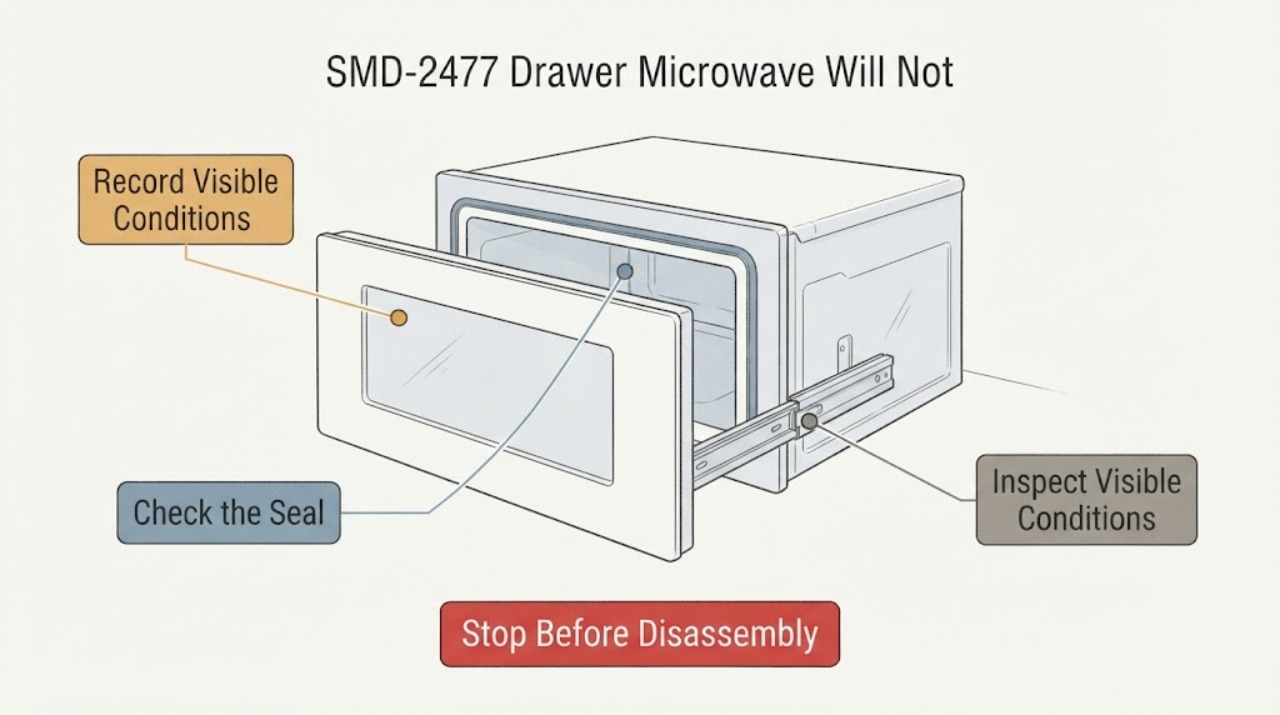
The supplied report describes a Sharp SMD-2477 drawer that is pulled closed by its motor and then intermittently pops back open. Sharp's opened operation manual covers the SMD2477ASC and SMD2477AHC variants, plus SMD3077ASC, so read the nameplate before applying the model-specific instructions; do not assume an un-suffixed SMD-2477 identifies one exact variant. With the drawer empty and power disconnected only when safe, remove visible food crumbs from the drawer guides and wipe the sealing surfaces with a soft, nonabrasive cloth. Use the OPEN/CLOSE control rather than forcing the drawer by hand. If the drawer is bent, its guides or seals are damaged, it binds against surrounding cabinetry, or it still reopens after the external cleaning and exact-model check, stop using the microwave and arrange qualified Sharp service. Never test heating with a drawer that does not close fully, bypass the interlock, remove the outer cover or adjust the motor/latch mechanism from the inside.
Work through in order
Diagnostic checks
Use only checks that match the exact appliance or system and its official guide.
-
Check 1
With the drawer fully open and the appliance left in its installed position, read the nameplate beyond the back wall of the microwave cavity and record the complete suffix, such as SMD2477ASC or SMD2477AHC.
Expected result: The nameplate matches one of the variants covered by the opened Sharp manual, or it shows a different model/unclear label.
Next step: Continue only if the suffix matches the manual's covered family. If it does not, stop and obtain the exact model manual before attempting any adjustment or part selection.
Stop if: Do not pull the built-in microwave out of the cabinet or remove trim to find the label.
Why this matters
Why: The shorthand SMD-2477 does not by itself establish the exact variant. The manual's operating and cleaning guidance is scoped to its listed models.
-
Check 2
Remove all food and containers from the drawer. With power isolated safely before cleaning, inspect the visible drawer guides, sealing surfaces, cavity opening and front edge for crumbs, spilled material, bent metal, loose pieces or a visibly damaged seal.
Expected result: Debris or residue is present, or a guide, seal, drawer front or surrounding opening appears bent, loose or damaged.
Next step: Wipe only accessible surfaces with a soft damp or dry cloth and mild nonabrasive soap as applicable. If anything is bent, loose or damaged, do not operate the microwave and arrange qualified service.
Stop if: Do not put fingers or clothing around the guides while the drawer is moving, scrape the seal, use abrasive/chemical oven cleaner, or remove the waveguide cover.
Why this matters
Why: The manual identifies crumbs in the guides and care of the sealing surfaces as user-maintenance items; visible physical damage is outside a simple cleaning conclusion and can prevent safe closure.
-
Check 3
After the accessible cleaning check, look at the drawer's path while it is empty and closed only through the normal control. Note whether the front contacts surrounding cabinetry, the drawer stops short, or the motor pulls it in and then reverses it.
Expected result: The drawer binds against the opening, stops short, closes smoothly, or pops back open after the motor pulls it in.
Next step: Remove only loose food residue that is safely accessible. Do not force, hold or repeatedly cycle a drawer that reopens; leave it unused and arrange service if the behavior persists.
Why this matters
Why: A visible obstruction or binding is different from a drawer that reaches the closed position and reopens. The latter remains an unresolved closure, drive or sensing symptom; it does not identify a specific part.
-
Check 4
Use the Sharp OPEN/CLOSE pad for one controlled observation rather than pushing or pulling the drawer by hand. Keep hands, clothing and objects away from the guides and do not place food inside during this check.
Expected result: The drawer opens and closes normally, or the motor stops short, strains, reverses or leaves the drawer partly open.
Next step: If the drawer does not close fully or reopens, stop using the microwave and request qualified service. Do not repeat cycles to force a successful closure.
Stop if: Do not manually force the drawer except in the emergency situation described by the manual, and do not bypass a closure or door interlock.
Why this matters
Why: Normal controlled travel after cleaning reduces the likelihood of a simple visible obstruction but does not prove the internal closure system is sound. Reversal or incomplete closure is an unresolved fault condition.
-
Check 5
Stop troubleshooting if the drawer remains partly open, pops back open after motor closure, has damaged guides/seals, makes abnormal mechanical noise, or needs an outer-cover, rail, motor, latch or interlock adjustment.
Expected result: The closure fault is repeatable or internal access would be needed to continue.
Next step: Leave the microwave unused and arrange Sharp-authorized or otherwise qualified microwave service, providing the full nameplate suffix and the exact closure behavior.
Stop if: Do not open the outer cover, expose high-voltage components, defeat the interlock, or hold the drawer shut while running a cook cycle.
Why this matters
Why: The opened official manual does not provide a user procedure for adjusting or replacing the internal closure mechanism, and a drawer that does not close fully must not be tested for heating.
Use your observations
Decision map
Find the observation that best matches what you see, then follow the next safe action.
-
PATH 01Next step
What you see
The nameplate reads SMD2477ASC or SMD2477AHC and the drawer has only accessible crumbs or residue.
Do this next
Clean gently with the manual's permitted soft-cloth method, then make one empty controlled OPEN/CLOSE observation; stop if the drawer still reopens.
Why this path and its safety boundary
Why it matters: The opened Sharp operation manual covers these variants and supports an external guide/sealing-surface cleaning check.
-
PATH 02Next step
What you see
The nameplate is a different suffix, cannot be read, or the unit is not the Sharp family covered by the opened manual.
Do this next
Do not borrow the SMD2477ASC/AHC procedure or select parts; obtain the exact manual or qualified service diagnosis first.
Why this path and its safety boundary
Why it matters: Model-specific drawer, rail, latch and interlock behavior is not established for the assigned shorthand.
-
PATH 03Next step
What you see
The drawer closes only when pushed, reaches the end and pops back open, or remains partly open after the OPEN/CLOSE command.
Do this next
Stop using the microwave and request qualified service; do not force the drawer, bypass the interlock or test heating with the drawer unsecured.
Why this path and its safety boundary
Why it matters: The reported closure fault remains present. Debris, alignment, drive and closure sensing are possible categories, but the opened sources do not establish which internal part failed.
-
PATH 04Next step
What you see
The drawer, guide, seal, front or cavity opening is visibly bent or damaged, or there is a burning smell, sparking or exposed damage.
Do this next
Stop use, disconnect power only through a safe accessible external means if needed, and arrange qualified microwave service. Do not open the cabinet.
Why this path and its safety boundary
Why it matters: Sharp's manual treats damaged or improperly working units as unsuitable for operation and directs qualified service.
Helpful context
Understand the symptom
Confirm the suffix before using a manual
The task and the Reddit post use the shorthand SMD-2477, but Sharp's opened manual names SMD2477ASC and SMD2477AHC as separate covered variants and also includes SMD3077ASC. The manual says the nameplate is beyond the back wall of the cavity when the drawer is fully open. Read the label without moving the built-in unit, and use the manual only if the suffix matches one of the covered models. If the label is a different model, stop at the identity check and obtain that model's documentation.
A drawer that reopens is not safe to test by heating
The reported drawer is pulled in by its motor and then pops open intermittently. That symptom does not identify whether the cause is debris, a guide or sealing-surface obstruction, cabinet interference, alignment, a closure sensor or an internal drive/latch fault. Sharp's manual warns against operating a damaged or improperly working appliance and says service should be performed by qualified personnel. Do not hold the drawer shut, repeatedly force it, or defeat the microwave's closure safety system to see whether it heats.
Limit cleaning to the user-accessible guides and sealing surfaces
Sharp instructs the user to remove food crumbs from the Microwave Drawer guides and wipe the drawer and sealing surfaces with a soft cloth; it prohibits abrasive or harsh cleaners and says not to remove the waveguide cover. These instructions support a careful external cleaning check, not disassembly or adjustment of the rails, motor, gear, latch or interlock. If the drawer still reopens, qualified service must determine the internal cause.
When checks do not resolve it
Need a professional?
Arrange qualified Sharp microwave service when the exact suffix is not confirmed, the drawer remains partly open or pops back open after the safe external cleaning check, any guide/seal/front damage is visible, or internal adjustment would be required. Stop immediately for smoke, sparks, burning smell, damaged wiring or any need to bypass the closure interlock.
Common questions
FAQ
What exact model is SMD-2477?
The opened Sharp manual lists SMD2477ASC and SMD2477AHC, while the exact post uses only SMD-2477. Read the complete nameplate suffix before applying model-specific instructions; do not assume the shorthand identifies one variant.
Can I push the drawer shut by hand?
Sharp says to use the OPEN/CLOSE pad and not push or pull the drawer by hand except in an emergency such as a power failure. Do not force a drawer that reopens or fails to close fully.
What can I safely clean when the drawer will not close?
With the appliance safely isolated, limit the check to accessible crumbs in the drawer guides and the sealing surfaces, using a soft cloth and permitted mild cleaning method. Do not remove the waveguide cover or open the cabinet.
Should I test whether it heats while holding the drawer shut?
No. A drawer that does not close normally is a service condition. Do not defeat the closure interlock or run a cook cycle with the drawer unsecured.
Read the exact guide
Official sources
- SHARP 24-Inch Built-In Microwave Drawer; Hidden Control Panel; Automatic Drawer Opening SystemSharp Electronics of Canada Limited · Opened the official Sharp product page for SMD2477ASC. It confirms the model family is a built-in Microwave Drawer with an automatic drawer-opening system and links the operation and installation manuals. It does not establish a failed component for the generic SMD-2477 report.
- Sharp Drawer Microwave not closingReddit / r/Appliances · Exact supplied Reddit post opened. Used only to verify the reported SMD-2477 closure symptom and attempted observations; the post is not treated as official repair guidance or proof of a component failure.
- SHARP Microwave Drawer Operation Manual: SMD2477ASC, SMD2477AHC, SMD3077ASCSharp Electronics of Canada Limited · Opened the official Sharp-hosted operation manual. The article applies the drawer-guide, sealing-surface, OPEN/CLOSE-control and safety instructions only to the listed variants and requires the reader to verify the complete nameplate suffix before proceeding.
Community feedback
Share a repair observation
Share a plain-text repair observation. Accepted observations are published automatically; this page may take a moment to update.