
On this page
Start here
Quick answer
A Sharp microwave that does not respond may have a model-specific Control Lock enabled, no power, an improperly closed or damaged door, or a control issue. Start by recording whether the display is blank, shows a lock message, or lights up but ignores touch. Sharp manuals show that lock controls and procedures are model-specific; for example, one countertop manual uses Stop/Clear held for 3 seconds, while a microwave-drawer manual documents its own Control Lock and troubleshooting table. Check the plug, household power and door closure only from the outside. Do not open the cabinet, defeat door interlocks, or attempt high-voltage testing. If power and the model-matched lock/door checks do not restore operation, use Sharp authorized service.
Before you begin
Safety first
- Do not remove the cover, touch high-voltage parts, bridge or bypass door interlocks, operate a damaged door, or perform live electrical tests. Use qualified Sharp service for any internal or persistent failure.
Work through in order
Diagnostic checks
Use only checks that match the exact appliance or system and its official guide.
-
Check 1
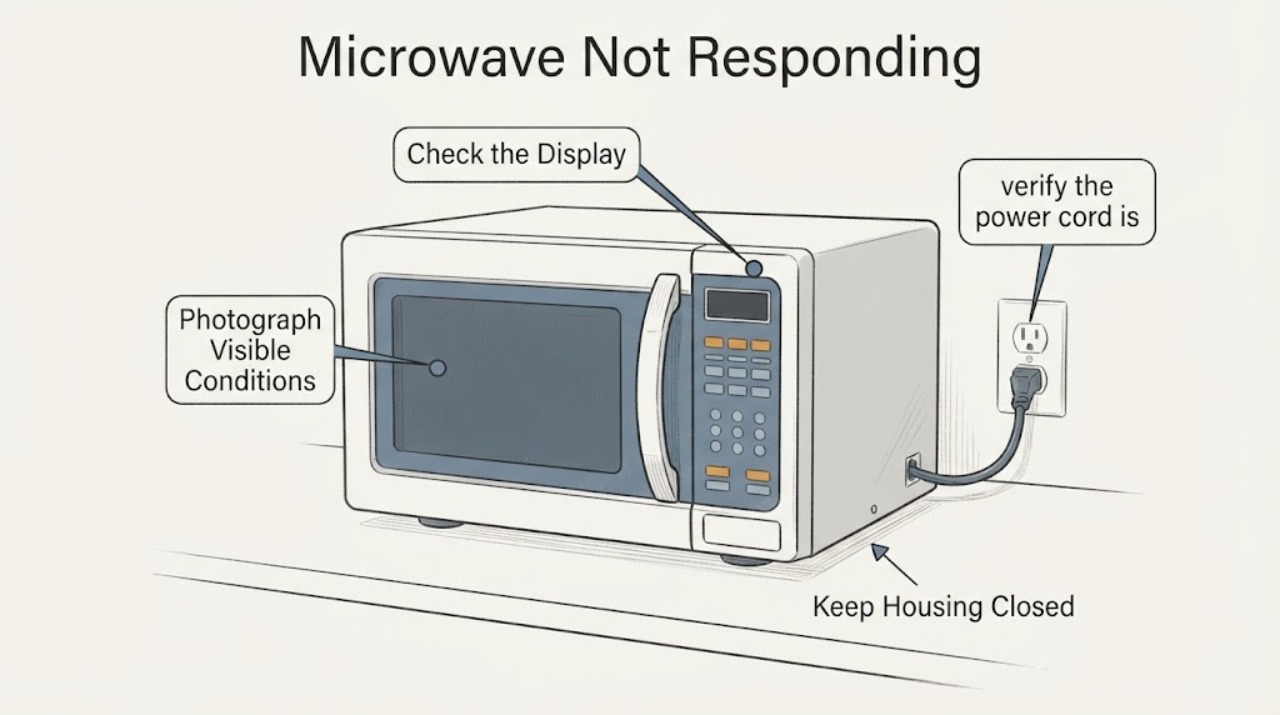
Record whether the display is blank, shows a lock indicator or `Loc`, accepts touch but will not start, or shows another message; photograph it before changing settings.
Expected result: The panel shows a lock state, has no power indication, or lights normally but ignores controls.
Next step: Find the complete model number and use its manual. Do not apply a lock sequence from a different Sharp model.
Why this matters
Why: Sharp manuals treat Control Lock, power conditions and control operation as separate paths; the display state determines which model-specific section applies.
-
Check 2
With the exact model manual open, check whether Control Lock or Child Safety Lock is active and follow only that manual's unlock instruction.
Expected result: The exact manual defines a matching lock indicator and unlock method, or no matching lock state is shown.
Next step: Use the matching documented action once. If the lock remains or the model cannot be identified, stop and contact Sharp support rather than trying random combinations.
Why this matters
Why: For the R-559Y family, Stop/Clear held for 3 seconds controls Child Safety Lock; other Sharp families have their own controls and display wording.
-
Check 3
From outside the unit, verify the power cord is firmly seated and check whether nearby house lights or the relevant circuit indicate an outage or tripped breaker.
Expected result: The outlet/circuit has no power, the cord is loose, or household power is present but the microwave remains unresponsive.
Next step: Restore ordinary household power only through the normal safe household control and never increase fuse capacity. If power is present and the unit remains dead, arrange service; do not open the cabinet.
Why this matters
Why: Sharp manuals list the cord, outage, fuse and circuit breaker as possible reasons a microwave or drawer does not operate.
-
Check 4
Inspect the closed door or drawer from outside for an obstruction, bent door, loose hinge/latch or damaged seal; close it normally without slamming or forcing it.
Expected result: The door cannot close normally or is visibly damaged, or it closes normally but the microwave still will not respond.
Next step: Do not operate a damaged unit or bypass the interlock. Arrange qualified service. If the door is sound, continue only with model-matched external checks.
Why this matters
Why: Sharp requires proper door closure and warns that damaged doors, hinges, latches or seals make operation unsafe; a normal closure does not rule in a particular internal switch.
-
Check 5
Stop troubleshooting and provide Sharp or an authorized servicer with the full model/serial number, display photo, power result, lock state and door observations.
Expected result: The microwave remains unresponsive after the matching external checks, or there is damage, smoke, burning odor, sparking outside normal cooking or any electrical concern.
Next step: Disconnect or isolate power only when safe and arrange qualified service. Do not remove the cover, bridge an interlock or perform live electrical tests.
Why this matters
Why: The remaining possibilities can involve controls, door interlocks or high-voltage circuits that Sharp does not authorize as a user repair in the opened safety manual.
Use your observations
Decision map
Find the observation that best matches what you see, then follow the next safe action.
-
PATH 01Next step
What you see
The display is lit and shows a matching lock indicator or `Loc`, and the exact model manual documents a Control Lock or Child Safety Lock.
Do this next
Use only the exact model's documented unlock action once. If it does not clear, arrange service instead of forcing controls or bypassing the lock.
Why this path and its safety boundary
Why it matters: The controls may be intentionally disabled rather than failed.
-
PATH 02Next step
What you see
The display is blank and the outlet, cord or household circuit has no confirmed power.
Do this next
Address ordinary household power safely or use a qualified electrician. Do not open the microwave to trace power internally.
Why this path and its safety boundary
Why it matters: The first unresolved issue is external power, not a proven control-board or microwave failure.
-
PATH 03Next step
What you see
The door/drawer is bent, the latch or hinge is loose, the seal is damaged, or it cannot close normally.
Do this next
Keep the microwave out of service and arrange qualified repair. Do not test it with the door open or bypass the interlock.
Why this path and its safety boundary
Why it matters: Sharp's safety instructions do not permit operation of a damaged door or tampering with the interlock.
-
PATH 04Next step
What you see
Power, the exact model lock check and normal door closure are verified, but the controls or start function still do not respond.
Do this next
Arrange Sharp authorized service with the model, serial number and symptom record. Do not open the cabinet or perform internal measurements.
Why this path and its safety boundary
Why it matters: The remaining fault cannot be safely distinguished between controls, sensing/interlock and high-voltage systems from external symptoms.
Helpful context
Understand the symptom
“Not responding” describes several different states: a blank display, a visible lock indicator, a display that lights but ignores touch, or a unit that accepts settings but will not start. Sharp's manuals separate those states and are model-specific. The safe first pass is external: identify the display state, check power and verify that the door closes normally. A microwave cabinet contains hazardous high-voltage parts, so a panel or interlock diagnosis is a service task.
Identify what “not responding” means
Note whether the display is completely blank, shows `LOC`, `LOCK ON` or another lock indicator, lights normally but does not accept touches, or accepts a time but will not start. The R-559Y manual says its child lock shows a Lock indicator and `Loc`; the SMD2470AS/SMD2470AH/SMD3070AS drawer manual separately lists Control Lock as a cause when touch controls will not operate. These examples establish the need for a model match, not a universal button combination.
Check the model-matched Control Lock
Find the complete model number before trying an unlock sequence. On the R-559Y family, the manual says to press and hold Stop/Clear for 3 seconds to turn Child Safety Lock off. The drawer manual also documents a three-second Stop/Clear action, but its display, drawer mechanism and model family are different. Use only the sequence printed for the exact model; do not repeatedly press keys, force a drawer or bypass a lock.
Check external power and door closure
From outside the appliance, confirm that the power cord is firmly connected, the household circuit has power and the door or drawer closes fully without visible damage or obstruction. Sharp's manuals list power connection, outage, fuse or breaker conditions, and door closure among the first checks for a unit that does not operate. Do not increase fuse capacity, use a damaged cord, or continue if the door, latch, hinge or seal is bent or loose.
Stop before cabinet or interlock work
Sharp warns not to operate a damaged microwave or defeat or tamper with its safety interlocks, and says adjustment or repair belongs to properly qualified service personnel. Do not remove the cover, probe high-voltage components, bridge a door switch, or run the oven with the door open. If the external checks do not restore operation, give Sharp the model, serial number and exact display behavior and arrange authorized service.
When checks do not resolve it
Need a professional?
Use qualified Sharp service for a microwave that remains unresponsive after model-matched external checks, or immediately for a damaged door/latch/seal, smoke, burning odor, abnormal sparking, damaged cord or any need to open the cabinet. Do not bypass the interlock or test high-voltage circuits.
Safety scope: Do not remove the cover, touch high-voltage parts, bridge or bypass door interlocks, operate a damaged door, or perform live electrical tests. Use qualified Sharp service for any internal or persistent failure.
Have this ready
- Full model and serial number, display or lock message, whether the display is blank, outlet/circuit result, door or drawer closure observations, and any smoke, odor, sparking or visible damage.
Common questions
FAQ
Can I hold Stop/Clear for 3 seconds on any Sharp microwave to unlock it?
Do not assume that. Sharp documents that action for the R-559Y family and also documents a Control Lock in a separate drawer family; use the complete model manual before trying any sequence.
What should I check when the Sharp microwave display is blank?
From outside the appliance, check the cord connection and household power or circuit status. Sharp manuals list those as first checks, but a microwave that remains dead with power present needs service rather than cabinet disassembly.
Can I bypass the door switch to test a Sharp microwave?
No. Sharp warns not to defeat or tamper with microwave safety interlocks and says adjustment or repair should be performed by properly qualified service personnel.
Read the exact guide
Official sources
- Sharp R-559Y Microwave Oven Operation ManualSharp Electronics Corporation · Opened the official Sharp-hosted manual for the R-559Y family. It supports the three-second Stop/Clear child-lock action and lists cord, door closure, cooking time and household fuse/breaker checks. Those instructions are explicitly limited to the listed models and are not transferred to an unknown Sharp model.
- Sharp Product SupportSharp USA · Opened Sharp's official product-support form. It asks for the product, model number, serial number and detailed problem description, supporting the service handoff when an unknown-model microwave remains unresponsive.
- Sharp R-203H/R-209H/R-220H/R-230H Microwave Oven Operation ManualSharp Electronics Corporation · Opened the official Sharp-hosted manual for the listed R-203H/R-209H/R-220H/R-230H family. Its safety warnings are cited only for the general non-user-serviceable interlock and door safety boundary; no model-specific operation procedure is transferred.
- Sharp SMD2470AS/SMD2470AH/SMD3070AS Microwave Drawer Operation ManualSharp Electronics Corporation · Opened the official Sharp-hosted drawer manual. It separately lists power, outage, fuse/breaker, Demo Mode and Control Lock causes for a nonoperating drawer and documents its own lock instructions. It is used to show model-family scope, not to prescribe drawer steps for an unknown countertop microwave.
Community feedback
Share a repair observation
Share a plain-text repair observation. Accepted observations are published automatically; this page may take a moment to update.