
On this page
Start here
Quick answer
If some keys on a GE Profile PVM9005SJ3SS stop responding after a power outage while other functions still work, do not treat it as a completely dead microwave and do not guess that the control board or touchpad is bad. Record which keys work, whether the display and interior light are normal, and whether the missing keys include Stop/Clear or Start. GE's touch-panel guidance says to confirm the grounded outlet, clock, and unfinished programming, then disconnect power or turn off the supplying breaker for 30 seconds and reprogram; its power-failure guidance says PF, 888, or 8888 can appear after restored power and may be cleared with CLEAR or CLEAR/OFF. If Stop/Clear is unavailable, the door is damaged, the display stays abnormal, the keypad remains partly dead after the documented reset, or the breaker trips, leave the microwave off and arrange qualified service. Never open the cabinet or perform live or high-voltage tests.
Before you begin
Safety first
- No microwave cabinet or control-panel access, high-voltage testing, live measurements, fuse replacement, interlock bypass, or cook test when Stop/Clear is unavailable.
Work through in order
Diagnostic checks
Use only checks that match the exact appliance or system and its official guide.
-
Check 1
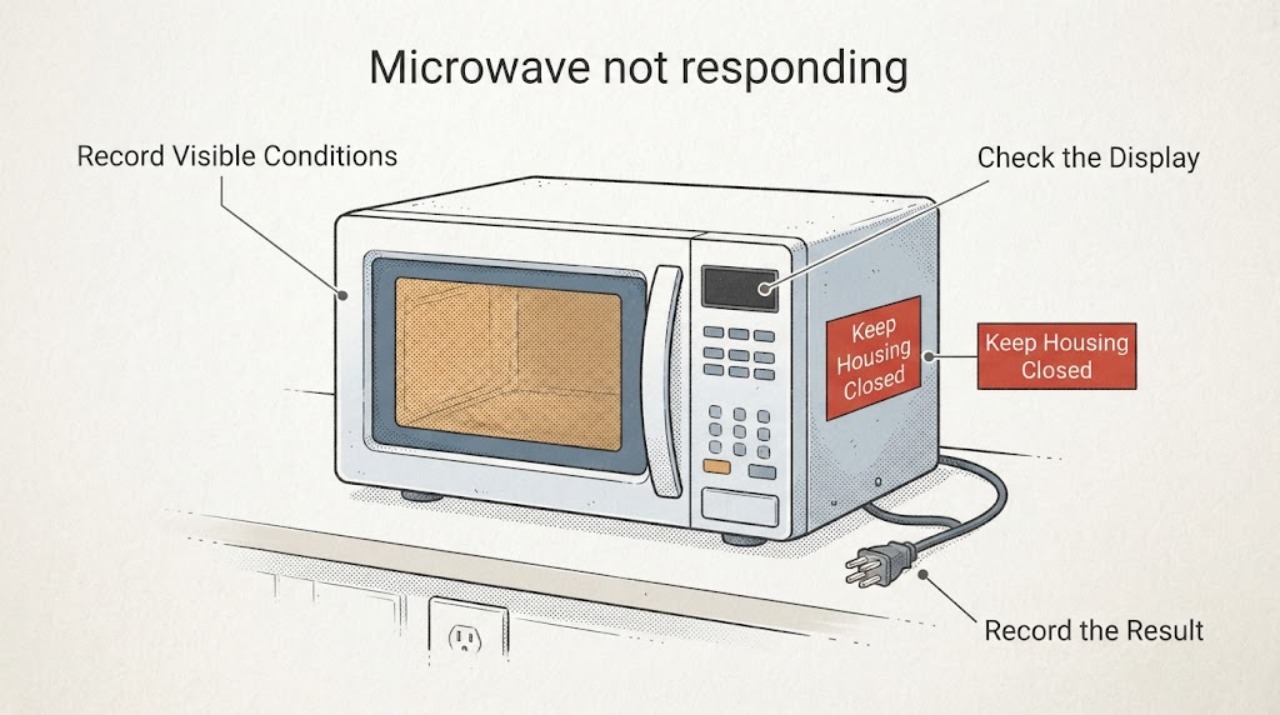
Before pressing more keys, record the complete model label and the post-outage state from ordinary access. Test each key only once without starting a cook cycle.
Expected result: Note whether the display is lit, the clock is present, the interior light works when the door opens, which keys beep or change the display, and whether the missing keys include Start, Stop/Clear, Add 30 Sec, or a group of adjacent keys.
Next step: Do not run a cooking test. Photograph the panel and use the exact manual or service path for the recorded model and key pattern.
Stop if: Stop immediately for smoke, burning odor, arcing, a hot or damaged cord or outlet, water near the appliance, or a damaged door.
Why this matters
Why: A display with only some keys dead is different from a completely dark microwave. A missing Stop/Clear key also changes the safety boundary because a user may not be able to cancel a cook normally. The exact PVM9005SJ3SS suffix must be kept with the record.
-
Check 2
If the display is present, check for a post-outage PF, 888, or 8888 indication and for an unfinished program or a clock that was lost; use only the documented CLEAR, CLEAR/OFF, or clock control if that key responds.
Expected result: Record the exact display text and whether CLEAR/CLEAR-OFF, CLOCK, and Start respond. Do not guess a lock or programming sequence when one of the required keys is dead.
Next step: If the documented control clears the power-failure or program state and all keys return, monitor one normal use only. If the code remains or only some keys work, leave the microwave off and request service.
Stop if: Do not start heating if Stop/Clear does not respond, and do not open the control panel to restore a clock or keypad.
Why this matters
Why: GE says PF, 888, or 8888 can indicate restored power after an outage, and improper or unfinished programming can make a touch panel appear non-responsive. Those checks do not explain a persistent subset of dead keys after the state is cleared.
-
Check 3
Perform one non-invasive power reset only after documenting the display and key pattern: unplug the microwave if the plug is safely accessible, or turn off its supplying breaker for 30 seconds, then restore power and follow the exact manual to reprogram the clock.
Expected result: After power returns, note whether the display is normal, whether all keys respond, whether the same keys remain dead, and whether the breaker or fuse trips again.
Next step: If the partial key loss remains or returns, stop using the microwave and arrange qualified service with the before-and-after observations. Do not repeat resets as a substitute for diagnosis.
Stop if: Do not remove covers, test voltage, change protective-device ratings, or continue after a trip, odor, heat, or visible damage.
Why this matters
Why: GE's touch-panel guidance allows a 30-second power interruption to clear an unfinished programming state. A reset that restores some functions but not a consistent group of keys does not prove the control panel or board is the failed part.
-
Check 4
If the microwave is completely dark rather than partially responsive, inspect only the dry, accessible wall switch, plug, outlet, and household breaker or fuse; use a small lamp or other safe load for the outlet, not the microwave itself.
Expected result: Note whether the outlet is powered, the plug or cord is hot or damaged, the breaker is open or trips again, and whether the microwave display and cavity light remain dead.
Next step: Restore only a normal accessible switch or breaker state once if there is no hazard. For a dead or repeatedly tripping circuit, arrange qualified electrical service; for a stable supply and dead microwave, arrange appliance service.
Stop if: Do not open the outlet, touch exposed conductors, use an extension or improvised adapter, or repeatedly reset a tripping circuit.
Why this matters
Why: GE says a dead microwave can result from the house fuse or breaker, while a powered outlet with no appliance response needs service. This branch does not apply when the display and some keys still work.
-
Check 5
Prepare a service handoff rather than ordering a touchpad, board, fuse, or door switch: keep the panel photo, model and serial information, outage timing, reset result, and the exact keys that failed.
Expected result: Include whether heating still worked before you stopped, whether Start or Stop/Clear worked, whether the clock or PF display changed, whether power was stable, and whether any odor, arc, heat, or breaker trip occurred.
Next step: Request qualified GE appliance service and state that the microwave is not to be opened or energized for user testing. If the unit is under a seller or manufacturer warranty, preserve that route.
Stop if: Do not remove the door, keypad, case, or control cover; do not bypass an interlock; do not run a microwave whose cancel or stop control is unavailable.
Why this matters
Why: A partial keypad symptom after a power event can involve more than one internal path, and the public GE guidance does not identify a replacement part from the key pattern. A technician needs the safe functional boundary and exact model rather than a guessed component.
Use your observations
Decision map
Find the observation that best matches what you see, then follow the next safe action.
-
PATH 01Next step
What you see
The display is lit and some keys work after the outage, but Stop/Clear, Start, or another control needed to cancel or control a cook does not respond.
Do this next
Leave the microwave off and request qualified service with the key map and model suffix; do not infer a touchpad or board replacement and do not run a heating test.
Why this path and its safety boundary
Why it matters: This is partial control loss, not proof of total power failure. Operating with a missing cancel or stop function creates a safety boundary even if heating still works.
-
PATH 02Next step
What you see
The display shows PF, 888, or 8888 after power returns, and the documented CLEAR/CLEAR-OFF or clock control responds normally.
Do this next
Use the exact manual's documented clear and clock steps once. If the same keys remain dead or the indication returns, stop and request service.
Why this path and its safety boundary
Why it matters: GE identifies these as possible power-failure indications after an outage or reconnection. Clearing the indication and resetting the clock is a different path from a persistent group of dead keys.
-
PATH 03Next step
What you see
A single 30-second power interruption restores the clock and all keys, with no odor, heat, arcing, door damage, or breaker trip.
Do this next
Follow the exact manual and monitor one normal use only. If any key becomes unreliable again, stop using the microwave and arrange service.
Why this path and its safety boundary
Why it matters: A transient programming or power-recovery state is plausible, but the reset does not establish that an internal part is healthy if the symptom recurs.
-
PATH 04Next step
What you see
The outlet is powered but the microwave remains completely dark, or the breaker trips again; or smoke, arcing, burning odor, heat, or a damaged cord is present.
Do this next
Leave the microwave isolated from power from a safe position and arrange qualified electrical or appliance service. Do not open the high-voltage or control area.
Why this path and its safety boundary
Why it matters: This is an external-supply or appliance-safety service condition, not a keypad-setting branch. A repeat trip or hazard can make continued energizing unsafe.
Helpful context
Understand the symptom
Partial key loss is a safety decision
A lit display or working cook function does not make every key safe to ignore. If Stop, Clear, or another control needed to cancel a cook does not respond, do not start food heating just because one working key can start it. Preserve the exact key pattern and use service rather than trying to reach the keypad or control board.
Confirm the model before using a manual
GE's public support record uses several closely formatted PVM9005 model strings. Read the complete label, including the SJ3SS suffix, and use the matching Owner's Manual. Generic GE reset guidance is useful for a safe first check, but it does not prove a model-specific key combination or component fit.
When checks do not resolve it
Need a professional?
Use qualified service for persistent partial keypad failure after an outage, a failed control reset, a door or interlock concern, a dead appliance with stable household power, or any repeat protective-device trip.
Safety scope: No microwave cabinet or control-panel access, high-voltage testing, live measurements, fuse replacement, interlock bypass, or cook test when Stop/Clear is unavailable.
Common questions
FAQ
Can I keep using the microwave if some keys still work?
Not if Stop/Clear, Start, or another control needed to cancel and control a cook is unavailable. Leave it off and request qualified service; do not use a working heat key as a test.
Could the outage have left a PF or 888 display?
Yes, GE says PF, 888, or 8888 can appear after restored power. Photograph the display and use CLEAR or CLEAR/OFF only if that control responds and the exact manual supports it; persistent partial key loss needs service.
Should I replace the keypad or control board?
No. The key pattern does not identify a part or prove compatibility. Use the one documented external reset, preserve the exact PVM9005SJ3SS identity, and let qualified service diagnose the internal control safely.
Read the exact guide
Official sources
- GE OTR Microwave (some) Keys Not WorkingReddit r/appliancerepair · Exact-model community report for GE Profile PVM9005SJ3SS: about half the buttons stopped working after a power outage while heating still worked with available keys.
- User Manual & Care for PVM9005SJSS | GE AppliancesGE Appliances · The opened GE Owner Center identifies the PVM9005SJSS over-the-range microwave family and links its Owner's Manual and service support. Because the reported label is PVM9005SJ3SS, verify the complete suffix before applying any model-specific instruction.
- Microwave - How to Set the Clock After a Power OutageGE Appliances · GE provides general clock-recovery steps after a power outage and directs owners to the exact model Owner's Manual for variations.
- Microwave - Power Failure (PF) CodeGE Appliances · GE says PF, 888, or 8888 may appear after an electrical power failure or reconnection; CLEAR or CLEAR/OFF can cancel the indication and the clock may then be reset, subject to the exact model manual.
- Microwave - Power is OffGE Appliances · GE directs users with a dark microwave to check the household breaker/fuse and accessible outlet, consider blocked ventilation after a cooking shutdown, and seek service if power does not return.
- Microwave - Touch Control Panel Not Operating CorrectlyGE Appliances · GE's general touch-panel guidance applies as a safe first screen for the reported PVM9005SJ3SS: confirm grounded power, clock, and unfinished programming, then interrupt power for 30 seconds and reprogram; persistent failure needs service.
Community feedback
Share a repair observation
Share a plain-text repair observation. Accepted observations are published automatically; this page may take a moment to update.