
On this page
Start here
Quick answer
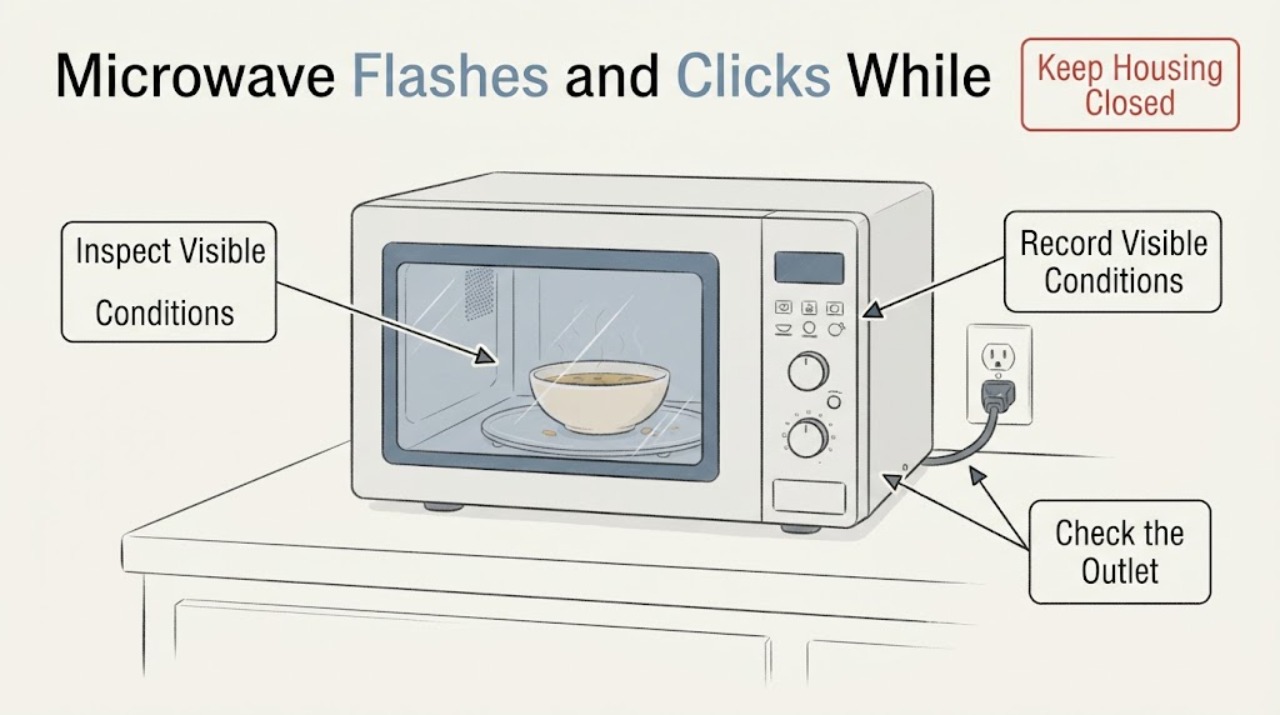
Do not run the Sharp SMC0912BS again just to identify a clicking sound. This exact model is a Sharp countertop microwave with a blue LED display, clock/timer, touch controls, and a child-safety lock. Its manual describes a flashing clock colon and a blinking kitchen-timer indicator, with beeps when a timer ends; those display or sound patterns are different from the oven actually starting. From a safe position, check whether the cavity light, fan, or turntable moves, whether the display is only showing a clock/timer pattern, and whether there is smoke, arcing, burning odor, heat while idle, a damaged cord or door, or a repeated click. If it starts by itself, sparks, smells burnt, becomes hot while idle, or keeps clicking, stop using it and unplug it from a dry, accessible outlet only if that is safe; leave it disconnected and arrange qualified Sharp service. With no hazard, inspect only the visible cord, outlet, breaker, door closure, seal area, cavity residue from the soup, and turntable/roller-guide placement while unplugged and cool. Do not open the cabinet, defeat the door interlock, remove the waveguide cover, test live wiring, or infer a relay, fuse, magnetron, or control-board failure from the sound.
Work through in order
Diagnostic checks
Use only checks that match the exact appliance or system and its official guide.
-
Check 1
From a dry, safe position, stop using the microwave and look and listen without opening the cabinet for self-starting, a cavity light or turntable moving while idle, sparks, smoke, a burning odor, unusual heat, a hot or damaged cord or outlet, water near the plug, or repeated clicking. Do not press Start, +30 Sec, or another cooking key to reproduce the event.
Expected result: The oven is operating or attempting to operate by itself, any smoke/spark/burning/heat or electrical damage is present, the click repeats with no operation, or there is only a display change or isolated beep and no hazard.
Next step: If any hazard or self-start is present, unplug from a dry, accessible outlet only if you can do so without touching damage or reaching through smoke; otherwise isolate the circuit from a safe position. Leave the microwave disconnected and arrange qualified Sharp service. If there is no hazard, record the display and continue with identity and external checks.
Stop if: Do not open the cabinet, continue a cooking cycle, defeat an interlock, or repeatedly reconnect the microwave.
Why this matters
Why: Self-operation, arcing, burning, idle heat, or repeated clicking is not established as normal by the SMC0912BS manual and moves the appliance to a safety/service boundary. A clock or timer display change without operation is a different observation.
-
Check 2
With the microwave in its waiting state and without selecting a cooking program, observe the blue LED from outside: note whether the clock colon flashes, a timer indicator blinks, a number or code appears, a pad sounds when touched, or the display changes while no pad is touched. Do not treat the sound as normal until you know whether the oven itself is operating.
Expected result: Only the clock colon or timer indication changes, the timer ends with beeps, the display changes without input, or the click is mechanical/repeated and not explained by the displayed clock or timer.
Next step: If the pattern matches the manual's clock or timer behavior and there is no motion, heat, odor, or arcing, follow only the manual's clock/timer cancellation or setting guidance without starting microwave operation. If the display changes on its own or a mechanical click repeats, disconnect safely and request service.
Stop if: Do not press Start or +30 Sec as a sound test, enter a diagnostic mode, or open the control panel.
Why this matters
Why: The exact SMC0912BS manual documents a flashing clock colon and a blinking kitchen-timer indicator, and says the timer can end with five beeps. It does not assign an idle mechanical click a normal meaning; unexplained repeated clicking needs service rather than a guessed relay diagnosis.
-
Check 3
Read the rating label from ordinary access and confirm the complete model is Sharp SMC0912BS and that it is the countertop, blue-LED touch-control model described by Sharp. Record the market and serial number for service; do not use an over-the-range or combination-oven procedure.
Expected result: The label and controls match SMC0912BS, the suffix or market differs, or the model label cannot be read.
Next step: Use only the manual that matches the complete label. If identity is uncertain, keep the unit off if the clicking continues and provide the label, display pattern, and safe external observations to Sharp-authorized service.
Stop if: Do not choose a replacement part, reset combination, or normal-sound explanation from the shortened model name alone.
Why this matters
Why: Sharp's SMC0912BS specification and manual are model-specific. A different Sharp model can use different clock, lock, display, door, or sound behavior, so the observed flash or click cannot be mapped safely from this article.
-
Check 4
If there is no hazard and the microwave is unplugged, inspect only the visible power cord, plug, outlet face, and breaker position. Look for looseness, discoloration, heat, moisture, or damage; do not open the outlet, measure live power, use an extension lead, or move the microwave while the cord is damaged.
Expected result: The plug is loose, the cord or outlet is hot/damaged/wet, the breaker has tripped, the outlet is unavailable, or the external power path looks normal.
Next step: Correct only an obvious, dry, intact plug connection. Have a qualified electrician address a dead, hot, damaged, or repeatedly tripping outlet/circuit. If the external supply appears normal but the idle click or self-start remains, leave the microwave disconnected and arrange Sharp service.
Stop if: Do not bypass grounding, repeatedly reset the breaker, or restore power to a microwave that has self-started, sparked, smelled burnt, or has damaged wiring.
Why this matters
Why: The SMC0912BS manual's service checklist starts with a securely plugged cord and a household fuse or breaker check. A damaged or wet connection is an electrical hazard, while a normal visible connection does not identify an internal relay, fuse, magnetron, or control board.
-
Check 5
With power disconnected and the cavity cool, inspect the door closure, hinges and latches, sealing surfaces, and the visible cavity for soup splashes or food deposits. Clean only cool, accessible surfaces with the manual's mild, non-abrasive method; keep liquid out of ventilation openings and do not remove the waveguide cover.
Expected result: The door is bent or loose, a hinge/latch/seal is damaged, residue is present near the door or cavity, the waveguide cover looks damaged, or the door and cavity appear intact.
Next step: If any door, seal, latch, or waveguide-cover damage is visible, keep the microwave off and request service. If there is only removable residue, clean it while unplugged and cool; if clicking or self-starting returns, stop and leave it disconnected.
Stop if: Do not force the door, operate with damaged sealing parts, remove the waveguide cover, or probe through openings.
Why this matters
Why: Sharp says a damaged door, hinges/latches, seals, or sealing surfaces make the oven unsafe to operate, and that food deposits can create a hazardous condition. Cleaning a visible deposit may remove a residue issue, but it cannot explain or prove a repeated idle click.
-
Check 6
While the microwave remains unplugged and cool, check that the glass tray, roller guide, and center coupler are visibly present and seated, and note whether the click was actually a tray/roller noise during a prior run rather than an idle control sound. Do not reconnect power just to run an empty test.
Expected result: A tray or roller guide is missing, displaced, dirty, or damaged, or the turntable parts are correctly seated but the click occurred while the microwave was idle.
Next step: Correct only an obvious, cool, user-accessible seating or cleaning issue exactly as the manual permits. Do not run an empty microwave; if the click was truly idle or returns after the visible check, leave power disconnected and request service.
Stop if: Do not operate without the specified tray/guide, reach into a moving turntable, or use an empty-cycle test.
Why this matters
Why: The SMC0912BS manual requires the glass tray and roller guide for cooking and says cleaning the roller guide and cavity floor helps prevent excessive noise. Those parts can explain noise during operation, not a confirmed repeated click while idle.
Use your observations
Decision map
Find the observation that best matches what you see, then follow the next safe action.
-
PATH 01Next step
What you see
Only the clock colon or kitchen-timer indicator flashes, the oven does not light, move, heat, or click mechanically, and no odor, smoke, spark, or electrical damage is present.
Do this next
Use only the exact manual's clock or timer controls to clear or set that display. Do not start a cooking test merely to confirm that the display is normal.
Why this path and its safety boundary
Why it matters: This pattern is consistent with the SMC0912BS manual's documented waiting-state clock/timer behavior, not proof that the microwave is running.
-
PATH 02Next step
What you see
A timer or display pattern is visible, but the click is repeated, mechanical, occurs without a key press, or is accompanied by a light, fan, turntable movement, heat, or a display change while idle.
Do this next
Disconnect the microwave from a dry accessible outlet only if safe, leave it disconnected, and arrange Sharp-authorized service. Do not reconnect it to reproduce the click.
Why this path and its safety boundary
Why it matters: The manual does not establish repeated idle clicking or autonomous operation as normal; the result needs a qualified diagnosis rather than a relay, fuse, or control-board assumption.
-
PATH 03Next step
What you see
Smoke, sparks, burning odor, unusual heat while idle, a damaged door/seal/latch/waveguide cover, water near electrical parts, or a hot/damaged cord or outlet is present.
Do this next
Keep the door closed if there is a cavity fire, isolate power only from a safe position, leave the appliance out of service, and seek qualified service or emergency help for an active fire.
Why this path and its safety boundary
Why it matters: This is an immediate microwave fire, electrical, or interlock safety boundary; the soup timing cannot identify the cause.
-
PATH 04Next step
What you see
The external cord, plug, outlet, and breaker are visibly normal, the model matches SMC0912BS, and the oven remains unresponsive or continues the unexplained idle click after power isolation.
Do this next
Provide Sharp service with the model/serial label, exact display pattern, click timing, whether the light/fan/turntable moved, and the last soup-heating event. Do not open the cabinet or test live wiring.
Why this path and its safety boundary
Why it matters: The visible supply path has not explained the symptom, but user-level evidence still cannot choose an internal high-voltage or control part.
-
PATH 05Next step
What you see
Only removable soup or food residue was found, the door and sealing surfaces are intact, and there was no idle operation, smoke, spark, odor, or heat.
Do this next
Clean the cool unplugged cavity and accessible sealing surfaces using the manual's method, then keep the appliance out of use if the click returns or any safety sign appears.
Why this path and its safety boundary
Why it matters: Residue is a supported user-maintenance issue, but cleaning does not prove that it caused a separate idle click.
Helpful context
Understand the symptom
The useful first distinction on an SMC0912BS is visual versus mechanical. The manual says the clock can show a flashing colon and the kitchen timer indicator can blink and end with five beeps. It does not describe a mechanical click repeating while the microwave is idle. That means a flashing display alone should not be treated as a failed relay, while a click that is accompanied by the light, fan, turntable, heat, or an apparent start is not a harmless clock indication.
Soup being the last load is a useful event marker, not proof that soup caused an internal fault. The SMC0912BS manual does support cleaning food deposits and keeping the door sealing surfaces clear, but it also says not to operate a damaged oven or tamper with its safety interlocks. Any inspection should remain external or limited to cool, unplugged, user-accessible surfaces.
Sharp's exact product and specification pages identify this as a 0.9 cu. ft. countertop SMC0912BS with a blue LED display, touch control, clock/timer, and child-safety lock. Do not transfer a button sequence or normal-sound explanation from a different Sharp microwave, over-the-range unit, or combination oven.
When checks do not resolve it
Need a professional?
Keep the Sharp SMC0912BS unplugged and request qualified Sharp-authorized service if it starts by itself, clicks repeatedly while idle, changes its display without input, sparks, smokes, smells burnt, heats while idle, trips power, or has a damaged door, hinge, latch, seal, waveguide cover, cord, or outlet. Request service as well when the exact model cannot be confirmed or the external checks do not explain the symptom. Do not open the cabinet, defeat an interlock, remove the waveguide cover, measure live wiring, or reconnect the microwave repeatedly.
Common questions
FAQ
Is a flashing display on the Sharp SMC0912BS automatically dangerous?
Not necessarily. The exact manual documents a flashing clock colon and a blinking kitchen-timer indicator. It becomes a service and safety concern when the display changes on its own, the oven actually operates while idle, or flashing is accompanied by repeated mechanical clicking, heat, smoke, sparks, or odor.
What does clicking while the SMC0912BS is not running mean?
The manual explains display flashes and timer beeps but does not establish repeated mechanical idle clicking as normal. Do not run another cycle to investigate; if the click repeats or the oven acts on its own, disconnect it safely and arrange qualified service.
Can I test the microwave with an empty cavity?
No. Sharp's manual says not to operate the oven empty and requires the glass tray and roller guide for cooking. A repeated idle sound should be documented from outside and handled through the service boundary, not an empty-cycle test.
Read the exact guide
Official sources
- Sharp Corporation - Sharp GlobalSharp Corporation · The opened Sharp global support page says manuals are written for the countries where products were marketed and instructs users to select the country and find the model number; this supports confirming the complete model and market before applying a manual.
- 900 WATTS 0.9 CU.FT. Countertop Microwave Oven SMC0912BSSharp Electronics Corporation · The opened Sharp specification identifies SMC0912BS as a 0.9 cu. ft. countertop microwave with blue LED display, touch control, clock/timer, child-safety lock, glass turntable, and AC power rating.
- M I C R O W A V E O V E N - OPERATION MANUAL (SMC0912BS)Sharp Electronics Corporation · The opened manual is labeled SMC0912BS and covers its clock/timer display, Child Safety Lock, door and interlock safety, external no-work checklist, cavity cleaning, glass tray and roller guide, and qualified-service boundary.
- 0.9 cu. ft. 900w Sharp Stainless Steel Carousel Countertop Microwave Oven (SMC0912BS)Sharp USA · The opened Sharp USA product page identifies the SMC0912BS countertop model and its product details, including blue LED display and touch-oriented convenience controls; it is used for model identity, not for an internal sound diagnosis.
Community feedback
Share a repair observation
Share a plain-text repair observation. Accepted observations are published automatically; this page may take a moment to update.