
On this page
Start here
Quick answer
For a Siemens TE717209RW that will not brew, start with the visible water and bean path: use fresh cold water, seat the water tank fully, confirm the display reaches drink selection, and check that beans are actually reaching the grinder. If coffee only trickles or stops, Siemens lists an overly fine grind or limescale as causes; if the display says Clean brewing unit, switch the machine off and clean the removable brewing unit as directed. A persistent Error message or no-brew condition after these external checks needs Siemens service rather than an internal repair.
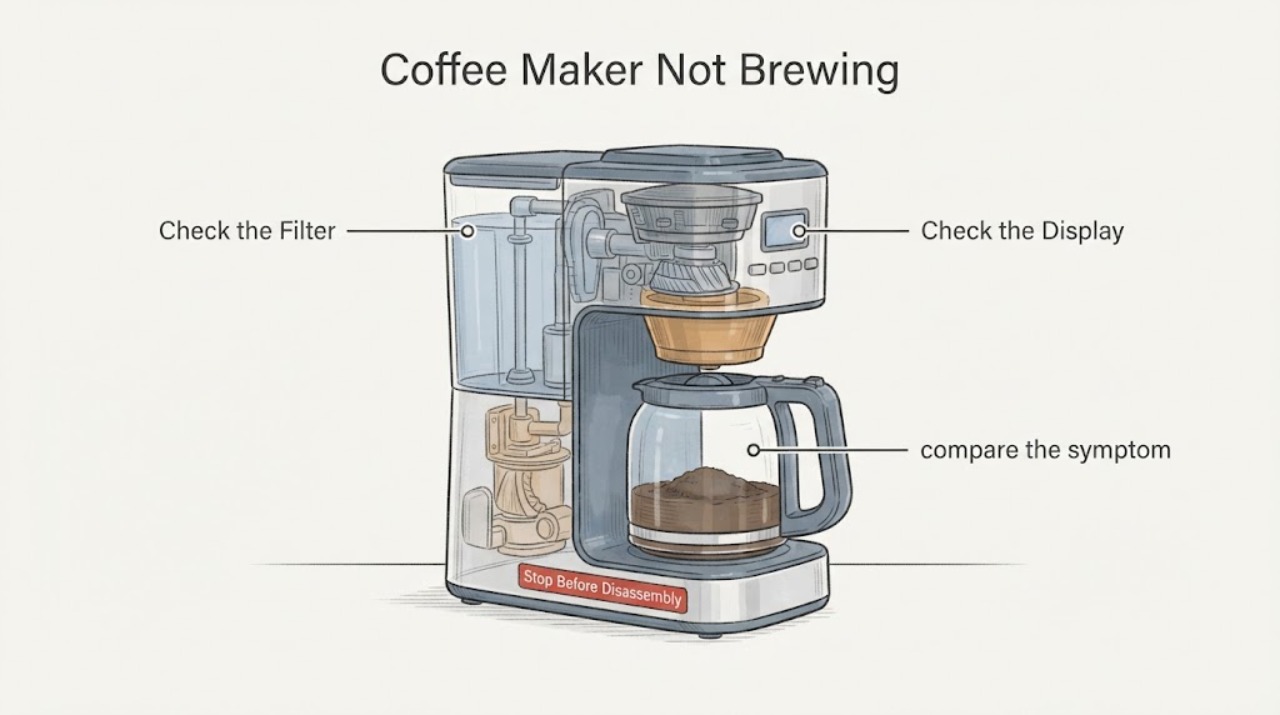
Work through in order
Diagnostic checks
Use only checks that match the exact appliance or system and its official guide.
-
Check 1
Confirm that the machine is actually ready for a drink. Fill the water tank with fresh, cold, uncarbonated water without exceeding its maximum mark, push the tank firmly into place, and check whether the drink-selection symbols and start button light up. If the display says Check water tank, follow the same tank check and verify that a newly installed filter was rinsed as instructed.
Expected result: The tank was empty, overfilled, not fully seated, or the display shows Check water tank; alternatively, the tank is correctly filled and seated but the machine never reaches its ready display.
Next step: Correct the visible tank or filter condition and try one supervised drink cycle. If the machine remains outside the ready state with the tank correctly installed, stop repeating cycles and use Siemens service for the exact appliance.
Why this matters
Why: Siemens attributes Check water tank to incorrect tank insertion or an unrinsed new water filter. A machine that never reaches the ready state has not yet shown a normal brew-path failure, so the display state must be resolved before interpreting the no-brew symptom.
-
Check 2
Check the bean supply without opening the housing. If the bean container is full but the display says Refill bean container or the grinder does not grind, gently tap the container; if it is empty, wipe the container with a dry cloth after the beans are removed. Use beans suitable for fully automatic machines and do not use glazed or caramelised beans.
Expected result: Beans are not falling into the grinder, the beans are unusually oily, or the grinder begins feeding beans after the container is tapped or cleaned; alternatively, the grinder still does not feed beans.
Next step: Use a suitable bean type and retry one drink. If the grinder still does not feed beans, stop at this external boundary and arrange Siemens service rather than probing or dismantling the grinder.
Why this matters
Why: The manual identifies oily beans that do not fall into the grinding unit as a cause of the false refill/no-grind symptom. Continued failure after the documented external bean check does not prove a failed grinder motor or control board.
-
Check 3
If coffee starts but comes out as a trickle or stops, compare the symptom with the manual's flow check. Adjust the grinding unit one step coarser for coffee beans, use coarser pre-ground coffee when using the powder compartment, and run the documented descaling programme when limescale is indicated or the machine is due for descaling.
Expected result: Dispensing improves after the grind is made coarser, or the machine has a limescale/service indication; alternatively, dispensing remains absent or stops despite the documented grind and descaling checks.
Next step: Use one supervised test drink after the applicable adjustment or service programme completes. If no coffee is dispensed or the problem returns, stop and contact Siemens service with the display message and the exact TE717209RW model information.
Why this matters
Why: For slow or completely stopped dispensing, Siemens lists coffee ground too finely and limescale build-up as possible causes. This observation supports a flow restriction or preparation-setting branch, not a definitive pump or valve diagnosis.
-
Check 4
If the display says Clean brewing unit, or the spent grounds are unusually wet and not compact, switch the machine off completely so no buttons are lit, unplug it, and use the manual's removable brewing-unit procedure. Open the brewing-unit door, release the red lock, remove the unit by its recessed grips, rinse the unit and sieve under running water without detergent, let it dry, then reinstall it fully and close the lock and door.
Expected result: The brewing unit is visibly soiled, the display clears after cleaning and the unit is correctly reinstalled, or the clean-brewing-unit message/no-brew condition remains.
Next step: Run one supervised drink cycle only after the unit is dry and fully locked in place. If the message or no-brew condition remains, stop and arrange qualified Siemens service; do not open the machine or bypass its interlocks.
Why this matters
Why: Siemens links a dirty brewing unit, excess pre-ground coffee, or a stiff brewing mechanism to the Clean brewing unit message. A persistent message after the specified removable-unit cleaning is outside the user troubleshooting scope.
-
Check 5
Record any exact display message before seeking service. If the display shows Error, or if the machine still will not brew after the applicable water, bean, flow, and brewing-unit checks, stop using repeated brew cycles and keep the housing closed.
Expected result: The Error message remains, no water or coffee is dispensed despite the documented external checks, or there is a damaged cord, burning smell, smoke, uncontrolled leak, or other immediate hazard.
Next step: Switch off and unplug only when safe, keep away from hot liquid, and contact Siemens or a qualified appliance technician with the model, display text, and observations. Do not perform live electrical tests or internal disassembly.
Why this matters
Why: The manual treats a generic Error as an appliance fault and directs the user to the hotline. The listed symptoms do not identify which internal pump, heater, valve, sensor, or board has failed.
Use your observations
Decision map
Find the observation that best matches what you see, then follow the next safe action.
-
PATH 01Next step
What you see
The display says Check water tank, or the tank was not fully seated or its new filter was not rinsed.
Do this next
Refill with fresh cold water, seat the tank firmly, rinse the new filter as directed, and retry once. If the message remains, use Siemens service rather than assuming a failed water sensor.
Why this path and its safety boundary
Why it matters: The manual assigns this message to tank insertion or filter preparation, so the water supply setup is the first decision point.
-
PATH 02Next step
What you see
The bean container is full but the machine reports Refill bean container or the grinder does not grind.
Do this next
Gently tap the container or clean it dry when empty, then retry once with suitable beans. Persistent no-feed behavior needs service; do not dismantle the grinder.
Why this path and its safety boundary
Why it matters: Oily beans may not fall into the grinding unit, according to the manual.
-
PATH 03Next step
What you see
Coffee begins but slows to a trickle or stops completely.
Do this next
Use a coarser grind and complete the documented descaling programme when applicable, then perform one supervised test. If dispensing is still absent, stop and seek service.
Why this path and its safety boundary
Why it matters: The manual lists an overly fine grind and limescale build-up as causes for this flow pattern.
-
PATH 04Next step
What you see
The display says Clean brewing unit, the grounds are wet and loose, or the unit is visibly soiled.
Do this next
Unplug, clean the removable brewing unit with running water without detergent, dry it, and reinstall it fully. If the message or no-brew symptom remains, arrange qualified service.
Why this path and its safety boundary
Why it matters: Siemens links those observations to a soiled, overloaded, or stiff brewing unit.
-
PATH 05Next step
What you see
The display shows Error, or the TE717209RW still does not brew after the applicable external checks.
Do this next
Stop repeated cycles, disconnect power when safe, and contact Siemens or qualified service with the exact model and display behavior. Do not open the housing or test live components.
Why this path and its safety boundary
Why it matters: The manual treats Error as an appliance fault and does not provide a user-level internal diagnosis for the remaining no-brew condition.
Helpful context
Understand the symptom
The supplied report describes a Siemens aromaSense Z-series machine in which water does not reach the coffee-making part. The opened Siemens product page identifies TE717209RW as a fully automatic coffee machine, and the opened BSH/Siemens manual covers the TE717 family. The manual's troubleshooting table separates a water-tank warning, bean-feed failure, slow or stopped dispensing, and a dirty brewing unit, so the observed flow pattern should determine the next check.
Keep the checks outside the housing. Unplug the appliance before cleaning, do not immerse it or use a steam cleaner, and do not put the brewing unit in a dishwasher. The manual says to contact the hotline when the listed checks do not solve the problem; it does not authorize internal pump, heater, valve, wiring, or control-board work for a no-brew symptom.
When checks do not resolve it
Need a professional?
The machine remains at Check water tank or outside the ready state after the tank and filter checks., The grinder does not feed beans after the documented external bean-container check., The display shows Error, or no coffee is dispensed after the applicable flow and removable brewing-unit checks., Stop immediately for a damaged cord, burning smell, smoke, uncontrolled hot-water leak, or any need to open the housing or bypass an interlock.
Common questions
FAQ
What should I check first when a Siemens TE717209RW will not brew?
Confirm that the water tank contains fresh cold water and is fully seated, that the display reaches the drink-selection ready state, and that beans are reaching the grinder. If the display says Check water tank, correct the tank or filter setup before interpreting the coffee symptom.
Why does Siemens coffee dispensing slow to a trickle or stop?
The TE712/TE717 manual lists a grind that is too fine and limescale build-up as possible causes. Use the documented coarser grind adjustment and descaling programme when applicable; persistent no dispensing needs service rather than a guessed pump diagnosis.
Can I put the Siemens brewing unit in the dishwasher?
No. The manual says to remove the brewing unit, rinse it under running water without detergent, let it dry, and reinstall it; it specifically says not to put the brewing unit in a dishwasher.
Read the exact guide
Official sources
- TE717209RW Fully automatic coffee machine | SIEMENS PLSiemens Home Appliances / BSH · Opened the official Siemens product page for the exact assigned TE717209RW model; it identifies the appliance as a fully automatic coffee machine and provides the product's official documentation and service entry points.
- TE 712... / TE 717... Instruction manualBSH Home Appliances / Siemens · Opened the official BSH-hosted PDF and verified its internal English contents: pp. 32–34 identify the fully automatic espresso machine, TE712/TE717 family, controls and components; pp. 44–45 describe drink preparation and pp. 47–49 describe safe cleaning and removable brewing-unit maintenance; pp. 52–54 contain the Simple troubleshooting table.
Community feedback
Share a repair observation
Share a plain-text repair observation. Accepted observations are published automatically; this page may take a moment to update.