
On this page
Start here
Quick answer
First decide whether the Siemens oven is completely without power, has a display but will not start, or starts but does not heat. Check the visible power and control state, the exact mode and timer, the door, and any complete error message. Siemens documentation treats a fan or light that continues during cool-down differently from an oven that keeps heating or will not respond. Gas-specific checks apply only to a gas model. Stop immediately for gas odor, delayed ignition, smoke, burning smell, arcing, a hot or damaged connection, repeated breaker trips, or uncontrolled heat; isolate energy only from a safe, dry, accessible position and arrange qualified service.
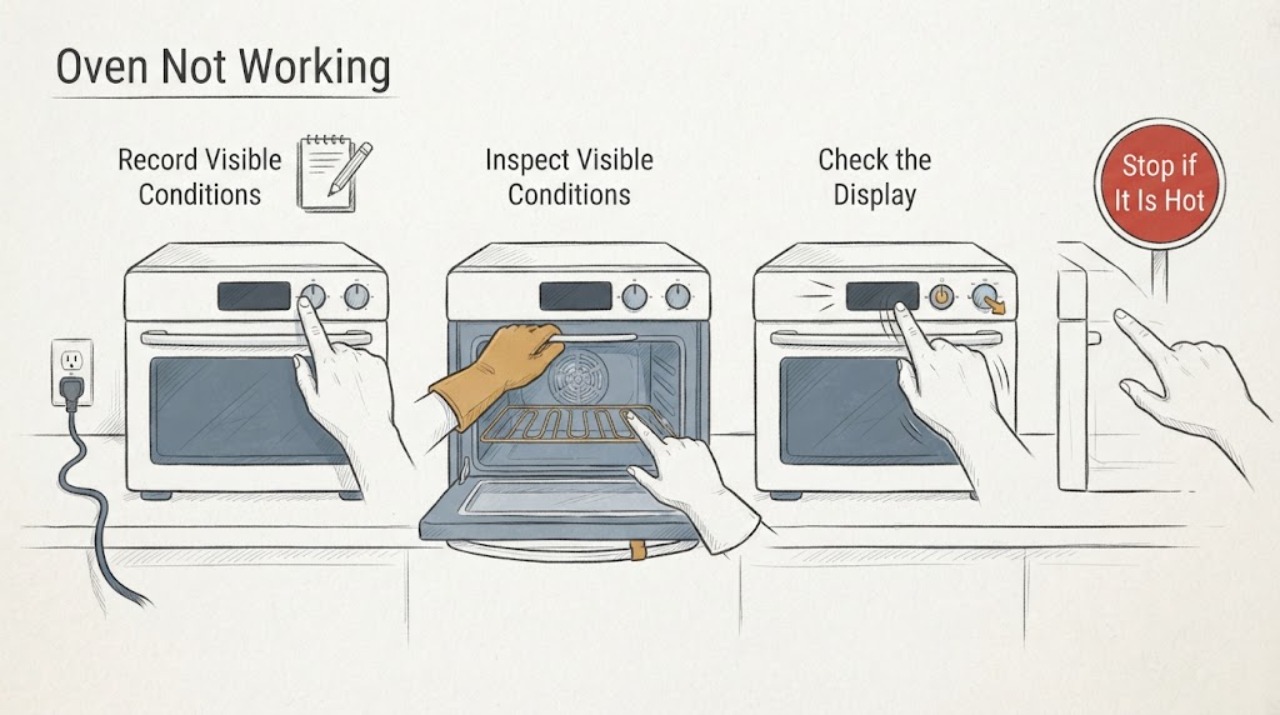
Work through in order
Diagnostic checks
Use only checks that match the exact appliance or system and its official guide.
-
Check 1
From a safe position, classify the symptom as no display or light, display but no Start response, starts but no heat, partial function, or a code or symbol; record the selected function and fuel type.
Expected result: The oven is completely dead, has controls but will not start, runs without heat, or shows a specific code or lock indication.
Next step: Continue only with the matching low-risk check. Stop for smoke, gas odor, a burning smell, arcing, unusual heat, a hot connection, or repeated tripping.
Why this matters
Why: The symptom selects the next branch: supply, settings and door, heating path, or model-specific error. A generic part diagnosis is not justified yet.
-
Check 2
If the oven is completely unresponsive and there is no immediate hazard, check whether nearby kitchen lighting or another appliance has power and look at the oven’s circuit protection without opening the appliance or touching wet or damaged electrical equipment.
Expected result: The household supply is interrupted, the oven circuit protection has operated, or other appliances work but the Siemens oven remains dead.
Next step: Restore a tripped circuit only from a safe, dry, accessible position and only once. If it trips again, do not keep resetting it; leave the oven unused and arrange electrical or appliance service.
Why this matters
Why: A supply interruption can explain a blank display; a normal household supply with a dead oven points to the appliance supply, control, or installation and needs qualified diagnosis.
-
Check 3
If the display works but the oven will not start, verify the function selector, temperature setting, clock or end-time setting, control lock, and fully closed door using the exact Siemens manual; do not start another cycle if the oven is already hot or unsafe.
Expected result: A zero or light-only function is selected, a timer or end-time state is active, a lock symbol appears, the door is not recognized as closed, or all settings look correct.
Next step: Make only the manual-authorized setting correction. If the oven remains unresponsive, record the display and stop rather than bypassing a lock or opening the control area.
Why this matters
Why: A mode, time setting, lock, or door condition can prevent a heating command. If the correct settings and closed door still produce no start, the control or safety circuit needs service evidence.
-
Check 4
For an oven that starts but does not heat, confirm the intended heating function and temperature are selected, the door is closed, and the outside indicator or display changes as the manual describes; do not touch an element or probe wiring.
Expected result: The oven is in a non-heating or light-only function, the door is open or not latched, the heating indicator never responds, or the selected function appears correct but no heat develops.
Next step: Correct only the documented setting or door position. If there is still no heat, leave the oven unused and provide the model and symptom to qualified service; do not remove panels or test live parts.
Why this matters
Why: A selection or door condition can prevent a heat command. Correct settings with no heat can involve a heater, sensor, control, or supply fault that cannot be distinguished safely from outside.
-
Check 5
For a gas Siemens oven only, observe from outside and at a safe distance whether the burner lights normally after a valid start command; never relight it manually, adjust a fitting, or repeat ignition attempts.
Expected result: There is no flame, ignition is delayed, the flame is unusual, a flame remains after Off, or gas odor is present.
Next step: For any gas odor or combustion concern, do not operate switches or create a flame; leave the area and contact the local gas emergency service from a safe location. With no odor but a failed burner, stop use and arrange qualified gas-appliance service.
Why this matters
Why: Gas odor, delayed ignition, an abnormal flame, or a burner that does not follow the control is a safety condition, not a routine no-heat check. Electric models do not use this branch.
-
Check 6
If the display shows an error, lock, warning, or temperature message, capture the complete characters and operating mode, then match them only to the Siemens manual for the exact E-Nr.
Expected result: The manual provides a user setting correction, the message clears after the documented control action, or the message returns with the oven still inoperative.
Next step: Follow only the manual’s user-level correction. If the message returns, remains unexplained, or accompanies heat, smoke, a trip, or an unresponsive control, stop and request service.
Why this matters
Why: Siemens publishes model-specific error and control behavior; a partial code or a code from another oven cannot identify a component.
-
Check 7
When there is no gas odor, smoke, arcing, water, repeated trip, or uncontrolled heat, perform one restart authorized by the exact manual: set the controls to Off and isolate the oven from a safe, dry, accessible position before restoring power as directed.
Expected result: The display and controls return normally, or the same no-start, no-heat, code, or lock symptom returns.
Next step: Do not keep cycling power. Leave the oven unused and arrange qualified service if the problem returns or the controls remain unreliable.
Why this matters
Why: One documented restart can clear a temporary control state, but recurrence indicates an unresolved supply, control, sensor, heat, or safety fault.
-
Check 8
If only the fan or light remains after a completed or canceled cycle, observe from outside whether heat is falling and whether the function selector is in Off; keep vents clear and do not obstruct or dismantle them.
Expected result: The fan runs while the oven cools and then stops, versus the element or burner remains active, the cavity keeps heating, or the fan makes a harsh abnormal sound.
Next step: Allow a normal cool-down. If heat continues after Off, stop use and isolate energy only if safe; arrange qualified service instead of testing the control or fan internally.
Why this matters
Why: Siemens describes post-use fan operation as a cooling function on applicable ovens. Continued heat or abnormal fan behavior is a fault boundary.
-
Check 9
Prepare a service record with the complete E-Nr., fuel type, display and code, selected mode and temperature, door state, power observations, heat or flame behavior, fan behavior, and any odor, smoke, damage, or trip.
Expected result: The record shows whether the failure is no power, no start, no heat, an error or lock, or a source that continued after Off.
Next step: Keep the oven out of service when the fault is repeatable or safety-related and give the record to qualified service.
Why this matters
Why: These distinctions help Siemens support or a qualified technician select the model-specific diagnostic path without unsafe exploratory disassembly.
Use your observations
Decision map
Find the observation that best matches what you see, then follow the next safe action.
-
PATH 01Next step
What you see
The display is blank and household power is also out
Do this next
Resolve the household supply through the normal safe path; if only the oven remains dead, arrange qualified electrical or appliance service.
-
PATH 02Next step
What you see
The display works but a lock, timer, function, or door state prevents Start
Do this next
Use the exact Siemens manual to correct the state once; do not bypass the lock or service the control live.
-
PATH 03Next step
What you see
The oven starts but does not produce heat
Do this next
Confirm the intended mode, temperature, and closed door; if correct settings still produce no heat, stop use and request service.
-
PATH 04Next step
What you see
The oven is gas and has no flame, delayed ignition, an abnormal flame, or gas odor
Do this next
Do not relight or operate switches. For odor or combustion concern, leave and contact local gas emergency help from a safe location; otherwise arrange qualified gas-appliance service.
-
PATH 05Next step
What you see
Only a fan or light remains and heat is falling after Off
Do this next
Allow the normal cooling sequence and keep vents clear; service an abnormal fan or any element or burner that remains active.
-
PATH 06Next step
What you see
A code returns after the manual correction or one safe restart
Do this next
Stop repeating the reset, keep the oven unused, and provide the exact E-Nr., code, mode, and observed behavior to qualified service.
Helpful context
Understand the symptom
Classify the failure before touching anything
A black display with no response is a different problem from a lit display that refuses Start, and both differ from a running oven that never reaches temperature. Note the model number, fuel type, selected function, temperature or timer, door state, and any symbol or code. Siemens model support groups these symptoms into switching-on, no-function, no-heat, error, door, and power-trip categories.
A fan is not the same as heat
Some Siemens ovens keep a fan running after the oven is switched off so the appliance can cool. A lit display or fan therefore does not prove that heating is still active. The important observation is whether an element remains energized, a gas burner remains lit, or the cavity continues to get hotter after the controls are set to Off.
Use the exact model manual
Button names, locks, clocks, error messages, and fuel arrangements vary across Siemens ovens. Use the E-Nr. from the rating plate or door area to open the matching manual and support page. Do not borrow an error-code meaning or a reset sequence from another model.
Safety boundary
Stop conditions
- Stop immediately for gas odor, delayed ignition, abnormal flame, smoke, fire, arcing, a burning electrical smell, uncontrolled heat, or a hot or damaged connection.
- Do not reach into a hot cavity, probe live wiring, remove panels, bypass a door or control lock, manually relight a gas burner, or adjust gas fittings.
- If the appliance or electrical area is wet, do not touch the connection or controls; keep people away and obtain qualified help.
- Do not continue using the oven after repeated breaker trips, a returning error, or a heat source that remains on after the controls are set to Off.
Only after diagnosis
Potential parts
- oven control board or relay
Consider only when qualified diagnosis shows that a correct supply and settings do not produce a valid start or the heat source does not obey Off.
Confirm the complete Siemens E-Nr. and the technician’s diagnosis before any part decision. - heating element or gas ignition assembly
Consider only after the model and fuel type are confirmed and qualified diagnosis identifies a failed electric heating or gas-ignition path.
Electric and gas assemblies are not interchangeable; verify the exact appliance and fuel configuration. - oven temperature sensor
Consider only if model-specific diagnosis links incorrect temperature feedback to the no-heat or uncontrolled-heat symptom.
Select by exact E-Nr. and verified fit information, not by appearance or symptom alone.
When checks do not resolve it
Need a professional?
Arrange qualified Siemens appliance service when the oven remains dead, will not start after the documented settings are correct, does not heat, shows a returning code, or does not control its heat source., Provide the complete E-Nr., fuel type, mode, temperature, code, door and power observations, and whether the fan, element, or burner continued after Off., Use local emergency or gas-emergency help from a safe location for gas odor, smoke, fire, or suspected combustion exposure.
Common questions
FAQ
Why is my Siemens oven fan still running after I turn it off?
Some Siemens ovens keep the cooling fan running after heating stops. Confirm from outside that the element or gas burner is no longer producing heat; a fan-only cool-down is different from continued heating.
What should I check when a Siemens oven has a display but will not start?
Check the exact model’s function, temperature, timer or end-time state, control lock, and closed door. If the correct settings do not restore Start, stop and arrange qualified service rather than bypassing a lock.
Why does my Siemens oven turn on but not heat?
Confirm the intended heating function, temperature, and closed door. If those are correct and no heat develops, an element, sensor, control, or supply fault requires model-specific service diagnosis.
Does the Siemens oven error code apply to every model?
No. Siemens error and lock messages vary by model. Record every character and match it only to the manual for the oven’s complete E-Nr.
Can I reset a Siemens oven that is not working?
Only use a restart sequence authorized by the exact manual, and only when there is no gas odor, smoke, water, arcing, repeated trip, or uncontrolled heat. Perform it once; if the problem returns, stop using the oven and request service.
When is a Siemens oven problem unsafe to troubleshoot at home?
Stop for gas odor, delayed ignition, abnormal flame, smoke, burning smell, arcing, uncontrolled heat, a hot or damaged connection, repeated breaker trips, or a wet electrical area. Do not open panels or bypass safety controls.
Read the exact guide
Official sources
- TroubleshootingSiemens Home Appliances · Siemens oven operating and troubleshooting instructions
- Siemens service, user manuals, spare parts, accessories for HB356G0S0/01Siemens Home Appliances · Siemens oven model support categories, manuals, errors, no-function, and no-heat assistance
Community feedback
Share a repair observation
Share a plain-text repair observation. Accepted observations are published automatically; this page may take a moment to update.