
On this page
Start here
Quick answer
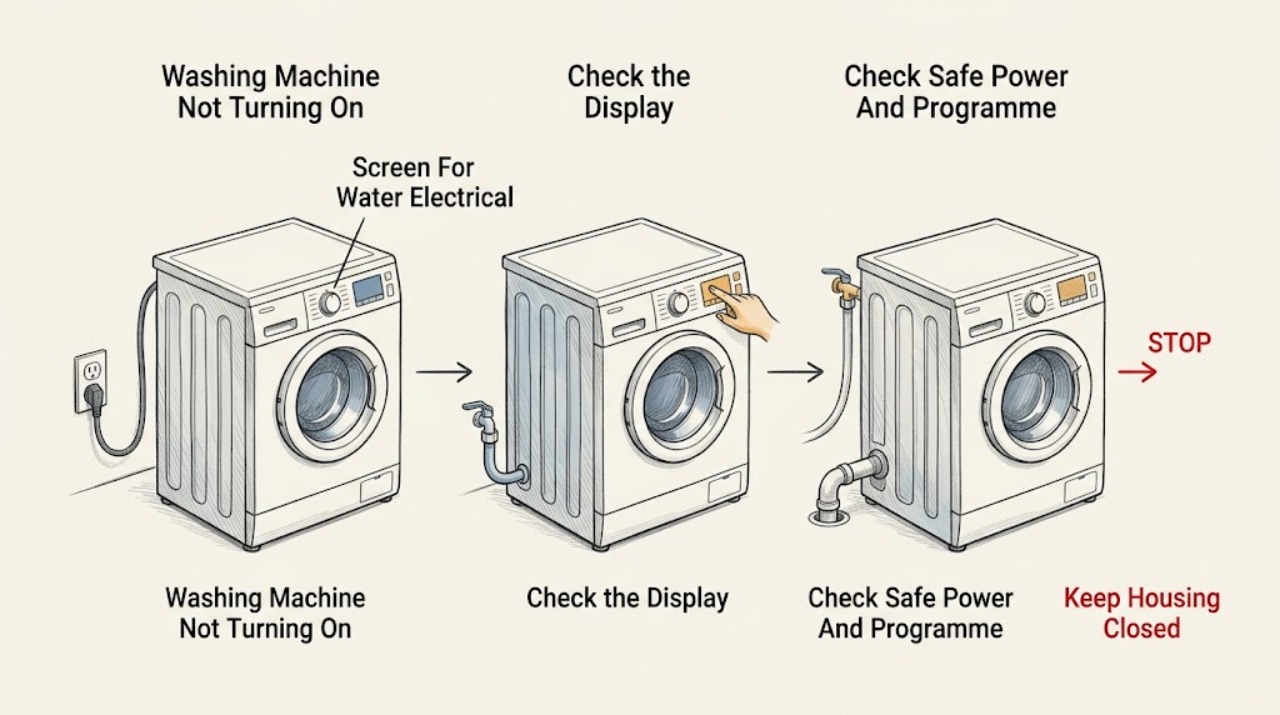
First separate a completely dead Smeg washing machine from one whose display works but whose programme will not start. Check only safe external items: the plug and household circuit, display or indicator state, programme selector, Start or Pause control, door closure, Child Lock or delay setting, water tap, and visible inlet or drain-hose condition. Smeg manuals identify power loss, an unpressed Start control, a programme left at Stop, an incompletely closed door, blocked or twisted hoses, and pump or load conditions as separate branches. If there is a leak, water near electricity, a damaged cord, smoke, burning odor, sparks, a circuit that trips again, or violent movement, stop immediately and isolate water or power only when safe. Record the exact product code, indicator or error, and cycle stage; use one model-authorized restart only, and arrange qualified service when the fault returns.
Before you begin
Safety first
- This article supports ordinary-access observation and exact-manual controls only. Do not open the appliance, touch wet electrics, disconnect pressurised hoses, bypass locks, or reach into motion.
Work through in order
Diagnostic checks
Use only checks that match the exact appliance or system and its official guide.
-
Check 1
Before trying to start the Smeg washer again, look from ordinary access for active leaking, water near the plug or electrical connection, a damaged cord, smoke, burning odor, sparks, a circuit that trips again, violent movement, or a drum that is still moving.
Expected result: Record whether water is on the floor or near electrics, whether the machine or cord is damaged, and whether smoke, odor, sparks, heat, or dangerous motion is present.
Next step: Stop the programme. If safe without touching wet electrics, turn off the water tap and isolate power at the normal disconnect; keep clear and arrange qualified appliance, electrical, plumbing, or emergency help as appropriate.
Stop if: Do not touch wet electrical parts, reach into a moving drum, retry the cycle, or reset a circuit after a hazard sign.
Why this matters
Why: A water-to-electricity hazard, fire or electrical sign, or uncontrolled movement is outside a normal start check and may cause shock, flooding, or injury.
-
Check 2
With the machine stopped and safe, record the exact Smeg product code, whether the display and indicators work, the selected programme, and whether On, Start, or Start / Pause is accepted.
Expected result: Classify the symptom as no display, powered but no start, a door or lock indication, a delay, a water-inlet or drain indication, or a cycle that stops after starting; save the complete message and stage.
Next step: Use the exact Smeg manual or product-code support entry for the recorded model before changing a setting or performing a restart.
Stop if: Do not guess an error meaning from another model or bypass the door lock to make the programme run.
Why this matters
Why: A blank display supports a power path; a powered no-start symptom supports door, lock, programme, delay, or control gates; a later-cycle failure points toward water, drain, spin, load, or an error path.
-
Check 3
From a dry, safe position, check the plug and household switch or circuit, whether nearby lighting also lost power, whether the programme selector is at a usable function, whether Start was pressed, and whether the door closes without trapped laundry.
Expected result: Note whether the display returns, the selected programme is shown, the door indicator changes, the machine accepts Start, and the circuit remains on without odor, smoke, sparks, or abnormal heat.
Next step: Correct only an obvious setting or visible door obstruction, then press Start once; if the machine still will not start or the condition returns, leave it off and request authorised service.
Stop if: Do not repeatedly reset a circuit, pull a damaged cord, force the door, or bypass a lock or interlock.
Why this matters
Why: A power cut, Stop position, unpressed Start control, unclosed door, or trapped clothing can prevent a cycle before water enters or the drum moves. A circuit that opens again or a damaged connection requires service.
-
Check 4
If the display works but the controls appear ignored, use only the exact Smeg manual to check Child Lock, a delayed or end-time programme, pause state, and the normal Start / Pause control.
Expected result: Record whether a lock or delay indicator is present, whether the documented control clears it, whether the programme begins after Start, and whether the machine resumes or remains blocked.
Next step: Clear only the documented setting and try the intended programme once; if it remains blocked, preserve the indicator state and arrange service.
Stop if: Do not use random button combinations, open the control panel, or bypass the door or Child Lock.
Why this matters
Why: Child Lock and delayed-start settings can make a working machine appear not to turn on. A lock that cannot be cleared, a control that does not respond, or a fault that returns points to service.
-
Check 5
If the programme begins but the machine does not fill or does not complete, inspect only the visible water tap, inlet hose, and drain hose for an off tap, kink, crush, or obvious leak, and use the exact manual for a safe drain or pump-filter procedure.
Expected result: Record whether water enters, water remains in the drum, the drain hose moves water, an inlet or drain indication appears, or water leaks from a connection or beneath the machine.
Next step: Restore only an accidentally closed tap or visible hose position when dry and safe; use a model-authorized drain step once, then request service if water remains, the pump is blocked, or a leak appears.
Stop if: Do not disconnect pressurised hoses, open a wet pump area without the exact safe procedure, add water manually, or touch wet electrics.
Why this matters
Why: An off tap, kinked hose, inlet filter, blocked drain path, pump, high water level, or leak can stop the programme and keep safety locks active. A visible leak or persistent water requires a stop, not repeated cycles.
-
Check 6
Compare any complete error or indicator state with the exact Smeg manual, then stop troubleshooting if the message returns, the machine still will not start, water remains, the door stays locked, or the circuit opens again.
Expected result: Provide the product code, complete error or symbol, selected programme, display and door state, power result, Child Lock or delay state, inlet and drain observations, water level, and any single manual-authorized restart or drain step attempted.
Next step: Arrange Smeg authorised appliance service and leave the washer unused when the fault involves water, damage, smoke, odor, sparks, severe movement, or a recurring error.
Stop if: Do not operate through a recurring warning, bypass a lock, or repeat a cycle after a leak, electrical sign, or violent movement.
Why this matters
Why: This record lets service separate power, programme, door, lock, inlet, drain, pump, load, and control faults without asking the user to open the appliance.
Use your observations
Decision map
Find the observation that best matches what you see, then follow the next safe action.
-
PATH 01Safety boundary
What you see
Active leaking, water near electrics, damaged cord, smoke, burning odor, sparks, repeated circuit operation, violent movement, or a moving drum is present.
Do this next
Stop the programme, isolate water and power only when safe without touching wet electrics, keep clear, and arrange qualified or emergency help.
Why this path and its safety boundary
Why it matters: The machine is outside a safe user start check.
Safety stop: Do not touch wet electrical parts, reach into motion, or retry the cycle.
-
PATH 02Safety boundary
What you see
The display and indicators are blank and controls give no response.
Do this next
Check ordinary household power status from a safe position and request service if power is available or the display remains blank.
Why this path and its safety boundary
Why it matters: A plug, switch, fuse, circuit, power-cut, or internal power condition is possible; the symptom does not yet identify a pump or motor fault.
Safety stop: Do not open the machine or repeatedly reset a circuit that opens again.
-
PATH 03Safety boundary
What you see
The display works but the programme does not begin, or Start, door, Child Lock, or delay information blocks it.
Do this next
Close the door without force, remove only visible trapped fabric, clear the documented lock or delay, and press Start once; arrange service if the state remains.
Why this path and its safety boundary
Why it matters: A programme gate is preventing the cycle before filling or drum motion.
Safety stop: Do not bypass the lock, force the door, or use random controls.
-
PATH 04Safety boundary
What you see
The machine starts or attempts to start but no water enters and an inlet symptom appears.
Do this next
Check the tap and visible hose as the exact manual permits; if no water enters or the warning remains, request service.
Why this path and its safety boundary
Why it matters: The tap, visible hose, inlet filter, water supply, valve, or level system may be involved.
Safety stop: Do not disconnect pressurised hoses or open the appliance.
-
PATH 05Safety boundary
What you see
Water remains, the drain does not complete, the machine cannot reach spin, or it moves violently.
Do this next
Use the documented safe drain or load step once and inspect only visible hoses; arrange service for persistent water, a blocked pump, violent movement, or damage.
Why this path and its safety boundary
Why it matters: A drain path, pump, rinse-hold, water-level, unbalanced load, or installation condition may be preventing completion.
Safety stop: Do not open a wet pump area, reach into motion, or run another cycle after walking, banging, or scraping.
-
PATH 06Safety boundary
What you see
An error or indicator returns after the matching manual procedure or one authorized restart.
Do this next
Keep the washer off, record the complete message and product code, and arrange Smeg authorised service.
Why this path and its safety boundary
Why it matters: The issue is not resolved by a user setting and needs model-specific technical diagnosis.
Safety stop: Do not clear the warning repeatedly or continue operating through it.
Helpful context
Understand the symptom
Define whether the machine is dead or only not starting
Not turning on can mean no display, no response to On or Start, a programme that waits, a door that will not lock, or a cycle that starts and then stops. Record the product code, display or indicator state, selected programme, door state, and the point of failure. A Smeg machine can also remain in a rinse-hold, water-level, or load-detection state that looks like a start fault, so identify the stage before changing settings.
Check power and programme gates first
A plug, household switch, fuse or circuit, power cut, unpressed Start control, programme dial at Stop, unclosed door, Child Lock, or delayed-start setting can prevent a cycle before filling. These are ordinary-access checks only. Do not remove covers, touch wiring, bypass the door lock, or keep resetting a circuit that opens again.
Treat water inlet and drain symptoms as distinct
If the controls respond but the drum does not fill, check the water tap and visible inlet hose for an obvious kink or damage, then follow the exact manual for any accessible filter step. If water remains, inspect only the visible drain hose and use the model's safe drain or pump procedure. A blocked pump, high water level, or leakage can keep the machine from proceeding and can make door access unsafe.
Do not turn a broad no-start symptom into a risky repair
Smeg manuals contain model-specific controls and error states, and an exact product code is more useful than a guessed component. One manual-authorized restart may clear a temporary control state, but a recurring error, persistent no-start, failed drain, or severe vibration belongs with authorised service.
Safety boundary
Stop conditions
- Stop for active leaking, water near a plug or electrical connection, damaged cord, smoke, burning odor, sparks, repeated circuit operation, violent movement, or a moving drum.
- Do not force, pry, slam, or bypass the door lock or Child Lock; do not reach into a moving drum.
- Do not disconnect pressurised hoses or open a wet pump or filter area unless the exact model manual makes it safe; arrange service when uncertain.
- Do not repeatedly reset a circuit, clear an error, or run another programme after a leak, electrical sign, severe movement, or damaged appliance.
- Do not infer a pump, motor, valve, lock, or control replacement from a broad no-start symptom; use the exact product manual and qualified service.
Only after diagnosis
Potential parts
- model-specific door-lock or door-sensing assembly
Consider this category only when the exact model diagnosis confirms a failed lock or sensing assembly after water level, programme, Child Lock, and door-obstruction states are excluded.
Match the exact Smeg product code and safety circuit through authorised service; never bypass the lock. - model-specific drain pump or inlet valve assembly
Consider only when the exact model and service diagnosis confirm a pump or inlet fault after visible hose and tap checks.
Residual water and electrical safety must be managed according to the exact manual; use authorised service for component access. - model-specific control or motor assembly
Consider only when a recurring code or trained diagnosis identifies a control or motor fault; a blank or no-start symptom alone is insufficient.
Confirm the exact product code and safety design through qualified service; do not open the electrical area.
When checks do not resolve it
Need a professional?
Arrange Smeg authorised service when household power is available but the panel remains blank, the programme will not start, the door or Child Lock cannot be resolved, water does not enter or drain, the door stays locked, a code returns, the machine leaks, spin fails, or the circuit opens again. Use qualified electrical or plumbing help for household supply and drainage issues, and emergency help for smoke, fire, or immediate electrical danger.
Safety scope: This article supports ordinary-access observation and exact-manual controls only. Do not open the appliance, touch wet electrics, disconnect pressurised hoses, bypass locks, or reach into motion.
Common questions
FAQ
Why is my Smeg washing machine completely blank?
Check the ordinary household switch or circuit and whether nearby lighting or another appliance also lost power. Smeg manuals identify a plug, fuse, or power-cut path. If power is available but the display remains blank, leave the machine off and arrange service.
Why does my Smeg washer have power but not start?
Check that a usable programme is selected, Start was pressed, the door closes without trapped clothing, Child Lock is not active, and a delayed or End Time setting is not waiting. Use the exact manual once; never bypass the door lock.
What should I do if my Smeg washer will not fill?
From a dry, safe position, check that the tap is open and the visible inlet hose is not kinked or damaged. Follow the exact manual for any accessible inlet-filter check. If no water enters, a hose leaks, or an inlet warning remains, stop and arrange service.
Why is water left in my Smeg washing machine?
A twisted or blocked drain hose, blocked pump filter, rinse-hold or water-level state can prevent completion. Use only the model's safe drain or Pump+Spin procedure. Do not open a wet pump area unless the manual makes it safe, and arrange service if water remains.
Can Child Lock make a Smeg washer seem not to turn on?
Yes. Child Lock can prevent changes to a running programme or stop a new programme from being selected. Use the exact model manual to clear it; do not use random button combinations or bypass the door lock.
What information does Smeg service need?
Provide the exact product code, complete error or indicator state, selected programme, display and door behavior, power result, Child Lock or delay state, water level, inlet and drain observations, and any single manual-authorized restart or drain step attempted.
Read the exact guide
Official sources
- WHT914LUK1 Washing Machine User's ManualSmeg · Official Smeg manual for WHT914LUK1; symbols and controls vary by exact model.
- FAQ Washing machines and dryersSmeg · Official Smeg FAQ for washing machines and washer-dryers; exact controls and features vary by model.
- Download ManualsSmeg USA · Official Smeg manual-download page; select the product code and country or language applicable to the appliance.
- WM127IN Washing Machine User's ManualSmeg · Official Smeg manual for WM127IN; controls and indicators vary by exact model.
- LBW510CIT-2 Washing Machine User ManualSmeg · Official Smeg manual for LBW510CIT-2; use the exact product manual for another model or country.
Community feedback
Share a repair observation
Share a plain-text repair observation. Accepted observations are published automatically; this page may take a moment to update.