
On this page
Start here
Quick answer
A Speed Queen dryer that is not working must first be classified as no power, no start, no drum movement, no heat or poor drying, or a code or protection stop. Record the complete model and exact symptom, then use the model guide for only cool, dry, external checks: plug and outlet condition, door closure, selected cycle, lint filter, and visible exhaust path. Electric and gas models have different supply and heating paths. Smoke, a burning smell, scorched clothing, gas odor, arcing, a hot outlet, moisture near electrical parts, repeated breaker trips, or a recurring protection code means stop using the dryer and arrange qualified service.
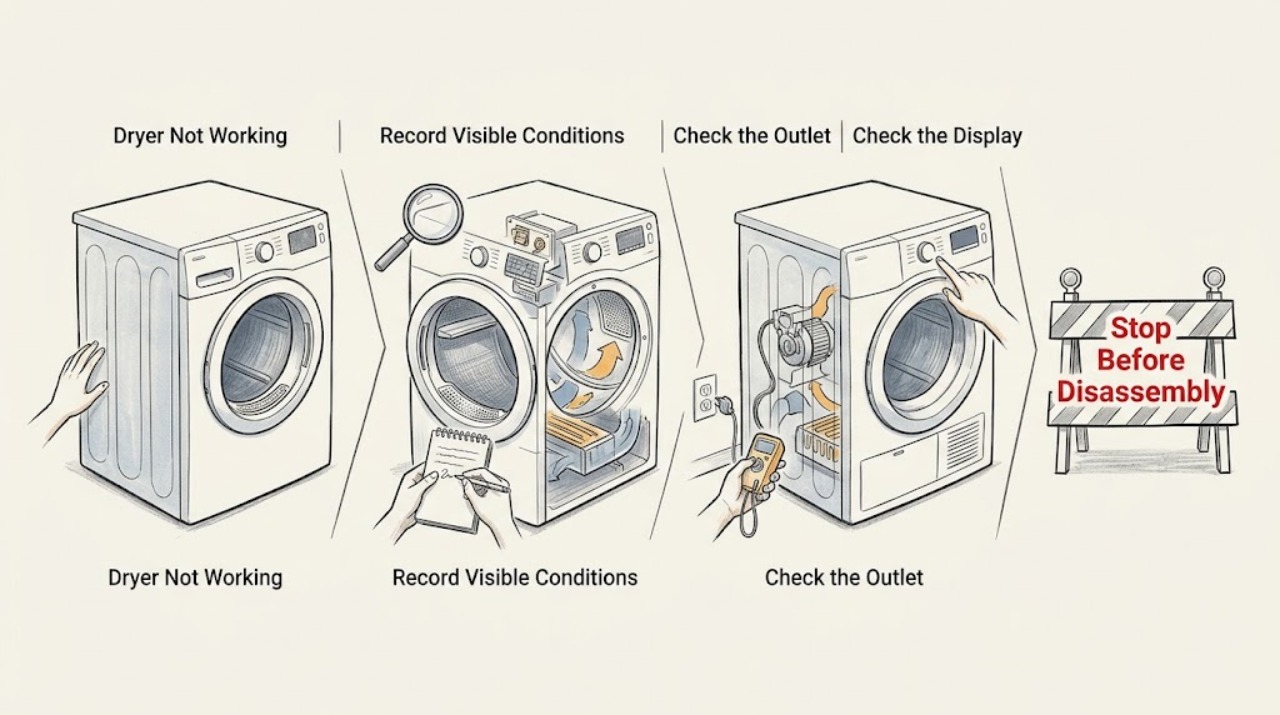
Work through in order
Diagnostic checks
Use only checks that match the exact appliance or system and its official guide.
-
Check 1
Record the complete Speed Queen model number, whether the dryer is electric or gas, the selected cycle and temperature, the display or status light, the load condition, and the exact symptom: blank, no start, no tumble, no heat, poor drying, or a code.
Expected result: The dryer has no display, powers on but will not start, starts but the drum does not turn, tumbles without heat, leaves clothes damp, or stops with a code or protection indication.
Next step: Keep the observation with the model number and use the matching branch below. Do not restart solely to obtain another failure point.
Stop if: If the symptom includes smoke, burning smell, scorched fabric, gas odor, arcing, a hot outlet, moisture near electrical parts, or a breaker trip, leave the dryer off and follow the safety branch.
Why this matters
Why: The symptom class identifies the relevant supply, door, control, motor, heat, airflow, or model-specific branch. A Speed Queen code or setting must be interpreted against the complete model guide.
-
Check 2
For a blank display or no-start complaint, inspect only from a dry, safe position whether the plug is seated, the cord and outlet face look undamaged, the loading door closes normally, and the circuit protection has operated; do not repeatedly reset protection.
Expected result: The plug is loose, the cord or outlet is hot or damaged, the dryer is wet, the breaker or fuse has operated, the door is not recognized, or the external supply and door appear normal.
Next step: Leave a suspect outlet, circuit, cord, or repeated trip to a qualified electrician or appliance technician. If the area is safe and the model guide permits it, close the door and use the documented start sequence once; if it fails again, stop.
Stop if: Do not touch wet or hot electrical parts, use an extension lead, open the cabinet, or keep resetting a breaker to make the dryer run.
Why this matters
Why: A supply interruption or door state can prevent starting, but heat, moisture, damage, or repeated protection operation is an electrical safety event rather than a reset problem. A normal external check does not rule out an internal fault.
-
Check 3
When there is power but no start, compare the selected cycle, temperature, dryness choice, control-lock state, and Start or Start/Pause sequence with the exact model guide; check only that the loading door is fully closed without forcing it.
Expected result: The control is locked, the cycle or start sequence was not selected as the guide shows, the door is open or not sensed, or the controls and door appear correct but the dryer remains idle.
Next step: Correct only a clearly identified control setting or normally closed door, then make one safe start attempt. If the door state remains wrong or the dryer still will not start, preserve the model and display information for service.
Stop if: Never tape, hold, bypass, or defeat the door switch, and do not test the dryer with a panel removed.
Why this matters
Why: A setting, control-lock, or door-interlock condition can intentionally inhibit operation. A persistent no-start with normal settings may involve the switch, control, motor circuit, or another internal fault.
-
Check 4
For a drum that does not turn, note whether the motor hums, the drum is unusually hard to move only when cool and safe to observe externally, the dryer stopped after running, or the guide shows a motor-overload or protection indication; do not reach into the drum or cabinet to free a mechanism.
Expected result: The drum remains still with no sound, a protection indication appears, the motor-overload indication clears but returns, or there is grinding, scraping, burning smell, or abnormal heat.
Next step: Follow one exact, model-approved code-clearing step only when the dryer is cool, dry, and hazard-free. Otherwise leave it off and give service the model, code, sound, and stopping history.
Stop if: Do not run an empty stress cycle, remove panels, bypass a motor or door protection, or continue after grinding, smoke, scorching, or abnormal heat.
Why this matters
Why: A door or start condition may prevent movement, while a returning overload indication or mechanical noise points to a motor, drive, control, or obstruction fault outside safe user diagnosis. A safety odor or heat event takes priority.
-
Check 5
For no heat or poor drying, identify whether the model is electric or gas, check the selected cycle for a cooling or no-heat setting, and with the dryer cool inspect the lint filter and visible exhaust duct or outside hood for blockage, kinks, moisture, or a flap that cannot move freely.
Expected result: The cycle is intentionally no-heat or cooling, the filter or visible vent path is restricted, the path is clear but the dryer still has no heat, or a gas supply condition is uncertain.
Next step: Correct only a user-accessible filter, setting, or visible routing issue allowed by the model guide. Leave the dryer off for persistent no-heat, unusual heat, wetness, or gas-supply concerns and arrange qualified service.
Stop if: Do not remove the cabinet, adjust a gas valve, relight or test gas components, run a hotter cycle, or operate with a wet filter, smoke, burning smell, or overheating.
Why this matters
Why: Speed Queen separates electric supply and gas supply checks and explains that airflow, filter condition, exhaust routing, load, and moisture-sensing choices affect drying. A clear visible path does not prove the internal heater, igniter, thermal control, or gas system is safe or functional.
-
Check 6
If the dryer runs but the result is damp or the cycle behavior is unexpected, compare the load size and fabric mix with the guide, note whether the program is Auto-Sensing or timed, and record whether the display is sensing, cooling, or reporting a code.
Expected result: The load is very small, mixed or heavy, already nearly dry, the Auto-Sensing cycle ends differently from a timed cycle, or a timed cycle ends early with damp clothing.
Next step: Use the exact model guide to choose an appropriate cycle and clean the user-accessible filter after the dryer is cool. If the same abnormal result repeats, preserve the load and status details and request service.
Stop if: Stop a run if clothing is scorched, unusually hot, contaminated with flammable material, or the cabinet produces smoke or a burning smell.
Why this matters
Why: Auto-Sensing uses moisture behavior and load characteristics, so a normal finish is not the same as a timed cycle that stops early. A persistent damp result can still involve airflow, heat, controls, or a sensor and should not be solved by adding unsafe heat.
-
Check 7
When a code or protection state appears, photograph or transcribe the complete display before changing anything and consult the exact model guide for that code; use a single documented clear or reset step only if the guide permits it and there is no hazard.
Expected result: The code clears once and the dryer behaves normally, the same code or stop returns, the guide identifies a motor-overload or protection event, or the display remains unclear.
Next step: Provide service with the model, exact code, cycle, load, stopping stage, prior reset, and any power, heat, airflow, or odor observations. Do not use a code from another model as a diagnosis.
Stop if: Do not keep resetting the dryer, defeat a safety control, run it with smoke or heat damage, or make live electrical or gas measurements.
Why this matters
Why: A recurring code or protection stop means the underlying condition remains. Speed Queen guidance treats a recurring fault indication as a reason to remove the dryer from use and call service rather than repeat the reset.
Use your observations
Decision map
Find the observation that best matches what you see, then follow the next safe action.
-
PATH 01Next step
What you see
The display is blank, the plug or outlet is damaged or hot, the cord is wet, or circuit protection trips again.
Do this next
Keep the dryer off and use a qualified electrician or appliance technician; do not operate it from an extension lead or damaged connection.
Why this path and its safety boundary
Why it matters: Treat the symptom as a power or electrical safety fault, not as a reason for repeated resets.
-
PATH 02Next step
What you see
The dryer powers on but will not start and the door, cycle, control lock, and documented start sequence are not correct.
Do this next
Correct the setting or close the door normally and try the documented start sequence once when hazard-free; a persistent fault needs service and the door switch must not be bypassed.
Why this path and its safety boundary
Why it matters: A normal control or door condition may be inhibiting the cycle.
-
PATH 03Next step
What you see
The drum does not turn, a motor-overload or protection code returns, or there is grinding, scraping, or a burning smell.
Do this next
Remove the dryer from use and arrange qualified service with the exact model, code, sound, and stopping history.
Why this path and its safety boundary
Why it matters: A drive, motor, control, or safety fault may remain and is outside safe user repair.
-
PATH 04Next step
What you see
The drum turns but there is no heat, poor drying, a no-heat or cooling setting, a restricted visible exhaust path, or an uncertain electric/gas supply.
Do this next
Correct only the model-approved setting, load, lint-filter, or visible exhaust issue. Persistent no-heat or supply concerns require qualified appliance service; gas-system work is not a user check.
Why this path and its safety boundary
Why it matters: The selected program, load, airflow, supply type, or internal heating system may explain the result.
-
PATH 05Next step
What you see
Auto-Sensing ends with cool, acceptably dry clothing and no warning, but a timed cycle or a later load behaves differently.
Do this next
Compare the load and cycle with the exact guide, then request service if the timed cycle ends early, damp, or with a code.
Why this path and its safety boundary
Why it matters: Moisture sensing and load characteristics may account for a normal Auto-Sensing finish, while a repeated timed-cycle stop needs separate diagnosis.
-
PATH 06Next step
What you see
A code or protection state returns after one exact guide-approved clear step.
Do this next
Leave the dryer off and provide the code and complete operating history to qualified Speed Queen service.
Why this path and its safety boundary
Why it matters: The underlying condition remains and repeated clearing is not a safe repair strategy.
-
PATH 07Next step
What you see
There is smoke, flame, a burning or gas smell, scorched clothing, arcing, crackling, a hot outlet, moisture near electrical parts, or a carbon-monoxide alarm.
Do this next
Do not operate switches, flames, or the dryer to investigate. Leave the area for active smoke, fire, gas, or carbon-monoxide danger and contact emergency or qualified professional help from a safe location; do not reuse the dryer until cleared.
Why this path and its safety boundary
Why it matters: There may be an immediate fire, shock, gas, combustion, or carbon-monoxide hazard.
Helpful context
Understand the symptom
Not working is a symptom, not one diagnosis
Start by describing what the dryer does and does not do. A blank display, a cycle that will not start, a drum that stays still, a running drum with no heat, poor drying, and a protection or error display point to different checks. The exact Speed Queen model matters because electric and gas versions, older controls, and moisture-sensing controls do not share every option. Preserve the display state and the point in the cycle instead of restarting repeatedly.
Use external checks only
With the dryer cool and stopped, limit user checks to the controls, closed loading door, plug and cord condition, user-accessible lint filter, and visible exhaust route. Follow the exact model guide for any reset or cleaning step. Do not open panels, defeat a door switch, probe wiring, alter gas components, or use a hotter cycle to force a result.
Safety overrides troubleshooting
A dryer that smells burnt, scorches clothing, smokes, arcs, heats an outlet, trips protection, or has a gas odor is not a candidate for another test run. Isolate power only from a dry and safe position when that can be done without approaching a hazard. Leave an active smoke, fire, gas, or carbon-monoxide situation and contact the appropriate emergency or qualified professional help from a safe location.
Only after diagnosis
Potential parts
- dryer door switch or latch
Consider this only when the door closes normally but the exact model repeatedly reports an open door and qualified diagnosis confirms an interlock fault.
Confirm the complete model number and manufacturer fit information; never bypass the door switch. - dryer motor or drive component
Consider this only after a qualified diagnosis links no drum movement, abnormal motor behavior, or a recurring overload indication to a specific component.
Electric and gas models and control generations differ; use the complete model number and professional diagnosis before ordering. - dryer heating or ignition component
Consider this only after qualified service identifies a no-heat fault in the correct electric heating or gas ignition path after airflow and settings are checked.
Do not infer the part from a no-heat symptom alone; gas ignition and electrical heating work require qualified service and exact model fitment. - dryer moisture sensor
Consider this only when a qualified diagnosis connects an abnormal Auto-Sensing finish to the sensor system after load, filter, and airflow checks.
Confirm the complete model number and manufacturer fit information; cycle duration alone does not prove sensor failure.
When checks do not resolve it
Need a professional?
Arrange qualified Speed Queen appliance service when the dryer repeatedly will not start, the drum will not turn, a timed cycle ends early, no heat persists after model-approved external checks, a code or protection state returns, or the dryer overheats or damages clothing. Give the complete model number, electric or gas type, selected cycle, load, exact symptom, display or code, stopping stage, and power, airflow, heat, and odor observations. Use a qualified electrician for a suspect outlet or circuit and qualified gas-appliance service for gas supply or combustion concerns.
Common questions
FAQ
Why is my Speed Queen dryer not working at all?
First separate a blank display from a powered dryer that will not start. Record the model, check only the dry external plug, cord, outlet, door, cycle, and control state, and stop for heat, moisture, damage, or repeated trips. A persistent no-start needs qualified service rather than repeated resets.
Why does my Speed Queen dryer run but not dry clothes?
Check whether the selected program is cooling or no-heat, whether the model is electric or gas, and whether the cool lint filter and visible exhaust path are restricted. Auto-Sensing also responds to load moisture and size. Persistent no heat, abnormal heat, a gas concern, or a repeated fault needs service.
Can I reset a Speed Queen dryer that shows a protection code?
Only use a reset or code-clearing step stated for the exact model, and only once when the dryer is cool, dry, and free of hazards. If the code or stop returns, remove the dryer from use and give the exact code and operating history to qualified service.
Should I keep using a Speed Queen gas dryer if I smell gas?
No. Do not operate switches, flames, or the dryer to investigate. Leave the area for an active gas danger and contact emergency or gas-safety help from a safe location. Do not relight, adjust gas parts, or reuse the dryer until qualified personnel clear it.
What does a hot outlet, burning smell, or sparking mean?
Treat it as a fire or shock warning, not as a normal dryer symptom. Stop using the dryer, avoid touching a hot or wet connection, and arrange qualified electrical or appliance service; use emergency help for smoke or fire.
Read the exact guide
Official sources
- Electrical Safety Advice for Tumble Dryers / Tumble Dryer SafetyElectrical Safety First · Independent electrical and fire-safety guidance for tumble dryers
- Carbon Monoxide Fact SheetU.S. Consumer Product Safety Commission · U.S. carbon-monoxide alarm and fuel-burning-appliance safety
- Tricks your washer or dryer might be playing on you (and how to solve them!)Speed Queen · Speed Queen owner guidance on dryer lint filters, exhaust ducts, and service escalation
- Speed Queen | DryerSpeed Queen · Speed Queen consumer dryer types, Auto-Sensing, status, and support resources
- User's GuideSpeed Queen · Speed Queen dryer user guidance for cycle, load, filter, door, supply, and troubleshooting behavior
Community feedback
Share a repair observation
Share a plain-text repair observation. Accepted observations are published automatically; this page may take a moment to update.