
On this page
Start here
Quick answer
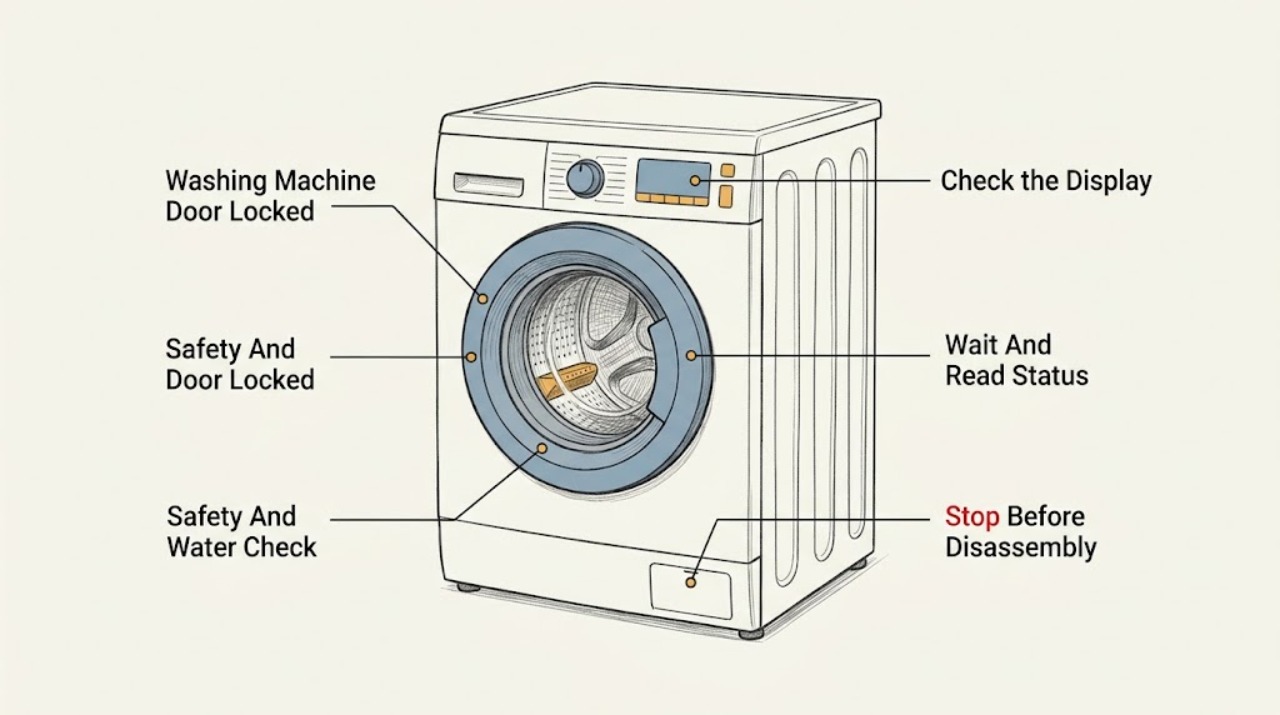
A Speed Queen washer can keep the door locked while the drum is moving, water remains inside, or the machine is still in a protected part of the cycle. Wait for motion and heat to stop, check whether water is visible, and record the exact display code before touching the door. Speed Queen's front-load guide says the door cannot be opened while the Door Lock light is on; its troubleshooting table links an unlock code to a documented power-off wait and links a water-left-in-drum code to the drain path. Do not pull or pry the door. If there is standing water near electricity, hot water, a leak, burning smell, smoke, sparking, or repeated tripping, stop and arrange safe professional help.
Work through in order
Diagnostic checks
Use only checks that match the exact appliance or system and its official guide.
-
Check 1
From a safe position, stop interacting with the washer and check for drum movement, hot water or steam, standing water, active leakage, a burning smell, smoke, sparks, a hot plug or outlet, or a repeated circuit trip.
Expected result: The drum and water are settled with no hazard, or water, heat, leakage, odor, smoke, sparking, or electrical abnormality is present.
Next step: If water is near electricity, a leak is active, or there is smoke, odor, sparking, or repeated tripping, keep the door closed, use only a safely reachable shutoff if appropriate, and arrange qualified help. Otherwise continue without forcing the door.
Stop if: Do not pull, pry, bypass, or manually defeat the lock, and do not handle a plug or switch with wet hands or standing water present.
Why this matters
Why: A settled, dry, hazard-free washer can proceed to low-risk status checks; a hazard can make opening or electrical handling unsafe and changes the task to service or emergency response.
-
Check 2
Wait until the basket has fully stopped and any hot cycle has cooled, then read the Door Lock light, cycle-status lights, time display, and every character of the error message. Record whether the washer is in wash, rinse, spin, drain, delay, or an end-of-cycle state.
Expected result: The lock light is still on during a cycle, the washer is in drain or spin, the cycle is complete but the lock remains, or an exact code is displayed.
Next step: Allow a normal cycle or cooling phase to finish. For a code, use the exact Speed Queen manual rather than interpreting a code from another model or brand.
Stop if: Do not open the door while the basket moves, while hot water may be present, or while the Door Lock indicator is active unless the exact manual provides a safe release procedure.
Why this matters
Why: A running, draining, spinning, or cooling state can legitimately keep the door locked; a completed state or an error code requires the model's documented next step.
-
Check 3
With the cycle stopped and the washer dry, check the exact manual for a Control Lock or Secure keypad state. If the panel shows that lock, use only the documented control-lock release gesture once and observe whether the controls respond; do not guess a key combination.
Expected result: The control-lock indicator clears and the panel responds, or the indicator remains, the panel is unresponsive, or a door-lock code remains.
Next step: If the panel responds, use the documented cancel or end-cycle command once. If it does not, keep the washer closed and proceed to drain and service checks without forcing the door.
Stop if: Do not defeat the control lock, remove the console, or use tools around the latch.
Why this matters
Why: A control lock can prevent normal keypad commands without proving that the mechanical door lock is defective; an unchanged lock or code needs the model-specific troubleshooting path.
-
Check 4
If the display or drum suggests that water remains, inspect only the external drain hose, drain receptacle, and visible floor area for a kink, blockage, overflow, or leak. If the exact manual authorizes access to a user-cleanable pump trap, follow that manual's cool, power-isolated procedure and prepare for residual water; otherwise leave the pump area closed.
Expected result: Water drains normally, the external path is kinked or blocked, the receptacle overflows, the drum still holds water, or the drain area cannot be checked safely.
Next step: Correct only a clearly accessible external hose or receptacle issue according to the manual. If water remains, the pump does not drain, or access would expose water to electricity, keep the door closed and arrange service.
Stop if: Do not tip the washer, remove internal hoses, reach into a moving or powered pump, or handle the area with hot water, flooding, or electrical exposure.
Why this matters
Why: A washer may retain the lock until the water-level condition clears. An obstructed external path can explain the condition; persistent water or an unsafe drain area points to service rather than a door-release problem.
-
Check 5
Compare the complete code with the exact Speed Queen manual. In the opened front-load guide, a code for a door that will not unlock is handled with a documented power-off wait, while a code for water remaining calls for checking the drain path; treat these as examples for that guide, not universal code meanings.
Expected result: The code and model match the guide's unlock condition, match a water-left-in-drum condition, indicate an overflow or door fault, or do not match the guide.
Next step: Follow one documented code-clearing step only when the washer is cool, dry, and safe. If the code returns or does not match the manual, keep the washer closed and provide the code and model to a technician.
Stop if: Do not clear a code by repeated power cycling, open the latch, or continue using the washer while a water, overflow, or door-safety code persists.
Why this matters
Why: A matching code narrows the next step; an unmatched code cannot safely be decoded by analogy and may require direct service support.
-
Check 6
Only after the washer is cool, dry, hazard-free, and the exact manual documents it, perform one power reset using the normal accessible control or plug. Observe whether the display returns to idle and whether the lock releases without force; do not repeat the reset as a test.
Expected result: The washer returns to idle and the door unlocks normally, or the lock remains, the code returns, water remains, the washer trips, or a hazard appears.
Next step: If the lock remains or the fault returns, leave the washer unused and arrange qualified Speed Queen service. Give the technician the model, code, cycle stage, water level, and reset result.
Stop if: Stop immediately for smoke, burning smell, sparking, a hot cord or outlet, water near electricity, or repeated circuit trips.
Why this matters
Why: A single stable recovery can indicate a temporary control state; recurrence, retained water, or an unchanged lock requires diagnosis of the latch, drain, control, or safety system.
Use your observations
Decision map
Find the observation that best matches what you see, then follow the next safe action.
-
PATH 01Next step
What you see
The basket is moving, water is present, or the washer is still in a hot or draining phase
Do this next
Wait for the documented cycle and cooling state to finish; do not force the door.
Why this path and its safety boundary
Why it matters: The lock may be operating as a safety protection.
-
PATH 02Next step
What you see
The Control Lock indicator is active and the cycle itself is settled
Do this next
Use the exact model manual's documented Control Lock release once, then issue a normal cancel or end-cycle command if the panel responds.
Why this path and its safety boundary
Why it matters: The panel may be ignoring commands because the controls are locked.
-
PATH 03Next step
What you see
Water remains in the drum or the model-specific display identifies a drain condition
Do this next
Check only the external drain path and any manual-authorized user-cleanable trap. Arrange service if water remains or access is unsafe.
Why this path and its safety boundary
Why it matters: The washer may keep the door locked until the water-level condition clears.
-
PATH 04Next step
What you see
The cycle is settled and drained but the lock remains, or a matching unlock/door code returns
Do this next
Keep the door closed, do not bypass it, and arrange qualified service with the exact model and code.
Why this path and its safety boundary
Why it matters: A latch, lock sensor, wiring, or control fault may need diagnosis.
-
PATH 05Next step
What you see
There is active leakage, standing water near electricity, hot water exposure, smoke, burning odor, sparking, a hot outlet, or repeated tripping
Do this next
Keep clear, stop using the washer, and obtain qualified or emergency help according to the immediate hazard. Do not reach for the lock or electrical connection through water.
Why this path and its safety boundary
Why it matters: The washer should be treated as a water, fire, or electrical safety concern rather than a lock problem.
Helpful context
Understand the symptom
A locked door is often a protection state
The lock protects against opening while the basket is moving or water is still in the washer. A door-lock light can therefore be correct during a cycle. The first question is not how to defeat the lock; it is whether the cycle has really finished, whether the basket is still moving, and whether water remains in the drum.
Front-load and top-load behavior can differ
Speed Queen sells different washer designs and model generations. The opened front-load guide documents a Door Lock light, Control Lock, delay options, and several display codes, but those details are not a universal sequence for every model. Use the full model number to select the correct manual and treat any code meaning as model-specific.
Do not force the door
Prying or pulling can damage the gasket, glass, latch, or hinge and can release hot or contaminated water. If the lock stays engaged after the machine is safely stopped and the documented checks are exhausted, leave it closed and arrange service.
Safety boundary
Stop conditions
- Stop immediately for active leakage, standing water near electrical parts, hot water, smoke, burning odor, sparks, a hot plug or outlet, damaged wiring, or repeated circuit trips.
- Do not pull or pry the door, bypass the lock, remove the console, reach into a powered pump, tip the washer, or open internal hoses.
- If the lock remains after the cycle has stopped, the water is gone, and one model-documented correction does not hold, keep the washer closed and arrange qualified service.
Only after diagnosis
Potential parts
- door lock or latch assembly
Only consider this class if a qualified diagnosis confirms that the washer is drained and safe but the lock or latch does not release or sense the door correctly.
Confirm the exact model and the diagnosis before sourcing a part. - drain pump or pump filter component
Only consider this class if a qualified diagnosis confirms that the washer cannot clear water after the external drain path and any manual-authorized cleaning are addressed.
Use model-specific parts information; a locked door alone does not identify a pump fault. - washer control or lock-sensing component
Only consider this class if the panel, code, or service diagnosis indicates a control or lock-sensing fault after safe external checks.
Compatibility and installation are model-specific and should be confirmed by qualified service.
When checks do not resolve it
Need a professional?
Arrange qualified Speed Queen service when the exact model code returns, the door remains locked after a completed and drained cycle, the controls stay unresponsive, the washer cannot drain, or the latch, lock sensor, wiring, pump, or control would need internal diagnosis. For active flooding, smoke, sparking, or another immediate hazard, leave the area as needed and obtain emergency help.
Have this ready
- Full Speed Queen model and serial information
- Door Lock and Control Lock indicator state
- Exact display code and cycle stage when the lock appeared
- Whether water remained and what the external drain path showed
- Whether one documented reset changed the state and whether any odor, leak, spark, heat, or trip occurred
Common questions
FAQ
Why is my Speed Queen washer door still locked after the cycle?
The machine may still be protecting against movement, heat, or water in the drum. Wait for the basket and water to settle, read the exact code, and use the model-specific manual. Do not pull or pry the door.
Can I turn off Control Lock to open the washer?
If the cycle is safely stopped and your model has Control Lock, use only the documented release in that model's manual. Control Lock affects the panel; it does not justify defeating a mechanical door lock.
What if there is water in the locked Speed Queen washer?
Keep the door closed. Check only the external drain path and any user-cleanable area specifically covered by the manual, with the washer cool and safely isolated. Arrange service if water remains or the area is unsafe.
Should I force the door or use an emergency release?
No. Do not force or bypass the lock. An emergency release, if provided, is model-specific and should be used only exactly as the manual directs after the drum has stopped and water and heat are not a risk; otherwise call qualified service.
Read the exact guide
Official sources
- Australia | Speed Queen | AFNE9B MBSpeed Queen · Opened AFNE9B MB product page; features are model-specific examples, not universal settings
- Speed Queen | Manuals & DownloadsSpeed Queen · Speed Queen washer and dryer documentation portal
- User's GuideSpeed Queen by Alliance Laundry Systems · Opened Speed Queen AFNE9B front-load user guide; use the exact model manual for other washers
Community feedback
Share a repair observation
Share a plain-text repair observation. Accepted observations are published automatically; this page may take a moment to update.