
On this page
Start here
Quick answer
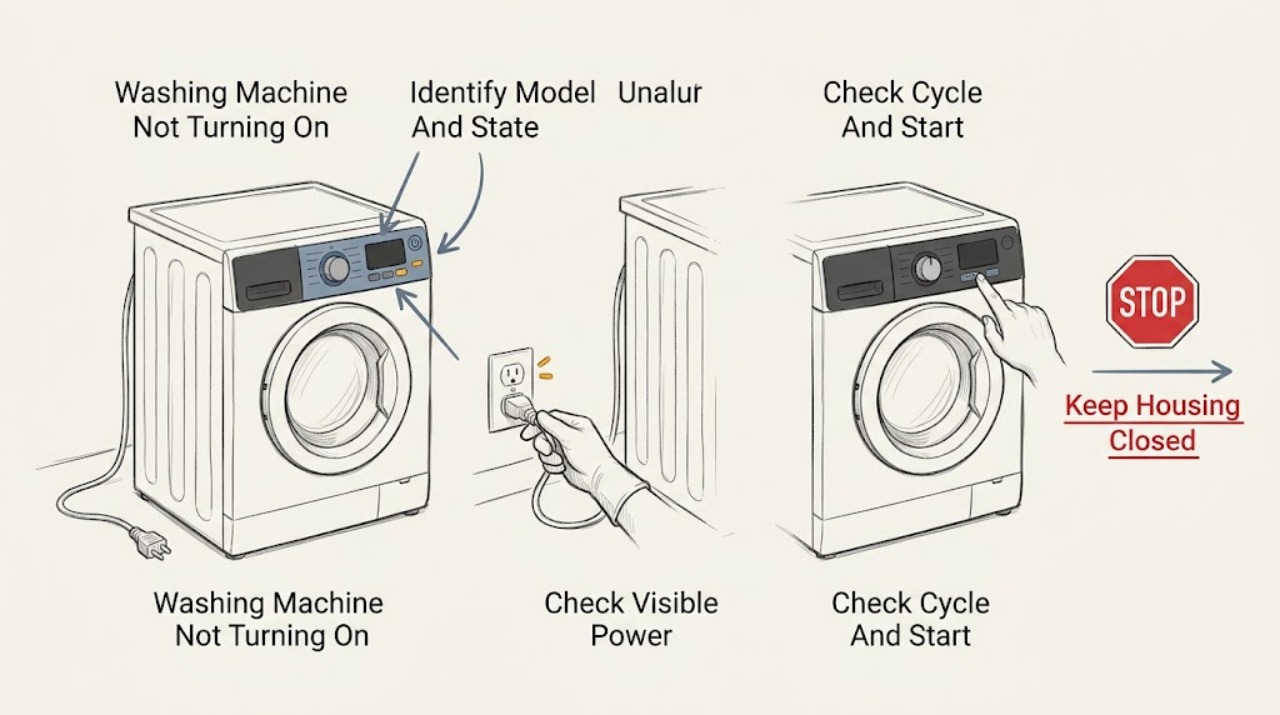
First separate a completely blank washer from a washer with lights or a display that will not start. Confirm the model, check the outlet and visible breaker from a dry position, make sure the lid or loading door closes and latches, select a valid cycle, and press or hold Start exactly as the matching Speed Queen guide says. Some models have a short control warm-up after power-on, and a motor overload protector may stop a cycle temporarily; allow only the manual-described recovery before trying once. Do not bypass a lid or door interlock, open the cabinet, or keep resetting after a hot connection, smoke, burning smell, water near electrical parts, or repeated breaker trips. If the washer remains blank or will not start after these safe checks, arrange qualified appliance or electrical service.
Before you begin
Safety first
- Do not bypass a lid or door interlock, open the cabinet, restore a repeatedly tripping breaker, touch wet electrical connections, or keep restarting after smoke, burning smell, severe heat, sparks, or a leak.
Work through in order
Diagnostic checks
Use only checks that match the exact appliance or system and its official guide.
-
Check 1
Record the Speed Queen model, top-load or front-load type, all lit indicators or display text, selected cycle, and whether the washer is completely blank, has power but ignores Start, or starts and then stops.
Expected result: Classify the symptom as no display, partial display, a control-lock or delay message, a lid or door message, an error code, a brief pause, or a cycle that stops after starting.
Next step: Use the model number to retrieve the matching Speed Queen manual and follow the relevant start or error section.
Stop if: Stop for smoke, burning smell, sparks, a hot connection, water near electrical parts, violent movement, or repeated breaker trips.
Why this matters
Why: A blank unit points toward supply or internal power. A powered unit that ignores Start points toward settings, lock state, interlock, or control. A cycle that stops can involve motor protection, water, drain, or another code rather than a simple power loss.
-
Check 2
From a dry position, check that the power cord is fully seated at the washer and outlet and look at the laundry-room breaker or fuse without removing covers or reaching into a wet area.
Expected result: Record a blank outlet, a tripped breaker or fuse, normal visible power with a blank washer, a hot or discoloured plug or connection, or a breaker that trips again.
Next step: If the outlet and breaker are normal, continue to the controls and lid or door checks; leave the circuit isolated and arrange qualified electrical or appliance service after a repeat trip or damage.
Stop if: Do not use an extension cord as a test, touch a wet connection, remove a panel, or restore a breaker that trips again or shows heat or arcing.
Why this matters
Why: No power at the outlet or a single visible trip may be an upstream supply issue. A repeat trip, hot connection, or damaged cord points to an electrical hazard or internal fault and is not a reset problem.
-
Check 3
Select a normal documented cycle, cancel delay or control-lock states only with the exact manual's key sequence, and press or hold Start or Start/Pause as that model requires; do not add water or move the washer to provoke a start.
Expected result: Record whether the controls accept the selection, a status light flashes during a start warm-up, the cycle begins, a code appears, or the controls remain unresponsive.
Next step: Wait only through the manual-described start delay, then make one normal start attempt; save any code or light pattern for service.
Stop if: Do not repeatedly press keys, bypass a control lock, or continue if the panel is hot, wet, cracked, or smells electrical.
Why this matters
Why: An incorrect control state or a model-specific start delay can look like a dead washer. Persistent unresponsiveness with power present points to the control or interlock path and requires service.
-
Check 4
Close the top-load lid or front-load loading door normally and inspect only the visible opening for clothing, a foreign object, a bent hinge, or a damaged seal that prevents latching; do not force the door or lid.
Expected result: Record a normal latch, a door or lid that will not close, a lock indicator, a door code, or a latch that clicks but the cycle still will not start.
Next step: Remove only a loose visible obstruction, then try one normal start; arrange service if the lock or latch still fails.
Stop if: Never tape, short, pry, or otherwise bypass the lid or door interlock, and stop for cracked glass, a torn gasket, a hot lock, or water leaking from the door.
Why this matters
Why: Speed Queen guides require a closed lid or loading door before a cycle can start. A failed latch, lock, hinge, or interlock signal can prevent starting even when the display works.
-
Check 5
If the washer had been running and stopped, turn it off normally and allow only the motor-overload or warm-up behavior stated in the exact guide; do not restart an overheated or heavily loaded machine immediately.
Expected result: Record whether the display returns with a documented status such as LP or St, the washer resumes once, remains silent, stops again, or shows smoke, heat, or a code.
Next step: Make at most one manual-authorized resume attempt after the machine is safe and cool; arrange service if the problem repeats.
Stop if: Stop for hot cabinet or connection, smoke, burning smell, abnormal noise, water leakage, repeated stoppage, or a breaker trip.
Why this matters
Why: A documented overload recovery can be temporary protection. A repeat stop, unusual heat, burning smell, or no recovery indicates a motor, drive, control, or supply fault requiring service.
-
Check 6
Photograph the complete error or status code and compare it with the matching Speed Queen guide, including the model and whether the code appeared at power-on, door closure, fill, drain, or after a power interruption.
Expected result: Record a door or lid code, power-failure code, oversudsing or load code, water-level or fill code, a motor-related status, or an unlisted pattern.
Next step: Follow only the matching manual's low-risk clearing step once, then arrange service if the code returns or the machine will not start.
Stop if: Stop for continuous filling, overflow, a leak, smoke, burning smell, hot wiring, sparks, or water at the controls.
Why this matters
Why: Codes are model-specific clues. A door or power state may have a permitted clearing step, while a returning code, water-level issue, or unlisted pattern needs service rather than a guessed reset.
-
Check 7
Only when no hazard is present and the exact manual permits it, power the washer off normally, isolate it using the safe external control, wait the manual's stated interval, restore power once, and make one normal start attempt.
Expected result: Record whether the display returns, controls respond, the lid or door locks, the cycle starts, the code returns, or the washer remains blank.
Next step: Turn the washer off and arrange service with the model, code, power observations, lid or door behavior, and reset result.
Stop if: Do not repeat resets, open the cabinet, or continue operating after smoke, burning smell, water near electrical parts, severe heat, a repeat trip, or a damaged cord.
Why this matters
Why: A successful reset can clear a transient control state but does not prove the underlying fault is fixed. A returning code, persistent no-start, or repeat trip needs qualified diagnosis.
Use your observations
Decision map
Find the observation that best matches what you see, then follow the next safe action.
-
PATH 01Next step
What you see
The plug or connection is hot or scorched, sparks or smoke are present, water is near electrical parts, or the breaker trips again.
Do this next
Stop using the washer and isolate power only from a dry safe position. Arrange qualified electrical or appliance service; do not restore the breaker or open the cabinet.
-
PATH 02Next step
What you see
The washer has no display or indicator and the visible outlet and breaker have been checked safely.
Do this next
Leave it isolated if the supply is abnormal or the cord is damaged and arrange electrical or appliance service. If supply is normal, an internal power or control fault needs service.
-
PATH 03Next step
What you see
The panel lights but Start is ignored, a short model-specific warm-up is shown, or a delay or control lock is active.
Do this next
Wait only the documented warm-up, clear the state using the matching manual, and press or hold Start once. A persistent no-start needs service.
-
PATH 04Next step
What you see
The lid or loading door does not close or latch normally, or a lock code returns.
Do this next
Do not bypass the interlock. Remove only a visible obstruction that needs no force and arrange service for a latch, lock, hinge, seal, or control fault.
-
PATH 05Next step
What you see
A running washer stopped and the matching guide describes motor-overload protection or a temporary status.
Do this next
Allow the documented recovery period and make one resume attempt only when the machine is cool and safe. A repeat stop or unusual heat needs service.
-
PATH 06Next step
What you see
A code or status pattern is displayed.
Do this next
Record the complete pattern, model, and stage, then follow only the exact guide's permitted clearing step. Arrange service if it returns or the washer remains off.
-
PATH 07Next step
What you see
The washer starts briefly but stops again after the normal start or overload recovery.
Do this next
Stop repeated cycles and arrange qualified service for the motor, control, interlock, water, drain, or supply diagnosis indicated by the recorded code and stage.
-
PATH 08Next step
What you see
Power is visible, the lid or door latches, controls are set correctly, and the washer still will not start after one permitted reset.
Do this next
Turn the washer off and arrange qualified appliance service. Do not open the cabinet or bypass a safety switch.
Helpful context
Understand the symptom
Blank display and no-start are different faults
If no light or display is present, begin with the visible supply path. If the controls light up but the cycle does not begin, focus on the selected cycle, Start command, lid or loading-door interlock, control lock, and any displayed code. The same symptom can occur on top-load and front-load machines for different reasons, so identify the model first.
A pause or short warm-up can be normal
Speed Queen documentation describes model-specific pauses, a brief start warm-up on some top-load controls, and a motor overload protector that can reset after stopping a cycle. Wait only for the behavior stated in the matching manual. A machine that stays dead, repeatedly stops, or trips power needs service rather than repeated button presses.
Never defeat the lid or door safety interlock
A Speed Queen washer may refuse to start when its lid or loading door is open or not latched. That interlock protects against movement and water release. Remove only a visible obstruction that needs no force; do not tape, short, or otherwise bypass the switch or lock.
Only after diagnosis
Potential parts
- lid or loading-door lock assembly
Consider only after qualified diagnosis confirms that the lid or loading door cannot provide the required start interlock signal after closure and visible-obstruction checks.
Match the exact Speed Queen top-load or front-load model and revision; never bypass the interlock. - control panel or main control board
Consider only when qualified diagnosis links a powered but unresponsive panel, recurring status, or no-start condition to the model-specific control assembly.
Confirm exact model and control revision before ordering or fitting; do not use a code from another model to choose a part. - motor or motor overload component
Consider only after qualified service finds repeated overload protection or a motor fault after safe power, load, control, and interlock checks.
Match the exact model and motor system; do not repeatedly restart an overheated machine.
When checks do not resolve it
Need a professional?
Arrange qualified service when the washer remains blank with a normal visible supply, will not start after one permitted reset, has a returning code, has a lid or loading-door lock fault, stops repeatedly, trips power, or shows smoke, burning smell, water near electrical parts, or a hot connection.
Safety scope: Do not bypass a lid or door interlock, open the cabinet, restore a repeatedly tripping breaker, touch wet electrical connections, or keep restarting after smoke, burning smell, severe heat, sparks, or a leak.
Common questions
FAQ
Why is my Speed Queen washer completely blank?
Check the fully seated power cord, visible outlet, and breaker or fuse from a dry position. If supply is normal but the washer remains blank, or if the breaker trips again or a connection is hot, stop and arrange qualified service.
Why does my Speed Queen washer light up but not start?
Confirm the cycle and Start command, clear any delay or control-lock state using the exact manual, and close the lid or loading door so it latches. A persistent no-start with power present points to the interlock or control and needs service.
Can a Speed Queen washer pause and then restart by itself?
Some model guides describe normal pauses, a short start warm-up, or motor-overload protection that can recover. Wait only as the matching guide says and make one resume attempt; repeated stops, heat, smoke, or a code need service.
When should I stop troubleshooting a Speed Queen washer that will not turn on?
Stop for smoke, burning smell, sparks, a hot or scorched connection, water near electrical parts, repeated breaker trips, a leak, violent movement, or any need to bypass the lid or door interlock. Isolate power only from a dry safe position and arrange qualified service.
Read the exact guide
Official sources
- How Much Water Does A Washing Machine Use? It Depends.Speed Queen · Speed Queen explanation of no-water operation, model behavior, and professional escalation for uncontrolled water
- User's GuideSpeed Queen / Alliance Laundry Systems · Speed Queen top-load washer start, power, lid, control, and motor-overload troubleshooting
- Manuals & DownloadsSpeed Queen · Speed Queen model-number-based owner and installation manual lookup
- User's GuideSpeed Queen / Alliance Laundry Systems · Speed Queen front-load washer start, loading door, lock, power, and status-code troubleshooting
Community feedback
Share a repair observation
Share a plain-text repair observation. Accepted observations are published automatically; this page may take a moment to update.