
On this page
Start here
Quick answer
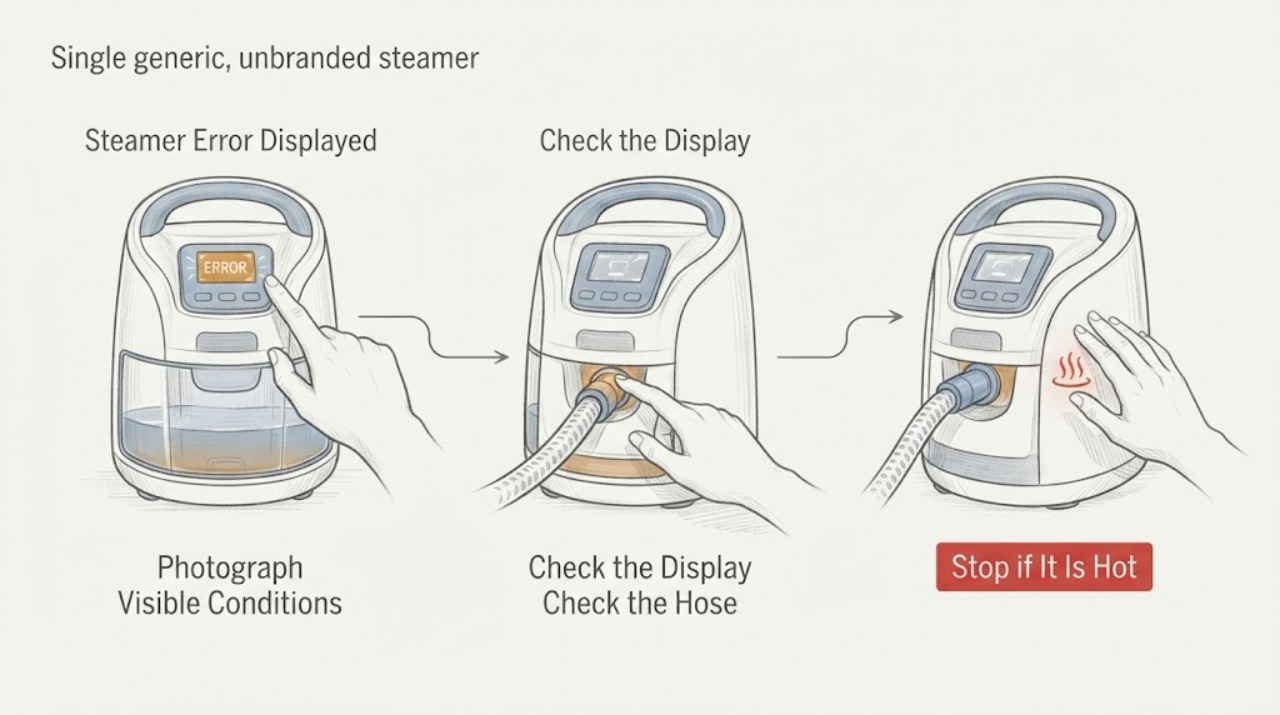
An error display on a steamer cannot be decoded safely without the exact characters and model. Photograph the display, identify whether it is a light pattern, symbol, or code, and use the matching manual or official support page. Check only the external power, tank seating, heat-ready state, and approved descaling path; stop using the steamer for leaks, burning smell, damaged cord, or a code that returns after the documented reset.
Work through in order
Diagnostic checks
Use only checks that match the exact appliance or system and its official guide.
-
Check 1
Turn the steamer off, unplug it, let the head and tank cool, and photograph the complete display or light pattern before changing settings.
Expected result: The display is a named code, a flashing ready light, a lock/maintenance symbol, or an unlit panel.
Next step: Use the exact model manual or official support search for the captured display; do not guess a code meaning.
Stop if: Stop for smoke, burning odor, sparks, a hot cord, or water at electrical parts.
Why this matters
Why: Those states have different model meanings; a flashing ready light can indicate heating or auto shutoff, while an unknown code needs exact documentation.
-
Check 2
Find the model number on the product label and compare the tank, head, and controls with the official support page.
Expected result: The model matches a support entry, or no exact entry is found.
Next step: Follow only the matched documentation and arrange service for an unmatched or recurring code.
Stop if: Do not open the housing or bypass a thermal or water safety feature.
Why this matters
Why: A matched model can define a light sequence, water requirement, or reset; an unmatched display remains unresolved.
-
Check 3
With power isolated, check the water level, tank seating, hose/head orientation, and visible scale; perform descaling only if the exact manual authorizes it.
Expected result: The tank was empty/misaligned, hose was held incorrectly, or the visible setup is normal.
Next step: Correct one accessible setup issue and make one supervised test after the documented cool-down/heat-up period.
Stop if: Do not run with a leak, blocked hose, wet plug, or unapproved liquid.
Why this matters
Why: Philips identifies low water, tank seating, hose condensation/orientation, heat-up, and scale as model-dependent steam issues; they do not explain every error code.
-
Check 4
If the exact documentation gives a reset or auto-shutoff recovery, perform it once and observe the display during one normal start.
Expected result: The display clears and remains clear, or the same code/light state returns.
Next step: Unplug it and arrange qualified service with the photo, model, timing, and reset result.
Stop if: Do not repeat resets or use the steamer on clothing when the fault returns.
Why this matters
Why: A cleared transient state is not proof of repair; recurrence keeps a control, sensor, thermal, or water-path fault in scope.
Use your observations
Decision map
Find the observation that best matches what you see, then follow the next safe action.
-
PATH 01Next step
What you see
A flashing ready light clears after the documented heat-up or auto-shutoff recovery.
Do this next
Use the exact manual timing and stop if the pattern returns abnormally.
Why this path and its safety boundary
Why it matters: This is consistent with a model-defined operating state rather than an unknown component failure.
-
PATH 02Next step
What you see
The tank is low or not seated and the documented correction clears the display.
Do this next
Refit and fill only as the manual permits, then monitor for recurrence.
Why this path and its safety boundary
Why it matters: Water supply or tank seating was the likely branch.
-
PATH 03Next step
What you see
The exact code cannot be matched to the model or it returns after one documented reset.
Do this next
Keep the steamer unplugged and arrange manufacturer or qualified service.
Why this path and its safety boundary
Why it matters: The fault needs model-specific diagnosis.
-
PATH 04Next step
What you see
The display appears with a leak, odor, sparks, or damaged cord.
Do this next
Disconnect power if safe and seek qualified service; do not retry.
Why this path and its safety boundary
Why it matters: The safety boundary overrides display troubleshooting.
Helpful context
Understand the symptom
What to check first
“Error displayed” can represent a ready-light state, auto shutoff, low water, scale, or a model-specific fault. Philips support separates these conditions by model and symptom, so a generic code list is not a safe substitute. This article keeps the identity at steamer level and uses the display to select the correct manufacturer instructions.
When checks do not resolve it
Need a professional?
Arrange qualified appliance service when the safe checks do not resolve the symptom or when the exact model manual calls for service. Give the technician the model, observed pattern, and checks already completed. Do not open sealed, gas, high-voltage, or mains compartments.
Common questions
FAQ
Can I use a universal steamer error-code chart?
No. Display meanings and reset sequences are model-specific. Use the exact model documentation.
Could a flashing light mean the steamer is still heating?
Yes. Philips support describes flashing ready lights during heat-up and auto shutoff recovery for applicable models. Confirm your model before acting.
When should I stop?
Stop for leaks near electrics, smoke, burning odor, sparks, cord damage, or a recurring code after one documented recovery.
Read the exact guide
Official sources
- My Philips Garment Steamer does not produce steamPhilips · Philips garment steamers
- Support for your 3000 Series Handheld Steamer Handheld Steamer STH3000/20Philips · Philips garment steamers
Community feedback
Share a repair observation
Share a plain-text repair observation. Accepted observations are published automatically; this page may take a moment to update.