
On this page
Start here
Quick answer
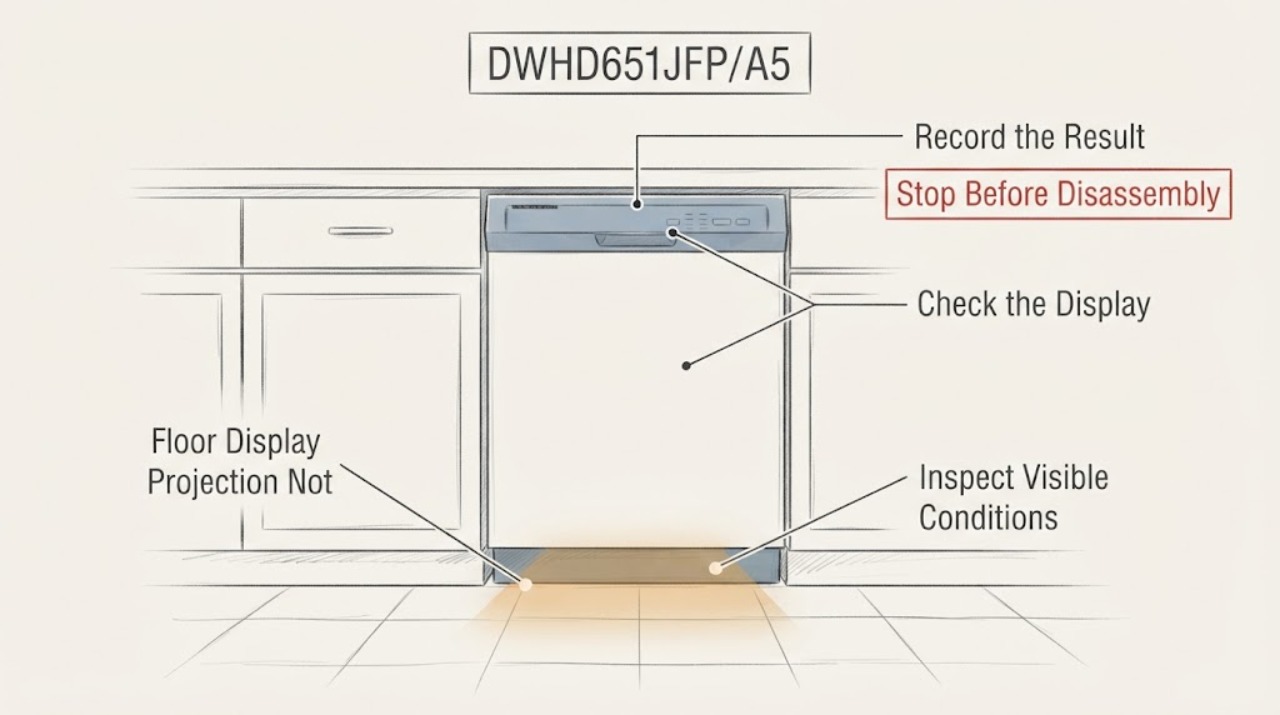
On the Thermador DWHD651JFP/A5, the floor image is a PowerBeam feature rather than a normal front-panel display. The opened Thermador use-and-care manual identifies DWHD651JFP models as having Time Remaining PowerBeam and says the floor projection can be enabled or disabled through the S:00/S:01/S:02 setting; it also notes that time information is not visible when the dishwasher is installed at eye level. First determine whether the dishwasher still runs, then check the setting with the door open and controls accessible. If the cycle runs and the projection remains absent with the applicable setting enabled, stop at external checks and arrange authorized Thermador service. Do not remove the door, mirror, base cover, or projection assembly based on a forum-suggested part number.
Work through in order
Diagnostic checks
Use only checks that match the exact appliance or system and its official guide.
-
Check 1
Run only the normal user control sequence needed to establish whether a cycle can start; observe the dishwasher from the front and the floor area with the door fully closed. Do not open the door during an active cycle just to look for the image. Note whether the unit starts, whether any blue running light appears, and whether there is no projection at all.
Expected result: The dishwasher runs and completes or continues a cycle but no floor image appears; the dishwasher does not start; or a blue running indicator appears without the time projection.
Next step: If the unit will not start, stop using the projection-specific steps and follow the exact manual/service path. If it runs, continue with the Time Remaining PowerBeam setting check.
Stop if: Stop if the door, controls, cord, or surrounding floor is wet, damaged, or unsafe to touch.
Why this matters
Why: A working cycle with a missing image points first to the projection feature, its setting, or installation visibility. A dishwasher that also will not start is a broader control or door-interlock symptom and cannot be diagnosed as a projection failure alone.
-
Check 2
With the dishwasher idle and the door open, press ON/OFF, hold the manual's A button and press and hold START/RESUME until H:00 appears, release both, then press A until S:01 appears. Use C to select S:00 (off) or S:01/S:02 (on), press START/RESUME to save, and close the door. Use this sequence only if the control layout matches the opened DWHD651Jxx manual.
Expected result: The setting was S:00 and the projection returns after selecting S:01 or S:02; the setting was already enabled; or the controls do not show the manual's H:00/S:01 sequence.
Next step: After an enabled setting is saved, run one normal cycle and observe from a safe position. If the exact controls differ or the projection remains absent, do not guess another menu sequence or open the door assembly; contact Thermador service.
Why this matters
Why: S:00 intentionally disables the Time Remaining PowerBeam. An enabled setting with no projection is a different branch from an intentionally disabled feature. A different control sequence means the exact suffix or control version needs model-specific documentation.
-
Check 3
When the dishwasher is idle and cool, look at its installation position and the floor area directly below the door. Confirm that the appliance is not installed at eye level and that no mat, trim, cabinet obstruction, or unusual viewing angle prevents seeing the projected image. Do not remove the lower mirror, base cover, or door panel.
Expected result: The unit is installed at eye level or the floor image is physically hidden from the normal viewing position; alternatively, the unit is under-counter and the floor path is unobstructed.
Next step: Correct only the viewing/installation condition that is obvious without moving or disassembling the dishwasher. If the normal floor path is clear and the image remains absent, arrange authorized service.
Why this matters
Why: Thermador says time-remaining information is not visible when the appliance is installed at eye level. A visible floor path with an enabled setting makes a persistent missing image more consistent with a projection-system fault, but does not identify the failed part.
-
Check 4
Record the complete model and serial information, whether the dishwasher runs, which PowerBeam image is missing, the current S setting, installation position, and any recent dimming or intermittent behavior. Request Thermador or an authorized servicer to assess the exact DWHD651JFP/A5 configuration before any part is ordered.
Expected result: The projection remains absent after the applicable setting and visibility checks, the dishwasher has another operating fault, or the control sequence does not match the family manual.
Next step: Keep the dishwasher assembled and use authorized service. Do not repeat forum instructions involving door screws, base covers, electrical connectors, or a guessed Bosch/Thermador part.
Why this matters
Why: The public evidence supports settings and visibility checks but does not identify a compatible projection module, mirror, cable, or door procedure for the /A5 suffix. The manual warns that unqualified service or non-original parts can cause damage or injury.
Use your observations
Decision map
Find the observation that best matches what you see, then follow the next safe action.
-
PATH 01Next step
What you see
The dishwasher runs normally, but the floor image is absent and the manual sequence shows S:00.
Do this next
Set S:01 or S:02 using the matching manual controls, save with START/RESUME, and observe the next normal cycle.
Why this path and its safety boundary
Why it matters: The Time Remaining PowerBeam is disabled by its documented setting; this is a feature configuration issue rather than proof of a failed projector.
-
PATH 02Next step
What you see
The dishwasher runs, the S setting is enabled, the unit is under-counter with a clear floor path, and no PowerBeam image appears.
Do this next
Stop at external checks and arrange authorized Thermador service with the full model/serial and the observed setting; do not disassemble the door or base.
Why this path and its safety boundary
Why it matters: The symptom is outside the documented setting and visibility explanations. It supports service for the projection system but does not identify a module, mirror, cable, or part number.
-
PATH 03Next step
What you see
The dishwasher also will not start, will not latch, or has another control or water fault.
Do this next
Keep the appliance assembled, record the other symptom, and use authorized service or the exact manual troubleshooting path for the operating failure.
Why this path and its safety boundary
Why it matters: The missing floor image is not enough to explain the broader operating failure, and the projection setting should not be treated as a reset for the dishwasher.
-
PATH 04Next step
What you see
The appliance is installed at eye level or the projected area cannot be seen from the normal floor position.
Do this next
Do not alter the installation just to chase the image. Verify the model-specific installation and ask Thermador service if a visible projection is expected in the current installation.
Why this path and its safety boundary
Why it matters: Thermador says the time-remaining information is not visible at eye level; absence from the floor view can be an installation/viewing limitation.
Helpful context
Understand the symptom
A missing floor image does not by itself mean that the dishwasher has stopped washing. Thermador's manual distinguishes the Time Remaining PowerBeam from the blue PowerBeam that only indicates that the unit is running. For DWHD651Jxx models, the time projection can show remaining time, the selected cycle, delay start, and water-intake testing; a setting change can turn it off. This makes the first decision whether the appliance is operating normally with the projection disabled or whether the cycle itself also fails.
The exact Reddit post names DWHD651JFP/A5 and reports that the projection dimmed and disappeared. A later update says the author restored it after a replacement, but the thread's suggested part and door-removal directions are not Thermador authorization or proof of compatibility. The public manual requires authorized service and original factory replacement parts for repairs, so keep the page at settings, installation visibility, symptom separation, and service boundaries.
When checks do not resolve it
Need a professional?
Use authorized Thermador service when the Time Remaining PowerBeam remains absent after the documented setting and visibility checks, when the control layout does not match the opened family manual, or when the dishwasher also fails to start or latch. Do not order a forum-suggested projector, mirror, cable, or Bosch part without exact model/serial confirmation.
Common questions
FAQ
Is the floor display supposed to show time on a Thermador DWHD651JFP?
The opened Thermador manual identifies DWHD651Jxx as the Time Remaining PowerBeam family. It says the projection can show cycle status and remaining time, and that the time image is not visible when the dishwasher is installed at eye level.
How do I check whether the floor projection was turned off?
On the matching manual control layout, open the door, press ON/OFF, hold A while pressing and holding START/RESUME until H:00, release, press A to S:01, use C to choose S:00 (off) or S:01/S:02 (on), then press START/RESUME to save and close the door. Do not use this sequence if the controls differ on the exact suffix.
Can I remove the door and replace the projection module myself?
The public Thermador manual does not provide that user procedure. It warns that unqualified service or non-original replacement parts can cause serious damage or injury. Keep the door, mirror, base cover, wiring, and interlocks intact and use authorized service for a persistent enabled-setting failure.
Read the exact guide
Official sources
- Use and Care Guide — Thermador DishwashersThermador / BSH Home Appliances Corporation · The PDF cover lists DWHD651JFP and related DWHD651Jxx models. It supports the Time Remaining PowerBeam feature, S:00/S:01/S:02 setting, eye-level visibility limitation, and service/safety boundaries. The /A5 suffix is not separately printed in the manual, so no suffix-specific part fit or internal procedure is claimed.
- DWHD651JFP Star-Sapphire 6-Program Dishwasher SpecificationsThermador / BSH Home Appliances Corporation · The official specification PDF identifies DWHD651JFP and states that Time Remaining PowerBeam shines the actual remaining cycle time on the floor. It supports model-family identity and feature presence, not a projection-module repair or /A5-specific part fit.
- How to fix Thermador dishwasher floor display projection?Reddit · The opened exact Reddit post identifies the model as DWHD651JFP/A5, reports that the floor projection dimmed and disappeared, and contains a later author update saying the projection returned after a replacement. It is anecdotal and does not establish a universal part number, fit, or safe disassembly procedure.
Community feedback
Share a repair observation
Share a plain-text repair observation. Accepted observations are published automatically; this page may take a moment to update.