
On this page
Start here
Quick answer
A Thermador DWHD651JFP/52 that shows unusual lights after being off for hours should be documented before it is reset or opened. The opened Thermador family manual covers DWHD651JFP and explains that the interior Sapphire Glow light can come on with the door open even when the unit is powered off, while the PowerBeam floor light indicates a running cycle and the DWHD651Jxx time display can rotate through cycle, delay, and status information. A delay can be set up to 24 hours, and pressing Start/Resume without closing the door within the documented interval can leave the operation paused. Record the exact light sequence, display characters, door position, delay indication, and breaker behavior; then check the accessible supply and follow the exact /52 manual. Do not infer a control-board failure from lights alone. Stop for smoke, burning odor, sparks, water near electrics, a hot cord, or a repeated breaker trip.
Before you begin
Safety first
- Do not open the junction box or control area, access energized wiring, bypass the door interlock, operate without enclosure panels, or choose a board/latch from a light sequence. Stop for water near electrics, smoke, odor, sparks, heat, shock, or repeat trips.
Work through in order
Diagnostic checks
Use only checks that match the exact appliance or system and its official guide.
-
Check 1
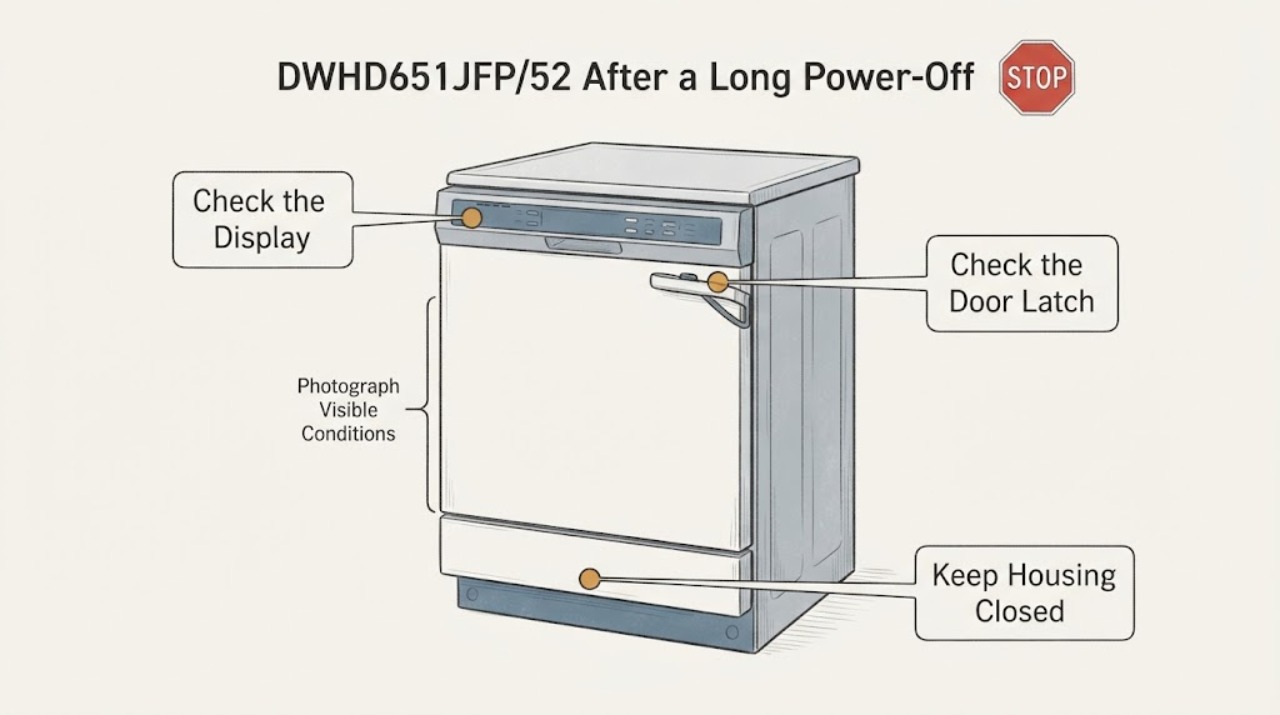
Before pressing buttons, photograph or write the full light and display state after the dishwasher has been off for hours. Record whether the door is fully open, slightly ajar, or closed; which LEDs are lit or flashing; whether a floor beam is visible; every display character; and how long it takes for the state to change.
Expected result: Only the interior light is on with the door open, a floor beam is visible, the display rotates, a delay or time value appears, or the sequence occurs with the door closed.
Next step: Keep the record and compare it with the exact /52 manual. Continue only with dry external checks when there is no hazard; arrange service for a persistent unexplained sequence.
Stop if: Do not repeatedly open and close the door, enter hidden diagnostics, or restart the appliance solely to reproduce an undocumented light sequence.
Why this matters
Why: Door position and the exact characters separate documented illumination/status behavior from a persistent powered-state symptom. A light or beam alone does not identify a board or supply failure.
-
Check 2
With the door open, check the rating label and confirm the complete model is DWHD651JFP/52 rather than a neighboring suffix. Use Thermador's exact support route for that suffix before applying a reset, button combination, or display interpretation.
Expected result: The label confirms /52, the suffix is different or unreadable, or only the family name is available.
Next step: Use the exact /52 owner literature or give the label information to Thermador service. Do not import a sequence from /50, /51, /55, /70, or another family member.
Stop if: Do not remove panels or alter wiring to identify the model, and do not treat an unreadable suffix as permission to guess.
Why this matters
Why: Revision suffixes can change display, delay, reset, and light settings. The opened manual covers the DWHD651JFP family but does not prove every /52-specific behavior.
-
Check 3
If the interior light is the only unexpected light, open and then close the door normally while watching the light. For the DWHD651Jxx family, compare the result with the manual's Sapphire Glow description; do not use a door switch, latch, or interlock as a test object.
Expected result: The light is on with the door open and goes out when closed/slightly ajar, stays on when closed, or does not respond at all.
Next step: If the light does not follow the documented door-position pattern, stop repeated cycling and arrange Thermador service with the model, door position, and photos.
Stop if: Do not tape, press, bypass, or remove the door switch, and do not access the fascia or wiring.
Why this matters
Why: The first pattern matches the documented interior-light behavior. A light that remains on or behaves inconsistently can indicate door position, latch, wiring, or control trouble, but the light alone does not select a part.
-
Check 4
If a floor light or rotating display is present, note whether the dishwasher is actually running, waiting on Start/Resume, or showing a delay. The family manual says PowerBeam indicates a running unit and the DWHD651Jxx Time Remaining PowerBeam can rotate cycle, delay, and status information; a floor beam may not be visible when installed at eye level.
Expected result: The floor beam is visible during a cycle, absent at eye level, the display rotates with a cycle/time or status symbol, or the beam/display appears while no cycle was intentionally started.
Next step: Record the displayed value and door position, then use only the exact manual to cancel a delay or resume a paused operation. If a cycle starts unexpectedly or the state returns, keep the unit off and call service.
Stop if: Do not hold random keys, defeat the latch, or open the door while the PowerBeam indicates the unit is running unless the manual permits it and water/steam have settled.
Why this matters
Why: Visibility and the display state are installation- and mode-dependent. An unexpected delay or cycle state can explain a non-start without proving a board fault; a beam or display with no user action needs the exact sequence documented.
-
Check 5
Check for a user-selected Delay Start without assuming that a long power-off caused it. For the DWHD651Jxx family, the manual describes delay values up to 24 hours and a displayed 0 state when cancelling; use the exact /52 instructions and close the door only as the manual directs.
Expected result: A delay value is displayed, the unit is waiting for Start/Resume, the delay is absent, or the display does not match the family description.
Next step: Cancel or resume only through the documented /52 sequence. If the value returns, the unit starts without an intentional command, or no documented sequence works, arrange service.
Stop if: Do not enter service settings, repeatedly power-cycle, or use a neighboring model's delay-cancel sequence.
Why this matters
Why: A delay or paused Start/Resume sequence can look like erratic power-on behavior. If the exact model does not document the observed value, the display remains unresolved and should not be mapped to a component.
-
Check 6
Check the accessible supply and breaker only from a dry, safe position. For a plug-in connection, confirm the plug is seated and undamaged; for hard-wiring, do not open the junction box. If there is no hazard and the exact /52 manual permits a reset, perform it once and record the result.
Expected result: The supply is absent, the breaker trips again, the display returns after one reset, the unit remains dark, or the lights behave normally after power is restored.
Next step: Stop repeated resets. Arrange qualified electrical service for supply/breaker concerns and Thermador appliance service for a persistent control or door-state symptom.
Stop if: Stop for smoke, burning odor, sparks, water near electrical parts, a hot/damaged cord, shock, or repeated breaker operation; do not touch wet energized equipment.
Why this matters
Why: A dead supply or repeat trip is a power-path issue. A one-time recovery can clear a state but does not prove the control, latch, or wiring is healthy; a dark console with confirmed supply needs service diagnosis.
Use your observations
Decision map
Find the observation that best matches what you see, then follow the next safe action.
-
PATH 01Next step
What you see
The interior light is on only when the door is open and goes out when the door is closed or slightly ajar, while no cycle or hazard is present.
Do this next
Record the sequence and continue with the exact /52 control and door checks only if another symptom remains.
Why this path and its safety boundary
Why it matters: This matches the documented Sapphire Glow behavior for the DWHD651Jxx family and is not, by itself, evidence of a power-on fault.
-
PATH 02Next step
What you see
A floor PowerBeam or rotating time/status display appears while a cycle or delay was intentionally selected, or the beam is simply not visible because of eye-level installation.
Do this next
Follow the exact /52 Start/Resume and delay instructions, and monitor one intended operation. Stop if the unit starts without a command or repeats an unexplained state.
Why this path and its safety boundary
Why it matters: The light/display can be normal running or status feedback. The family manual does not support calling it a board fault without the cycle and door context.
-
PATH 03Next step
What you see
The dishwasher remains dark with confirmed supply, a delay or display state returns after one documented reset, the door will not latch, or the lights do not follow any documented door/cycle behavior.
Do this next
Keep the dishwasher out of service and arrange Thermador authorized service. Provide the /52 label, photographs, exact characters, door position, breaker result, and reset result.
Why this path and its safety boundary
Why it matters: The symptom requires model-specific control, latch, or supply diagnosis. It does not identify a control board, latch, or other part from lights alone.
-
PATH 04Next step
What you see
The unit starts or resumes only when Start/Resume is followed by the manual's door-closing timing, but pauses when the door remains open longer.
Do this next
Use the exact /52 operating sequence once. If it pauses despite correct timing or the door will not latch, stop and request service.
Why this path and its safety boundary
Why it matters: This matches the documented anti-unintentional-operation behavior and is different from a no-power symptom.
-
PATH 05Safety boundary
What you see
There is smoke, burning odor, sparking, water near electrical parts, a hot or damaged cord, shock, or repeated breaker operation.
Do this next
Keep clear and leave the dishwasher off. Use emergency help for active fire or serious injury and qualified electrical/appliance service for other hazards.
Why this path and its safety boundary
Why it matters: This is an urgent electrical, water, or fire-safety branch, not a light-pattern diagnosis.
Safety stop: No restart, panel removal, live measurement, latch bypass, or repeated breaker reset.
Helpful context
Understand the symptom
Long power-off time is not, by itself, a documented fault condition for the requested Thermador DWHD651JFP/52. The opened family manual does not establish a special post-outage light sequence for the /52 suffix. It does establish several normal light and display behaviors that can look strange when the door is opened: Sapphire Glow, PowerBeam, and rotating time/status information must be interpreted by door position and cycle state before a control failure is suspected.
Because the public manual names the DWHD651JFP family but not the complete /52 revision, use its behavior descriptions as a guarded comparison, not as permission to copy every setting sequence. Confirm the exact rating label and /52 support literature, record the display and lights, and keep any electrical or water-access work for qualified service.
When checks do not resolve it
Need a professional?
Request Thermador authorized service for persistent dark-console behavior, unexplained light sequences, recurring delay/start states, latch failure, or any symptom requiring panel or wiring access. Use qualified electrical service for the supply or breaker.
Safety scope: Do not open the junction box or control area, access energized wiring, bypass the door interlock, operate without enclosure panels, or choose a board/latch from a light sequence. Stop for water near electrics, smoke, odor, sparks, heat, shock, or repeat trips.
Have this ready
- Provide the complete rating-label model DWHD651JFP/52, serial information, time powered off, photographs/video of the lights and display, door position, PowerBeam visibility/installation position, selected cycle, delay value, Start/Resume timing, breaker result, and any water or hazard signs.
Common questions
FAQ
Is an interior light on after hours without power proof that the dishwasher turned itself on?
Not by itself. The Thermador family manual says the Sapphire Glow interior light can come on with the door open even when the unit is powered off. Check the light with the door closed or slightly ajar and document the full display and cycle state.
What can the floor light mean on DWHD651JFP/52?
For the DWHD651Jxx family, PowerBeam is a floor LED indicating that the unit is running, and the time-remaining version can show rotating cycle, delay, and status information. Visibility also depends on installation height. Confirm the exact /52 manual before interpreting an unusual sequence.
Could a delay setting explain the dishwasher not starting after power was restored?
It could if a delay was selected, but the family manual does not establish that a long power-off creates a delay. Record the displayed value and use only the exact /52 cancellation sequence; do not infer a control-board failure or hold random keys.
Read the exact guide
Official sources
- Thermador Use and Care Guide - Dishwashers 9001164784Thermador / BSH Home Appliances Corporation · Opened official BSH/Thermador 9001164784 Use and Care Guide. It lists DWHD651JFP and DWHD651Jxx family behaviors. The requested exact identity is DWHD651JFP/52; the /52 suffix is retained as a condition to verify and is not treated as separately documented by this family guide.
Community feedback
Share a repair observation
Share a plain-text repair observation. Accepted observations are published automatically; this page may take a moment to update.