
On this page
Start here
Quick answer
When a Thermador dishwasher is not working, first identify whether the display is dark, a cycle is selected but will not start, or a running cycle stopped. Check the model's power switch and display behavior, latch the door, cancel any delay start, verify the water valve and inlet line, and use the owner's manual for a reset. If it will not drain, clear only the accessible air-gap or disposal path; leave pump, internal wiring, leaks, repeated trips, and persistent faults to Thermador authorized service.
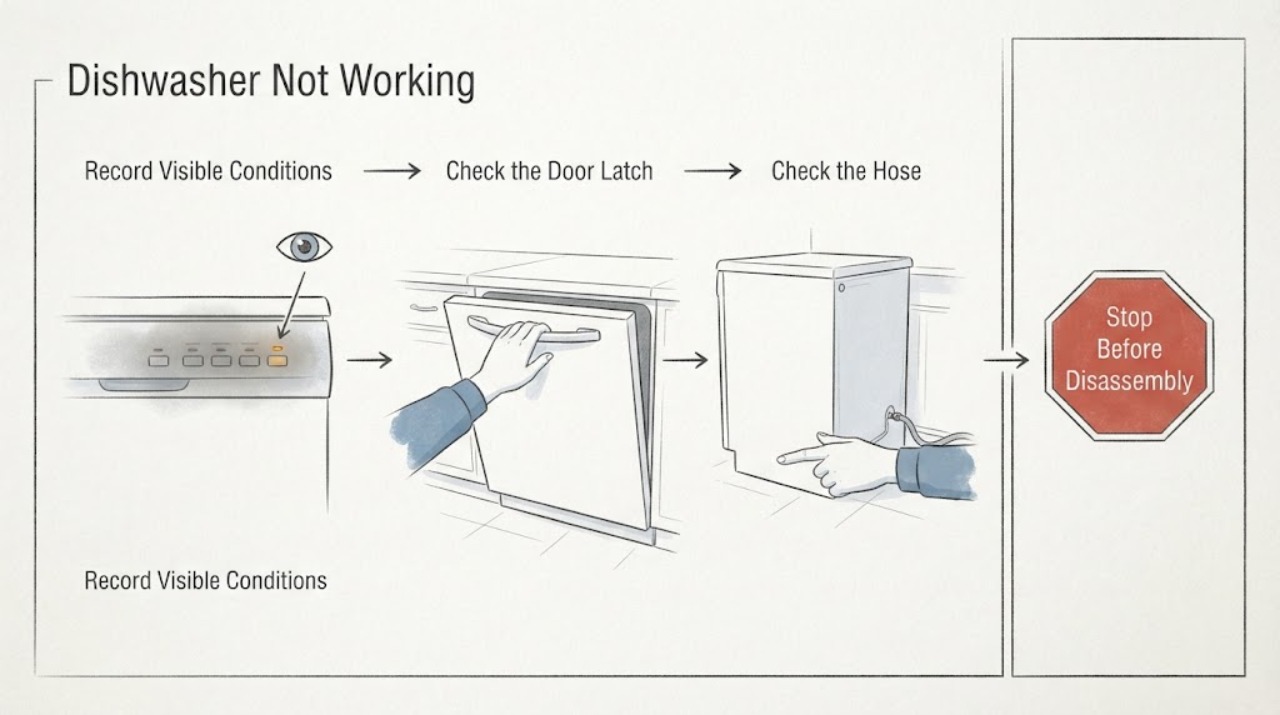
Work through in order
Diagnostic checks
Use only checks that match the exact appliance or system and its official guide.
-
Check 1
Record the model and what happens when you press Power or Start: no display, a display only with the door open, lights that flash, a selected cycle that does not begin, or a cycle that stopped with water inside. Do not reach into a running machine or open panels.
Expected result: The display is dark, the display appears only in a documented door position, Start is unavailable, or the cycle stopped mid-program.
Next step: Continue with the matching power, door/delay, water, or drain check and use the exact manual for reset instructions.
Why this matters
Why: The pattern separates power/display behavior from a latch, delay, water-fill, or drain state. A stopped cycle with standing water is not fixed by pressing Start repeatedly.
-
Check 2
Confirm the dishwasher power switch is on and the door closes firmly until the latch engages. If the controls are on the top edge, open the door to view them; if a cycle was interrupted, select the manual's reset or CANCEL procedure once. Check that Delay Start is not active.
Expected result: The door is not latching, a delay is active, the controls become available in the documented position, or the control state is normal but the machine remains idle.
Next step: Correct only the documented door or delay state and retest once; do not force the latch or repeatedly reset.
Why this matters
Why: A door position, latch, delay, or unfinished-cycle state can prevent a new cycle without proving an electrical failure. A normal control state with no response needs the supply and water checks.
-
Check 3
Verify the household water supply valve is open and inspect the visible inlet hose for a kink or crush. Do not disconnect a pressurized line. If the dishwasher fills but later stops, note whether the display shows an error or whether water remains in the tub.
Expected result: The valve is closed, the hose is kinked, no water enters, or the unit fills normally and the fault is later in the cycle.
Next step: Restore only an obvious valve or hose condition. Arrange service for an inaccessible restriction, leak, or persistent no-fill fault.
Why this matters
Why: A closed or restricted supply can look like a non-working dishwasher. Normal filling shifts attention to drain, filter, heating, or control behavior rather than the inlet.
-
Check 4
If water remains after the cycle, inspect the accessible garbage-disposal connection and air gap for blockage, then select CANCEL/DRAIN as the manual describes. Remove and rinse the filter only according to the owner manual; do not uncover the drain pump unless the manual expressly permits it.
Expected result: The drain path is blocked, the filter is coated, water drains after the documented check, or water remains with accessible paths clear.
Next step: Retest once after an accessible blockage is cleared. Use authorized service for pump access, a blocked hose, leak, or repeated drain failure.
Why this matters
Why: A blocked disposal, air gap, filter, or drain line can stop a cycle or leave the dishwasher full. Persistent water with a clear external path makes pump or installation service more likely.
-
Check 5
Run one short, model-approved test cycle after the correction and record fill, spray, drain, heat, display, and stop behavior. Keep the floor dry and stop if the unit leaks, smells hot, sparks, or trips the breaker.
Expected result: The cycle completes, remains idle, stops again, leaves water, or presents a safety symptom.
Next step: Stop repeated testing and contact Thermador authorized service with the model, display state, water level, and timing.
Why this matters
Why: Completion after one documented correction supports a door, delay, supply, filter, or accessible drain state. Recurrence or a safety symptom requires diagnosis beyond user checks.
Use your observations
Decision map
Find the observation that best matches what you see, then follow the next safe action.
-
PATH 01Next step
What you see
The display is normal in the model's documented door position and the dishwasher starts after the latch or Delay Start state is corrected.
Do this next
Monitor one complete cycle and arrange service if the state returns without user input.
Why this path and its safety boundary
Why it matters: A control-state, door-latch, or delay condition was more likely than a failed main power system.
-
PATH 02Next step
What you see
The outlet and switch are available but no cycle fills, and the water valve is closed or the visible inlet hose is kinked.
Do this next
Restore the documented supply condition and retest once; use service for leaks or an inaccessible restriction.
Why this path and its safety boundary
Why it matters: The water-supply path is more likely than a wash-motor failure.
-
PATH 03Next step
What you see
A cycle stops with water left after the accessible disposal, air gap, filter, and drain checks.
Do this next
Leave the appliance out of service and arrange authorized Thermador diagnosis.
Why this path and its safety boundary
Why it matters: A drain pump, hose, or installation fault is more likely than a simple start setting.
-
PATH 04Next step
What you see
Smoke, burning odor, sparks, water near electricity, repeated breaker trips, or a leak occurs during any check.
Do this next
Stop, disconnect power or water only when safe, and contact qualified or authorized service.
Why this path and its safety boundary
Why it matters: The symptom is a safety or service condition outside routine controls and cleaning.
Helpful context
Understand the symptom
“Not working” is not one diagnosis. A top-control Thermador dishwasher may show no display until the door is opened, while a cycle that will not start can be waiting on the latch, delay start, water supply, or an unfinished program. A cycle that stops with water left inside follows the drain path instead.
Use the full model number and owner manual before using a reset, removing a filter, or interpreting an indicator. Thermador says controls and display behavior differ by model, and authorized service is needed when internal pump, electrical, or installation work is required.
Only after diagnosis
Potential parts
- dishwasher door latch or control assembly
Consider this class only after authorized service confirms the latch or control remains unresponsive with correct power and door position.
Match the complete Thermador model; no-start behavior alone does not establish part fit. - dishwasher drain pump or hose
Consider this class only after service confirms a drain fault after accessible disposal, air-gap, filter, and hose checks.
Pump and hose routing vary by model; do not dismantle the pump from the symptom alone.
When checks do not resolve it
Need a professional?
Contact Thermador authorized service when the dishwasher remains idle after the documented power, door, delay, water, and drain checks; when it stops repeatedly, leaks, leaves water, shows an unresolved error, or needs pump, heater, wiring, or installation access. Provide the model, display behavior, cycle selected, water level, and observations.
Common questions
FAQ
Why is my Thermador dishwasher display dark?
Some Thermador models illuminate controls only with the door open, while others display controls with the door closed. Check the power switch and the exact model behavior before treating a dark display as a failed appliance.
What should I check if the dishwasher stops with water inside?
Check the accessible disposal and air-gap path, use CANCEL/DRAIN as documented, and rinse the filter according to the manual. Persistent water needs authorized service for the hose or pump.
Can Delay Start make a working dishwasher appear broken?
Yes. Thermador lists an active delay as a reason the dishwasher may not fill or begin. Cancel it only through the model's documented control procedure.
Should I keep resetting a Thermador dishwasher that will not work?
Use the owner's manual reset once after checking the door, water, and drain state. A recurring failure, leak, or safety symptom needs service rather than repeated resets.
Read the exact guide
Official sources
- Appliance FeaturesThermador · Opened official Thermador dishwasher support page; model manual controls access and installation details.
- TroubleshootingThermador · Opened official Thermador support guidance; exact controls and pump access remain model-specific.
Community feedback
Share a repair observation
Share a plain-text repair observation. Accepted observations are published automatically; this page may take a moment to update.