
On this page
Start here
Quick answer
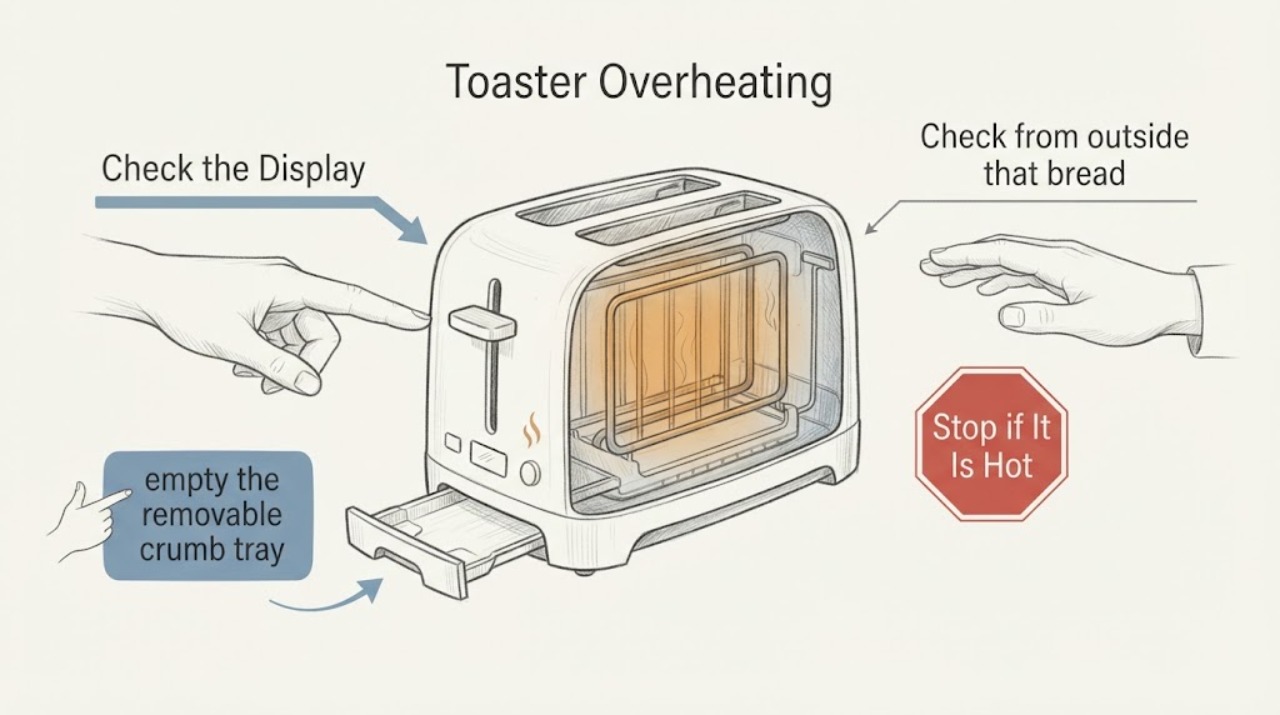
Unplug a toaster that becomes unusually hot, smells burnt, smokes, or keeps heating after the control is released. After it is fully cool, inspect only the crumb tray, slot openings, cord, and surrounding clearance. Never insert metal, cover vents, or keep using it after a persistent heat or control fault; arrange service for a toaster that overheats again.
Work through in order
Diagnostic checks
Use only checks that match the exact appliance or system and its official guide.
-
Check 1
Turn the control off, unplug the toaster if safe, and identify whether heat is localized to a normal element cycle or continues after the control releases.
Expected result: Heat fades after the cycle, or the body/cord remains hot with the toaster off.
Next step: Leave it unplugged until fully cool; service persistent heat or a control that does not release.
Stop if: Stop immediately for smoke, flames, sparks, burning odor, or a hot cord.
Why this matters
Why: Normal cycling differs from a control, wiring, or insulation fault that remains energized or retains abnormal heat.
-
Check 2
After cooling, empty the removable crumb tray and brush only loose crumbs from accessible openings as the exact manual allows.
Expected result: The tray was full/covered, crumbs obstruct airflow, or the openings are clear.
Next step: Refit the tray and keep openings clear; do not insert tools or metal into slots.
Stop if: Do not clean while energized or use liquid inside the toaster.
Why this matters
Why: Accumulated crumbs or a covered tray can increase heat and fire risk; a clear tray does not rule out an internal fault.
-
Check 3
Check from outside that bread, paper, plastic, foil, or another object is not touching a heating surface and that the toaster has ventilation around it.
Expected result: A foreign object or restricted clearance is present, or the surrounding area is clear.
Next step: Remove only a loose cool item, then make no further test if there was scorching or damage.
Stop if: Do not pull a stuck item with metal or continue after charring.
Why this matters
Why: Contact or obstruction can overheat nearby material; persistent overheating with clearance points toward service.
-
Check 4
If the exact manual permits one supervised test after cooling and cleaning, observe whether browning, heat, and control release are normal.
Expected result: The cycle ends normally, or the toaster continues heating, overheats, or emits odor.
Next step: Unplug it and arrange qualified appliance service; replace only after diagnosis and fit guidance.
Stop if: Do not leave it unattended or restart a smoking unit.
Why this matters
Why: A repeat abnormal cycle confirms that the accessible correction did not solve the fault.
Use your observations
Decision map
Find the observation that best matches what you see, then follow the next safe action.
-
PATH 01Next step
What you see
Heat occurs only during a normal cycle and fades when the control releases.
Do this next
Use the exact manual and keep the toaster clear and attended.
Why this path and its safety boundary
Why it matters: The temperature may be normal for operation, provided the cord, case, and food are not overheating.
-
PATH 02Next step
What you see
The crumb tray is covered/full and heat improves after a cool, approved clean.
Do this next
Keep the tray installed and clean; stop if the symptom returns.
Why this path and its safety boundary
Why it matters: Crumb accumulation or blocked airflow contributed.
-
PATH 03Next step
What you see
The toaster stays hot after control release or overheats with clear openings.
Do this next
Keep it unplugged and arrange service.
Why this path and its safety boundary
Why it matters: A control, wiring, or thermal fault is more likely.
-
PATH 04Next step
What you see
Smoke, flame, scorch marks, or burning odor appears.
Do this next
Disconnect power if safe, leave the area clear, and seek qualified or emergency help.
Why this path and its safety boundary
Why it matters: This is a fire/electrical boundary.
Helpful context
Understand the symptom
What to check first
The cited Hamilton Beach toaster-oven manual warns that covered crumb areas can cause overheating, requires clearance from heating elements, and says an ignited load must be unplugged and allowed to cool before opening. A pop-up toaster has different controls, so use these principles only for the assigned toaster symptom and the exact manual for its model.
When checks do not resolve it
Need a professional?
Arrange qualified appliance service when the safe checks do not resolve the symptom or when the exact model manual calls for service. Give the technician the model, observed pattern, and checks already completed. Do not open sealed, gas, high-voltage, or mains compartments.
Common questions
FAQ
Can I cover the crumb tray with foil?
No. The cited manual says covering the crumb tray or oven parts can cause overheating.
Is some heat normal?
Yes, heating elements and nearby surfaces get hot during operation. Persistent heat after shutoff, scorching, or odor is not a normal condition.
Should I keep using it if it works after cleaning?
Only if the exact manual permits a supervised test and the cycle is normal. Any recurrence requires service.
Read the exact guide
Official sources
- Hamilton Beach Toaster Oven (31523) - Use & CareHamilton Beach · Hamilton Beach toaster ovens
Community feedback
Share a repair observation
Share a plain-text repair observation. Accepted observations are published automatically; this page may take a moment to update.