
On this page
Start here
Quick answer
A toaster that stays heating after the toast pops or will not stop is a fire hazard. Press STOP only if the control responds, unplug it when safe, and do not leave it unattended. Check the model and series against official safety notices; a stuck control, latch, or heating element requires replacement or qualified service.
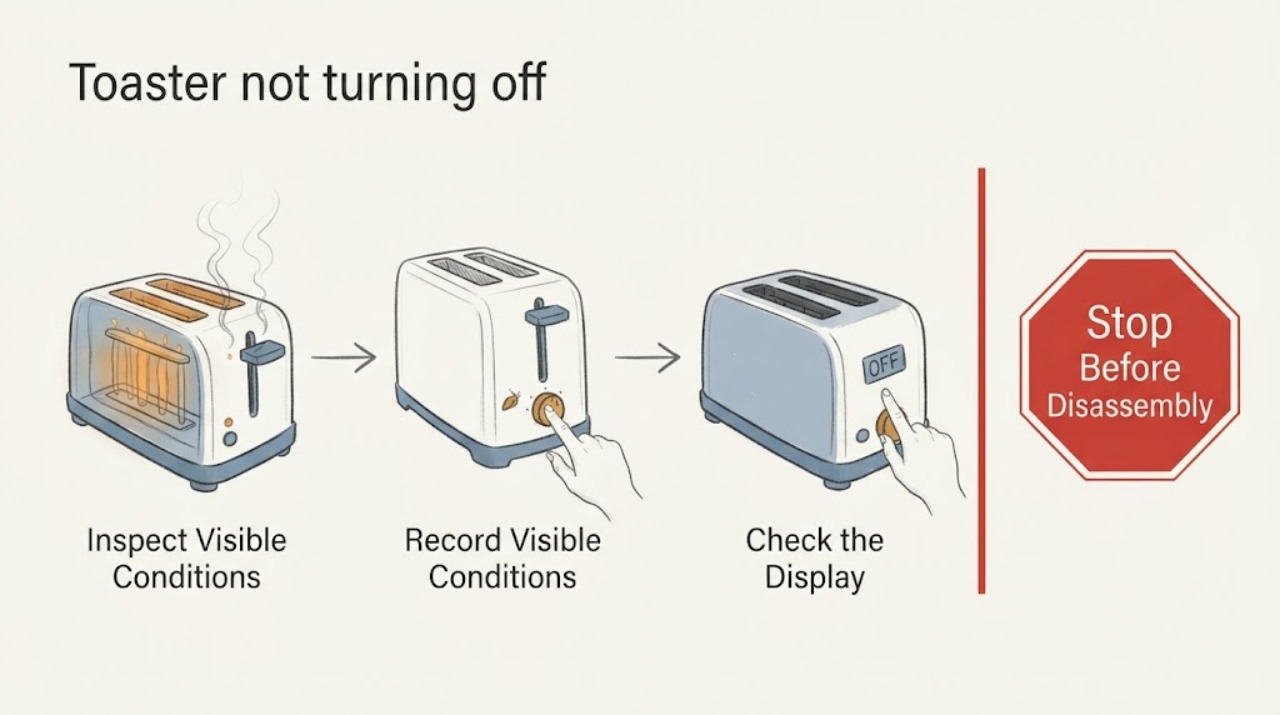
Work through in order
Diagnostic checks
Use only checks that match the exact appliance or system and its official guide.
-
Check 1
Stay with the toaster and observe whether the elements remain glowing/heating after bread pops, whether the lever is down, and whether STOP responds.
Expected result: Elements remain on, lever is stuck, STOP responds, or the unit is simply in a timed cycle.
Next step: Press STOP once if safe, then unplug; do not reach into slots.
Why this matters
Why: Continued heat after pop-up matches a stuck/control safety concern; a normal timed cycle should end.
-
Check 2
With unplugged/cool toaster, record the model and series code from the label and check the manufacturer safety notice.
Expected result: Model/series matches a notice, cannot be identified, or no notice match.
Next step: Keep a matching or uncertain unit unplugged and contact the manufacturer or authorized service.
Why this matters
Why: A recall/safety notice can change the remedy from troubleshooting to stop-use replacement/service.
-
Check 3
Inspect only the exterior, lever, cord, plug, and crumb tray for damage, crumbs, jammed control, scorch, or heat.
Expected result: Lever/control is jammed or cord/plug is damaged/hot, or exterior appears normal.
Next step: Clear only loose crumbs after cooling; never insert metal tools or open the case.
Why this matters
Why: Accessible obstruction can explain a stuck control, but electrical/element faults cannot be proven externally.
-
Check 4
Do one supervised retest only if no safety notice/damage exists and the manual permits; observe pop-up and full shutoff.
Expected result: Toaster shuts off normally, stays on, or sparks/smokes.
Next step: Unplug and arrange service/replacement for recurrence.
Why this matters
Why: A successful cycle does not clear a repeat failure; continued heat or smoke is a stop-use condition.
Use your observations
Decision map
Find the observation that best matches what you see, then follow the next safe action.
-
PATH 01Next step
What you see
Heating stops at pop-up and STOP works.
Do this next
Continue supervised use and unplug after use as the manual directs.
Why this path and its safety boundary
Why it matters: Normal timer/control operation is likely.
-
PATH 02Next step
What you see
Elements remain on after pop-up or lever cannot release.
Do this next
Unplug immediately when safe, check model/series notice, and keep out of use.
Why this path and its safety boundary
Why it matters: This is a fire hazard and may match a recalled/stuck mechanism.
-
PATH 03Next step
What you see
Lever/control is jammed by crumbs but no heat remains after power removal.
Do this next
Clean only after cooling and without inserting tools; service if it returns.
Why this path and its safety boundary
Why it matters: An accessible obstruction may be involved.
-
PATH 04Next step
What you see
Smoke, sparks, scorch, hot cord, or breaker trip occurs.
Do this next
Stop, unplug/isolate only if safe, and obtain qualified service or emergency help.
Why this path and its safety boundary
Why it matters: Immediate electrical/fire boundary.
Helpful context
Understand the symptom
A normal toaster should stop at the cycle end; continued heating after pop-up is a distinct safety symptom.
The safe first action is power removal, not repeated cycling or opening the housing.
When checks do not resolve it
Need a professional?
Replace or arrange qualified toaster service when it fails to stop after pop-up, the model matches a safety notice, or the lever/control/heating element needs repair.
Common questions
FAQ
Why does a toaster stay on after toast pops?
A stuck control or heating element can keep power applied; Hamilton Beach has also recalled certain models for this hazard. Unplug and check the model notice.
Can I press STOP?
Press STOP once if it responds and it is safe, then unplug. Never reach into slots or open the case.
Should I keep using it if it eventually turns off?
No if the elements stay on after pop-up or the symptom recurs. Keep it unplugged and arrange service/replacement.
Read the exact guide
Official sources
- Recall Info | HamiltonBeach.comHamilton Beach · toaster heating element remaining on after toast pops
- How to Use Your ToasterHamilton Beach · toaster stop/cancel, automatic pop-up and unplug safety
Community feedback
Share a repair observation
Share a plain-text repair observation. Accepted observations are published automatically; this page may take a moment to update.