
On this page
Start here
Quick answer
A toaster carriage that rises immediately can be responding to its design rather than a failed heater: a manual-lift toaster needs a live outlet and a fully lowered lever, while an automatic or sensor toaster may raise the carriage when it does not detect bread in the intended position. Unplug the toaster and let it cool before clearing only accessible crumbs or reseating its crumb tray. If the lever still will not latch with a live outlet, correct bread position and a clear accessible lever area, stop using the toaster and arrange model-specific service; do not open the case or defeat the latch.
Before you begin
Safety first
- Do not hold the lever down by hand, defeat the latch, insert metal tools, open the housing, perform live electrical tests, immerse the toaster, or order a generic latch, magnet, lever or control part without model-matched evidence.
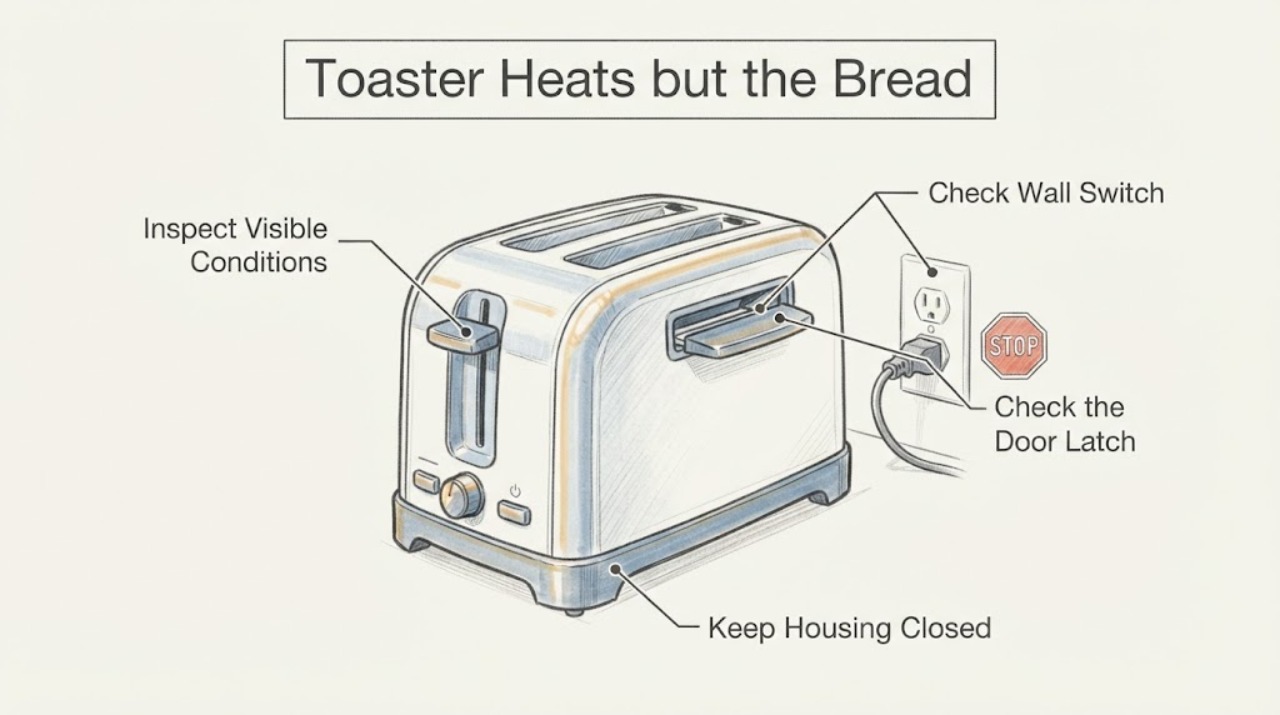
Work through in order
Diagnostic checks
Use only checks that match the exact appliance or system and its official guide.
-
Check 1
Look at the controls without opening the toaster. Decide whether it has a physical lift lever that must be pressed down, or an automatic/sensor start design that lowers the carriage after bread is positioned and a start control is used.
Expected result: The toaster has a manual lift lever, or it has sensor/start controls and the carriage rises immediately after bread is placed or the cycle is started.
Next step: Use the manual branch for a lever model. For a sensor model, continue by checking bread position and the model's sensor/start instructions rather than forcing the carriage down.
Why this matters
Why: A manual model needs the lever to reach its latch position; an automatic or sensor model can intentionally raise the carriage when its bread-detection condition is not met.
-
Check 2
For a manual-lift toaster, confirm the plug is fully inserted in a live outlet and that any outlet switch is on. Check the outlet with another appliance only if doing so is safe and convenient; do not increase a fuse or alter wiring.
Expected result: The outlet is dead, the toaster was unplugged, or a power outage occurred; alternatively, the outlet is live and the toaster has power.
Next step: Restore ordinary household power or move the toaster to a known-live outlet. If the lever still rises with power confirmed, continue to the lever, bread and cleaning checks.
Why this matters
Why: KitchenAid and Hamilton Beach both state that the lever will not stay down when the toaster lacks power. A live outlet removes that basic condition but does not prove the latch or control is sound.
-
Check 3
On a manual toaster, press the lift lever fully down once with the correct control state and confirm the Cancel control has not been used. On an automatic or sensor toaster, place bread in the intended slot and in front of the sensor as the model manual shows; do not use an unusually light or misplaced item to test the latch.
Expected result: The manual lever now latches, or the automatic carriage rises again and the toaster indicates that bread was not detected or the start condition was not met.
Next step: Use the correct manual lever or sensor-slot procedure once. If the carriage still rises with the correct bread position or the lever will not reach its latch, stop forcing it and inspect only accessible debris after unplugging and cooling.
Why this matters
Why: A partially lowered lever or a canceled cycle prevents a manual start. On a sensor model, a rise can mean the sensor did not detect bread rather than a heater fault.
-
Check 4
Switch the toaster off at the outlet, remove the plug and allow it to cool completely. Empty or wipe the accessible crumb tray as the model instructions allow, confirm it is fully reinserted, and look only at the visible lever area and slot opening for loose crumbs or an obvious obstruction. Do not shake, probe with metal, immerse, or remove the housing.
Expected result: Crumbs or a displaced tray are visible, or the accessible area is clear and the tray clicks into its normal position.
Next step: Remove only loose, accessible debris using the model's cleaning directions, reseat the tray and let the toaster remain cool before restoring power. If no accessible cause is found, proceed to service rather than opening the case.
Why this matters
Why: KitchenAid identifies debris around the lever as something that can prevent engagement; Breville identifies an incorrectly inserted tray as an operating problem and warns about accumulated crumbs. A clean exterior does not rule out an internal latch fault.
-
Check 5
After the outlet, start design, bread position and accessible cleaning checks, make at most one normal start attempt while remaining present. Stop immediately if the toaster smells burnt, sparks, trips power, heats without a stable start cycle, jams bread, or the lever still will not stay down.
Expected result: The carriage now completes a normal cycle, or the lever/carriage still rises, the appliance shows abnormal heat or smell, or food is jammed.
Next step: Unplug and discontinue use for persistent or hazardous symptoms. Arrange service using the exact rating-label model; do not defeat the latch, continue testing, or open the case.
Why this matters
Why: A normal cycle indicates the external condition was corrected. Persistent failure or a heat/electrical abnormality requires a model-specific service decision; the sources do not authorize diagnosing or replacing an internal latch, magnet, control or element.
Use your observations
Decision map
Find the observation that best matches what you see, then follow the next safe action.
-
PATH 01Next step
What you see
The toaster is unplugged, the outlet is not live, or there was a power outage, and the physical lever will not latch.
Do this next
Restore ordinary power or use a known-live outlet if safe. If the lever still will not latch, stop and use the service branch.
Why this path and its safety boundary
Why it matters: The official KitchenAid and Hamilton Beach guidance identifies power as a prerequisite for the lifter to remain down.
-
PATH 02Next step
What you see
The appliance has automatic/sensor controls and raises the carriage immediately after the bread is not positioned in the specified slot or in front of the sensor.
Do this next
Position the bread exactly as the model manual shows and use its start control once. Do not hold the carriage down manually.
Why this path and its safety boundary
Why it matters: The carriage may be responding to the sensor/start design, not reporting a failed heater.
-
PATH 03Next step
What you see
The outlet is live, but crumbs are visible near the lever or the crumb tray is not fully inserted; the toaster is unplugged and cool.
Do this next
Clean only the accessible areas and reseat the tray as the appliance manual permits. Stop if the lever still will not latch without force.
Why this path and its safety boundary
Why it matters: Debris can prevent lever engagement, and Breville states that a tray not clicked into position can prevent operation.
-
PATH 04Next step
What you see
The toaster still will not stay down after the applicable external checks, or it sparks, smells burnt, trips power, jams food or heats abnormally.
Do this next
Unplug it, keep it out of use and provide the exact brand/model and symptom sequence to an authorized service route. Do not open the housing or bypass the latch.
Why this path and its safety boundary
Why it matters: The public sources support service escalation but do not identify a safe internal repair or compatible part for this unidentified toaster.
Helpful context
Understand the symptom
First identify how this toaster starts
The title gives no brand or model, so the first split is between a manual-lift toaster and an automatic or sensor toaster. KitchenAid's manual-toaster guidance says the lift lever starts the cycle when pressed fully down. Breville's opened BTA850/BTA870 manual describes a sensor carriage that rises when bread is not detected in the intended slot. A carriage that comes back up immediately does not, by itself, prove that the heating elements have failed.
Keep cleaning and repair at the external boundary
If crumbs or a misplaced tray are involved, make the toaster safe first. Breville's manual says to switch the toaster off at the outlet, remove the plug and let it cool completely before cleaning; it also says the crumb tray must click firmly into place and warns about crumb buildup. KitchenAid identifies debris around the lever as a reason it may not engage fully. These instructions support accessible cleaning and observation, not opening the housing or repairing a latch or control.
When checks do not resolve it
Need a professional?
Arrange model-specific service if a live outlet, correct manual/sensor start condition and safe accessible cleaning do not restore a stable cycle, or if the toaster sparks, smells burnt, trips power, jams food or heats abnormally.
Safety scope: Do not hold the lever down by hand, defeat the latch, insert metal tools, open the housing, perform live electrical tests, immerse the toaster, or order a generic latch, magnet, lever or control part without model-matched evidence.
Have this ready
- Provide the exact brand, model and region from the rating label, whether the appliance has a manual lever or automatic sensor start, whether the outlet is live, whether the crumb tray is seated, and whether the carriage rises immediately or after heating begins.
Common questions
FAQ
Why does the toaster heat but the lever pop back up?
On a manual toaster, the outlet must be live and the lever must reach its latch position. On an automatic or sensor toaster, the carriage can rise when bread is not detected in the intended slot. A heater that warms does not by itself prove that the latch, sensor or control is healthy.
Can I hold the toaster lever down to keep it heating?
No. Holding or bypassing the latch changes the appliance's designed control and can leave the toaster heating without its normal shutoff behavior. Stop using it and arrange service if the lever will not latch normally.
Should I clean the toaster while it is plugged in?
No. Switch it off, unplug it and allow it to cool completely before cleaning. Remove only accessible crumbs or the removable crumb tray according to the model instructions; do not insert metal tools or open the housing.
What model information is needed for a repair answer?
Record the brand, complete model and region from the rating label, the exact control design, whether the outlet is live, whether bread is detected, and whether the carriage rises immediately or after heating begins. Without that information, a replacement lever, latch or internal diagnosis cannot be matched safely.
Read the exact guide
Official sources
- 840125700 Commercial Toaster ManualHamilton Beach Brands · Used only for the documented general safety and power behavior of a manual bread lifter: it will not latch when unplugged or during an outage. The commercial manual does not establish a universal repair or part for the unidentified toaster.
- Bread Won't Stay Down - ToasterKitchenAid Product Help · Applies to the KitchenAid toaster operation page. Used to distinguish manual lever, Cancel state, automatic light-bread behavior and visible lever-area debris; no cross-model control sequence or part is inferred.
- Lift Lever Will not Stay Down - ToasterKitchenAid Product Help · Applies to the KitchenAid toaster support topic. Used for the mechanism-level power prerequisite and service boundary, not as proof of a part fit or a universal model identity.
- BTA850/BTA870 Eye Q Auto Toaster Instruction ManualBreville · Used for an explicitly identified automatic/sensor toaster family: bread-sensor behavior, cool-and-unplug cleaning, crumb-tray seating, jam safety and service boundary. It does not establish that the unidentified task's toaster is a Breville or that a Breville procedure/part transfers.
Community feedback
Share a repair observation
Share a plain-text repair observation. Accepted observations are published automatically; this page may take a moment to update.