
On this page
Start here
Quick answer
Unplug the toaster and stop using it if the bread carriage stays down after heating, the toaster remains energized after the toast should be finished, or you smell burning or see smoke. Do not reach into a hot slot, force the lever, or insert a knife, fork or other tool. Once the unplugged toaster is completely cool, follow the exact model guide for removing food or cleaning the crumb tray; if the carriage still will not release, arrange service or replace the toaster rather than opening the housing.
Before you begin
Safety first
- Do not reach into hot slots, insert utensils, force or hold the lever, bypass a latch, open the housing, splice a cord, perform live tests or repeatedly power a toaster that stays energized or shows smoke/odor.
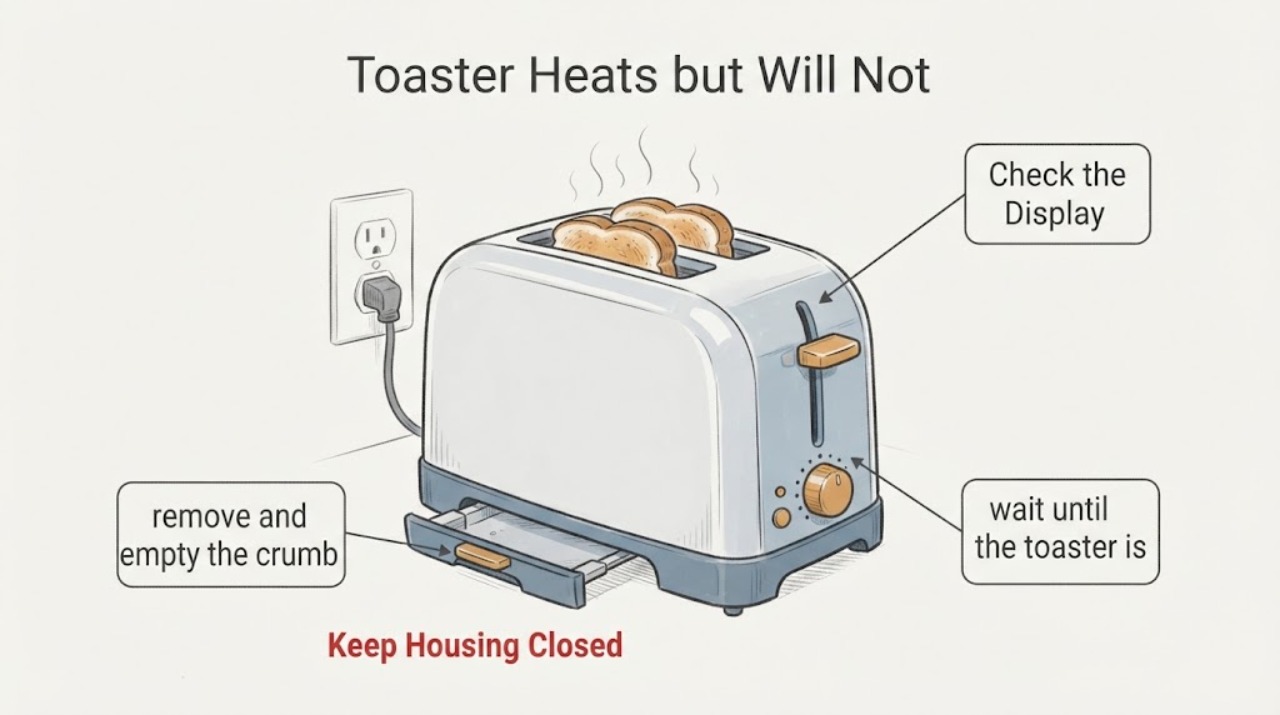
Work through in order
Diagnostic checks
Use only checks that match the exact appliance or system and its official guide.
-
Check 1
If the toaster is hot and the carriage remains down, stop the cycle with the clearly labeled model-specific Stop/Cancel control if available. If heat remains on or the control does not respond, unplug by the plug with dry hands and keep clear of the slots.
Expected result: Heating stops and the carriage releases, or the elements remain hot/energized, the lever stays down, smoke/odor appears or the outlet trips.
Next step: Keep the toaster unplugged and cool. Do not restart it to confirm the symptom; arrange service or replacement, and check recall status using the exact model.
Why this matters
Why: A completed stop does not prove the mechanism is healthy; continued heat or an electrical/fire symptom makes further use unsafe.
-
Check 2
After disconnecting power, wait until the toaster is completely cool and inspect only the visible slot opening for lodged bread, pastry fragments or heavy crumbs. Do not insert any utensil or reach into the slots.
Expected result: A loose item is plainly visible at the opening, or nothing visible explains why the carriage remains down.
Next step: Remove only a plainly loose item using the exact manual method. If access requires force or the cause is not visible, stop and use the manufacturer/service route.
Why this matters
Why: A visible obstruction may be relevant, but an empty opening does not distinguish an internal latch, spring, timer, sensor or control issue.
-
Check 3
With power disconnected and the toaster cool, remove and empty the crumb tray only if the exact model has one and its manual says it is user-removable. Refit it fully before any future normal use.
Expected result: The tray is full, damaged or not seated, or the model has no documented removable tray.
Next step: Clean or reseat only as the model guide directs. If the carriage still fails, do not continue testing or open the housing; arrange qualified service or replace the toaster.
Why this matters
Why: Crumb accumulation can create a fire concern and some designs use tray/sensor interlocks, but tray condition alone does not prove the pop-up mechanism is repaired.
-
Check 4
Read the rating label without opening the toaster and locate the exact owner guide or manufacturer support page. Record whether the toast finished, whether the heating elements stayed on, and any smoke, odor, sparking, damage or breaker trip.
Expected result: The exact model is available and has a matching user procedure/recall notice, or the model is unknown and the carriage remains stuck.
Next step: Follow only the matching external procedure and recall instruction. Otherwise keep the toaster unplugged and contact the manufacturer or qualified small-appliance service.
Why this matters
Why: Pop-up controls, tray arrangements and safety notices are model-specific; a generic lever symptom cannot identify a compatible part or safe internal repair.
Use your observations
Decision map
Find the observation that best matches what you see, then follow the next safe action.
-
PATH 01Next step
What you see
The heating elements continue glowing after the toast should be finished, the toaster smells burnt, smokes, sparks or trips the outlet.
Do this next
Disconnect power only if it is safe to reach the plug without touching heat, smoke or wet/damaged parts. Leave it unplugged, clear nearby combustibles and use the manufacturer/service or emergency route as appropriate.
Why this path and its safety boundary
Why it matters: The toaster may present a fire or electrical hazard; a stuck carriage is not a safe reason to keep testing it.
-
PATH 02Next step
What you see
After unplugging and cooling, a loose item or heavy visible crumb buildup is present at the opening and the exact manual permits user cleaning/removal.
Do this next
Use only the manual-approved cool, unplugged method. Do not use a utensil, force the lever or restart the toaster if the carriage remains stuck.
Why this path and its safety boundary
Why it matters: The item may be obstructing the carriage, but removal must not damage the heating elements or electrical parts.
-
PATH 03Next step
What you see
The opening is clear, the carriage still will not rise, the tray is not the documented cause, or the toaster needs housing access to continue.
Do this next
Keep the toaster unplugged and arrange manufacturer or qualified small-appliance service, or replace it; do not open, bypass or live-test the mechanism.
Why this path and its safety boundary
Why it matters: The remaining cause is internal or model-specific and cannot be diagnosed safely from the symptom alone.
-
PATH 04Next step
What you see
The rating label matches a manufacturer or regulator safety notice, or the model cannot be identified.
Do this next
Follow the exact recall/manufacturer instruction. If identity is unknown, keep the toaster unplugged until the manufacturer or service provider confirms a safe path.
Why this path and its safety boundary
Why it matters: A recall instruction controls the disposition for the matched model; an unknown model cannot be cleared by assuming it is a different toaster.
Helpful context
Understand the symptom
Treat a stuck-down hot carriage as a safety stop
If the toaster is still heating and the bread lifter will not return, do not leave it unattended or keep waiting with your hand near the slots. Use the model's Cancel or Stop control only if it is clearly provided and reachable without touching hot surfaces; if the heat remains on or the control does not respond, disconnect power at the plug with dry hands and without pulling the cord. Keep the toaster on a clear, heat-safe surface and do not cover it.
Cool it before looking for a visible obstruction
Wait until the toaster is unplugged and completely cool. Look from above for bread, a pastry fragment or an obvious crumb buildup that is preventing the carriage from rising. Do not insert fingers, a knife, fork, tongs or any other utensil into the slot. If the exact manual permits the toaster to be turned upside down and gently shaken to remove a lodged item, follow that method only; otherwise use the manufacturer service route.
Clean only the user-removable parts named by the manual
With the toaster unplugged and cool, remove and empty a removable crumb tray only if the model guide identifies one. Refit it exactly as directed. Do not use metal scouring pads, water inside the toaster or improvised cleaning tools, and do not remove the housing. A crumb tray or sensor arrangement differs by model, so a generic tray position cannot explain every stuck carriage.
Do not turn a heat test into a repair attempt
After a carriage failure, do not repeatedly plug the toaster in to see whether it will pop up, hold the lever down, bypass a latch or open the case. Record the brand/model from the rating label, whether the heating elements stayed on, what food was present, whether a Stop/Cancel control responded and whether smoke, odor, sparking or a tripped breaker occurred. Give those details to the manufacturer or a qualified small-appliance service provider.
When checks do not resolve it
Need a professional?
Arrange service or replacement when the toaster heats but the carriage remains down after it is unplugged and cool, when the elements stay on after the toast should finish, or whenever there is smoke, burning odor, sparking, outlet tripping or cord/plug damage.
Safety scope: Do not reach into hot slots, insert utensils, force or hold the lever, bypass a latch, open the housing, splice a cord, perform live tests or repeatedly power a toaster that stays energized or shows smoke/odor.
Have this ready
- Provide the brand/model and serial or rating-label photo, toaster type and slot count, food used, whether the carriage moved, whether heat stayed on, the Stop/Cancel response, crumb-tray condition and any smoke, odor, spark, heat damage or breaker event.
Common questions
FAQ
Can I pull the lever up or push it down harder?
No. Do not force the carriage or hold it down. Disconnect power, let the toaster cool, and use only the exact model guide for a visible obstruction or service route.
Can I use a fork to remove the toast?
No. Hamilton Beach warns to disconnect power and allow the toaster to cool before removing lodged food, and not to use a fork or other utensil that could damage the heating element or create fire or shock risk.
Does heating prove the latch or timer is the only failed part?
No. Heating with a stuck carriage does not identify a spring, latch, timer, sensor, solenoid or control fault. Those parts vary by model and require manufacturer or qualified service evaluation.
Should I keep trying different bread?
No. Repeated heating tests can increase fire risk and do not safely identify the cause. Keep it unplugged, record the model and symptom, and use the service or replacement route.
Read the exact guide
Official sources
- CPSC, Proctor-Silex Announce Recall of ToastersHamilton Beach · Opened the manufacturer-hosted recall notice. It documents a fire hazard for specific recalled models whose heating elements could remain on after popping and instructs owners of those exact models to unplug and stop using them. It is not evidence that this unknown toaster is recalled.
- Hamilton Beach Toaster Use and Care Guide (840231800)Hamilton Beach · Opened the manufacturer-hosted official guide. It supports Stop/unplug, automatic pop-up, no unattended operation and cool unplugged cleaning. It is used as a scoped manufacturer example, not as a universal control layout.
- Hamilton Beach Toaster Use and Care Guide (840216710)Hamilton Beach · Opened the manufacturer-hosted official guide. It supports the general safety boundaries for a traditional pop-up toaster: automatic release, unplug/cool before lodged-food removal and no utensils. It is not evidence that an unknown toaster has the same controls or mechanism.
- BTA850/BTA870 Instruction BookBreville · Opened the manufacturer-hosted official guide as a second design example. It shows that carriage/sensor/tray behavior is model-specific and reinforces unplug/cool/no-utensil handling; it does not identify the unknown toaster or authorize transferring a Breville procedure.
Community feedback
Share a repair observation
Share a plain-text repair observation. Accepted observations are published automatically; this page may take a moment to update.