
On this page
Start here
Quick answer
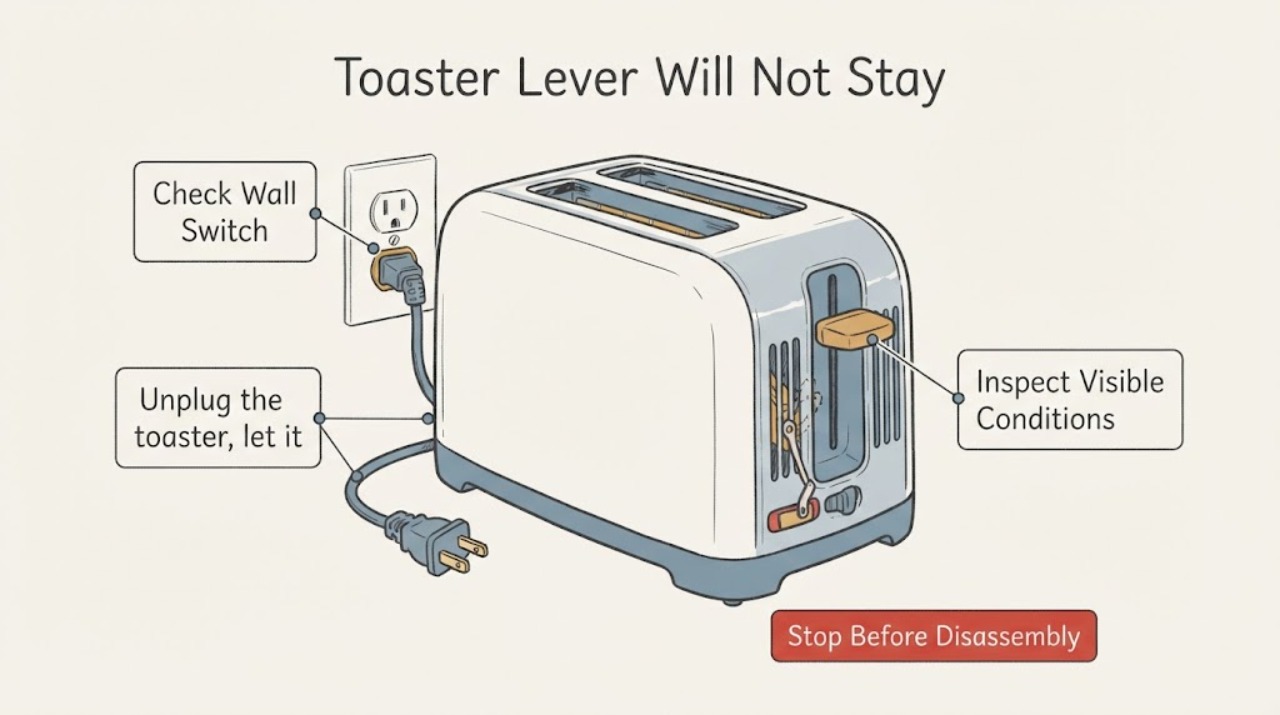
On a common pop-up toaster, a lever that will not stay down can be as simple as no power at the outlet or a food item caught in the slot, but the exact latch design varies by model. Check the outlet and plug without opening the toaster. If the toaster has a removable crumb tray, unplug it and let it cool before cleaning that tray. Do not force the lever, insert metal tools, or keep using the toaster if it smells hot, sparks, smokes, turns on by itself, or has a damaged cord. If the lever still will not latch after these external checks, use the exact manual for the toaster's model and arrange qualified service or replace the appliance rather than opening the case.
Work through in order
Diagnostic checks
Use only checks that match the exact appliance or system and its official guide.
-
Check 1
With the toaster empty and the lever released, check that the plug is fully seated in a working wall outlet. If the toaster is connected through a switch, timer, or power strip, remove that variable and use the outlet only if it is dry and safely accessible. Do not test by holding the lever down.
Expected result: The outlet powers another small appliance and the toaster's cord and plug are intact, or the outlet is dead/loose or the cord or plug is damaged.
Next step: If power or cord condition is abnormal, unplug the toaster and stop there; correct the outlet through a qualified electrician or replace/service the toaster. If power is present and the cord is intact, continue with the unplugged crumb and slot check.
Why this matters
Why: The lifter latch on common toaster designs depends on power. A dead outlet can look like a failed lever, while damaged electrical parts create a shock or fire risk.
-
Check 2
Unplug the toaster, let it cool completely, and inspect only the visible slots and any removable crumb tray. Empty the tray if the toaster has one. If bread is visibly wedged, follow the exact manual; the opened Hamilton Beach guidance permits cooling, unplugging, and careful removal with a wooden utensil, while warning against tools that can contact the heating elements.
Expected result: The tray is full of crumbs or a removable obstruction is visible, or the slots are clear and the tray is clean.
Next step: Replace the dry tray, keep the toaster unplugged while cleaning, and use it only according to its manual after the obstruction is gone. If the lever still will not latch, do not insert tools or open the case; continue to the stop/service decision.
Why this matters
Why: Accumulated crumbs or a jam can interfere with normal operation, but the absence of visible debris does not prove that the internal latch or switch is serviceable.
-
Check 3
Inspect the outside of the toaster and cord without removing screws or covers. Look for a lever that is bent, loose, cracked, or obstructed, and for scorch marks, melted plastic, fraying, smoke residue, sparks, or a burning smell. Keep the toaster away from water and combustible items during the inspection.
Expected result: There is visible damage, an electrical or burning symptom, the appliance turns on without a normal command, or the exterior is intact and the complaint is only that the lever will not latch.
Next step: For any hazard sign, unplug only if it is safe to do so, keep the toaster out of use, and contact the manufacturer or qualified service; do not retry it. For a clean external inspection, use the full model manual to determine whether the unit is serviceable or should be replaced.
Why this matters
Why: Visible damage, abnormal electrical behavior, smoke, sparks, or burning odor can indicate a fire or shock hazard. An intact exterior does not make an internal latch safe to repair at home.
-
Check 4
Find the toaster's rating label and compare the exact model manual before any further use. Confirm whether it has a normal bread-lifter latch, a cancel control, and a removable crumb tray; do not assume a different toaster's reset sequence or internal layout.
Expected result: The exact manual supplies a user-level correction, or no manual-supported correction is available and the lever still fails.
Next step: Follow only the exact manual's external instructions. If it still fails to latch, leave the toaster unplugged and choose manufacturer service or replacement; never tape, wedge, bypass, or hold the lever down.
Why this matters
Why: The generic checks can separate a power, visible debris, or safety issue, but they cannot identify a failed magnet, switch, control, or spring without model-specific evidence and qualified testing.
Use your observations
Decision map
Find the observation that best matches what you see, then follow the next safe action.
-
PATH 01Next step
What you see
The toaster smells hot or burnt, sparks, smokes, turns on unexpectedly, has a damaged cord, or has exposed or melted parts.
Do this next
Stop using it and unplug it only if that can be done without touching a damaged or wet part. Keep it away from combustibles and arrange manufacturer or qualified service; do not test it again.
Why this path and its safety boundary
Why it matters: This is an electrical or fire warning, not a normal lever adjustment.
-
PATH 02Next step
What you see
The outlet is dead or the plug/cord is damaged, while the toaster itself has not been safely cleared.
Do this next
Leave the toaster unplugged. Have the outlet or cord addressed by a qualified person or replace/service the toaster; do not force the lever to compensate.
Why this path and its safety boundary
Why it matters: The lever symptom may be caused by missing power, and the cord condition may be hazardous.
-
PATH 03Next step
What you see
The toaster is powered, cool and unplugged for cleaning, and crumbs or a visible jam are found.
Do this next
Use only the exact manual's safe clearing method, replace the crumb tray, and stop if the lever still fails. Never use a knife, fork, or other metal object in the slot.
Why this path and its safety boundary
Why it matters: A user-level obstruction may be preventing normal movement, but clearing it does not prove the internal latch is sound.
-
PATH 04Next step
What you see
The outlet and cord are normal, visible debris is absent, and the lever still will not stay down.
Do this next
Keep the toaster unplugged and use the exact model support path for service or replacement. Do not open the case, bypass the latch, or hold the lever down while energized.
Why this path and its safety boundary
Why it matters: The remaining fault may be inside the latch or control system, which cannot be diagnosed safely from this generic task.
Helpful context
Understand the symptom
Keep the check generic until the toaster's model is known
The task does not identify a brand or model. The checks below apply only to a conventional plug-in pop-up toaster with a mechanical bread-lifter style control. Hamilton Beach manuals are used as documented examples of that design: one says the lifter will not latch unless the toaster is plugged in, and another describes a removable crumb tray and a jam-clearing boundary. Controls and safe cleaning instructions can differ on another toaster, so the rating label and matching manual control the final decision.
A failed latch is not a reason to hold the lever down
The lever is part of the toaster's start and latch system. Do not tape it, wedge it, hold it down by hand, or reach into the slots to make it run. If a safe outlet check and model-approved crumb-tray cleaning do not restore normal latching, leave the toaster unplugged and use the exact model support path or qualified service.
Common questions
FAQ
Why will a toaster lever not stay down?
On common bread-lifter designs, the latch may require power. A dead outlet or an unplugged toaster can therefore mimic a failed lever. If power is present and the lever still will not latch, do not assume the internal switch or magnet is safe to repair without the exact model manual.
Can I hold the lever down or tape it in place?
No. Do not wedge, tape, or hold the lever down. That bypasses the appliance's normal control and can leave the heating elements energized without the intended shutoff behavior.
How do I clean crumbs when the lever will not work?
Unplug the toaster and let it cool fully. If it has a removable crumb tray, empty and replace that tray according to its manual. Do not shake a plugged-in toaster, insert metal tools, or reach toward the heating elements.
When should I stop using the toaster immediately?
Stop for smoke, sparks, burning odor, unexpected operation, a damaged cord, melted plastic, or any shock. Unplug it only if safe and arrange qualified service or replacement.
Read the exact guide
Official sources
- Home Electrical Safety ChecklistU.S. Consumer Product Safety Commission · Opened the CPSC official safety publication. It applies to countertop electrical appliances generally and supports unplugging when not in use, keeping cords away from heat, keeping appliances away from sinks, and treating damaged or irregular operation as a hazard.
- READ BEFORE USE.Hamilton Beach Brands, Inc. · Opened the official manual PDF. It independently confirms that the bread lifter will not latch without power and directs unplugging/cooling before carefully clearing a jam; it is not treated as an exact manual for the unidentified task toaster.
- ToasterHamilton Beach · Opened the official manual PDF. Used as a documented example of a conventional pop-up toaster: the bread lifter will not latch unless plugged in; it also gives unplugged, cooled crumb-tray cleaning. Exact controls may differ on an unidentified toaster.
Community feedback
Share a repair observation
Share a plain-text repair observation. Accepted observations are published automatically; this page may take a moment to update.