
On this page
Start here
Quick answer
If a Viking cooktop will not turn on, first identify whether it is gas, electric radiant, or induction, then use that model's control sequence and check the safe external power path. A gas model needs electrical ignition and gas supply; a radiant model needs power and a pushed-and-turned control; an induction model needs main power, a selected element, and suitable cookware. If you smell gas, see arcing or smoke, find broken glass, or a breaker trips again, stop using the cooktop and arrange qualified service.
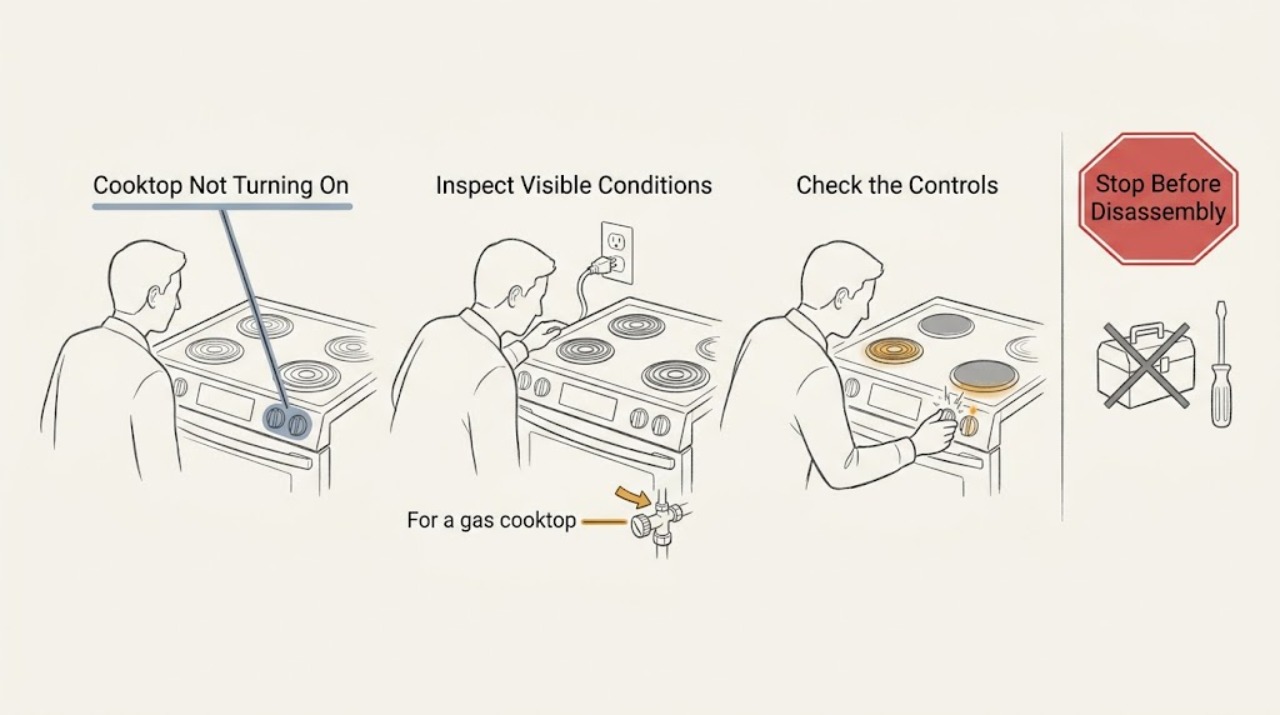
Work through in order
Diagnostic checks
Use only checks that match the exact appliance or system and its official guide.
-
Check 1
Read the model label or the Viking documentation page and identify the cooktop type before trying to start it. Look for gas burner caps and knobs, radiant elements with push-to-turn knobs, or a glass touch-control panel and induction cooking zones. Do not remove panels or covers.
Expected result: You can classify the unit as gas, electric radiant, or induction and note whether the whole control area is dark or only one burner or zone is affected.
Next step: Follow the matching gas, radiant, or induction check below; if the model cannot be identified safely, stop and use the model-specific Viking manual or a qualified servicer.
Why this matters
Why: The same symptom has different causes by energy type: gas ignition needs both electrical ignition and gas flow, radiant units need an active electrical control, and induction units need a powered control plus pan detection.
-
Check 2
With every cooktop control off and the surface dry, look for any display, indicator, or igniter response. From a dry standing position, inspect the appliance's accessible plug or the home's circuit panel for an obvious loss of power; reset a tripped breaker only once if there is no odor, moisture, visible damage, or arcing.
Expected result: If the cooktop wakes up after the single reset, it had a supply interruption. If it stays dark, or the breaker trips again, do not keep resetting or testing it.
Next step: Leave a repeat-trip or still-dark cooktop off and arrange a qualified electrician or Viking servicer; continue only with the appropriate low-risk model check when power is stable.
Why this matters
Why: A repeated trip can indicate a fault or unsafe load, and a completely dark unit can have a supply, connection, lock, or internal control problem that cannot be confirmed by a user without live electrical testing.
-
Check 3
For a gas Viking cooktop with no gas odor, place a pan on the intended burner, push the matching knob in, and turn it to an on or ignition position while watching and listening briefly. Do not hold the knob open or continue if ignition does not occur promptly.
Expected result: No click means the ignition circuit is not responding. Repeated clicking with no flame means gas is not reaching the burner or ignition conditions are not right. A flame that lights but is large, distorted, yellow, or accompanied by continuous sparking is abnormal.
Next step: Turn the knob off. After the burner is cool, only clean and dry accessible burner caps and ports as the Viking manual describes; do not enlarge ports, adjust air shutters, open the gas path, or troubleshoot a continuous spark or abnormal flame yourself.
Why this matters
Why: The manual separates no-igniter response from no-flame and abnormal-flame conditions. The first points toward power or ignition; the second toward gas supply or ignition conditions; the last can involve a wet or dirty igniter, blocked ports, gas type, grounding, or adjustment.
-
Check 4
For an electric radiant Viking cooktop, make sure the selected control knob is fully at off, then push it in and turn it to a normal heat setting. Use a flat, dry pan sized for the element and watch the element or hot-surface indicator without touching the glass.
Expected result: A red indicator or warming element shows that the control is responding. If one element stays cold while another works, or no indicator responds after stable power is confirmed, record which control is affected.
Next step: Turn the control off and let the surface cool. Arrange qualified service for a dead element or control; do not remove the glass, test a junction box, or replace a component while energized.
Why this matters
Why: A working indicator with delayed visible heat can be normal cycling behavior, but one dead element with otherwise working controls suggests a local element or control fault. No response across the cooktop suggests a common supply or control issue.
-
Check 5
For an induction Viking cooktop, wipe the touch area dry, press and hold the main power control as directed by the manual, select one cooking zone, and place a flat-bottomed pan with a magnetic base centered on that zone. Do not use cracked cookware or place metal objects on the control area.
Expected result: The main display or zone control should respond, and a suitable pan should allow the zone to start. A key-lock indicator, no response to a brief hold, or a pan-detection indication changes the next check.
Next step: Clear the lock only with the model-specific Viking instructions and retry once with dry controls and suitable cookware. If the main control remains dead or the glass or electronics show damage, stop and arrange service.
Why this matters
Why: A locked or wet touch panel can ignore input; an unselected zone has no heat request; and induction transfers energy only when the cookware is suitable and correctly positioned.
-
Check 6
Compare the symptom across one control and a second burner or zone without repeatedly cycling the appliance. On gas, compare another burner only if there is no gas odor and the first control is off; on radiant or induction units, use one other zone after the control area is dry and stable.
Expected result: If one location works and another does not, note the exact control, zone, or burner. If all locations fail, note whether there is any display, indicator, click, or flame response at all.
Next step: Give the servicer the working-versus-failed comparison and model information; do not remove knobs, burner bases, glass, or electrical covers to isolate the fault further.
Why this matters
Why: A single-location failure narrows the issue to a local component or sensor, while an all-location failure favors a shared supply, lock, or control path.
-
Check 7
After any low-risk correction, make one controlled start attempt using the correct Viking sequence, then turn the control off and confirm that the cooktop stops normally. Do not repeat a failed ignition, breaker reset, or high-heat test to force a result.
Expected result: A normal response identifies the original condition as a control, lock, cookware, or temporary supply issue. No response, a renewed trip, continuous sparking, abnormal flame, smoke, or burning odor is a failed safe check.
Next step: Leave the cooktop off and request qualified Viking service; include the model, energy type, affected locations, and the exact response observed.
Why this matters
Why: The remaining fault is not safely distinguishable from an internal electrical, ignition, heating, or control failure by external observation alone.
Use your observations
Decision map
Find the observation that best matches what you see, then follow the next safe action.
-
PATH 01Next step
What you see
The model is gas.
Do this next
Use the no-click, clicking-without-flame, and abnormal-flame observations; never open the gas path or adjust burner hardware.
-
PATH 02Next step
What you see
The model is electric radiant.
Do this next
Use the push-and-turn control and indicator check, then escalate a dead element or an all-dark cooktop without opening its electrical enclosure.
-
PATH 03Next step
What you see
The model is induction.
Do this next
Check the main power control, key lock, dry touch area, selected zone, and magnetic flat-bottomed pan in that order.
-
PATH 04Next step
What you see
The cooktop is completely dark or a breaker trips again.
Do this next
Stop resetting or testing it and arrange a qualified electrician or Viking servicer.
-
PATH 05Next step
What you see
One burner or zone fails while another works.
Do this next
Record the exact failed location and request service for a local control, ignition, heating, or sensing fault.
-
PATH 06Next step
What you see
A gas igniter clicks but there is no flame.
Do this next
Turn the control off; if there is no gas odor, check only the accessible supply condition and cool, dry burner cap, then escalate if it remains unresolved.
-
PATH 07Next step
What you see
A gas burner keeps sparking after ignition, has an abnormal flame, or any model shows smoke, arcing, or a burning odor.
Do this next
Stop using the cooktop and arrange qualified service; do not perform live electrical or gas work.
Helpful context
Understand the symptom
Viking's documentation archive includes gas, electric radiant, and induction cooktops. The symptom can therefore mean a dark control panel, a gas burner with no flame, a radiant element that never glows, or an induction zone that does not respond. Find the model information under or near the appliance and use the matching path below; do not remove the cooktop or its junction-box cover.
Make observations with the controls off and the surface cool. The goal is to separate a simple control, lock, cookware, or supply condition from a failed internal component without opening a gas or electrical enclosure.
A single failed burner or zone with the rest of the cooktop working points to a local control, ignition, element, or sensing issue. A completely dark cooktop or a failure across every zone points first to the external supply, control lock, or a common control fault.
Safety boundary
Stop conditions
- If you smell gas, do not try to light the cooktop or touch electrical switches; leave the area and contact the gas supplier or emergency services from a safe location.
- If the glass surface is cracked or broken, stop using the cooktop and arrange qualified service because spills can create an electrical-shock hazard.
- If you see arcing, smoke, a flame outside the burner area, or a burning or melted odor, move away from the appliance and arrange emergency or qualified service as appropriate.
- If the breaker trips again, do not keep resetting it or run another test; leave the appliance off and have the supply and cooktop inspected by a qualified professional.
- Do not remove covers, test live wiring, adjust gas pressure or air shutters, enlarge burner ports, or open the gas path as a home troubleshooting step.
Only after diagnosis
Potential parts
- gas ignition system component
Only consider an ignition-related component after a qualified diagnosis confirms that the gas model has stable power and supply but still has no reliable ignition.
Confirm the exact Viking model and revision with the manufacturer or authorized servicer before selecting any part. - radiant heating element or control
This is relevant only when one radiant location remains cold while the rest of the controls and supply work and a technician confirms a local failure.
Use the model and serial information to confirm fit; do not substitute a part based only on appearance. - cooktop user-interface or control module
Consider this category only after stable external power, lock state, dry controls, and model-specific operation have been checked by a qualified technician.
A Viking control part must be matched to the exact model and electrical design by the manufacturer or service professional.
When checks do not resolve it
Need a professional?
Call a qualified Viking servicer, electrician, or gas professional when the cooktop stays dark after the one safe external check, one burner or zone remains dead, a breaker trips again, ignition stays abnormal, or any surface, cord, control, or gas condition is damaged.
Have this ready
- Provide the model and serial information, energy type, whether the entire cooktop or one location is affected, and whether you observed a display, indicator, click, flame, lock symbol, smoke, or trip.
Common questions
FAQ
Why is my Viking cooktop completely dark?
After confirming the controls are off, check for an obvious external power interruption and reset a tripped breaker only once when there is no damage, moisture, odor, or arcing. A repeat trip or continued darkness needs qualified service.
Why does a Viking gas cooktop click but not light?
The igniter is responding, but gas may not be reaching the burner or the burner cap and ports may be wet or dirty. Turn the control off; if there is no gas odor, let accessible parts cool and dry, and escalate if the condition remains.
Why does my Viking induction cooktop not respond?
Hold the main control as directed, check whether the key lock is active, keep the touch area dry, select a zone, and use a centered flat pan with a magnetic base. Persistent failure or damaged glass needs service.
Can I use a Viking cooktop with cracked glass?
No. Stop using a cracked or broken glass surface and arrange qualified service because spills can penetrate the surface and create an electrical-shock hazard.
Is it normal for a Viking radiant element to cycle?
Yes, a radiant element can cycle on and off to maintain its selected heat. A single element that never responds while another works, however, should be recorded as a local fault for service.
Read the exact guide
Official sources
- 060121-000G EN.inddViking Range, LLC · Viking 6 Series built-in induction cooktops
- Viking Range, LLC | Support and Docs | DocumentationViking Range, LLC · Viking cooktop product documentation
- F21208A EN:Layout 1.qxdViking Range, LLC · Viking 3 Series built-in gas cooktops
- Viking Use & Care Manual Professional Built-In Electric CooktopsViking Range Corporation · Viking professional built-in electric radiant cooktops
Community feedback
Share a repair observation
Share a plain-text repair observation. Accepted observations are published automatically; this page may take a moment to update.